














Introduction
BuddyBoss Theme includes a Powered by BuddyBoss footer by default. You can customize or remove this text by enabling the Footer Info Section and then editing the left- and right-side content areas.
Activate the Footer Info Section
- In your WordPress admin, go to BuddyBoss Dashboard > Theme Options > Footer.
- Toggle Footer Info Section to On.
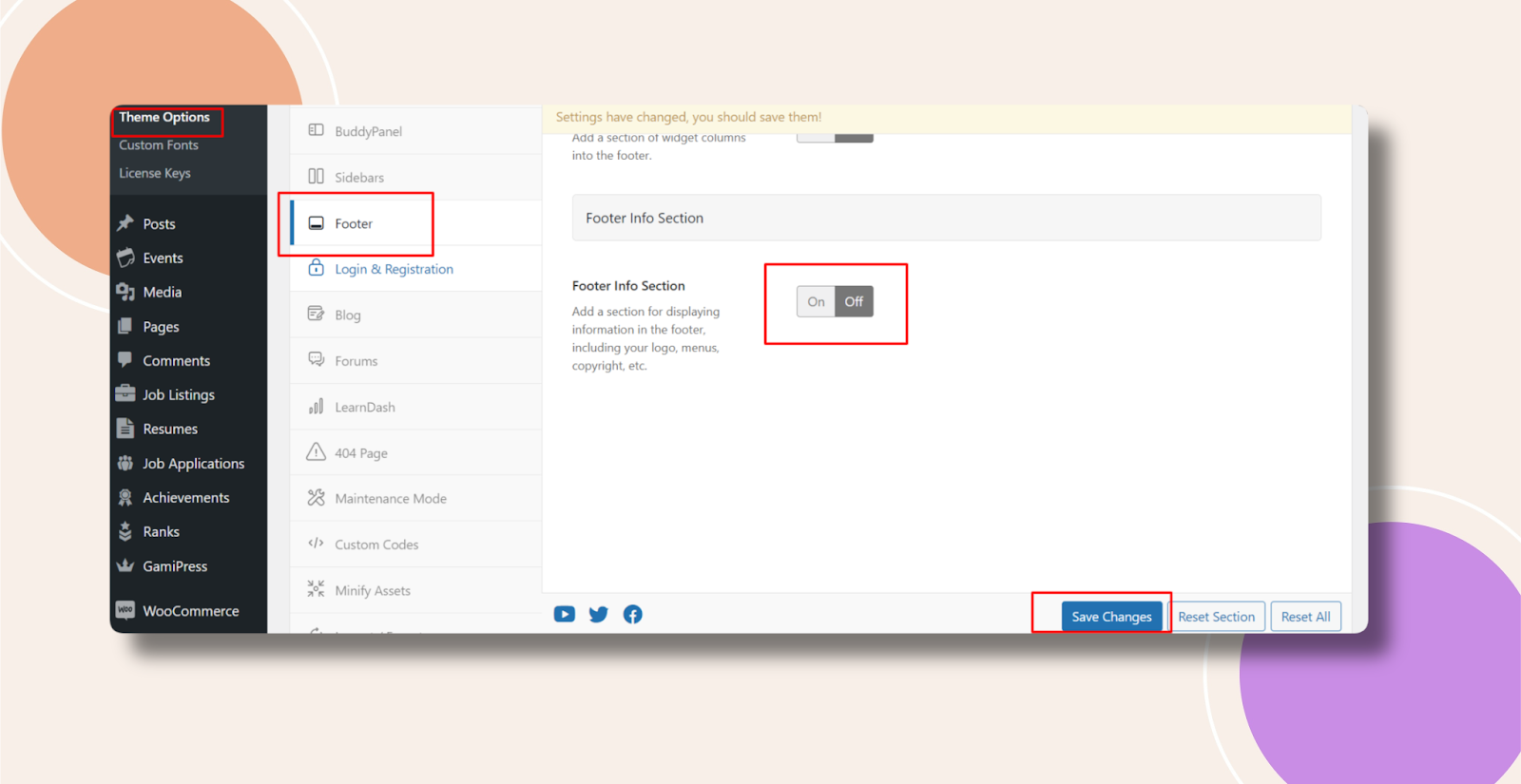
- Click Save Changes.
Change the Copyright Notice
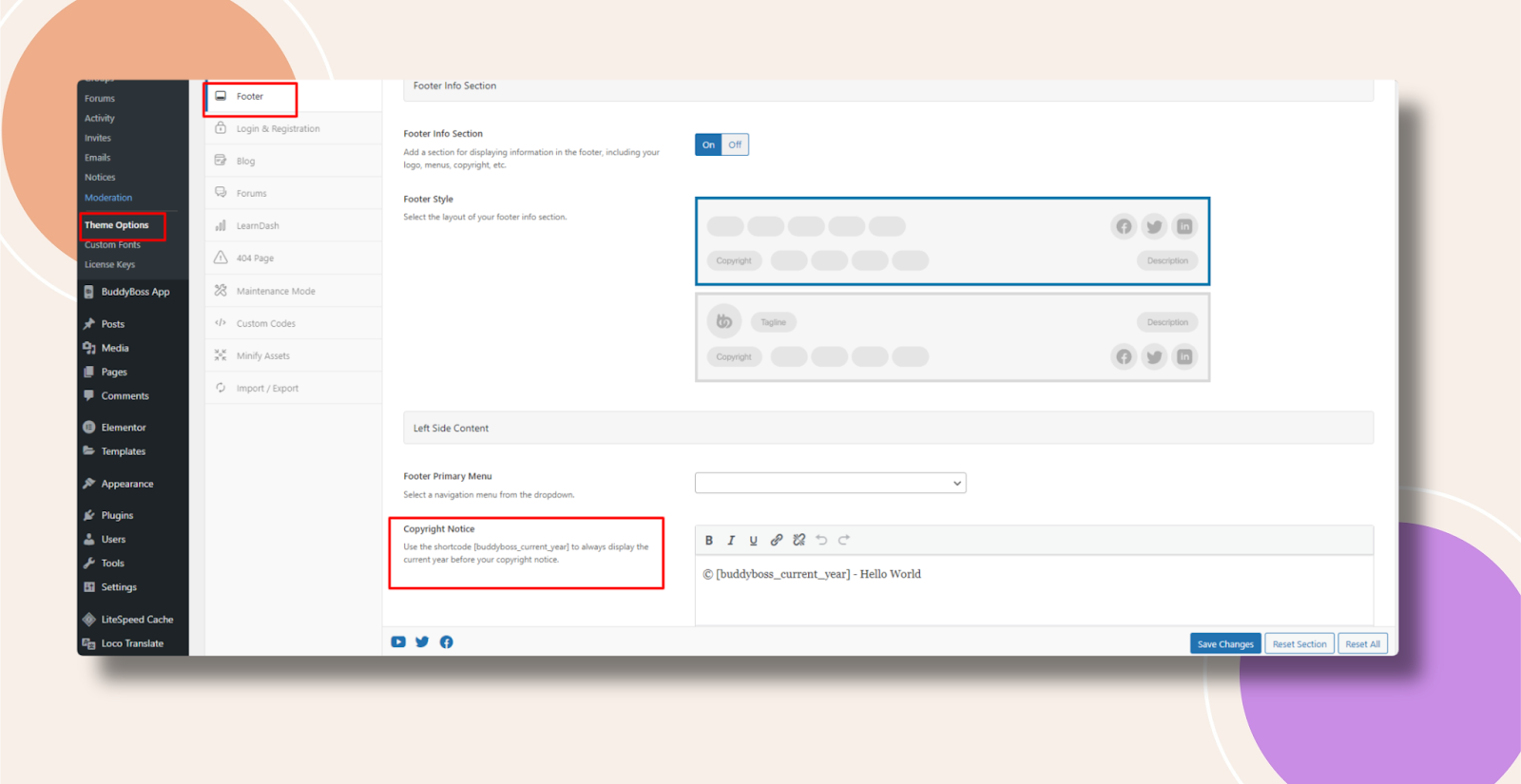
- Still under Theme Options > Footer, scroll to Left Side Content > Copyright Notice.
- Enter your desired text (e.g., “© 2025 Your Company Name”).
- Click Save Changes.
Change the Footer Description
- Under Theme Options > Footer, scroll to Right Side Content > Footer Description.
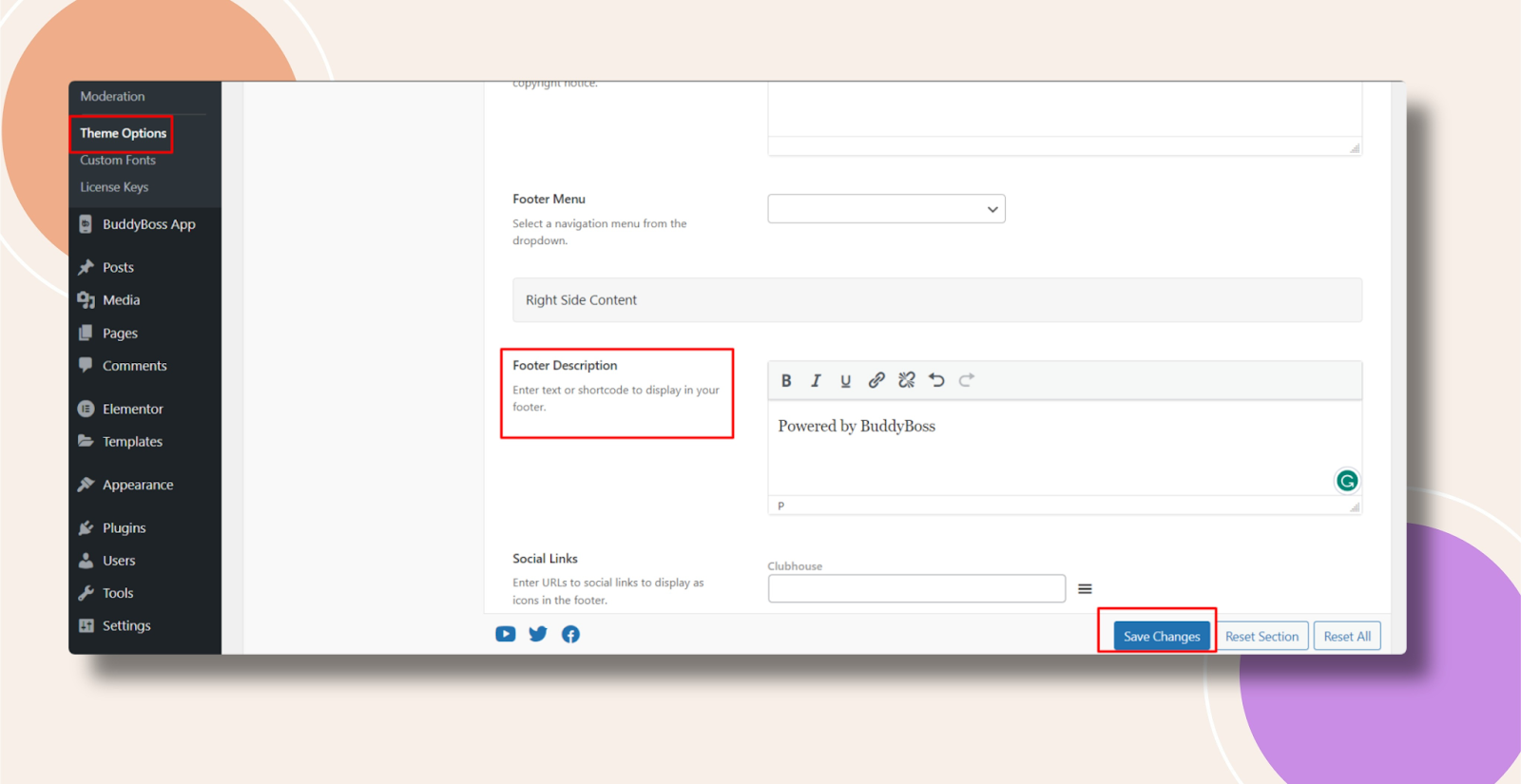
- Enter your custom description or leave blank to remove it.
- Click Save Changes.
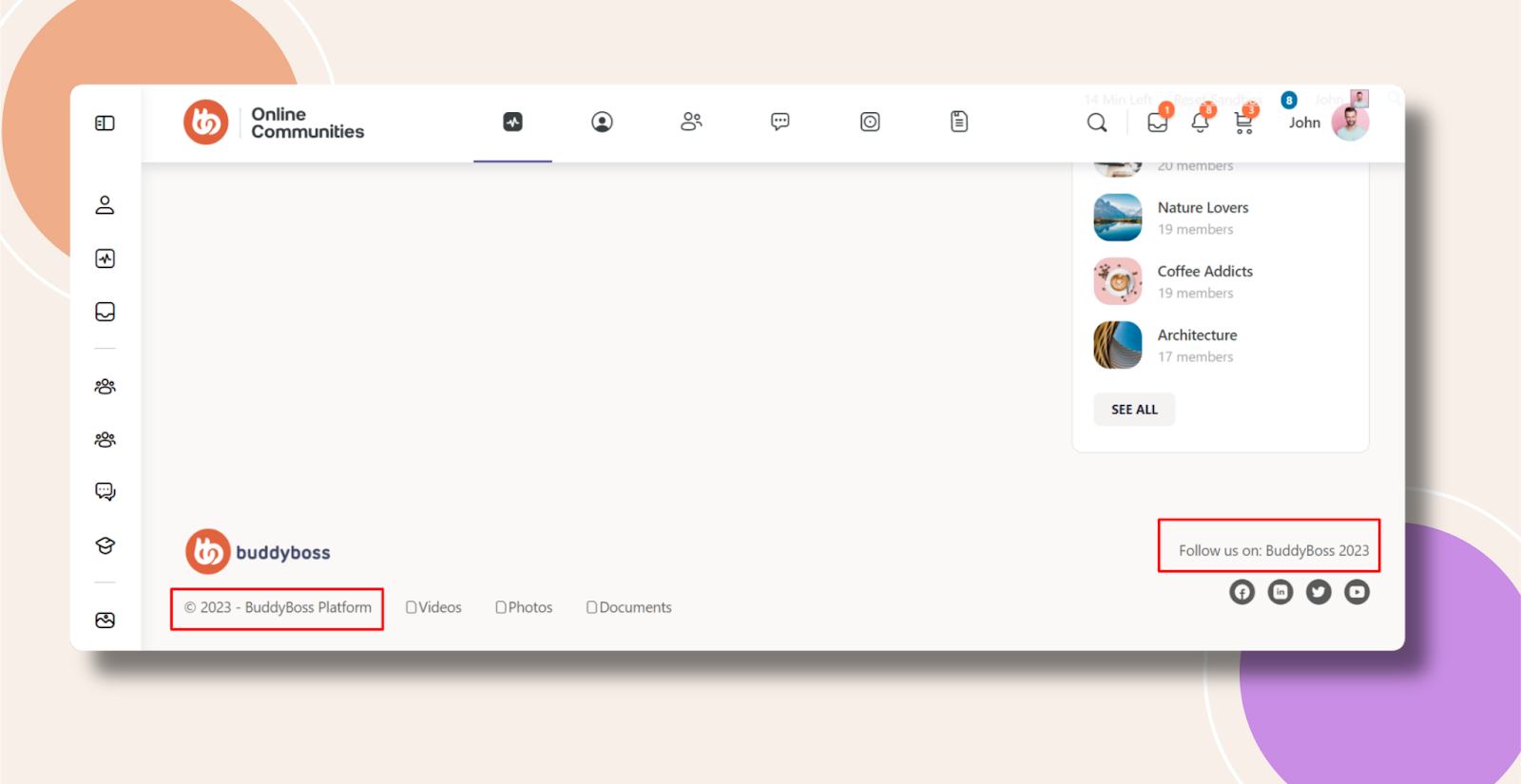
Sample Screenshot:
Troubleshooting and FAQs
Q: I still see “Powered by BuddyBoss” after saving—what should I check?
A:
- Ensure Footer Info Section is enabled.
- Clear any caching (object, page, or CDN) and reload your site.
Q: Can I remove the entire footer section?
A: No—only the footer text can be edited or emptied. To hide the footer completely, you’d need a child-theme CSS or PHP override.
Q: My custom text isn’t styled the same—how can I adjust it?
A: Use Theme Options > Custom Codes > CSS to target and style .bb-footer-info elements.
Q: Does this affect the mobile view?
A: No. Footer content and styling apply site-wide, including mobile devices.