














Introduction
By default, LearnDash courses behave like custom post types without comments enabled. Allowing comments can foster community discussion and feedback directly on course pages. This guide shows you how to turn on comments globally and per course.
Enable Comments for LearnDash Courses
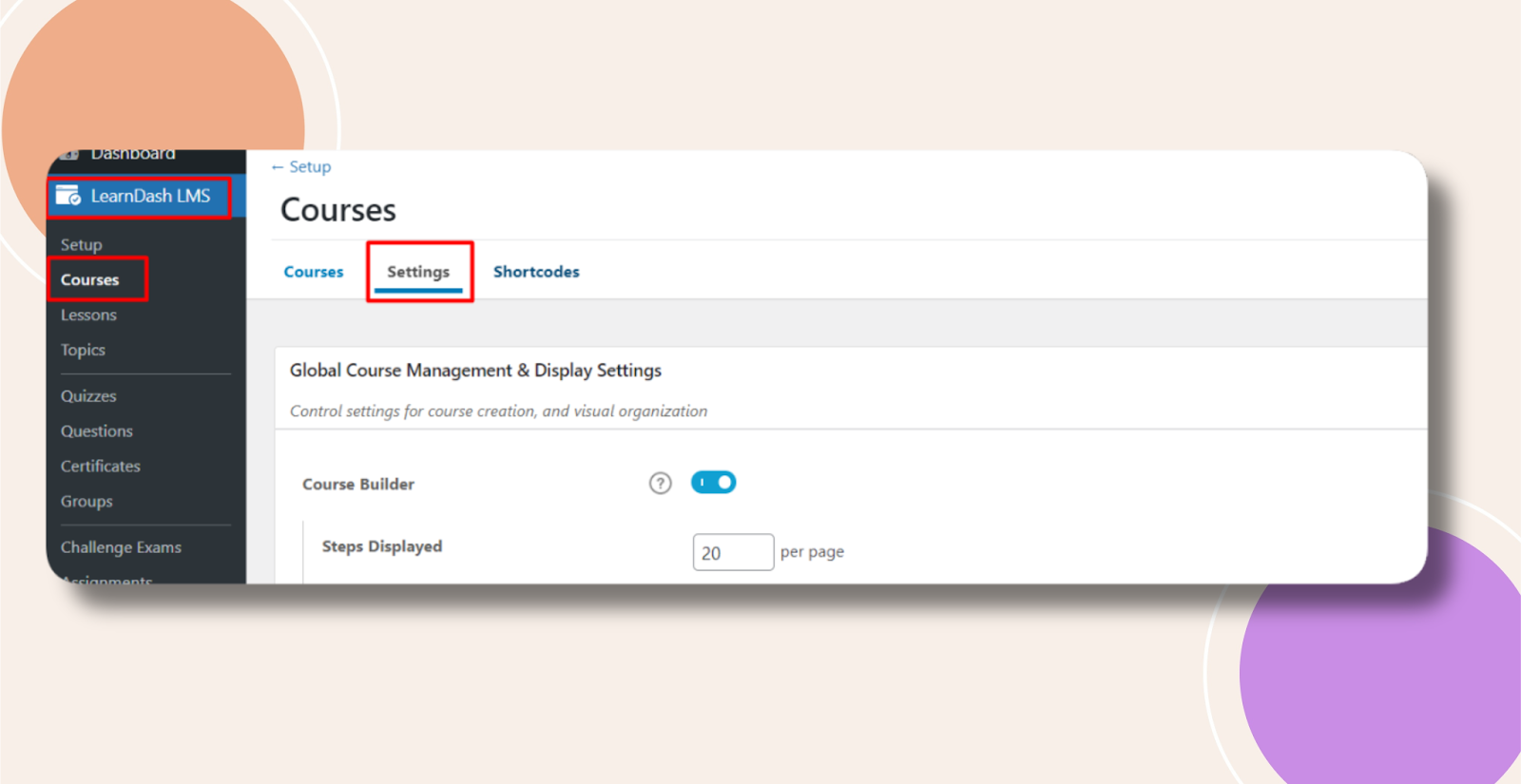
- In WordPress admin, go to LearnDash LMS > Courses > Settings.
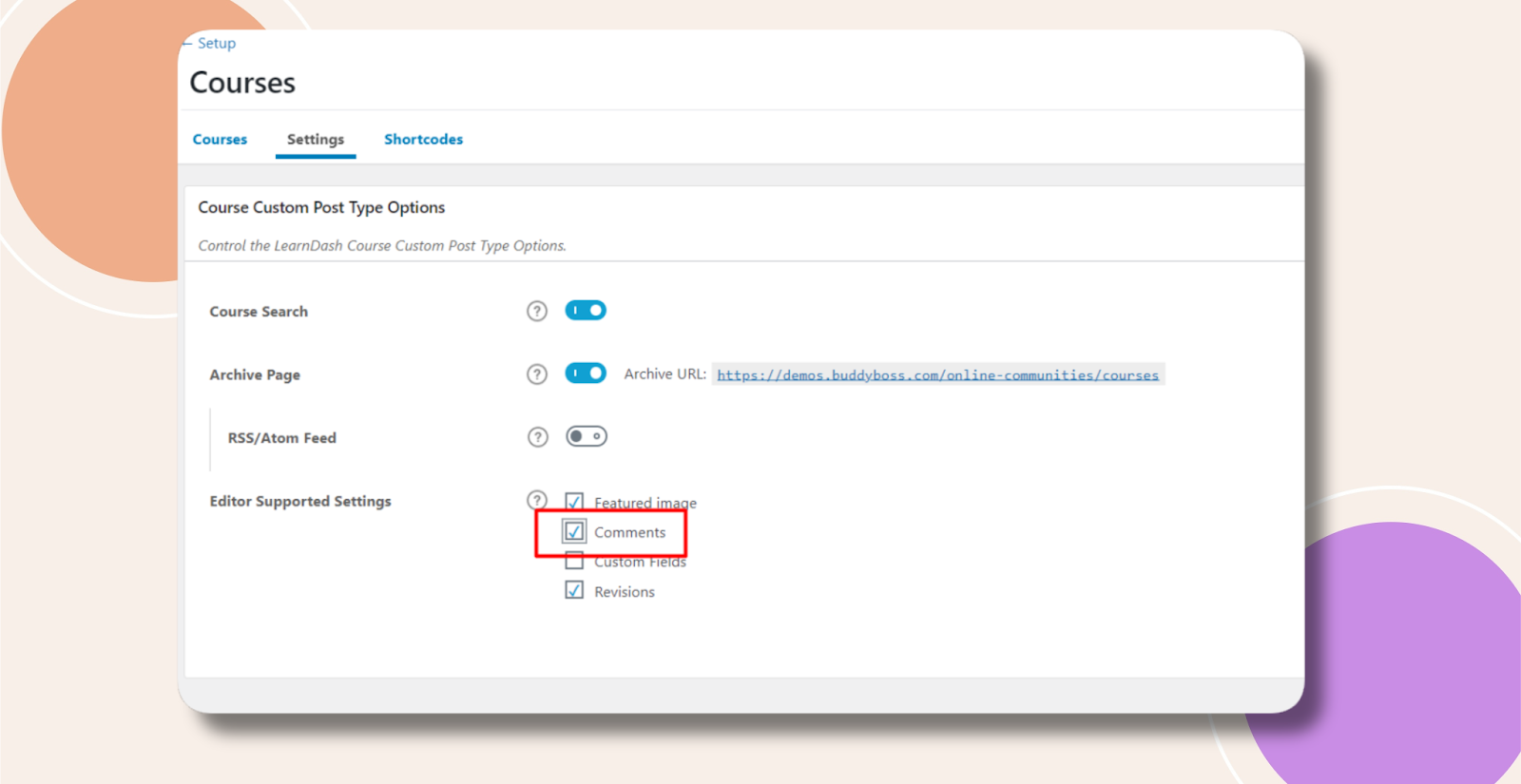
- Under Course Custom Post Types Options, in Editor Supported Settings, check Comments and click Save.
- Edit an existing course (or create a new one), scroll to Discussion, check Allow Comments, then click Update.

Troubleshooting and FAQs
Q: I don’t see the “Comments” option in Settings—why?
A: Ensure you’re running the latest LearnDash version and that no other plugin is disabling comments on custom post types.
Q: How can I moderate course comments?
A: Use Comments under the WordPress admin to approve, delete, or mark comments as spam just like standard posts.
Q: Can I disable comments for just one course?
A: Yes. On that course’s Discussion panel, uncheck Allow Comments and update—others remain unaffected.
Q: Who do I contact for further assistance?
A: Submit a ticket via your BuddyBoss account dashboard for personalized support.