














Introduction
BuddyBoss Forums lets you password-protect individual discussions, ensuring only members with the correct password can view the content. This guide explains how to configure and apply password protection to your forum discussions step by step, so you can securely share sensitive or premium material within your community.
How to Protect a Discussion with a Password
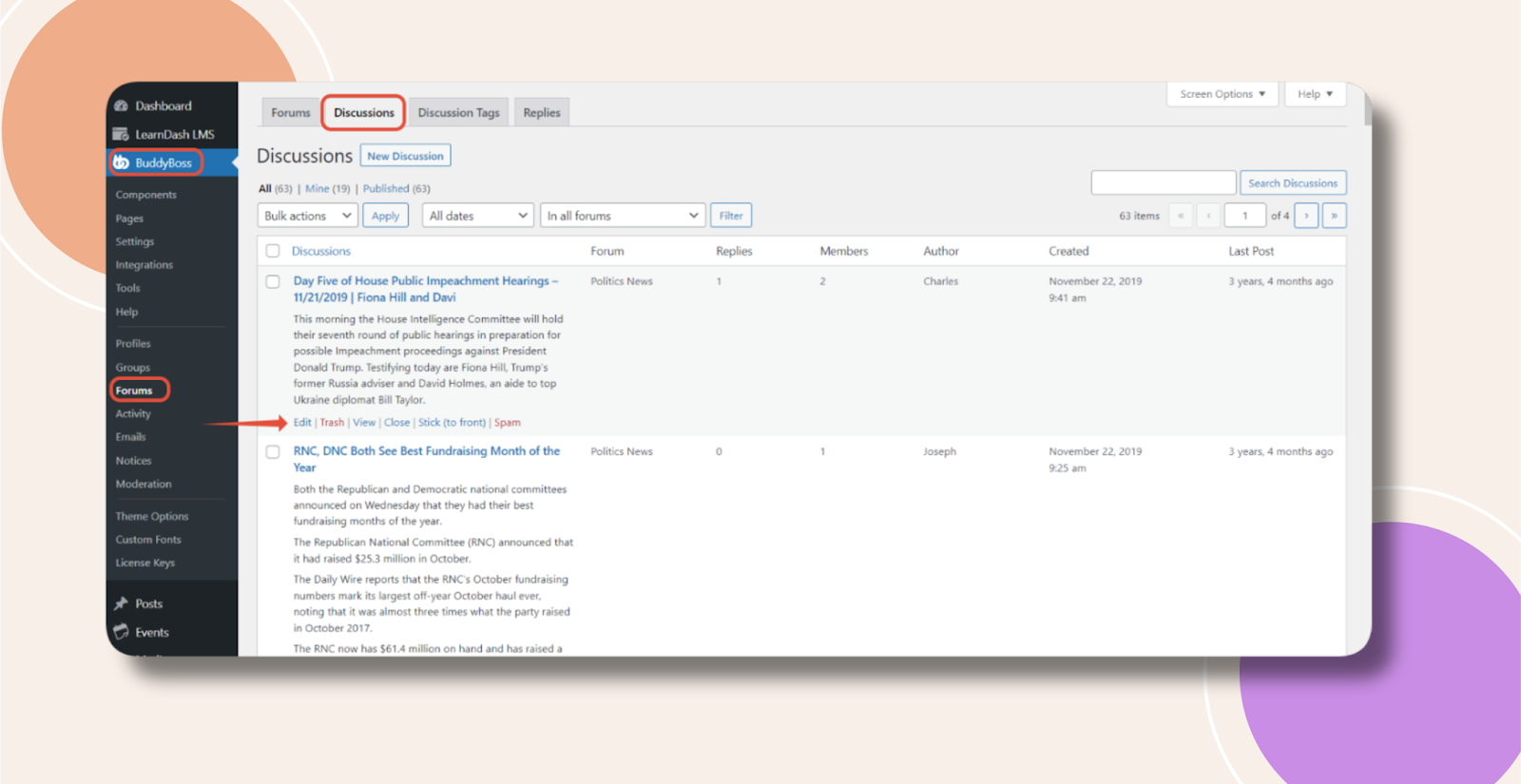
- In WordPress admin, navigate to BuddyBoss Dashboard → Forums → Discussions.
- Find the discussion you wish to protect and click Edit.
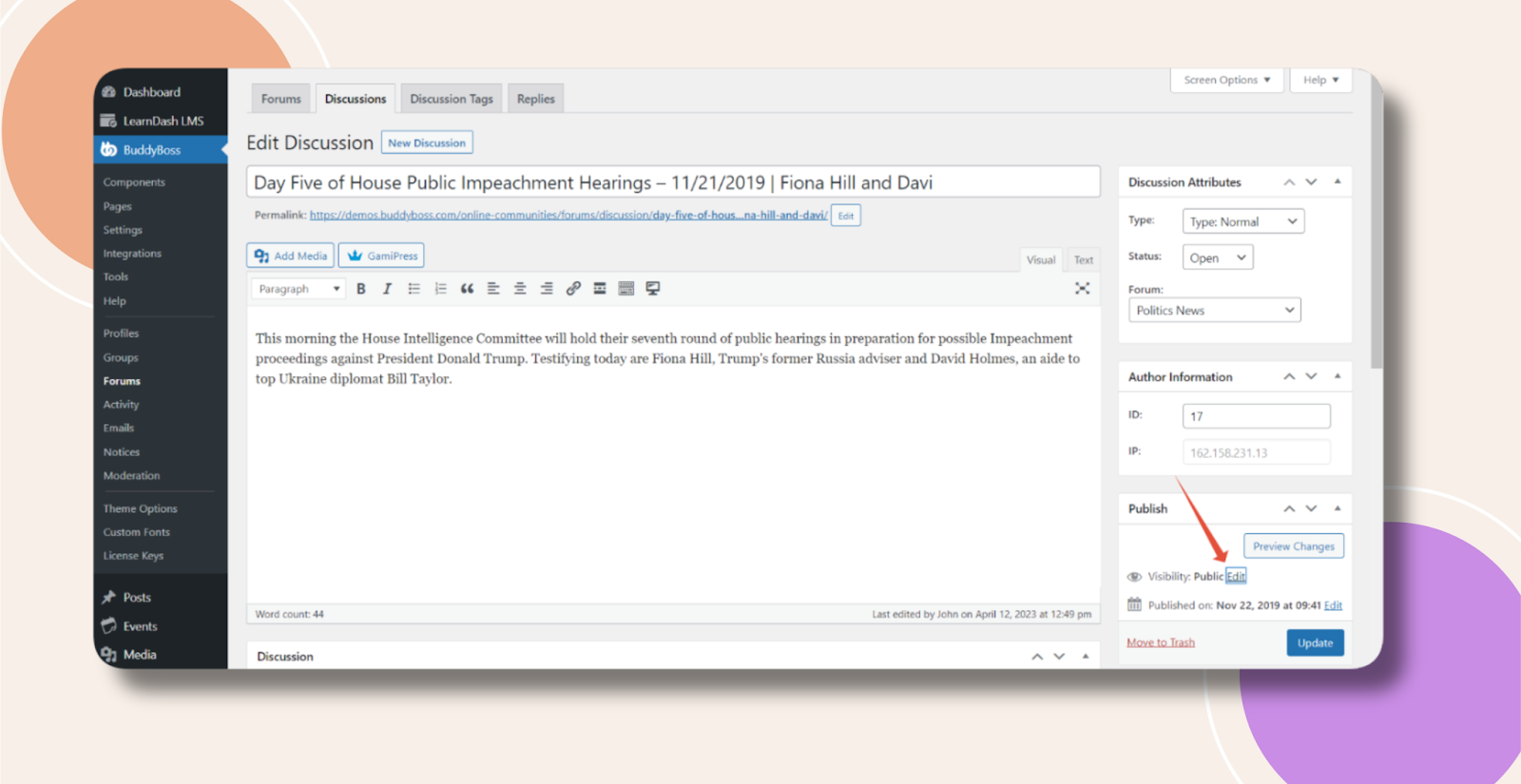
- On the Edit Discussion page, locate Visibility in the right sidebar and click Edit.
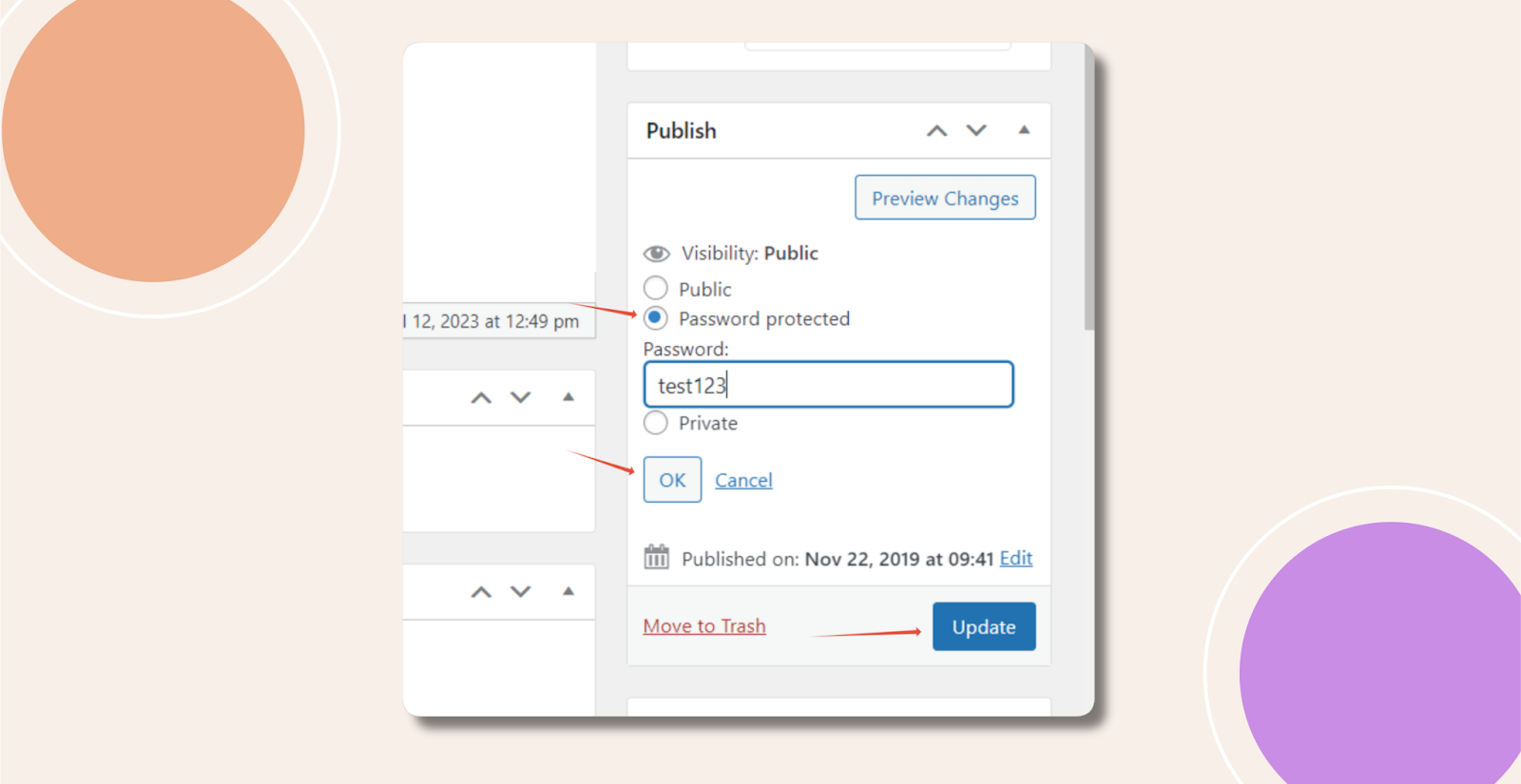
- Choose Password Protected, enter your desired password, and click OK.
- Click Update to save the changes.
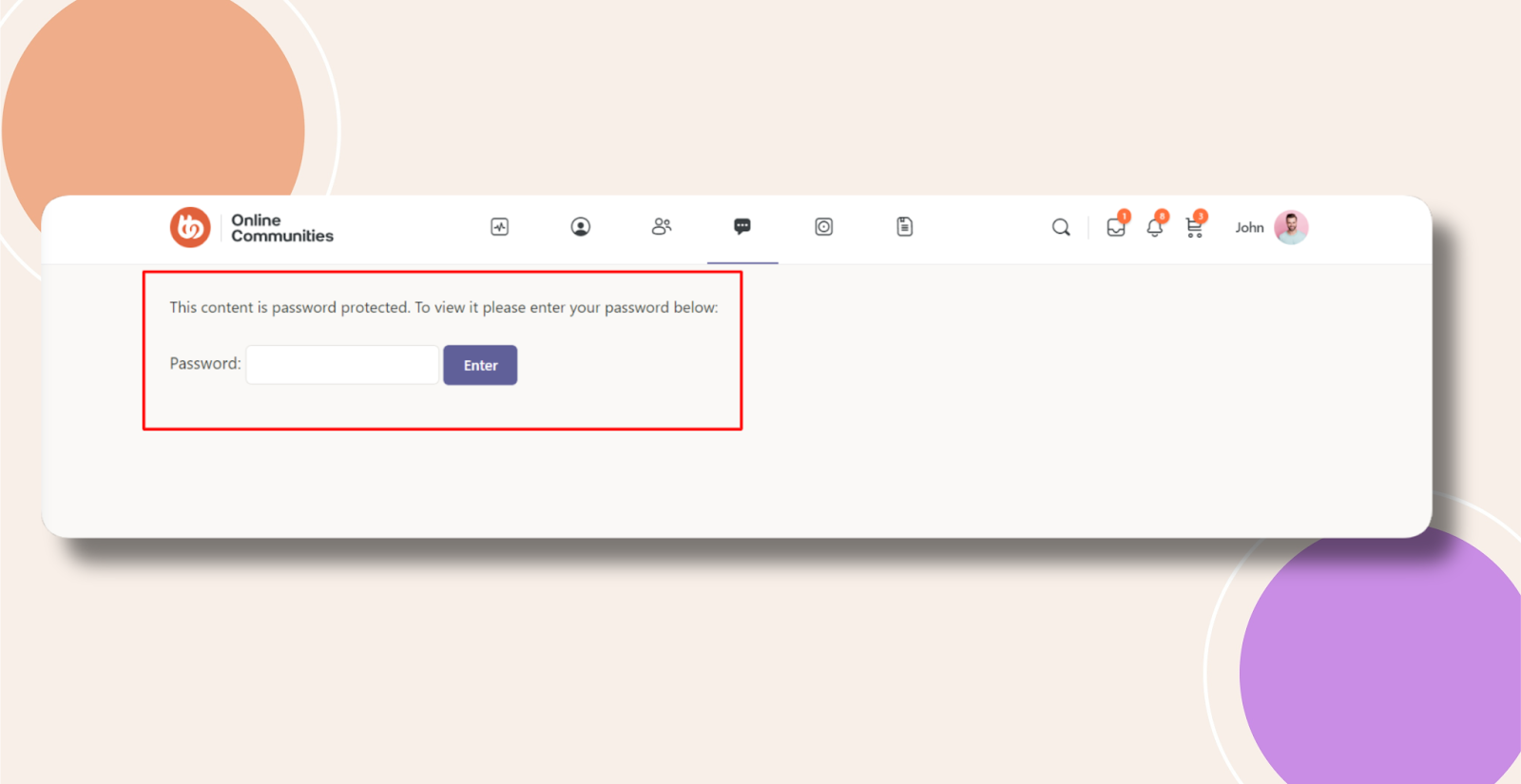
Now, visitors must enter the password before they can access that discussion’s content.
Troubleshooting and FAQs
Q: The password prompt isn’t appearing—what should I check?
A: Clear any server or plugin caching and refresh the page. Confirm you clicked Update after setting the password.
Q: Can each discussion have a different password?
A: Yes. Passwords are set per discussion under their Visibility settings.
Q: Will this work in the BuddyBoss mobile app?
A: Yes. Password-protected discussions prompt for credentials in both the mobile app and web. Ensure your app is updated to the latest version.