














Introduction
When you enable Universal Links in your iOS app, you may encounter an “Unknown Error” during build or upload. This typically happens because the Associated Domains capability isn’t properly configured in your App ID or your provisioning profiles haven’t been regenerated to include the new entitlement. Until you correct these settings, the build will fail with no clear message.
Check Associated Domains
- Log in to your Apple Developer account and go to Certificates, Identifiers & Profiles > Identifiers.
- Select your App ID and click Edit.
- Under Capabilities, check Associated Domains.
- Make sure Associated Domains are checked in identifiers (Apple Developer Account).
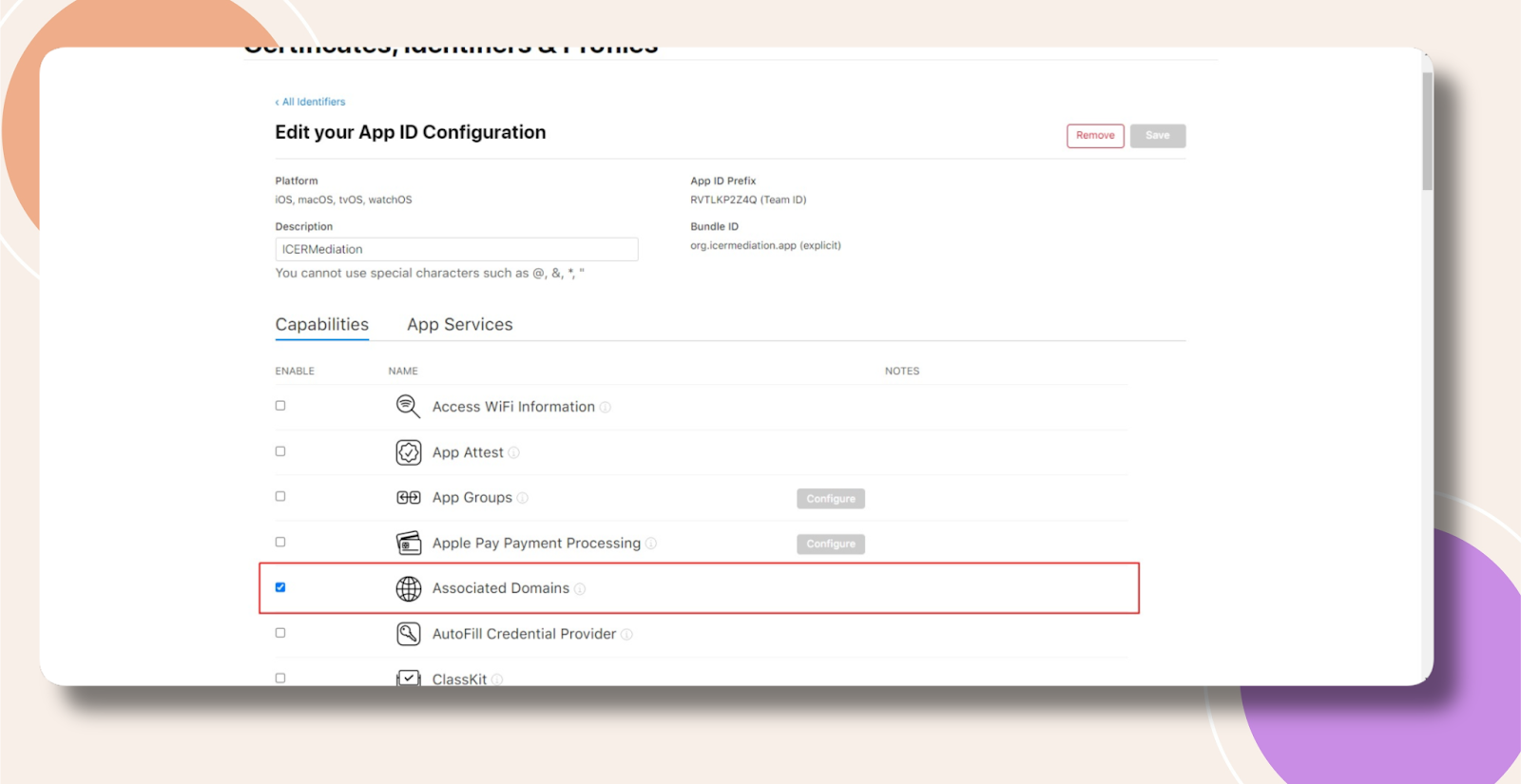
Regenerate Provisioning Profiles
- In WordPress, navigate to BuddyBoss App > Configure > iOS Settings.
- Scroll to Provisioning Profiles and untick Automatically generate provisioning profiles, then click Save Changes.
- Click the ✕ next to any existing profiles to delete them, then click Save Changes again.
- Retick Automatically generate provisioning profiles, ensure Associated Domains remain enabled, and click Save Changes to generate fresh profiles.
Do I Need to Generate a New Build?
Yes. You must generate a new iOS build so that the updated provisioning profiles—including the Associated Domains entitlement—are embedded in your app.
Troubleshooting and FAQs
Q: I still see “Unknown Error” after following these steps—what now?
A: Check your build logs (via Xcode Organizer or BuddyBoss logs) for entitlement validation errors.
Q: Can manually created provisioning profiles cause this failure?
A: Yes. Always delete stale profiles and let BuddyBoss regenerate them automatically after enabling Associated Domains.
Q: What if I don’t use BuddyBoss’s auto-generation?
A: You must manually recreate your provisioning profiles in the Apple Developer portal, ensuring the Associated Domains entitlement is included, then upload those profiles via BuddyBoss App > iOS Settings before building.