














It is super helpful when you can limit the type, number, and name of the activities news that your members see in the Activity page. Latest Activities Widget will assist you to do so in a sophisticated way.
Configure Latest Activities Widget
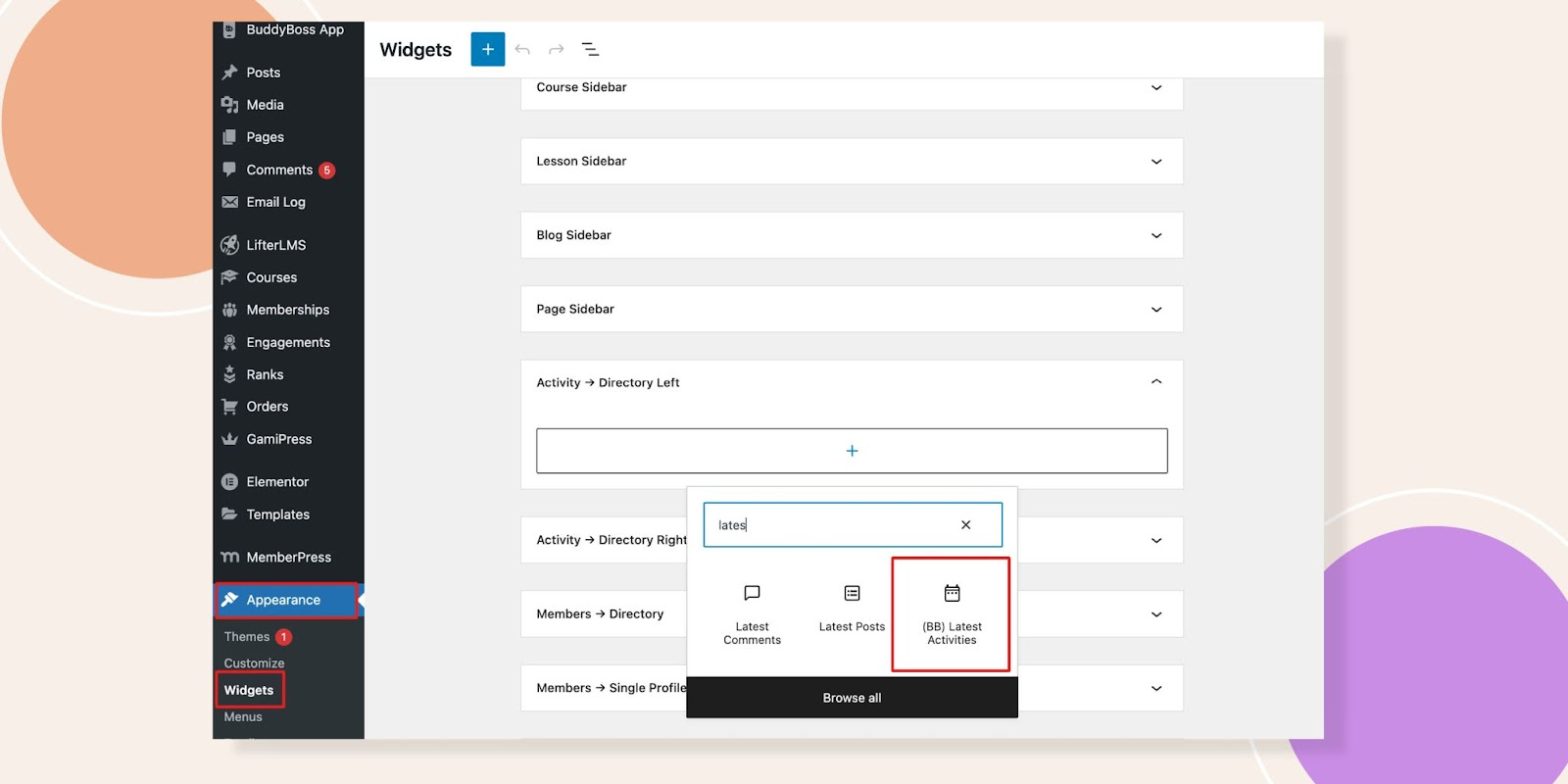
Navigate to the Appearance – Widgets. Let’s click on the Activity -> Directory Left. If you write Latest in the search box, you will see the Latest Activities Widget and select this one.
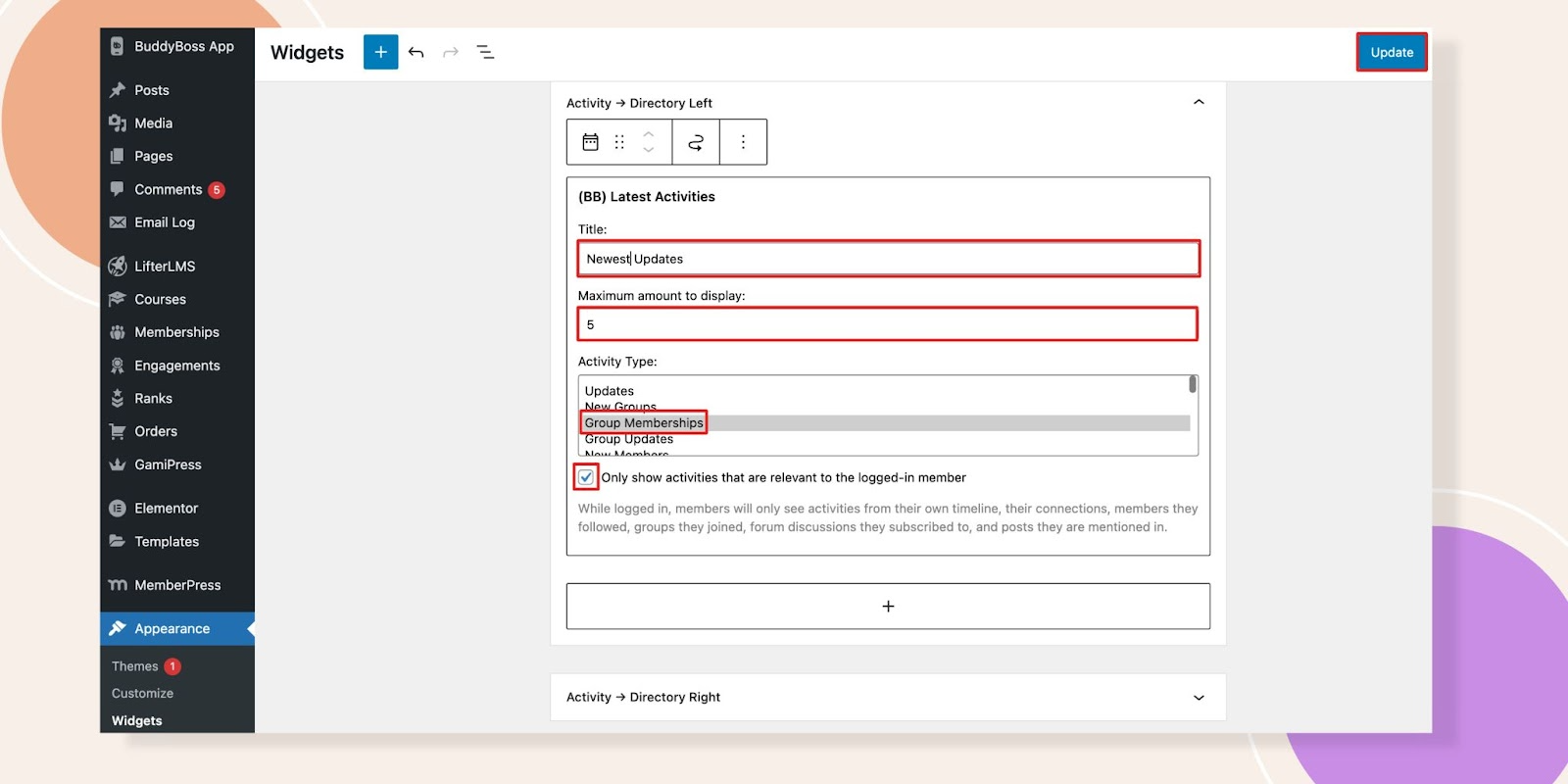
Here you can change the Title, Maximum amount you want to display, and the Activity type. If you tick the box of Only show activities that are relevant to the logged-in member.
While logged in, members will only see activities from their own timeline, their connections, members they followed, groups they joined, forum discussions they subscribed to, and posts they are mentioned in.
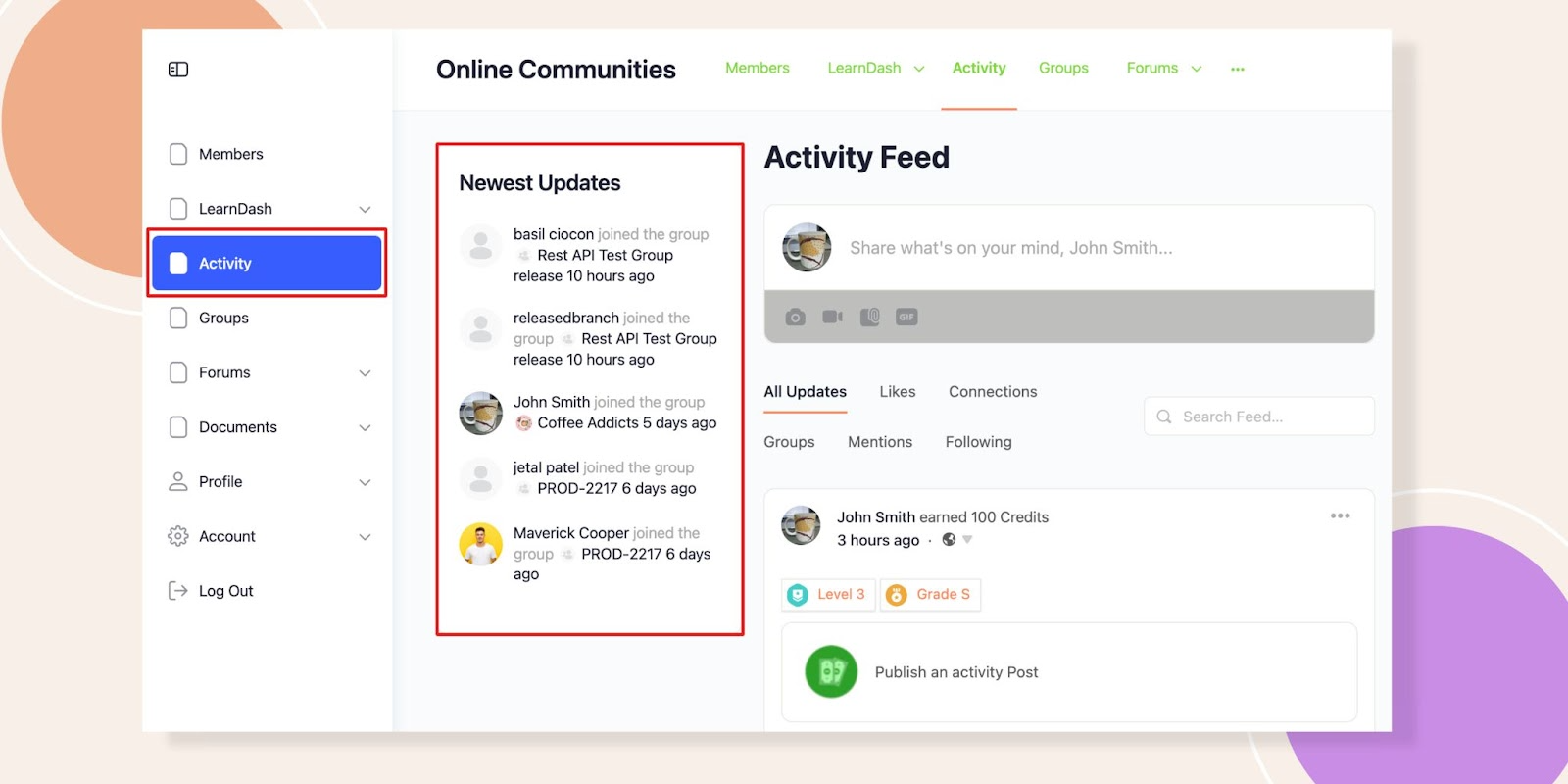
Now have a look in the frontend. You can see the changes we have done to the title, 5 activities and the type we have selected.
We hope this widget provides better engagement and user experience to your users within your platform.