














Introduction
BuddyBoss provides two dashboard settings to lock down your site’s data feeds: one for the REST API and another for RSS. Enabling these options ensures that only authenticated users can retrieve API responses or view RSS feeds, helping protect private content without affecting your public site.
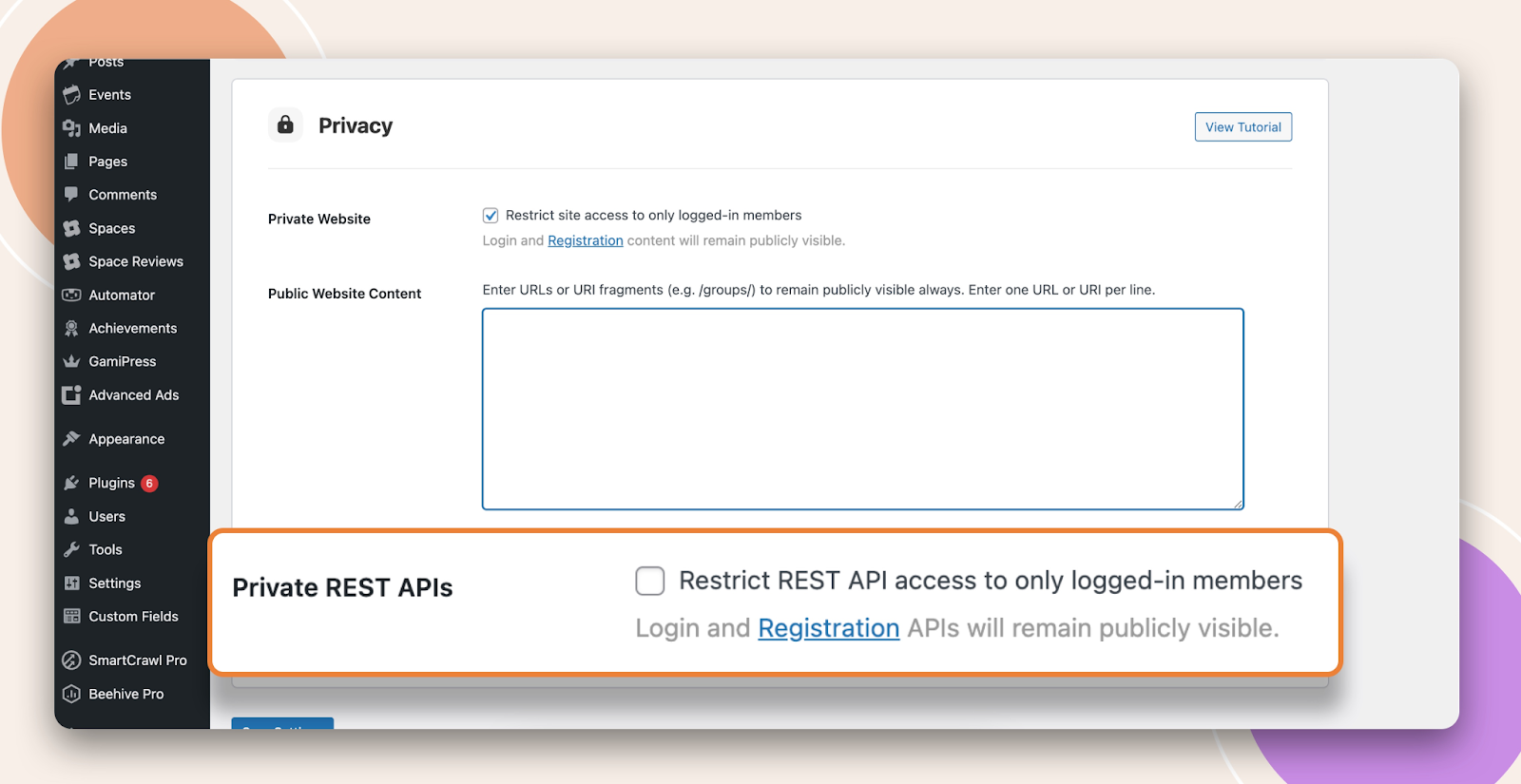
Restrict REST API Access to Logged-in Members
- In your WordPress admin, navigate to BuddyBoss > Dashboard.
- Enable Restrict REST API access to only logged-in members.
- Click Save Changes.
What happens: All calls to /wp-json/ endpoints now require a valid login cookie or authentication token. Unauthenticated requests will receive a 401 Unauthorized response.
For more details on available endpoints and authentication methods, see BuddyBoss API documentation: https://buddyboss.com/resources/api/
Restrict RSS Feed Access to Logged-in Members
- In your WordPress admin, go to BuddyBoss > Dashboard.
- Enable Restrict RSS feed access to only logged-in members.
- Click Save Changes.
What happens: Any URL ending in /feed/ (the reserved RSS slug) redirects unauthenticated visitors to the login page while leaving other public URLs unaffected.
Troubleshooting and FAQs
Q: I can still retrieve API data without logging in.
A: Clear all caches (server, CDN, and any caching plugins). Check that your requests now return a 401 status. If not, ensure no other plugin is whitelisting REST routes.
Q: RSS feed remains publicly accessible.
A: Confirm the URL ends with /feed/. Disable or adjust any custom rewrite rules or feed-related plugins that might override BuddyBoss’s redirect behavior.
Q: How can I confirm the settings work?
A: In an incognito browser or after logging out, visit https://yourdomain.com/wp-json/ and https://yourdomain.com/feed/. Both should require authentication.
Q: Will these settings affect public content?
A: No. They only protect REST API endpoints and feed URLs. All other site pages and assets remain publicly viewable.