














Introduction
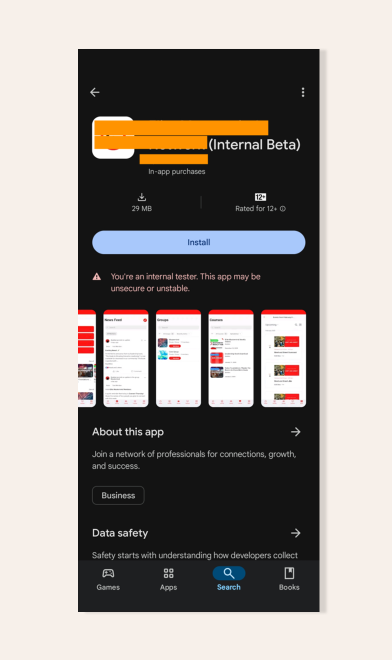
After your app is approved, you may still see an option to download its Beta version from the Google Play Store. This occurs when a testing track (Closed or Internal) remains active. This guide explains how to disable those tracks so only the production release is available.
Explore BuddyBoss Platform | BuddyBoss App | BuddyBoss Pricing | Try BuddyBoss Demo
Before Installing the Published App
- Uninstall any previously installed versions of the app from your device.
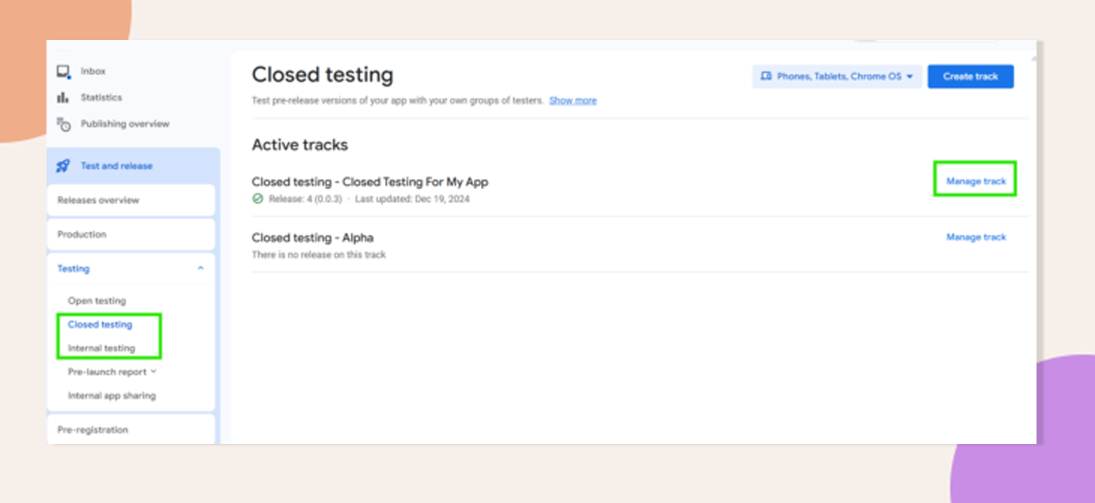
Remove Access from Closed Testing
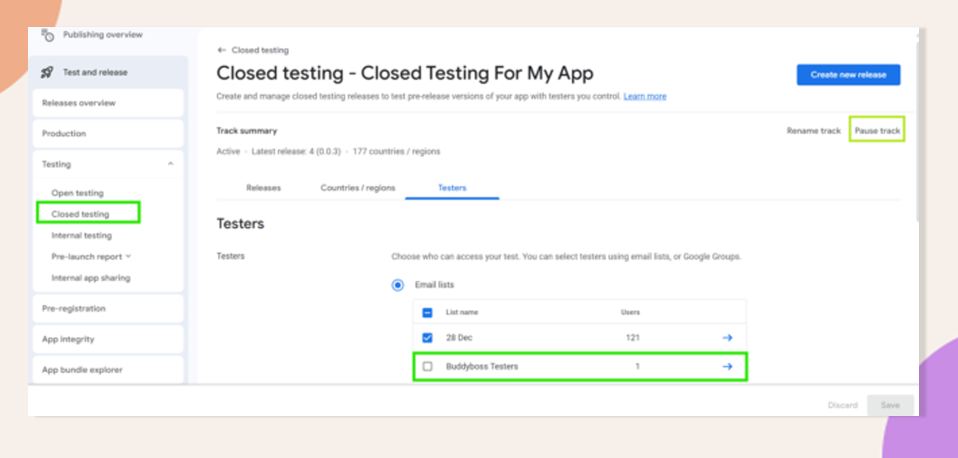
- In Play Console, go to Testing > Closed Testing and select the relevant track.
- Click Manage Track, then open the Testers tab.
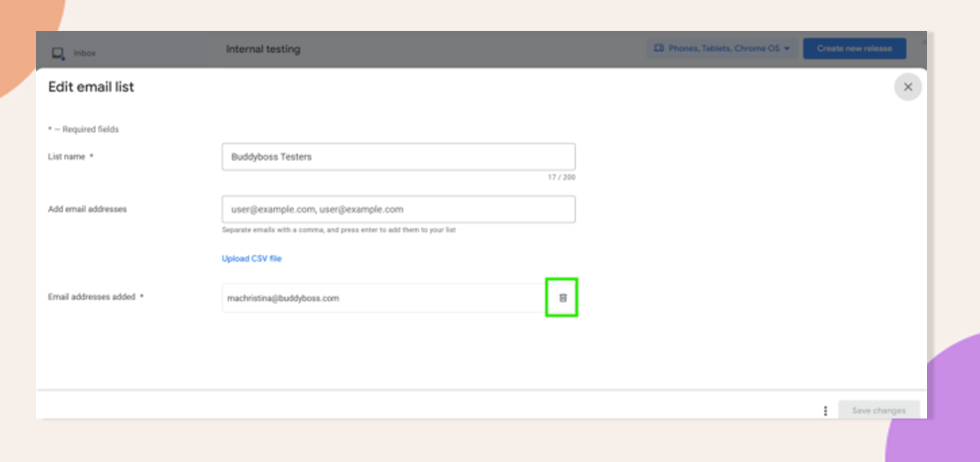
- Remove testers by selecting them individually or pause the entire track.
Remove Access from Internal Testing
- In Play Console, go to Testing > Internal Testing and select the active track.
- Click Manage Track, then open the Testers tab.
- Remove testers or pause the track (same as Closed Testing).
Clear Cache and Restart Device
If the Beta version still appears in the Play Store, clear both the app’s cache and the Google Play Store cache, then restart your device. This forces the Play Store to refresh its data.
Troubleshooting and FAQs
Q: Why does the Beta still show after removing testers?
A: The Play Store may cache testing availability. Clearing caches and restarting ensures it reflects the current track settings.
Q: Will users lose access to the production app?
A: No. Disabling testing tracks only removes Beta access; the production version remains available.
Q: How quickly does track removal propagate?
A: Changes to tester lists or paused tracks can take a few minutes to reflect in the Play Store. Patience and cache clearing typically resolve delays.
Explore BuddyBoss Platform | BuddyBoss App | BuddyBoss Pricing | Try BuddyBoss Demo