














The rtMedia for WordPress, BuddyPress and bbPress plugin is the complete media solution for your websites.
The plugin integrates with BuddyPress to allow your users to upload media to activity status updates, control the privacy of the albums, add featured media for cover photos, and is 100% responsive for mobile devices.
The integration works and requires the BuddyBoss Platform installed and activated on your website if you intend to use it for BuddyPress and bbPress.
BuddyBoss Platform is a fork and forge of the BuddyPress plugin and bbPress plugin. Any plugin developed for the BuddyPress and bbPress plugin is supported by the BuddyBoss Platform.
You do NOT need to install the BuddyPress plugin or the bbPress plugin separately. BuddyBoss Platform acts as a replacement for both the plugins.
Installing the plugin
To install the plugin:
- Download the rtMedia plugin from the link below
https://wordpress.org/plugins/buddypress-media/ - Extract the downloaded buddypress-media.zip file to the WordPress plugins folder yourhostname/wordpress/wp-content/plugins OR
Go to your WordPress Dashboard > Plugins > Add New. Click the Upload Plugin button. Browse to the download file location, select the buddypress-media.zip & install the plugin. - Click the Activate Plugin button to activate the rtMedia for WordPress, BuddyPress and bbPress plugin on your website. OR
To activate the plugin on your website site go to WordPress Dashboard > Plugins and then click the Activate button for rtMedia for WordPress, BuddyPress, and bbPress.
You must have the BuddyBoss Platform installed and activated on your site for the rtMedia plugin to work if you intend to use it for BuddyPress and bbPress.
Setting up the plugin
To set up the plugin:
- Go to WordPress Dashboard > rtMedia > Settings.
- In the Display tab, make the preferred changes to the settings.
- Click the Save Settings button to apply the changes.
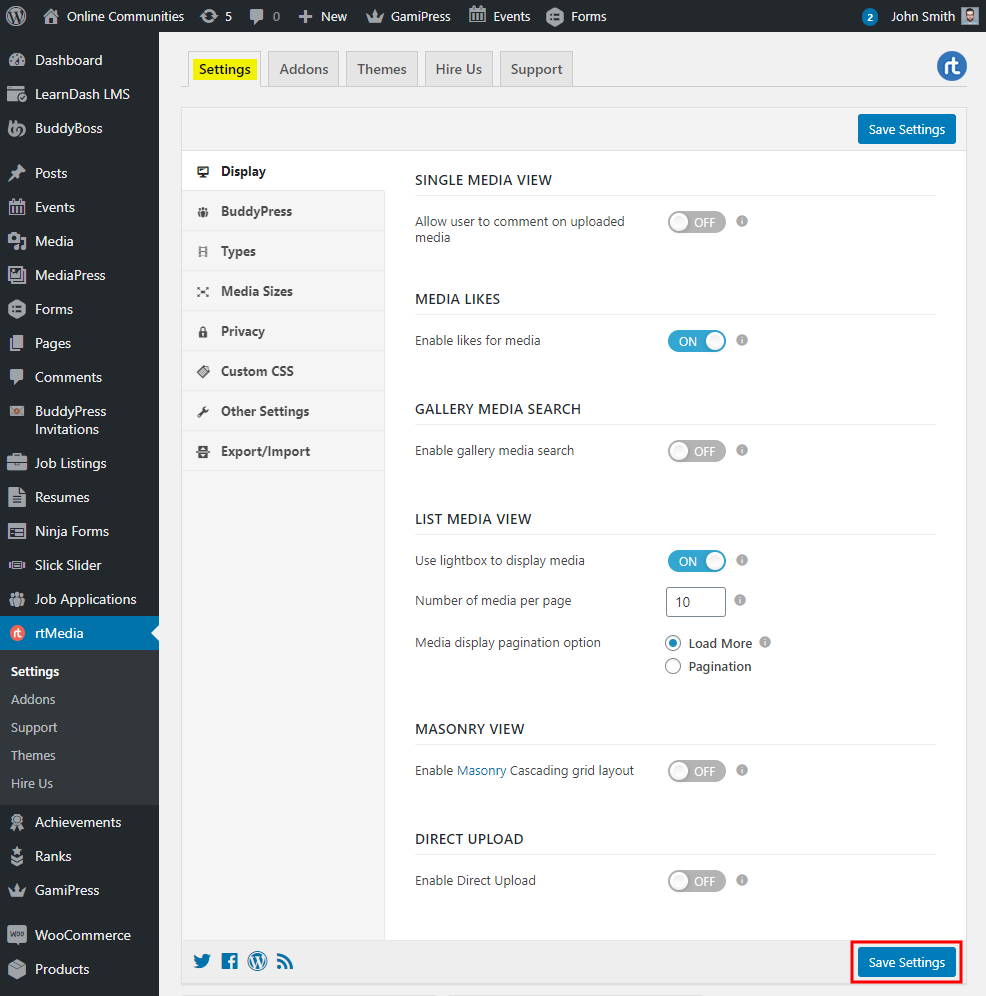
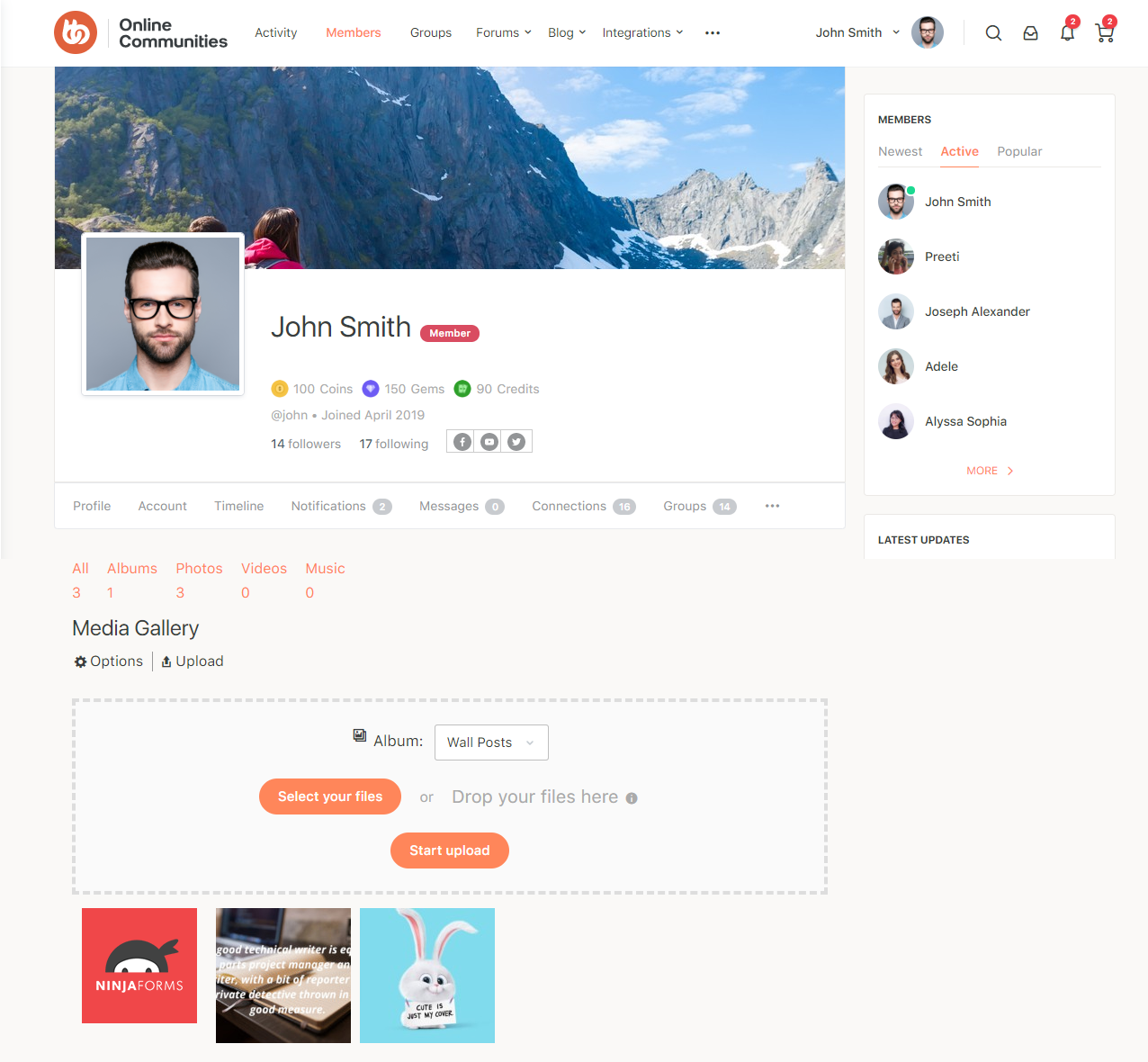
For BuddyPress settings, go to WordPress Dashboard > rtMedia > Settings > BuddyPress.
For further setting and usage options, refer to the official documentation of the rtMedia plugin.