
Last updated: Mar 12, 2026 • ~3 min read
The Completed Competitions section allows administrators to review finished competitions, track member participation, and monitor leaderboard results. This manual explains what information is available and how to read it.
Accessing Completed Competitions
Navigate to your WordPress Dashboard, go to BuddyBoss > Settings > BuddyBoss Gamification > Competitions.
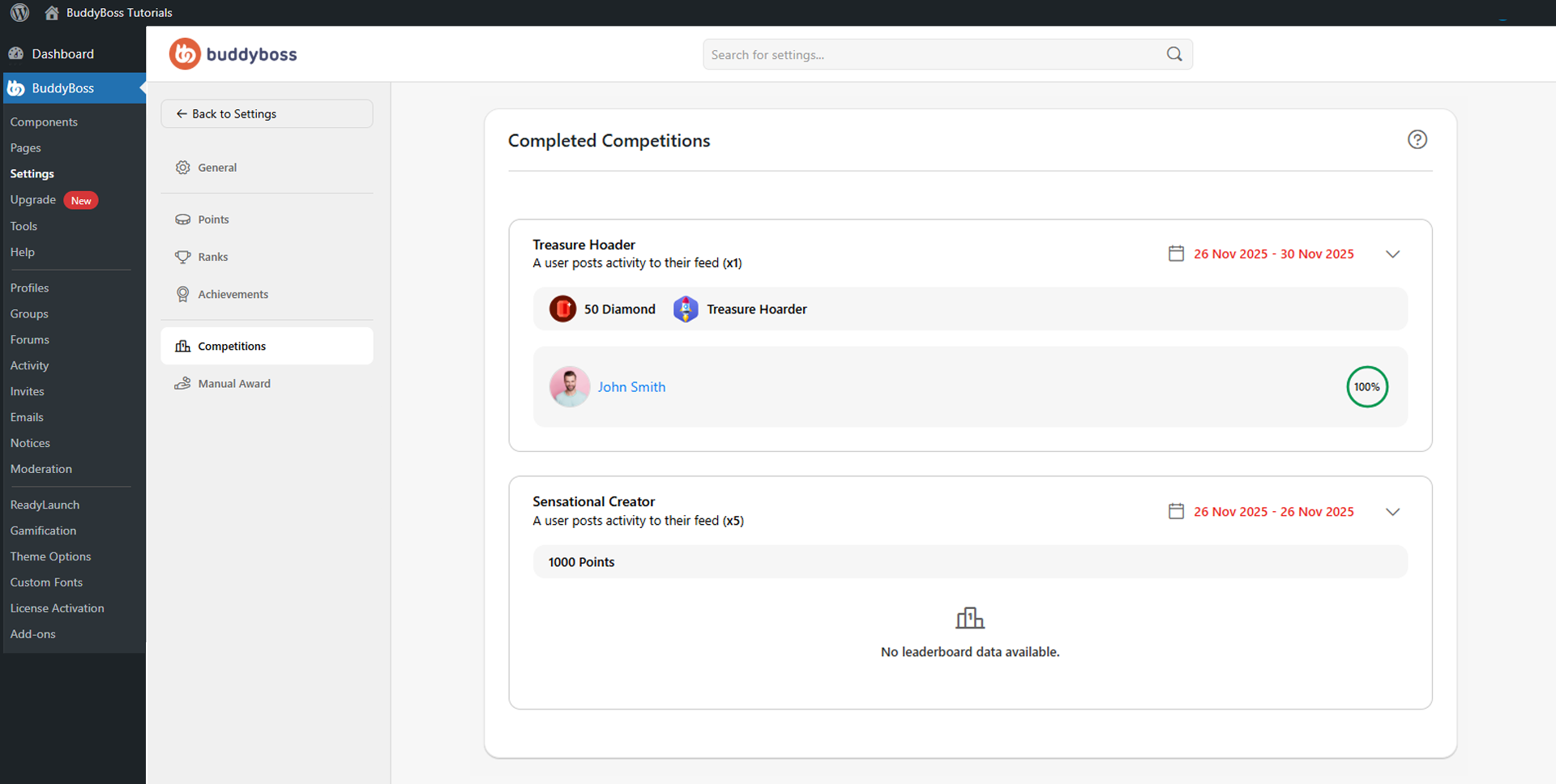
Scroll to the Completed Competitions panel. Each competition card displays the competition name, trigger condition, date range, awarded points, and any achievement rewards. Click the dropdown arrow on the right side of a card to expand leaderboard details and participant progress. If no members qualified, BuddyBoss displays No leaderboard data available.
© 2026 BuddyBoss LLC. All Rights Reserved. | buddyboss.com