














Introduction
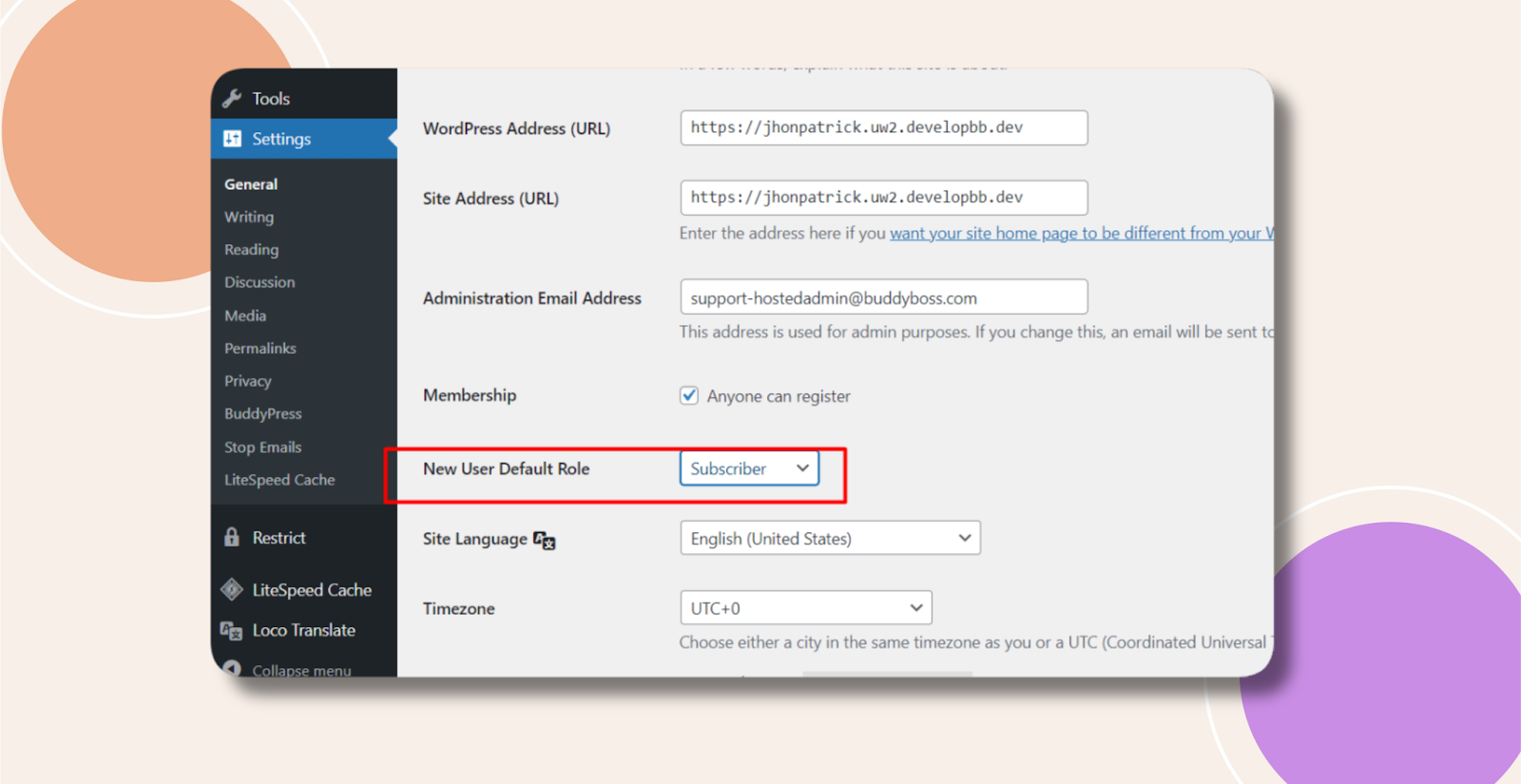
By default, WordPress assigns every newly registered user the New User Default Role specified in your general settings. This ensures that users have the correct capabilities (e.g., Subscriber, Contributor) immediately upon signup. You can easily change which role is applied to new members to match your site’s requirements.
Change the Default New User Role
- In your WordPress admin, go to Settings > General.
- Locate New User Default Role and select your preferred role from the dropdown (e.g., Subscriber, Contributor, Author).
- Scroll down and click Save Changes to apply the new default.
Troubleshooting and FAQs
Q: Which roles can I choose for new users?
A: WordPress provides these built-in roles: Subscriber, Contributor, Author, Editor, and Administrator. BuddyBoss may add custom roles (e.g., Member) that also appear in the list.
Q: Can I assign different roles based on registration method?
A: Not via core settings. To auto-assign roles conditionally (for example, based on referral link or form), you’d need a custom snippet or a user-management plugin.
Q: What happens to existing users when I change the default role?
A: Only new registrations are affected. Existing accounts retain the role they were assigned at creation.