















Back in the day, Facebook Groups felt like the perfect place to build a community.
Free to set up, easy to invite people, and your members were already scrolling through Facebook anyway.
But somewhere along the way, things changed. The algorithm got stingy. Engagement dropped. Members started getting sucked into their newsfeeds instead of actually talking to each other.
The community many brands thought they owned was never theirs to begin with. It was Facebook’s.
We compared 12 Facebook Group alternatives on setup time, member experience, engagement features, customization, pricing, and monetization, including what each platform actually costs at 500 and 1,000 members, not just the advertised starting price.
Some alternatives are genuinely strong. Others look good on paper but fall apart in practice. A few aren’t worth the signup time.
Whether you’re starting fresh or thinking about migrating your existing group, this breakdown will help you figure out where your community should actually live.
Why People Are Leaving Facebook Groups
Before getting into alternatives, it’s worth understanding why so many community builders are looking for the exit door.
The reach problem is real
Facebook’s organic reach has been in freefall for years. According to Social Status benchmarks, organic reach on Facebook sat at just 1.37% through 2024, with engagement rates at a median of 0.2%.
To put that in perspective: if your group has 10,000 members, roughly 137 of them might see your post. And of those, you’d get about one meaningful interaction every four posts.
The trend hasn’t reversed, Facebook engagement saw a year-over-year decline of 5.31% in 2024, with interactions dropping 9.25%.
For Facebook Groups specifically, the Membership Geeks podcast put it bluntly: “in a group of 19,000 members, fewer than 10% will see your posts.”
The algorithm decides what’s “worthy” of being shown, even to people who actively chose to join your community.
You don’t own anything
This is the part that should concern every community builder. Your member list belongs to Facebook. Your years of content and discussions belong to Facebook. Your ability to reach the people who opted in is controlled entirely by Facebook’s algorithm.
You can’t export member emails, and you can’t back up your discussions. If Facebook decides to lock your account, change a policy, or shut down Groups tomorrow, you lose everything.
In June 2025 alone, thousands of Facebook group admins watched their communities disappear overnight when Meta’s automated systems triggered a mass suspension, later attributed to a technical error. For community builders mid-launch, mid-cohort, or mid-campaign, there is no appeals hotline and no safety net.
The experience is getting worse
Ads are everywhere, suggested posts from other groups clutter members’ feeds, and notifications are inconsistent. Some members see everything, others see nothing. Every time a member opens a group, they’re one tap away from their personal newsfeed, political arguments, and cat videos.
For a paid community or professional membership, this looks unprofessional. Branding can’t go beyond a cover photo.
There’s also no integration with a course platform, email tool, or payment processor, and every group competes for attention against the entire Facebook ecosystem.
How We Compared These Platforms
For every platform on this list, we evaluated six things that actually matter when running a community:
Ease of setup — Can you get a community running without watching a 45-minute tutorial? If it takes hours just to figure out the basics, that’s already a real concern.
Member experience — What does it feel like to join as a new member? Intuitive and welcoming, or like learning enterprise software?
Engagement features — Beyond posting and commenting, what tools actually get people talking? Polls, events, direct messaging, notifications, discussion formats, these details matter more than most people think.
Customization & branding — Can the space feel genuinely yours, or does every community on the platform look identical?
Pricing & value — What free plans include versus paid, and what the real cost looks like at 100, 500, and 1,000 members. Some platforms that look affordable on the surface get very expensive very fast.
Monetization options — For anyone turning a community into a business, does the platform support paid memberships, gated content, course integration, or other revenue features natively?
Not every platform checks every box. We were looking for something that represents a genuine upgrade from Facebook Groups: less friction, more ownership, and a space where people actually want to show up.
The Platforms at a Glance
Before diving into detailed reviews, here’s a snapshot of all 12 platforms. Use this to shortlist, then read the full breakdowns below.
| Platform | Best for | Starting Price | Ownership |
| BuddyBoss | Course creators & memberships | $99/year | Full |
| Circle | Creator communities | $89/month | Partial |
| Skool | Simple paid communities | $9–$99/month | Partial |
| Discord | Casual/gaming communities | Free | None |
| Mighty Networks | All-in-one communities | $79/month | Partial |
| Slack | Team collaboration | Free/$8.75/user | None |
| Discourse | Knowledge-focused forums | Free (self-hosted) | Full |
| Geneva | Social/interest groups | Free | None |
| Telegram | Broadcast + chat | Free | None |
| Heartbeat | Community-first creators | $49/month | Partial |
| LinkedIn Groups | Professional networking | Free | None |
| WhatsApp/Signal | Small private groups | Free | None |
The Honest Breakdown of 12 Facebook Group Alternatives
1. BuddyBoss
Best for: Course creators, membership site owners, and brands that want full ownership
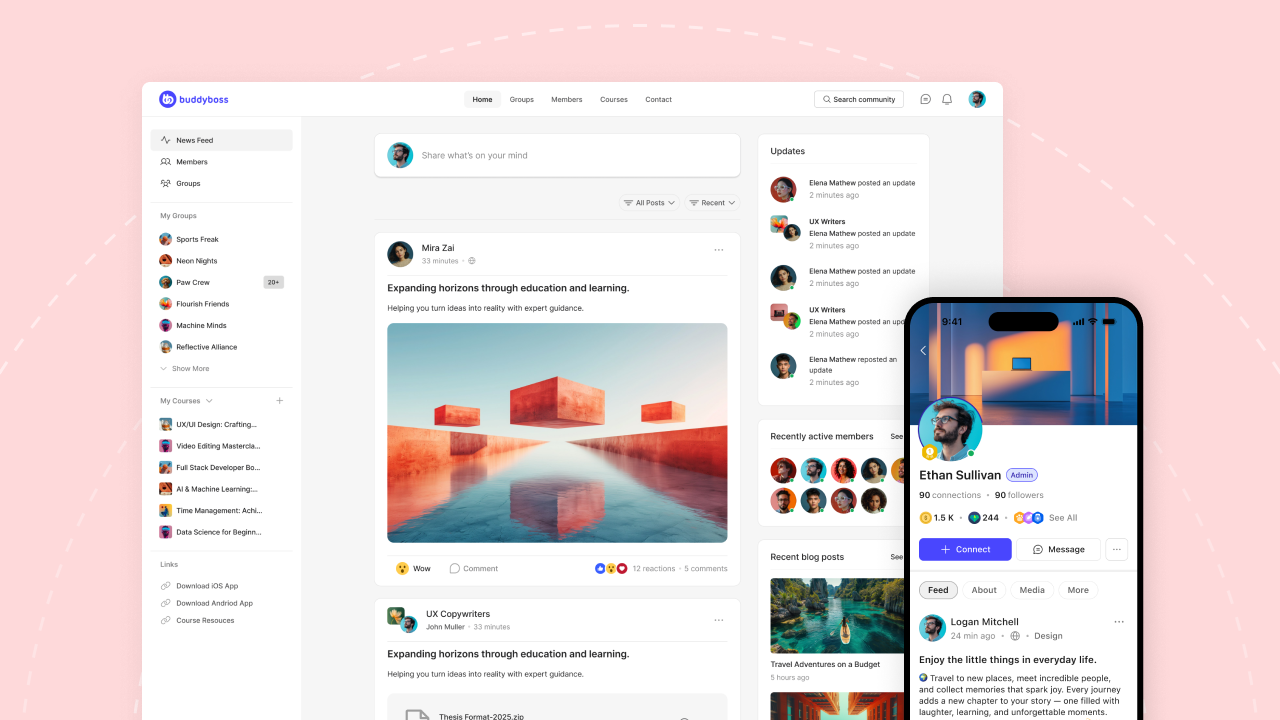
Most community platforms on this list are hosted solutions, meaning you sign up, pay monthly, and build on their infrastructure. BuddyBoss takes the opposite approach. The community lives on your own WordPress site, on your domain, under your complete control.
The feature depth is genuinely strong: discussion forums with threaded replies, private and public groups, member profiles and directories, activity feeds, and gamification with points, badges, and leaderboards, all working together in a way that feels cohesive rather than bolted on.
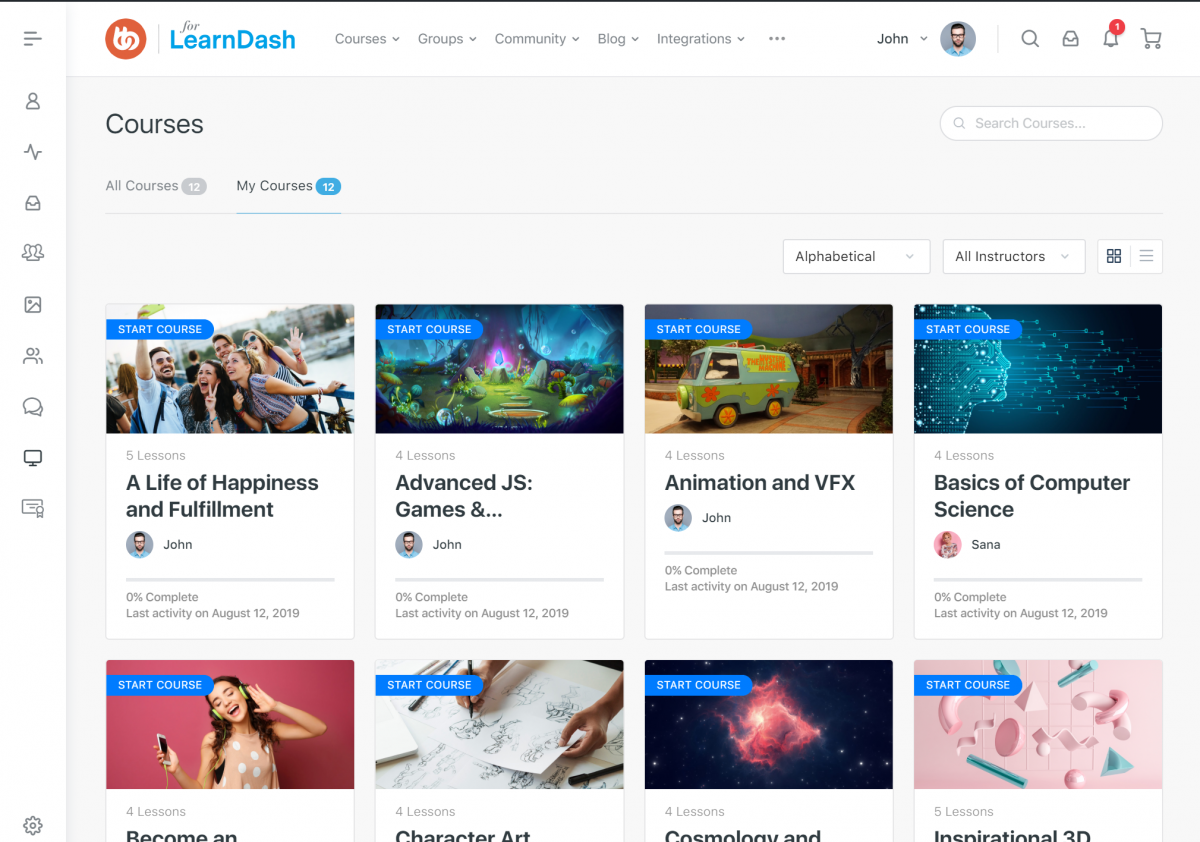
For course creators, the native LearnDash integration is the standout, or native courses built directly into the platform as of August 2026. Community and curriculum live in the same ecosystem, so members can discuss lessons, track progress, and support each other without switching between platforms.
The white-label mobile app is another differentiator. The community gets a branded native app that looks like yours, not like the platform behind it. Most competitors either don’t offer this or charge significantly more for it.
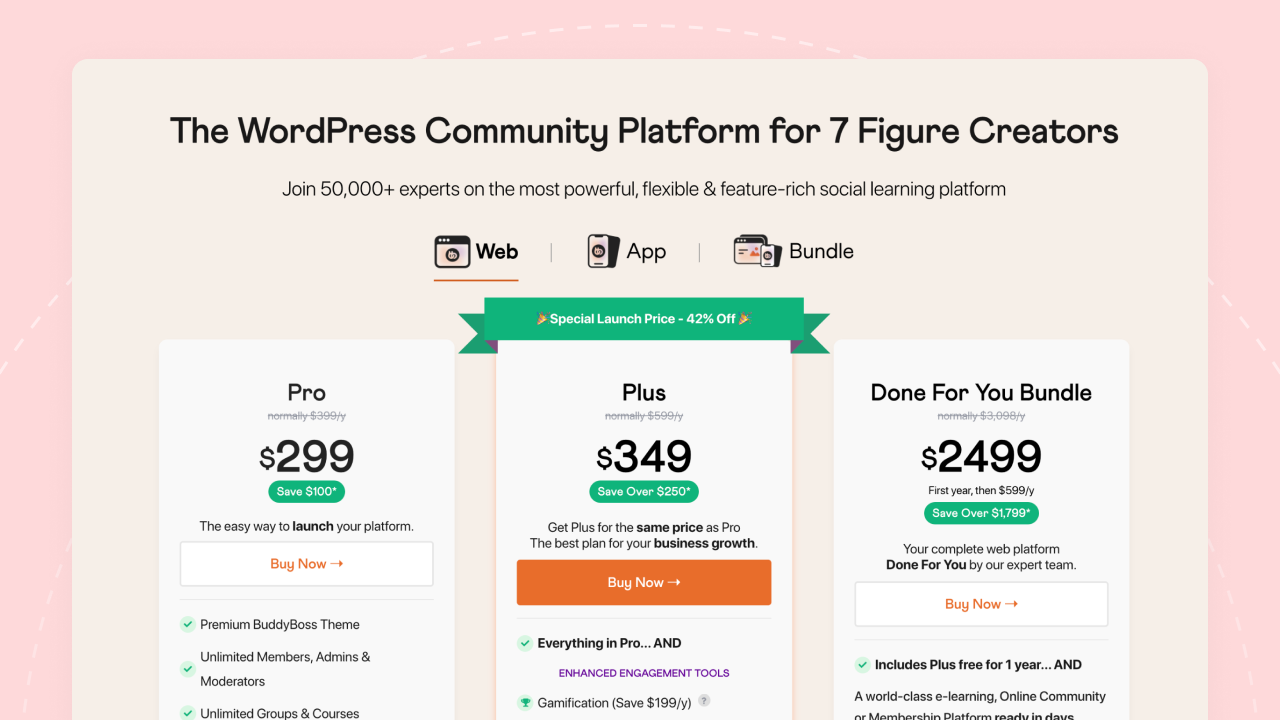
Pricing: $99/year (Start), $199/year (Launch), $349/year (Scale). 0% transaction fees on Launch and Scale; Start carries 2.9%, but only on sales through the native Memberships and Courses add-on specifically. No per-member pricing at any tier.
Before deciding: BuddyBoss requires WordPress. Anyone new to WordPress faces a real learning curve, and you’re responsible for hosting, updates, and maintenance.
For creators who want zero technical involvement, that’s a genuine consideration. But for those who value ownership over convenience, or who already run their business on WordPress, the setup investment pays for itself quickly.
One real example of what this looks like in practice:
Foundr, a global media and education company for entrepreneurs, uses BuddyBoss to power its member platform, delivering online courses alongside an active community, all in one place. Foundr chose BuddyBoss to bring its courses and community together under its own branded roof rather than relying on a third-party platform.
Verdict: The best option if you want full control, run courses or memberships, and are building something you plan to own long-term.
Ready to build a community you own? → Try BuddyBoss
2. Circle
Best for: Creators and coaches who want a polished experience without technical setup
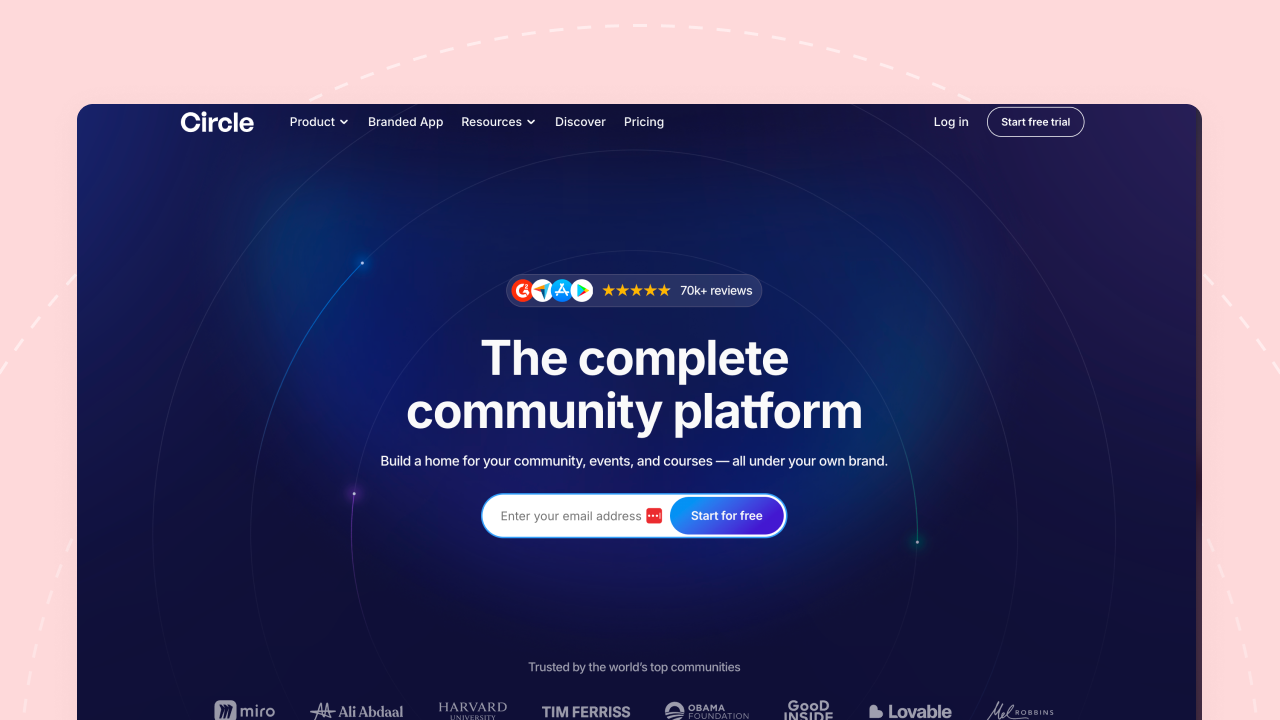
Circle is one of the most popular hosted community platforms right now, and the appeal is easy to understand. The interface is clean, modern, and the setup process is genuinely smooth.
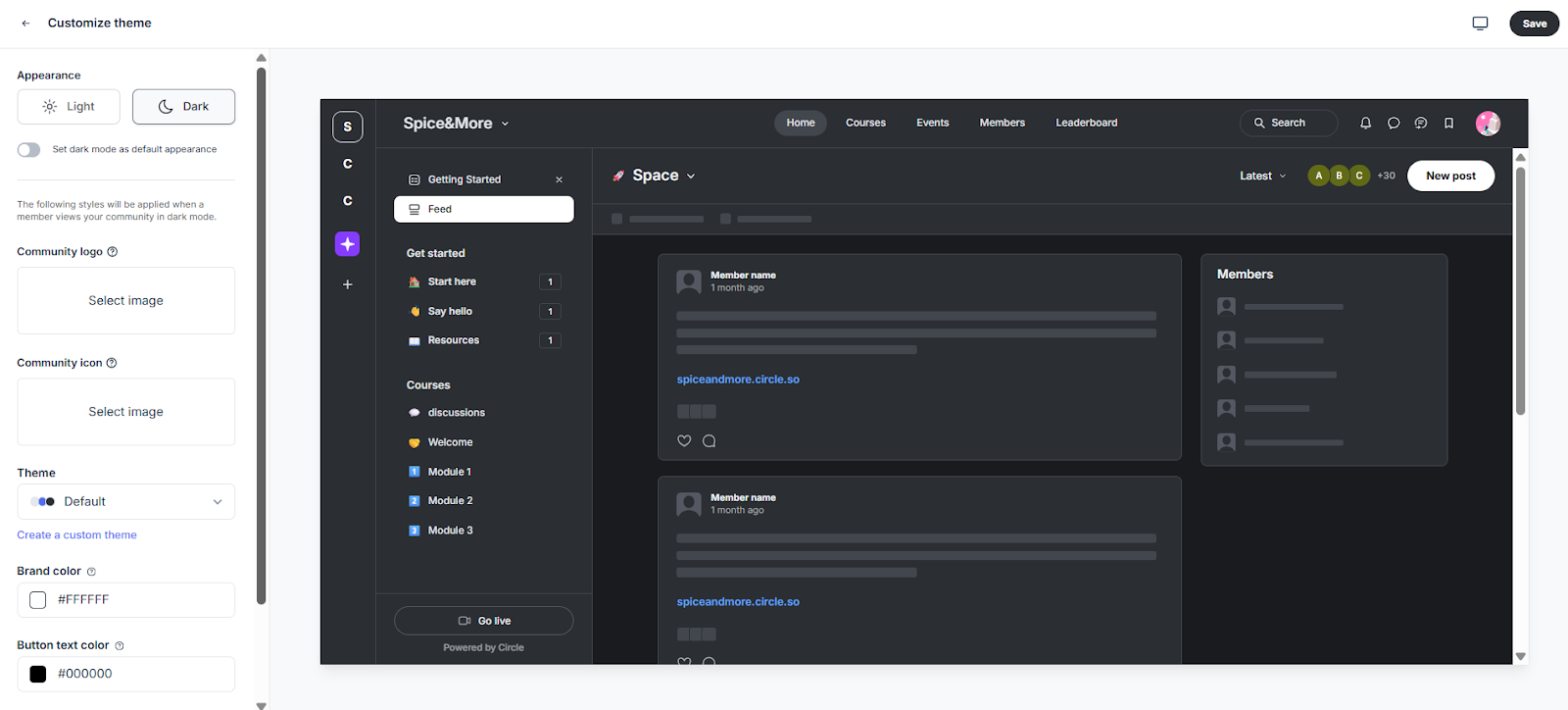
Circle uses “Spaces” to organize content, separate areas for discussions, courses, resources, or whatever structure fits. A basic community structure can be ready within an hour. The theme customizer is well thought out, with light and dark modes, brand colors, and real-time previews.
Engagement features are good too. Events, live streams, member directories, and a clean notification system that actually works. Circle also provides solid onboarding resources for new community builders.
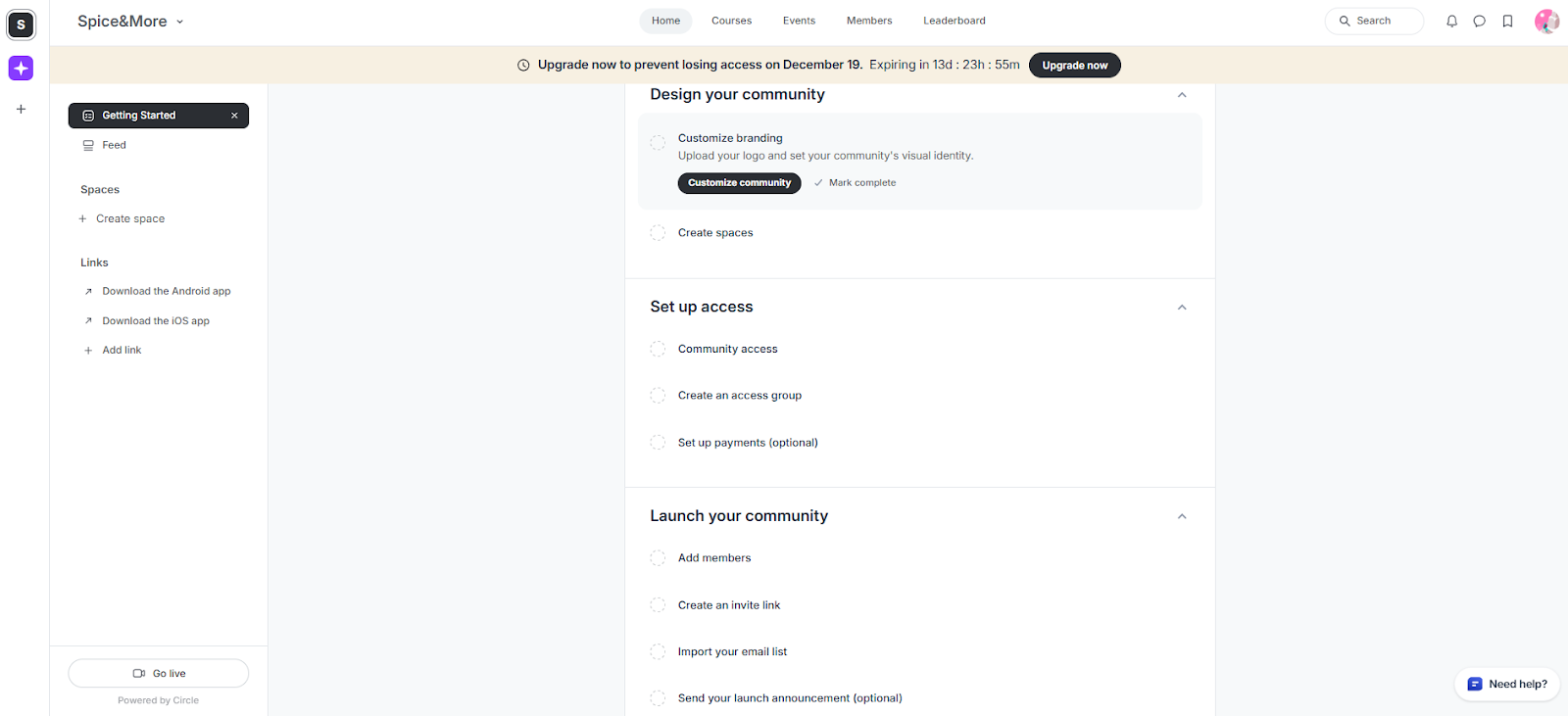
Pricing starts at $89/month for the Professional plan (2% transaction fee), which is over $1,000/year before earning anything from the community.
Every community shows “Powered by Circle” branding unless you’re on their highest tier. The custom branded mobile app requires Circle Plus, their enterprise-level plan.
Course features exist but are basic compared to a dedicated LMS. And fundamentally, Circle is a hosted platform, the community lives on their servers, following their rules, at their prices.
Verdict: Solid choice for a polished, easy-to-launch community if the recurring cost and partial ownership trade-off aren’t dealbreakers.
3. Skool
Best for: Coaches and creators who want simplicity and fast setup
Skool has grown fast, partly thanks to Alex Hormozi, a major investor who heavily promoted it to his audience. The pitch is straightforward: community plus courses, no complexity.
Skool strips away the feature bloat. There’s a community feed for discussions, a classroom for courses, a calendar for events, and a leaderboard for gamification. That’s essentially it, and for many creators, that simplicity is the selling point.
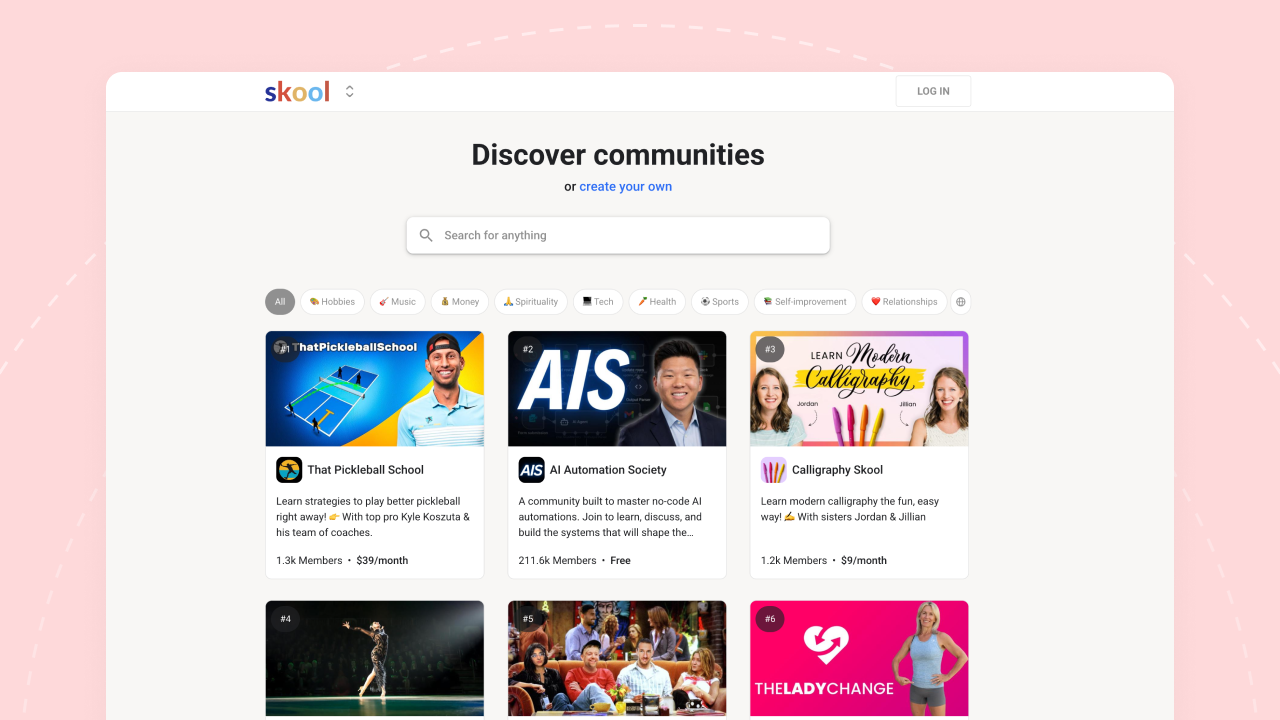
The gamification stands out most. Members earn points for posting, commenting, and engaging, climbing a public leaderboard. Course content can unlock based on membership levels, rewarding active participants. For communities built around accountability or challenges, this drives real engagement.
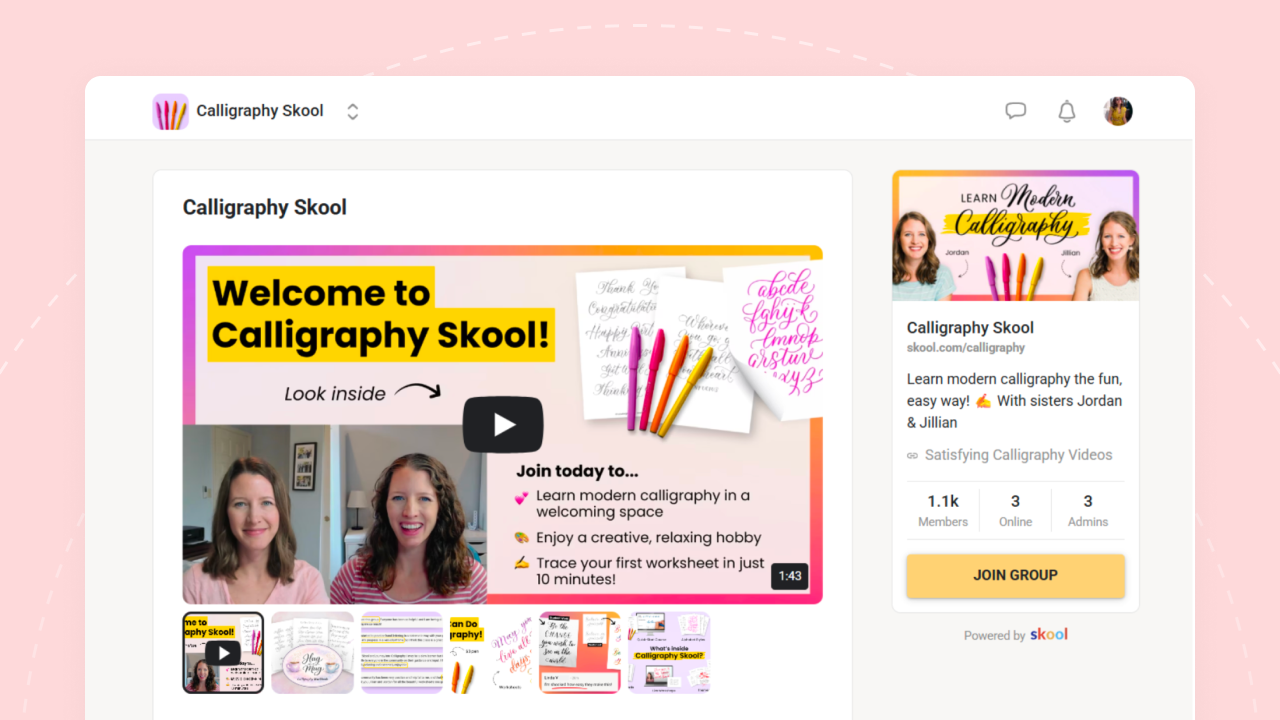
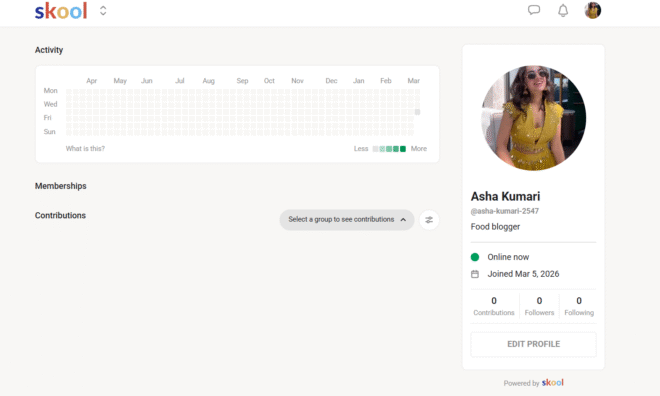
Setup takes minutes, not hours. Pick a name, configure a few settings, and you’re live.
Customization is almost nonexistent. Every Skool community looks like a Skool community, no custom colors, no branded themes, no white-labeling. If brand identity matters, there are better options.
Course features are basic too, no quizzes, no certificates, no advanced progress tracking, and no native livestreaming. You also can’t export your community structure, discussions, or course content. Outgrowing Skool means starting over.
Pricing: Skool offers two plans, Hobby at $9/month (10% transaction fee) and Pro at $99/month (2.9% fee, rising to 3.9% on individual payments above roughly $900). The Pro plan is what most serious community builders will need, since the Hobby plan’s 10% fee is the highest on this list at the entry tier.
Verdict: Great for getting started quickly, but limited if you want to build something unique or maintain long-term ownership.
4. Discord
Best for: Gaming communities, casual fan groups, and creators with younger audiences
Discord started as a platform for gamers, and despite expanding into general community use, its DNA hasn’t changed. It’s built for real-time communication, voice channels, and a casual vibe.
It’s genuinely free. Create a server, invite unlimited members, and set up text and voice channels without paying anything.
The real-time interaction creates an energy forum-style platforms can’t match. The bot ecosystem enables automated moderation and extended functionality, and signup friction is minimal since most people already have a Discord account.
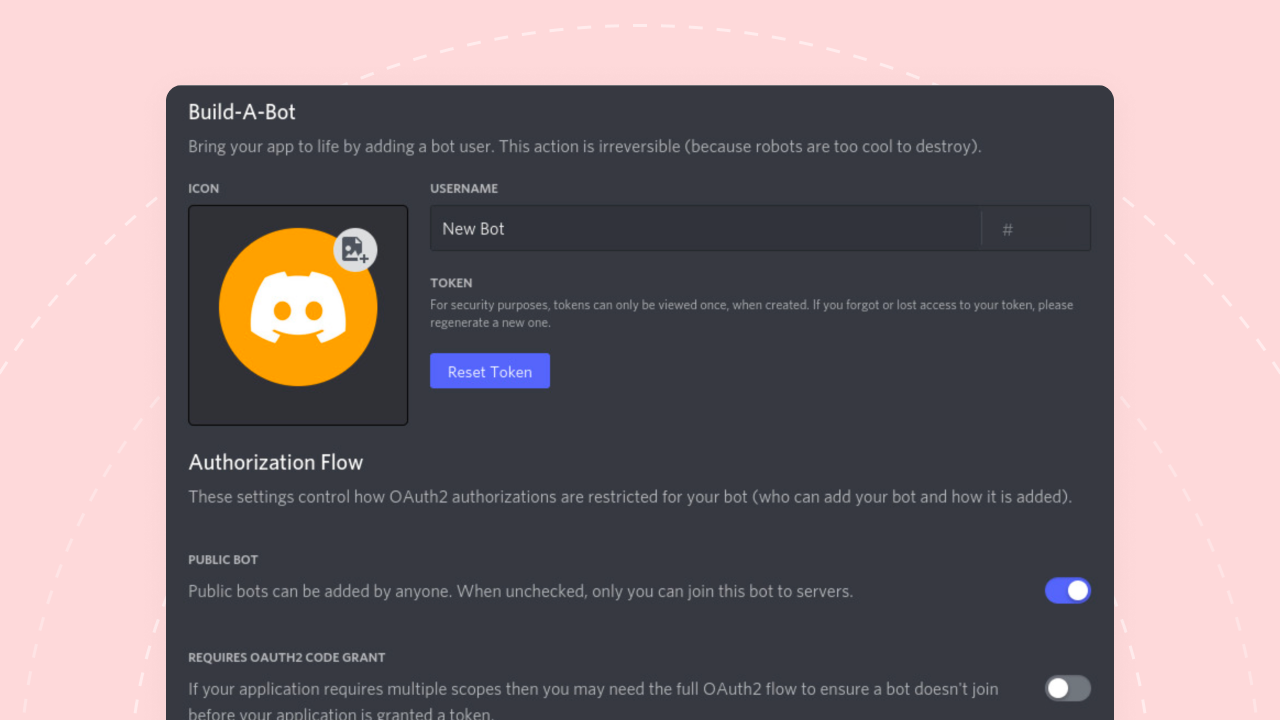
The real drawbacks: messages disappear into an endless scroll, there’s no SEO benefit, and none of the discussions will ever show up in Google. No native monetization, no course integration.
The interface gets chaotic fast in larger communities. And nothing is owned, member lists aren’t exportable in any meaningful way.
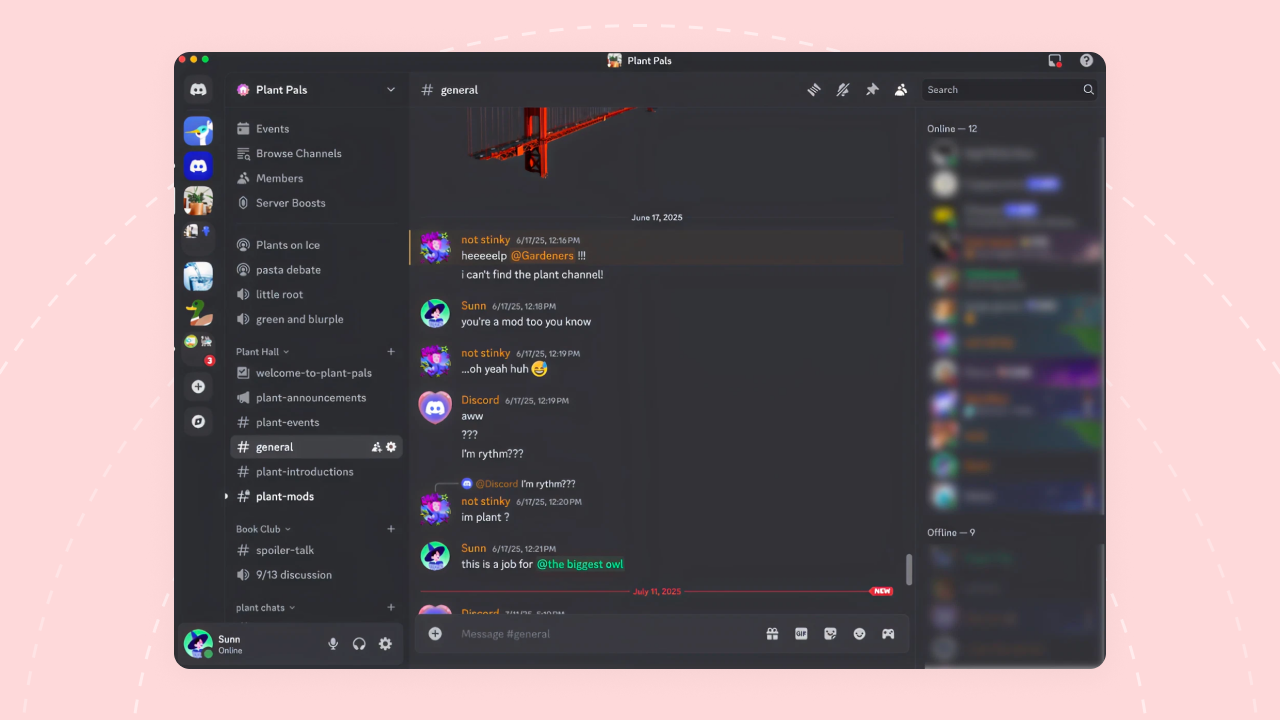
For professional communities, it also just doesn’t look or feel right. Opening Discord to engage with a business community feels fundamentally different from opening a dedicated community platform.
Verdict: Unbeatable for casual, real-time communities where the audience already lives on Discord. Not built for anything professional or course-based.
5. Mighty Networks
Best for: Creators who want community, courses, and memberships under one roof
Mighty Networks is the most ambitious “all-in-one” platform on this list. Community feeds, discussion spaces, a native course builder, live events, paid memberships, branded mobile apps, it’s all packed in.
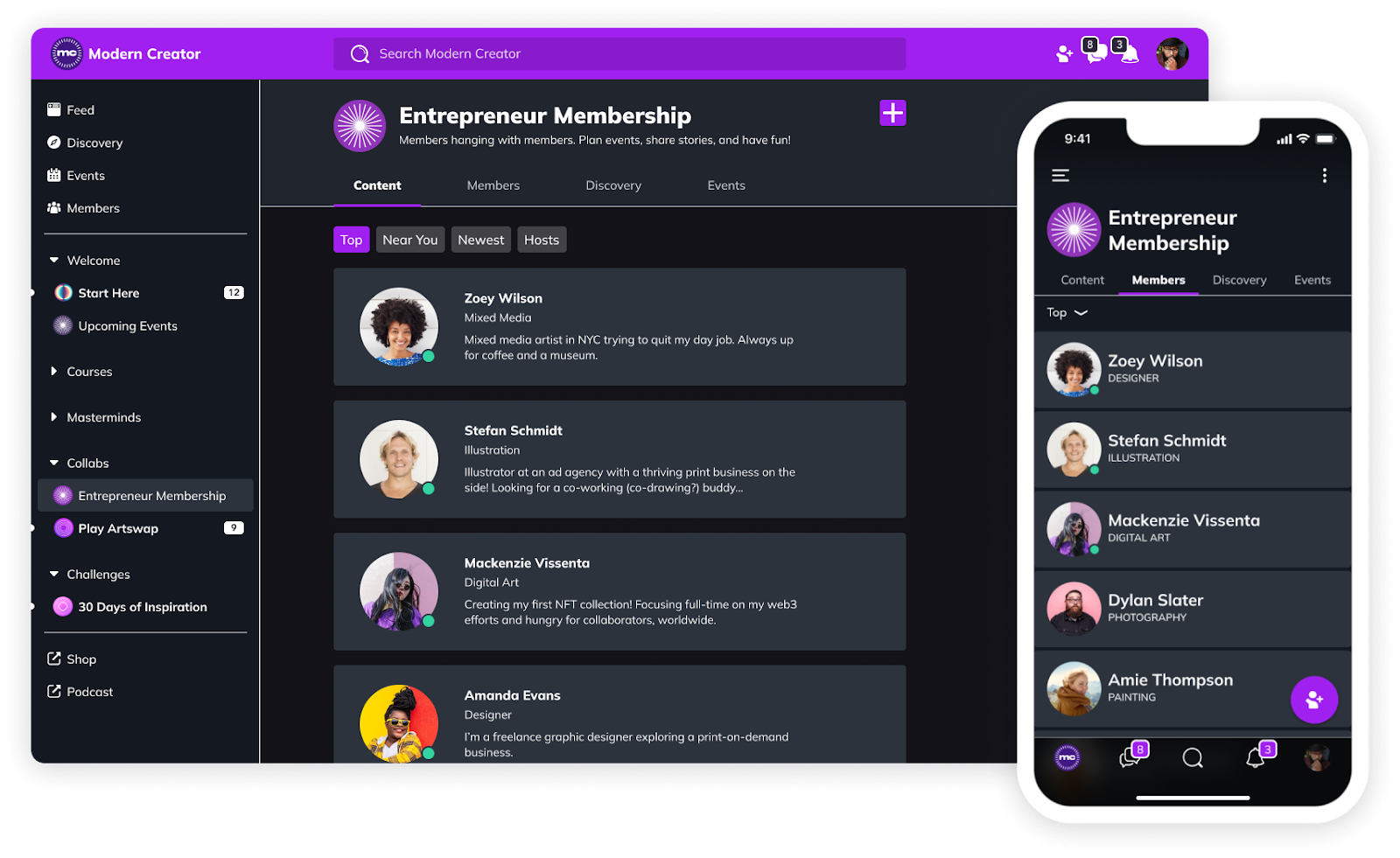
For anyone who genuinely needs community, courses, events, and memberships in one tool, Mighty Networks offers all of it. The course builder is more robust than Circle’s or Skool’s, supporting full curriculums, drip content, and course discussion in the same space.
Branded mobile apps are available on the custom-priced Mighty Pro tier.
Mighty Networks tries to do everything, which means it doesn’t excel at anything specific. The interface feels cluttered compared to cleaner options like Circle or Skool, and multiple users have reported slow load times and clunky navigation.
Pricing: $79/month (Launch, 2% fee) doesn’t include courses, those require Scale at $179/month (1% fee) or above. Growth reaches $354/month (0.5% fee), and the custom-priced Mighty Pro tier is the only way to get a branded app. Transaction fees apply at every tier, no plan ever reaches 0%.
Verdict: Does everything, but nothing exceptionally well. If courses are central to the business, dedicated LMS platforms serve better. If simplicity matters most, other options feel more refined.
6. Slack
Best for: Team communication (not community building)
Slack is excellent for team collaboration, but using it as a community platform forces a square peg into a round hole.
Plenty of people have built communities on Slack and made it work, though results vary a lot depending on the goal and the audience’s preferences.
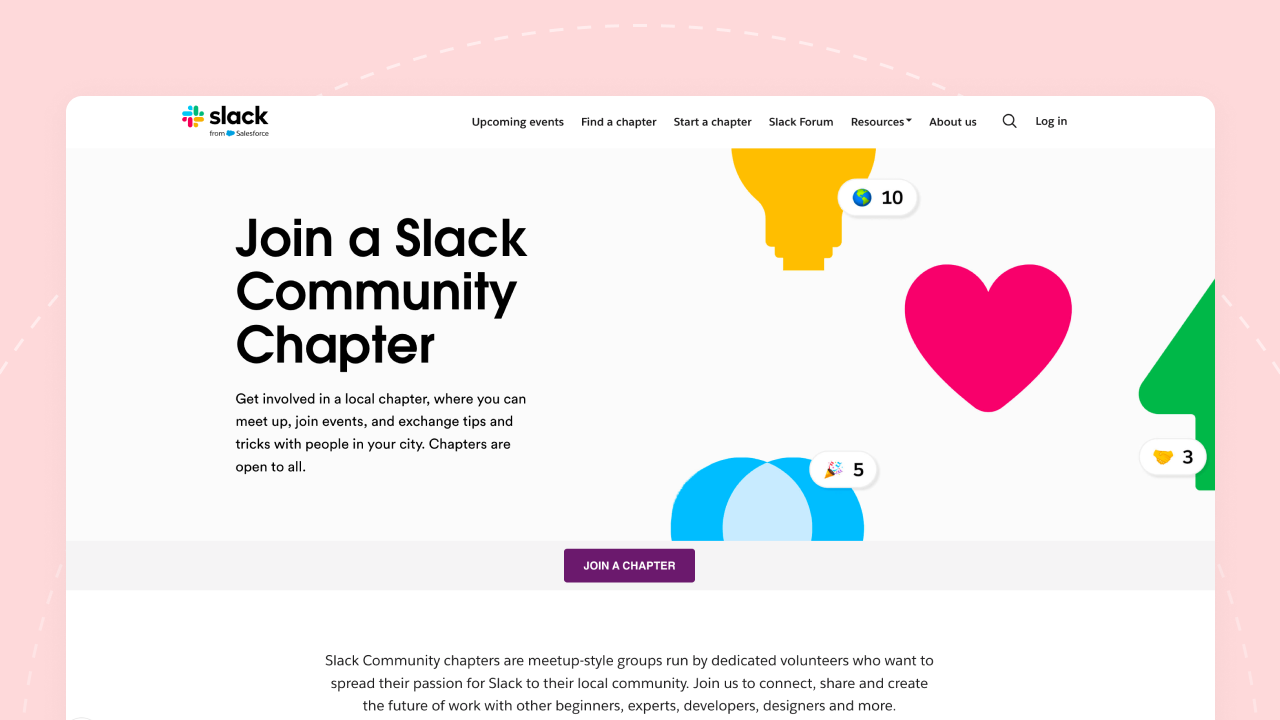
The interface is familiar to professionals. Channels provide organized conversations, integrations with thousands of apps are excellent, direct messaging works well, and it’s reliable and stable.
Slack was built for teams, not communities, though it does encourage community building in practice. Message history is limited on the free plan, and pricing at $7.25/user/month (billed annually) or $8.75/user/month (billed monthly) makes it prohibitively expensive at scale.
There are no community-specific features, no member profiles, no forums, no discovery. It feels like work, not community.
Verdict: Excellent for team communication or corporate-adjacent communities. A poor choice for member communities of any kind.
7. Discourse
Best for: Developer communities, knowledge bases, and forums where SEO matters
Discourse is open-source forum software built by the co-founder of Stack Overflow. Anyone who’s used developer communities or product discussion boards has probably used Discourse without realizing it.
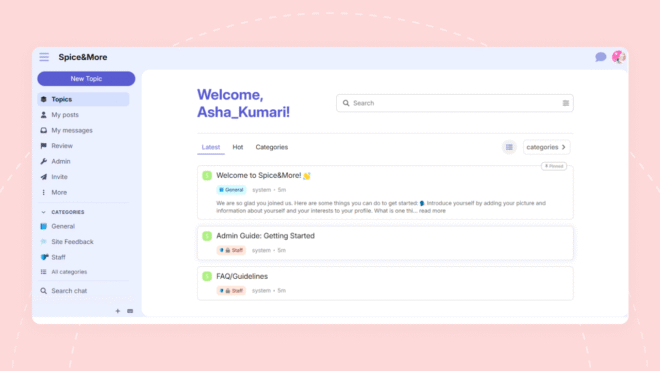
It’s forum-first by design: threaded discussions, categories, tags, and powerful search. Unlike chat-based platforms where messages scroll into oblivion, every discussion stays searchable and organized permanently.
The SEO advantage is a massive win, Discourse forums get indexed by Google, driving organic traffic to the community.
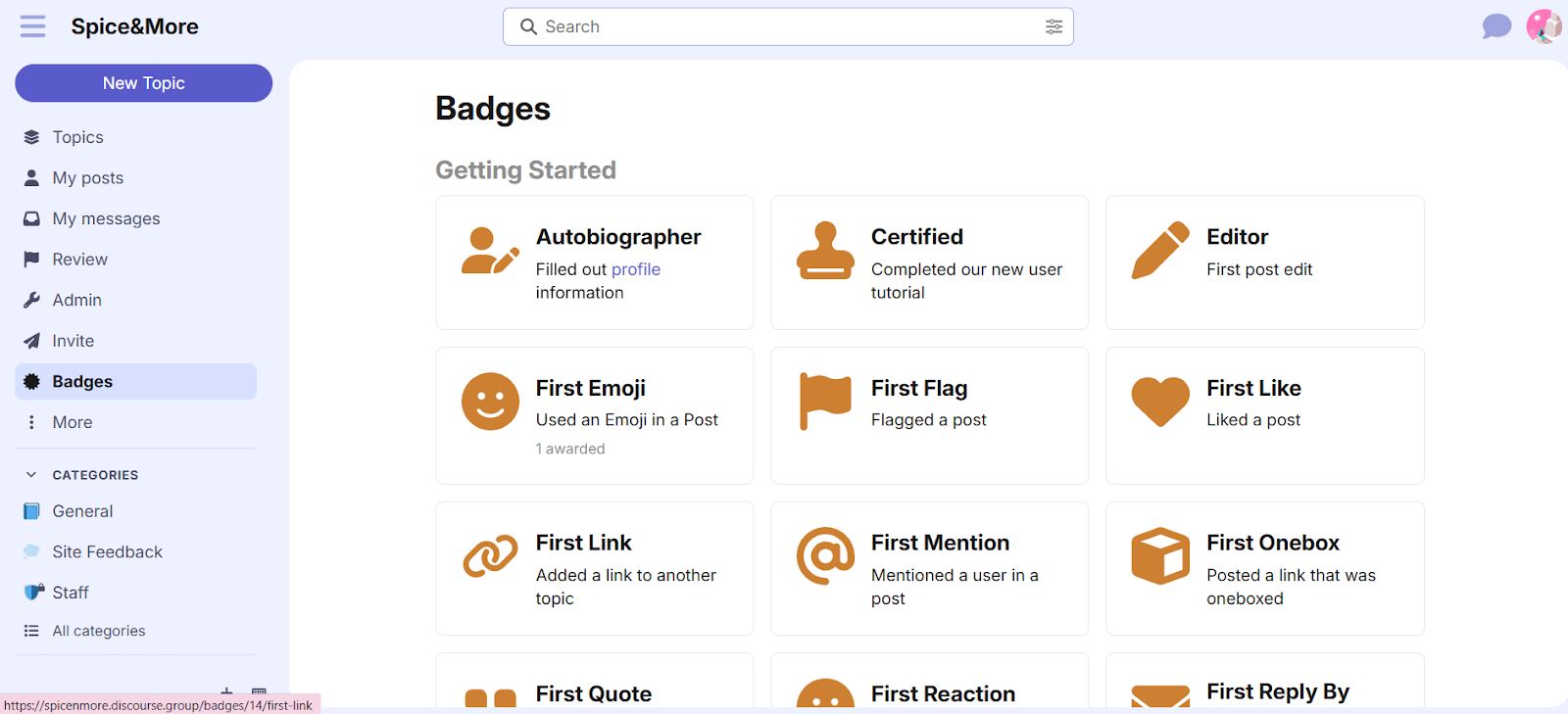
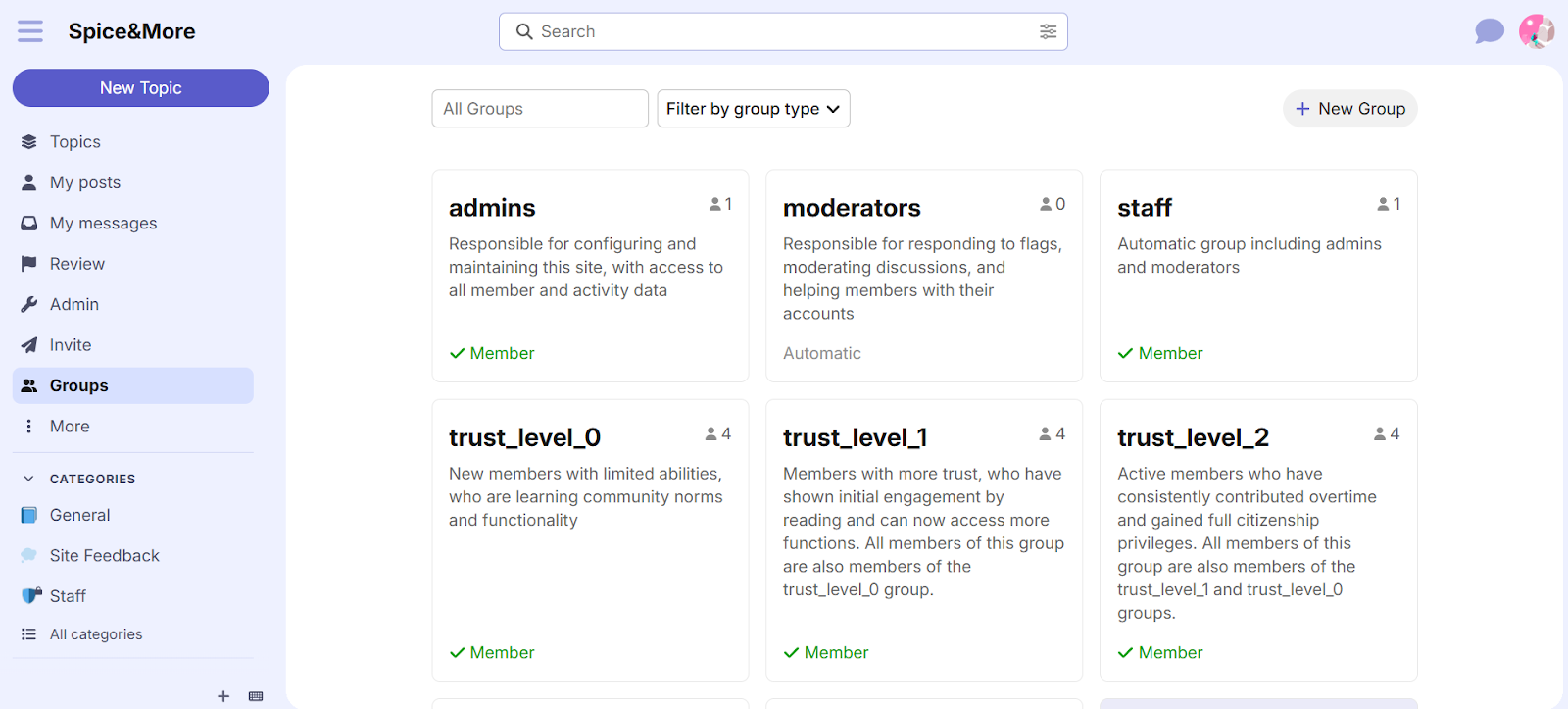
The open-source option gives full ownership, self-host on your own server and never pay platform fees. Trust levels for self-moderation are brilliantly designed, active members gradually earn more privileges, reducing moderation burden.
Discourse is a forum, not a modern community platform, and the interface feels dated compared to social-media-style feeds.
There’s no native course integration, no mobile app beyond a mobile-responsive browser experience, and self-hosting requires comfort with Docker and server management.
Verdict: The best pure forum software available. If searchable knowledge and SEO matter more than Facebook Groups ever offered, Discourse delivers, but it requires technical resources and doesn’t try to be anything beyond a forum.
8. Geneva
Best for: Social communities and interest groups testing a Facebook-free option
Geneva positions itself as a modern Facebook Groups replacement, with chat rooms, audio rooms, and events built around a mobile-first design. It’s free.
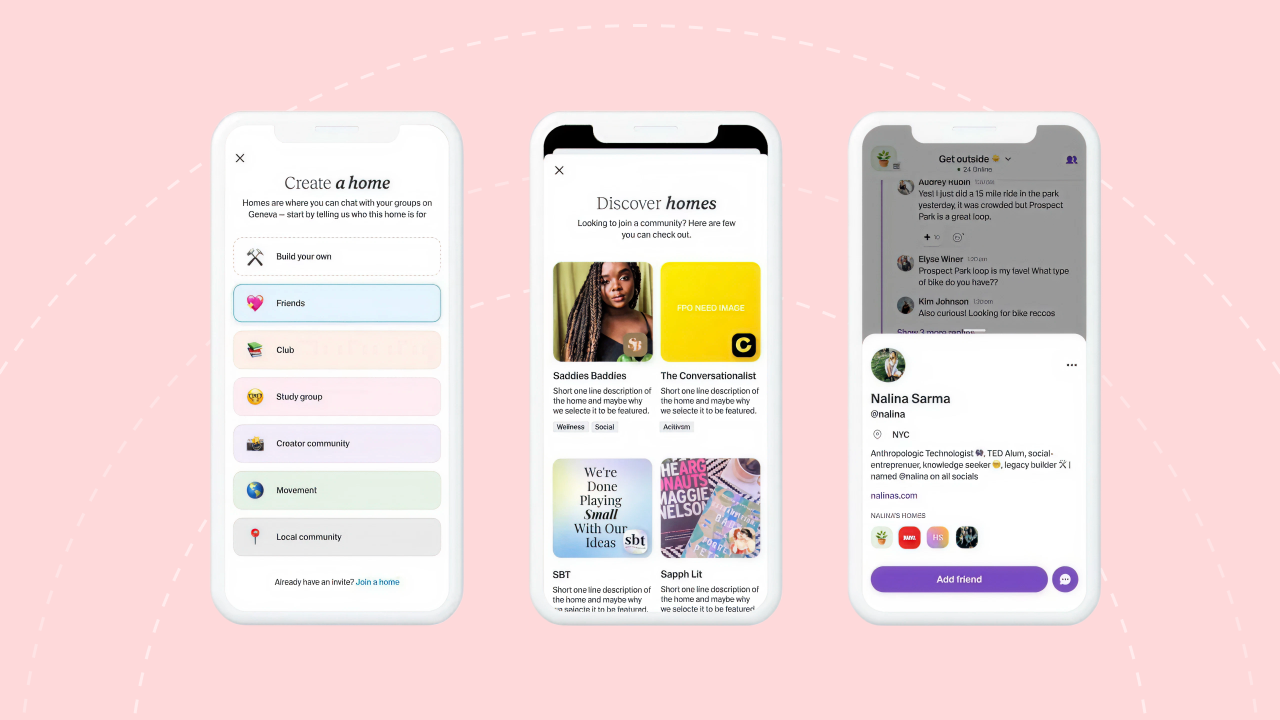
The interface is clean and modern. Audio rooms add a nice engagement layer, casual drop-in conversations that feel more personal than text. The mobile experience is smooth, which matters since most community interaction happens on phones.
Geneva is still relatively new, meaning a smaller user base, limited features compared to mature platforms, and no clear long-term business model. No course integration, no monetization features, no data ownership.
When a platform is free with no obvious revenue model, the real question is how long it stays free, and what changes when it needs to make money.
Verdict: Promising but unproven. Worth watching for casual use cases, not yet something to bet a serious community on.
9. Telegram
Best for: Broadcasts and quick announcements
Telegram is excellent at what it was designed for: fast messaging and broadcast channels. It’s free, widely used globally, and the broadcast feature pushes messages to unlimited subscribers.
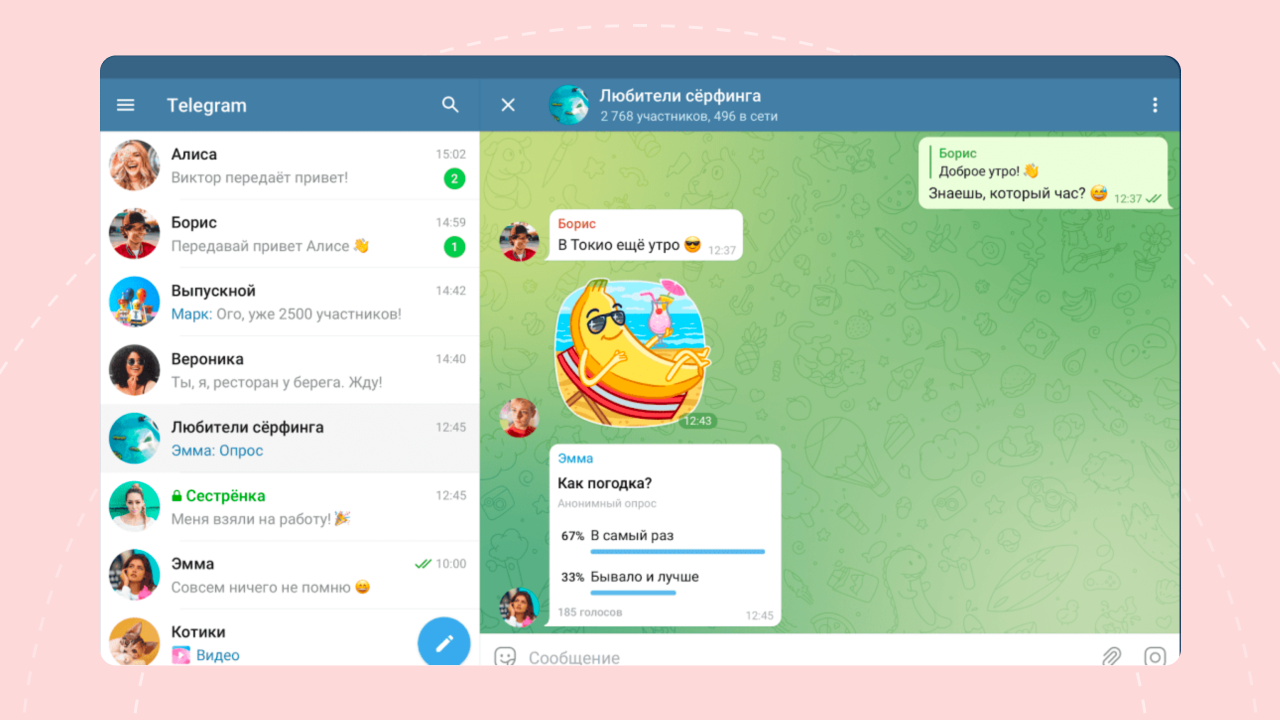
For one-way announcements like sharing updates, links, or quick tips with a large audience, Telegram is hard to beat, fast, reliable, and most people already have it installed.
As a community platform, Telegram falls apart quickly. No threading means discussions become an unreadable wall of messages within hours. Spam is a constant problem in larger groups, and there are zero community-building features, no profiles, no organized discussions, no content that lasts.
Verdict: Great for announcements. Not a real community solution by any stretch.
10. Heartbeat
Best for: Community-first creators who want clean engagement tools
Heartbeat is a newer community platform focused on clean design and thoughtful engagement features. It’s community-first rather than course-first, giving it a different feel from platforms like Skool or Mighty Networks.
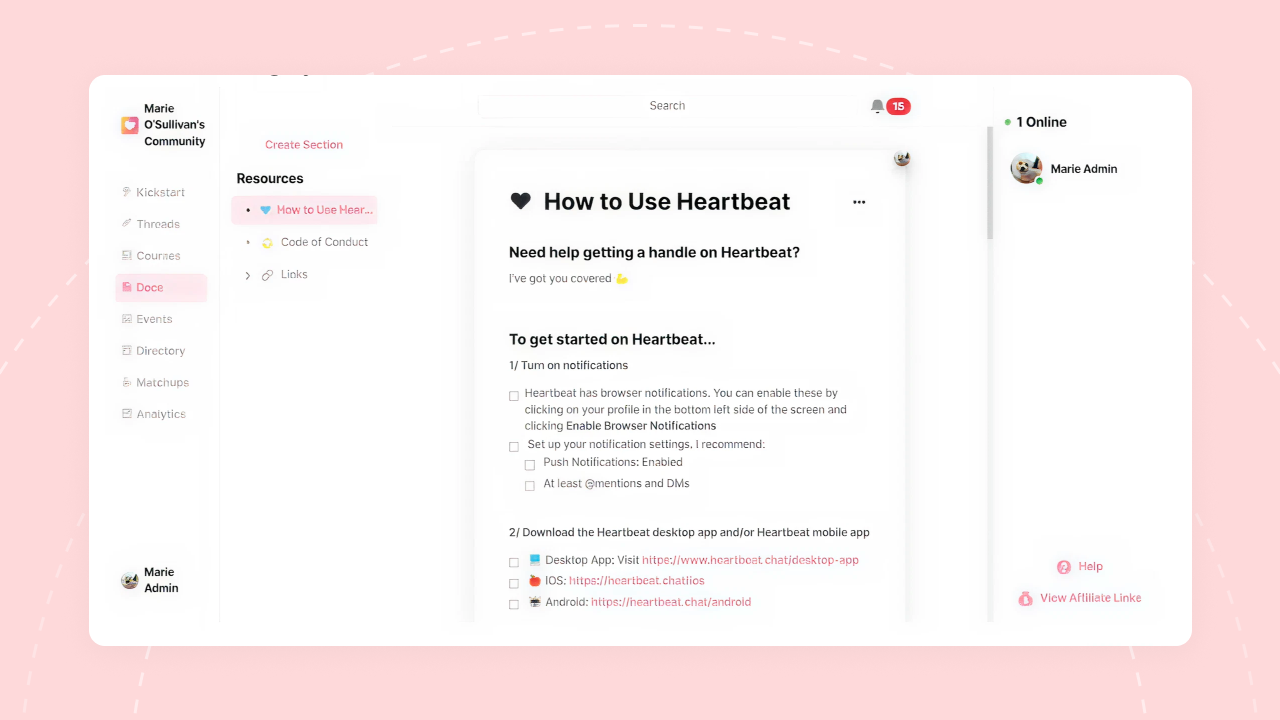
The design is polished, and the engagement tools, discussion threads, events, member profiles, are well-executed. It feels like a platform built by people who understand what makes community engagement work. For creators whose primary need is discussion and connection rather than course delivery, Heartbeat offers a focused experience.
Pricing starts at $49/month (Build, up to 350 members, no per-member charges), scaling to $849/month (Scale), the only tier that includes a branded mobile app. As a smaller company, the ecosystem is more limited, fewer integrations, a smaller user base, and renting the platform means no ownership option exists.
Verdict: Worth watching as it develops, but not yet a top-tier option for most use cases.
11. LinkedIn Groups
Best for: Theoretically, professional networking. In practice, almost nothing.
LinkedIn Groups might be the most disappointing platform on this entire list as a Facebook Group alternative. The concept is solid, a professional audience built right in. The execution is not.
The professional audience exists. If it could actually be reached and engaged meaningfully, LinkedIn Groups would be powerful.
Everything else falls short: engagement is abysmal, notifications barely work, and the interface feels like an afterthought within LinkedIn’s broader product. LinkedIn has clearly prioritized the main feed and networking features over Groups.
Posts get buried, discussions die, and members forget the group exists because nothing pulls them back. Tested with genuine effort, the engagement comes in worse than what you’d expect from a brand-new Facebook Group with ten members.
Verdict: Even worse than Facebook Groups for most community use cases. The professional audience is wasted by weak execution.
12. WhatsApp / Signal Groups
Best for: Small private groups (under 20 people)
Both WhatsApp and Signal are excellent messaging apps. As community platforms, they’re extremely limited, but for very small groups, they can work in a pinch.
Everyone already has WhatsApp. Setup takes seconds. For a small mastermind group, accountability pod, or private inner circle, the simplicity and familiarity are genuine strengths. Signal adds strong privacy, which matters for sensitive discussions.
Where it falls short: No structure, no threading, no content organization. Conversations become impossible to follow once a group gets active. WhatsApp caps groups at 1,024 members. There’s no way to find past discussions, share organized resources, or build anything that looks like a real community, it’s a group chat, not a community platform.
Verdict: Fine for small private groups where simplicity matters most. Not a real Facebook Group alternative for anything beyond that.
Recommendations by Use Case
Running online courses or memberships: BuddyBoss — Full ownership on WordPress, native LearnDash integration, forums + groups + profiles, a white-label mobile app, and pricing that doesn’t scale against you.
→ See how BuddyBoss works for course creators
Building a community around content: Circle or Skool — Both work well for creator-led communities with simpler needs. Circle offers more flexibility and polish; Skool is faster to launch with built-in gamification.
Want a free, casual community: Discord — Great for informal, real-time communities where lasting content doesn’t matter and the audience is already there.
Need a searchable knowledge-base forum: Discourse — Powerful, open-source, SEO-friendly. Requires technical setup but delivers serious results for knowledge-focused communities.
Just need a small private group: WhatsApp or Signal — Simple, free, everyone has it. Just don’t expect it to scale beyond 15–20 active people.
Frequently Asked Questions
What is the best free alternative to Facebook Groups?
Discord is the strongest free option for casual, real-time communities, especially if the audience skews younger or voice channels matter. Geneva is worth watching as a newer free option. For full ownership at no cost, BuddyBoss Platform is a free WordPress plugin with no expiry, though hosting costs still apply.
Can I migrate my Facebook Group to another platform?
Yes, and it’s more manageable than most people expect. The main things to move are the member list (export emails where possible), pinned content and resources, and community guidelines. BuddyBoss offers a Done For You migration service that handles the entire process.
Which Facebook Group alternative is easiest to set up?
Skool and Circle are the fastest to launch, both can be running in under an hour with no technical knowledge required. BuddyBoss’s ReadyLaunch feature has significantly closed this gap, getting WordPress communities live in minutes.
Do Facebook Group alternatives charge transaction fees?
It depends on the platform. Skool charges 10% on its Hobby plan and 2.9% on Pro. Circle charges 0.5% to 2% depending on plan. BuddyBoss charges zero transaction fees on Launch and Scale. Over time, especially as a community grows, this difference compounds significantly.
Which platform is best for selling courses alongside a community?
BuddyBoss, either with native courses or paired with LearnDash, is the most powerful combination for course creators who want community and learning tightly integrated. Circle and Skool both offer basic course hosting, but neither matches that depth.
What happens to my community if I choose the wrong platform?
Migrating a community is painful but not impossible. The real cost is time, rebuilding content, re-inviting members, and re-establishing the culture already built. Platforms where you own your data (BuddyBoss, Discourse) make migration easier if a move is ever needed. Hosted platforms like Circle or Skool make it harder.
Ready to Build a Community You Actually Own?
Facebook Groups worked when there weren’t better options. Now there are.
The right alternative depends entirely on what’s being built. For quick community and casual chat, lighter tools work fine. But for something serious, where community drives retention, engagement, and revenue, that calls for a platform actually owned, not rented.
Too many community builders learn this the hard way: months or years invested, thousands of members gained, then a price increase, a policy change, or a locked account wipes it out.
Rebuilding from scratch is painful, expensive, and entirely avoidable by choosing the right foundation from the start.
The platforms that win long-term are the ones that put community owners in control. That’s the real test, and why ownership should be the first thing evaluated, not the last.
→ Book a free BuddyBoss demo and see it in action
Have questions about migrating from Facebook Groups? Drop them in the comments, our team has been through this process and is happy to help.
