














Introduction
If your App Content Declaration remains in the Need Attention tab after you’ve revised and saved it—especially following a rejection—this article explains why it happens and how to move your declaration back to Actioned.
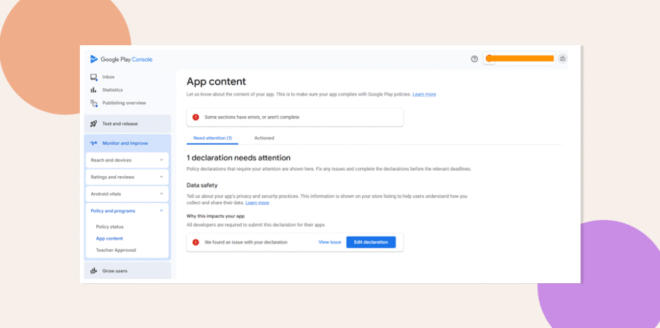
Understand the “Need Attention” Behavior
- When Google rejects your app due to a flagged issue in the App Content Declaration, the declaration is moved to Need Attention.
- Saving revisions keeps it in Need Attention by design; it won’t auto-move until re-reviewed.
Submit the Updated Declaration for Review
- In App Store Connect, open your app and go to App Content > Declaration.
- After making your changes, click Submit for Review.
- Wait for Google’s approval—once approved, the declaration will auto-move to Actioned.
Troubleshooting and FAQs
Q: Why doesn’t my declaration move to Actioned immediately after saving?
A: This is expected. Google requires a fresh review before marking it Actioned.
Q: How long does the re-review take?
A: Review times vary but typically complete within 24–48 hours.