














The BuddyPress Simple Events is a FREE plugin that allows your BuddyPress members to create, edit and delete events directly from the profile page.
The integration adds a tab for creating events on each user’s profile page.
The integration works and requires the BuddyBoss Platform installed and activated on your website.
BuddyBoss Platform is a fork and forge of the BuddyPress plugin and bbPress plugin. Any plugin developed for the BuddyPress and bbPress plugin is supported by the BuddyBoss Platform.
You do NOT need to install the BuddyPress plugin or the bbPress plugin separately. BuddyBoss Platform acts as a replacement for both the plugins.
Installing the plugin
To install the plugin:
- Download the BuddyPress Simple Events plugin from your PhiloPress Account page:
https://www.philopress.com/products/buddypress-simple-events/ OR
Buy and download the Pro version – https://www.philopress.com/products/buddypress-simple-events-pro/ - Extract the downloaded buddypress-simple-events.zip file to the WordPress plugins folder yourhostname/wordpress/wp-content/plugins
OR
Go to your WordPress Dashboard > Plugins > Add New. Click the Upload Plugin button. Browse to the download file location, select the buddypress-simple-events.zip & install the plugin. - Click the Activate Plugin button to activate the BuddyPress Simple Events plugin on your website. OR
To activate the plugin on your website site go to WordPress Dashboard > Plugins and then click the Activate button for BuddyPress Simple Events.
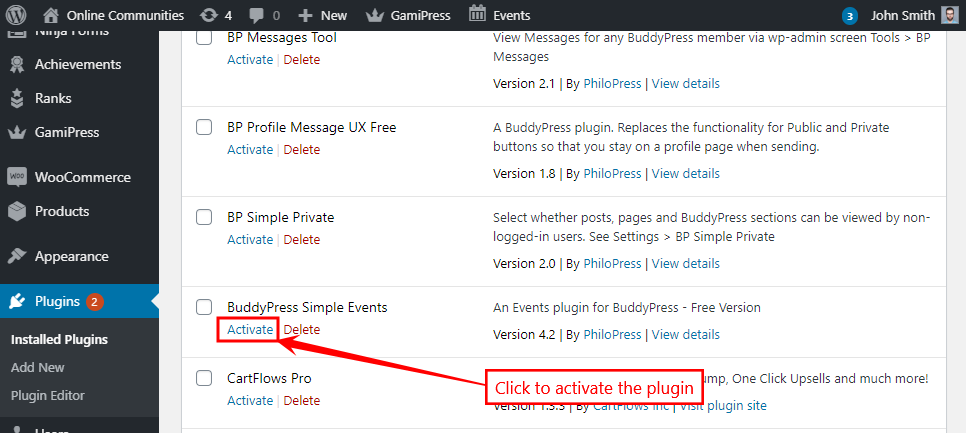
You must have the BuddyBoss Platform installed and activated on your site for the BuddyPress Simple Events plugin to work.
Creating a new event
To create a new event:
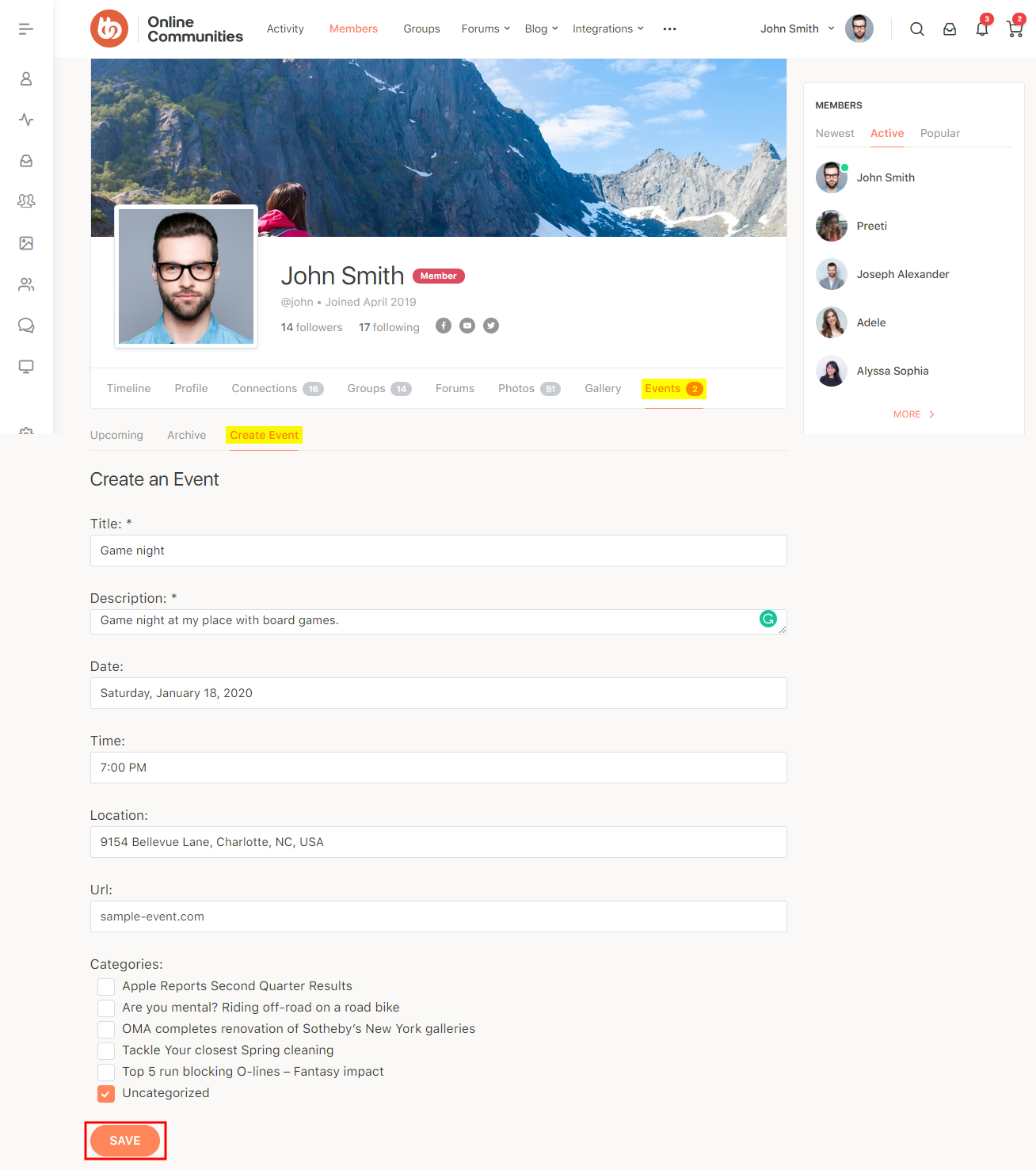
- Go to your profile page and then to the Events tab.
- Click the Create Event option.
- Enter the details of the event and then click the Save button.
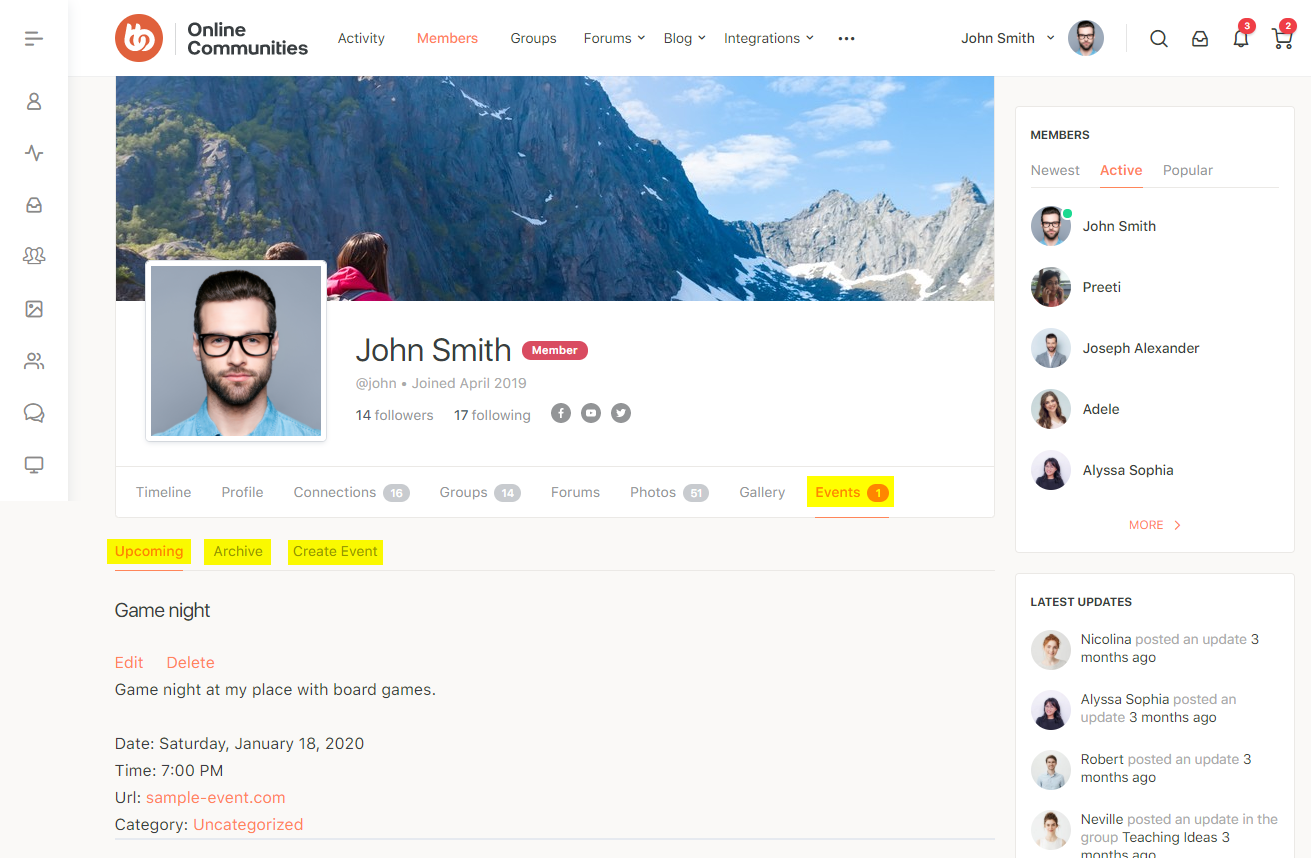
The Pro version allows and includes the following features:
- search
- a Map showing all Events
- a Settings screen for Map options
- an End date
- an Image
- assignment of an Event to a Group
- an optional ‘Attending’ button per Event
- a shortcode for the Events Map