














Introduction
The Coming Soon Page, Under Construction & Maintenance Mode plugin, lets you create simple Coming Soon Page, Under Construction or Maintenance Mode Page so that you can work on your site privately while your website is unavailable.
The plugin works with any WordPress theme, is translation ready and responsive. You can customize the look-and-feel of the pages, also use HTML5 & CSS3. The plugin also supports BuddyPress and multisite setups.
The BuddyBoss Theme blends the pages and the layout seamlessly.
Installing the plugin
To install the plugin:
- Download the Coming Soon Page, Under Construction & Maintenance Mode by SeedProd plugin from the link below
https://wordpress.org/plugins/coming-soon/ - Extract the downloaded coming-soon.zip file to the WordPress plugins folder yourhostname/wordpress/wp-content/plugins OR
Go to your WordPress Dashboard > Plugins > Add New. Click the Upload Plugin button. Browse to the download file location, select the coming-soon.zip & install the plugin. - Click the Activate Plugin button to activate the Coming Soon Page, Under Construction & Maintenance Mode by SeedProd plugin on your website. OR
To activate the plugin on your website site go to WordPress Dashboard > Plugins and then click the Activate button for Coming Soon Page, Under Construction & Maintenance Mode by SeedProd.
Setting up the plugin
To enable the Coming Soon mode:
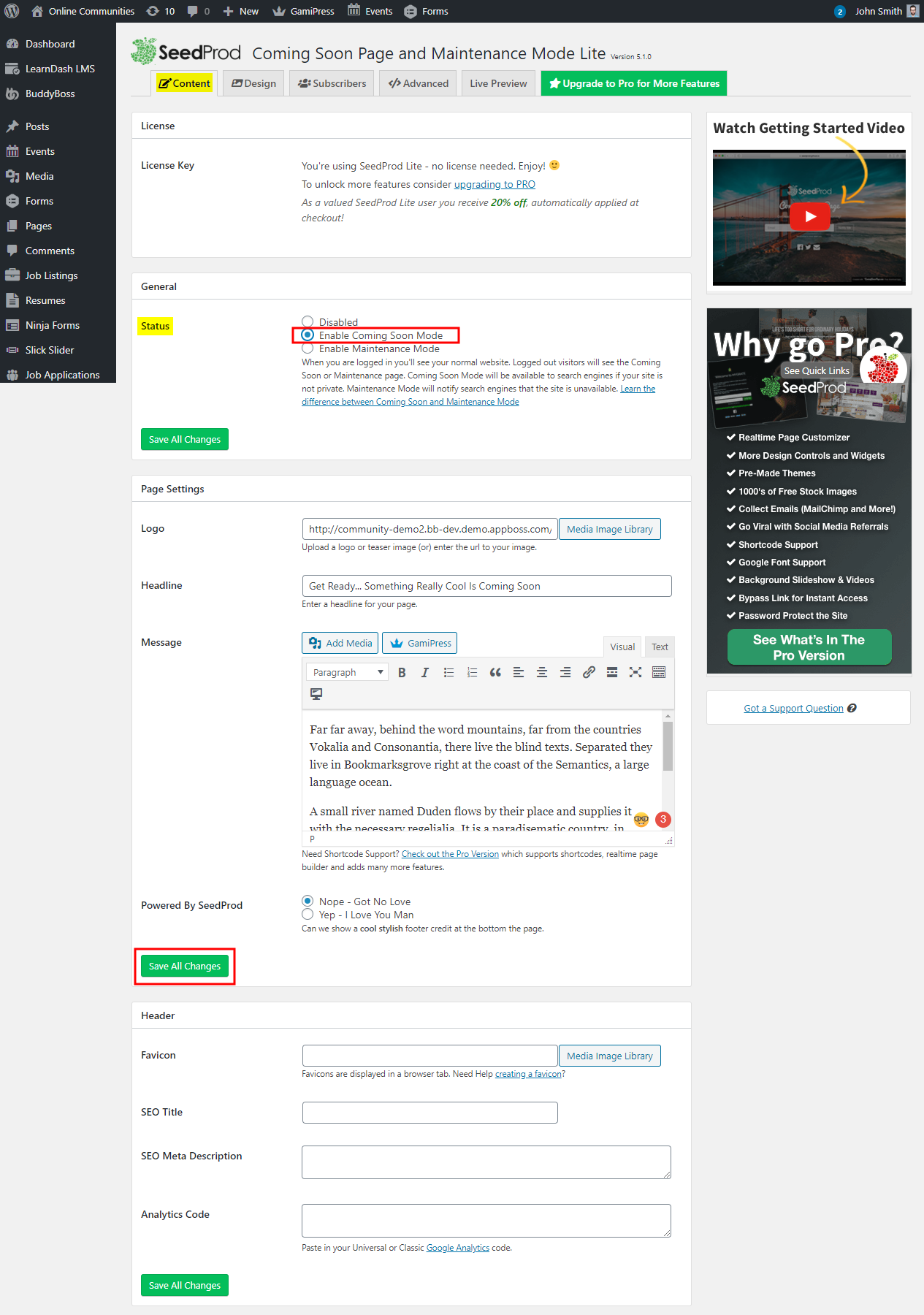
- Go to WordPress Dashboard > SeedProd > Settings.
- In the Content tab, in the General section, select Enable Coming Soon Mode for the Status.
- Add the content for the page in the Page Settings section.
- Add an optional image for the logo on the Coming Soon page.
- Click the Save All Changes button.
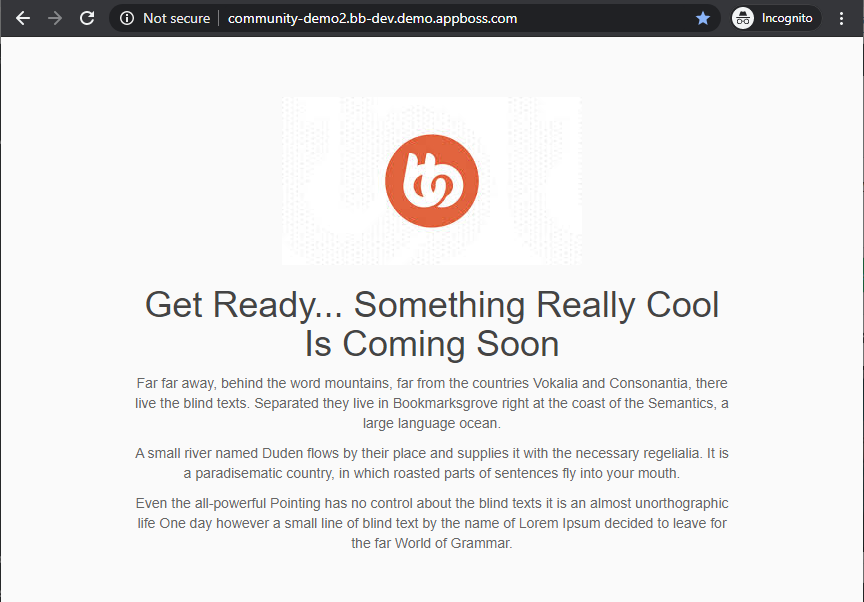
When the users/visitors try to access your website, they will be redirected to the Coming Soon page.
For further setup and usage tutorials, refer to the official documentation of Coming Soon Page, Under Construction & Maintenance Mode.