
REQUIRES: PRO PLAN OR HIGHER • Last updated: Mar 12, 2026 • ~4 min read
The Activity Feed Filters and Search settings control how members search, filter, and sort activity posts across the Activity Feed and Profile Timeline. This manual walks you through enabling activity search, configuring feed filters, and setting sorting options.
Tutorial Video
Accessing Settings
To access these settings, navigate to your WordPress Dashboard, go to BuddyBoss > Settings > Activity Feed, then click Activity Settings from the left menu.
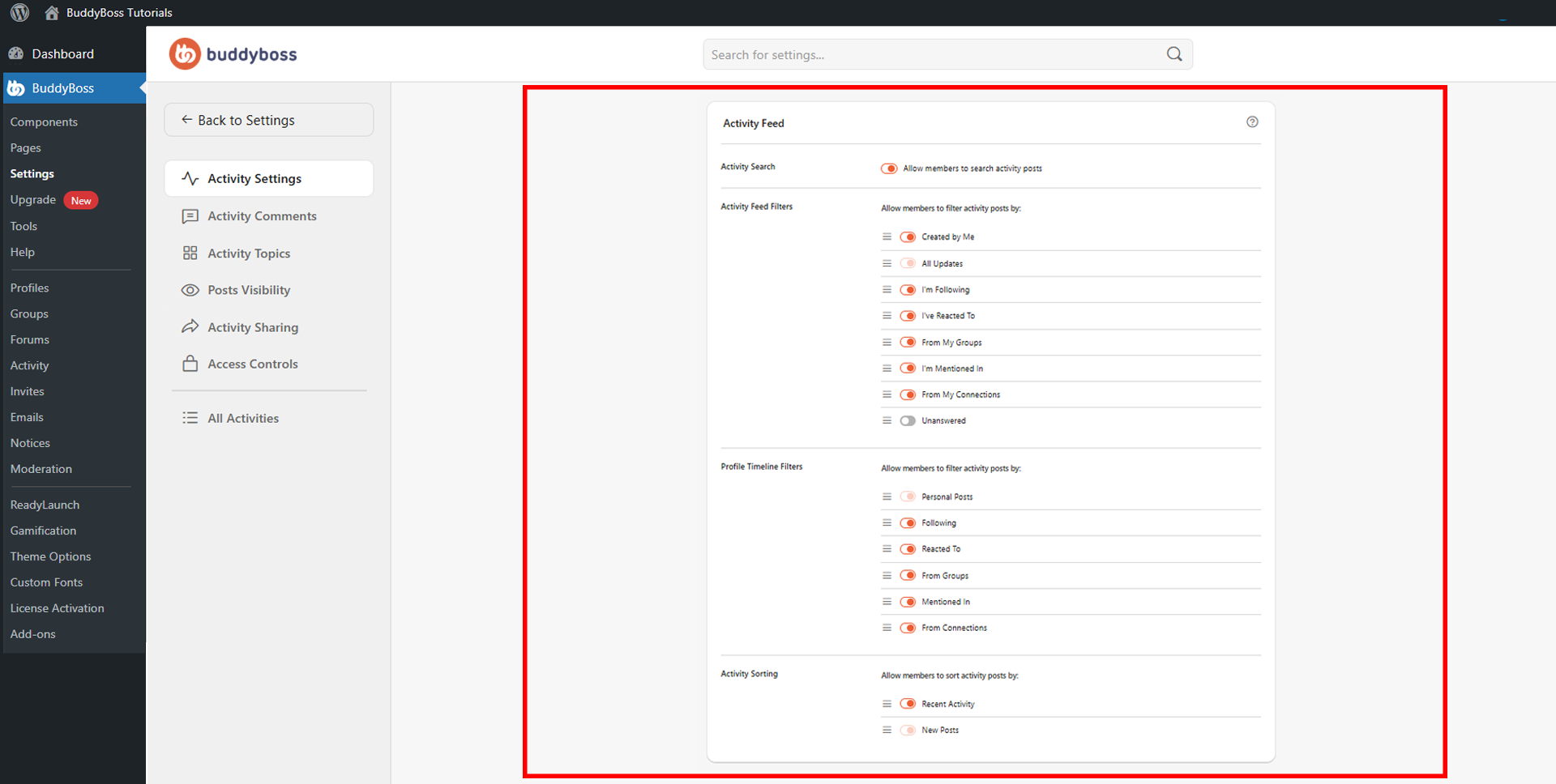
Activity Search
The Activity Search toggle enables a search bar within the Activity Feed, allowing members to find specific posts by keyword directly from the feed without leaving the page.
Activity Feed Filters
The Activity Feed Filters section lets you choose which filter tabs are available to members when browsing the activity feed. Enable only the filters most relevant to your community to keep the interface clean. The available filters are:
- Created by Me: Shows posts created by the logged-in member.
- All Updates: Displays all activity posts across the platform.
- I’m Following: Shows posts from members the logged-in user is following.
- I’ve Reacted To: Displays posts the member has previously reacted to.
- From My Groups: Shows posts from groups the member has joined.
- I’m Mentioned In: Displays posts where the member is mentioned.
- From My Connections: Shows posts from members the logged-in user is connected with.
- Unanswered: Filters for posts that have not yet received a reply.
Profile Timeline Filters
The Profile Timeline Filters section controls which filter tabs appear on individual member profile timelines. Enable or disable each option based on what you want visitors to see when viewing a member’s profile:
- Personal Posts: Displays posts created by the profile owner.
- Following: Shows posts from members the profile owner is following.
- Reacted To: Displays posts the profile owner has reacted to.
- From Groups: Shows group-related activity from the profile owner.
- Mentioned In: Displays posts where the profile owner is mentioned.
- From Connections: Shows posts from the profile owner’s connections.
Activity Sorting
The Activity Sorting section lets you enable the sorting options available to members in the activity feed. The two available options are:
- Recent Activity: Sorts the feed by the most recently active posts.
- New Posts: Sorts posts by newest content first.
© 2026 BuddyBoss LLC. All Rights Reserved. | buddyboss.com