
Last updated: Mar 12, 2026 • ~4 min read
The Branding settings let you customize your site’s visual identity by managing appearance modes, logos, and theme colors. You can configure separate logos and accent colors for light and dark modes to ensure a consistent branded experience across your community. This manual walks you through each setting area.
Accessing Branding Settings
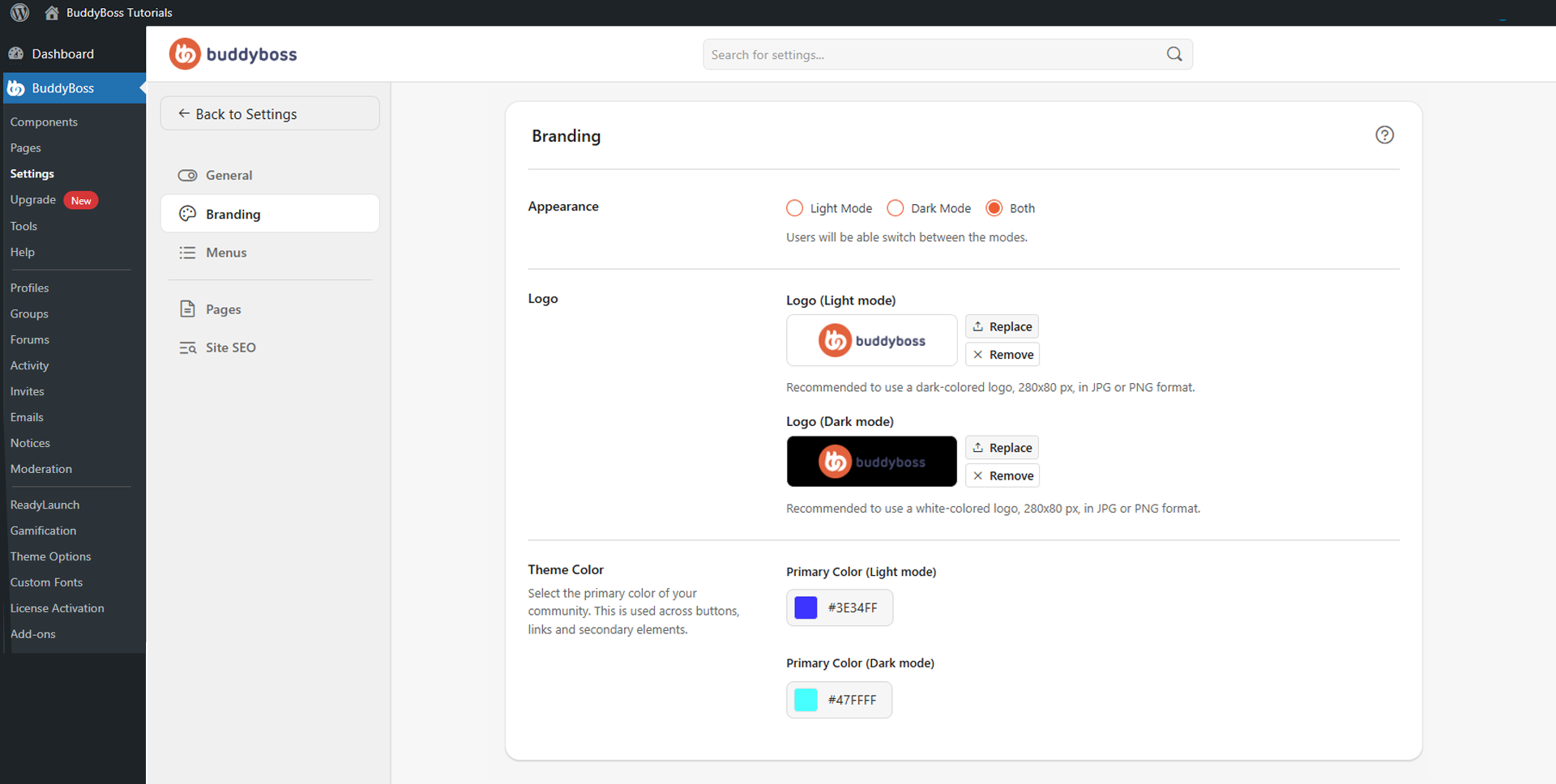
To access these settings, navigate to your WordPress Dashboard, go to BuddyBoss > Settings > Appearance > Branding.
Appearance Mode
The Appearance setting controls which display modes are available on your site:
- Light Mode: Displays your site using the light theme only. Suited to traditional layouts and standard web designs.
- Dark Mode: Displays your site using the dark theme only. Useful for communities that prefer darker interfaces or modern design styles.
- Both: Allows members to switch between Light and Dark mode, giving them flexibility over their viewing preference.
Site Logo
BuddyBoss supports separate logos for light and dark modes to ensure proper visibility across both themes. Use the Replace button to upload a logo or Remove to clear it. BuddyBoss recommends 280 x 80px in JPG or PNG format.
- Logo (Light Mode): Displayed on light backgrounds. Use a dark-colored logo for contrast.
- Logo (Dark Mode): Displayed on dark backgrounds. Use a white-colored logo for contrast.
Theme Colors
The Theme Color section sets the primary accent color applied to buttons, links, and secondary interface elements. Use the color picker to select your brand color for each mode:
- Primary Color (Light Mode): The accent color applied to key interface elements in light mode.
- Primary Color (Dark Mode): The accent color applied to interface elements in dark mode. Choose a color that maintains strong visibility on dark backgrounds.
© 2026 BuddyBoss LLC. All Rights Reserved. | buddyboss.com