
Last updated: Mar 12, 2026 • ~3 min read
The Component Pages settings allow you to assign WordPress pages to core community components such as Members, Groups, Forums, Activity Feed, Photos, Videos, and Documents. These assignments tell BuddyBoss which page should display each directory or feature, ensuring smooth navigation across your site. This manual walks you through assigning and verifying component pages.
Tutorial Video
Accessing Component Pages Settings
To access these settings, navigate to your WordPress Dashboard, go to BuddyBoss > Settings > Appearance > Pages, then scroll to the Component Pages section.
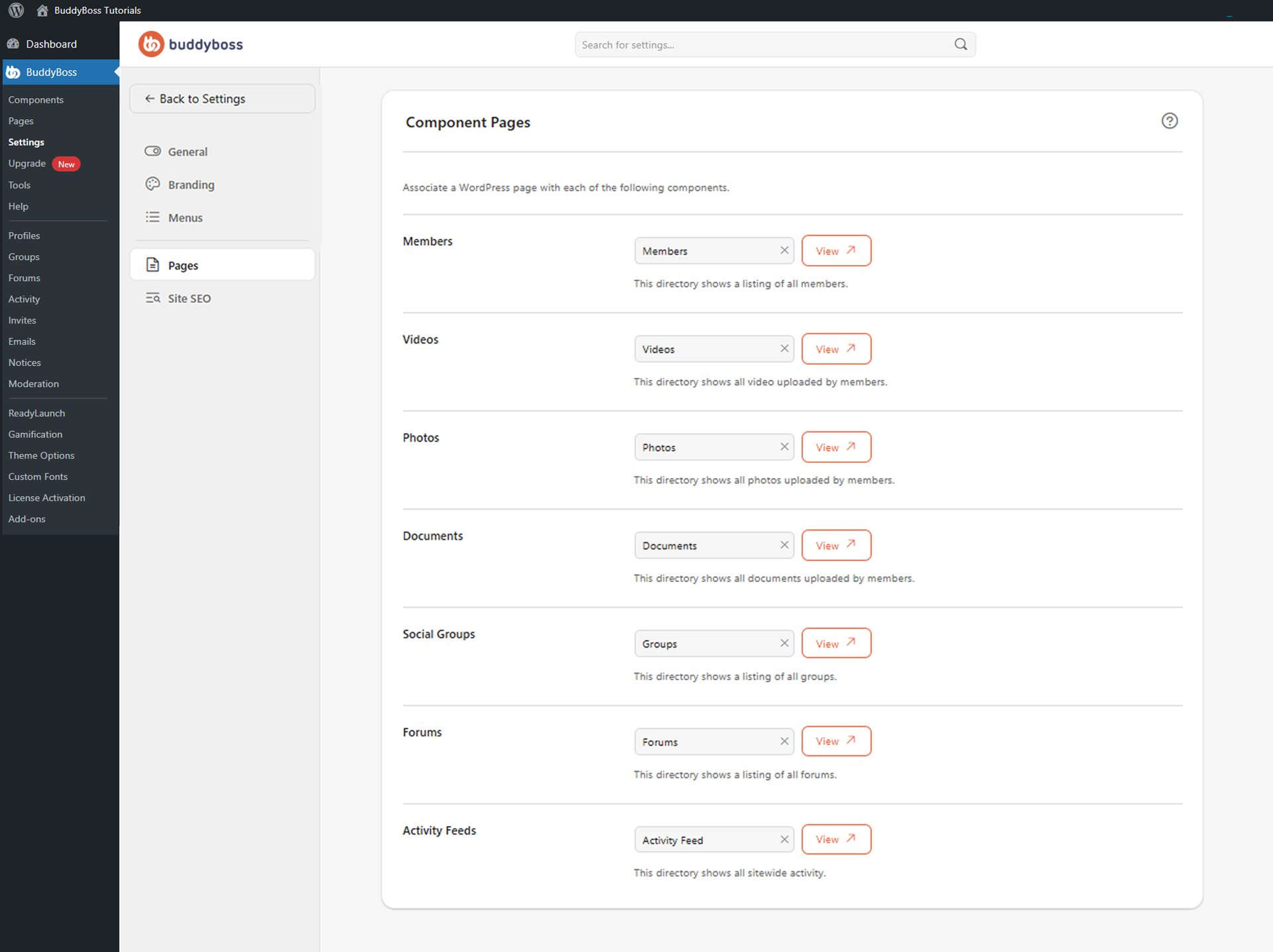
Assigning Pages to Components
For each component, use the dropdown field to select the WordPress page that should display that feature. BuddyBoss shows a short description below each field explaining the purpose of the assigned page. A View button next to each component opens the assigned page so you can verify the layout and content. The seven components to configure are:
- Members
- Videos
- Photos
- Documents
- Social Groups
- Forums
- Activity Feeds
© 2026 BuddyBoss LLC. All Rights Reserved. | buddyboss.com