
REQUIRES: PRO PLAN OR HIGHER • Last updated: Mar 12, 2026 • ~3 min read
The Group Topics feature allows you to organize posts within groups by assigning topics, making discussions easier to navigate and improving content structure inside groups. You can enable the feature and configure how much control group organizers have over the topics available to them. This manual walks you through each option.
Tutorial Video
Accessing Group Topics Settings
To access these settings, navigate to your WordPress Dashboard, go to BuddyBoss > Settings > Activity Feed, then click Activity Topics from the left menu. Navigate to the Group Topics settings.
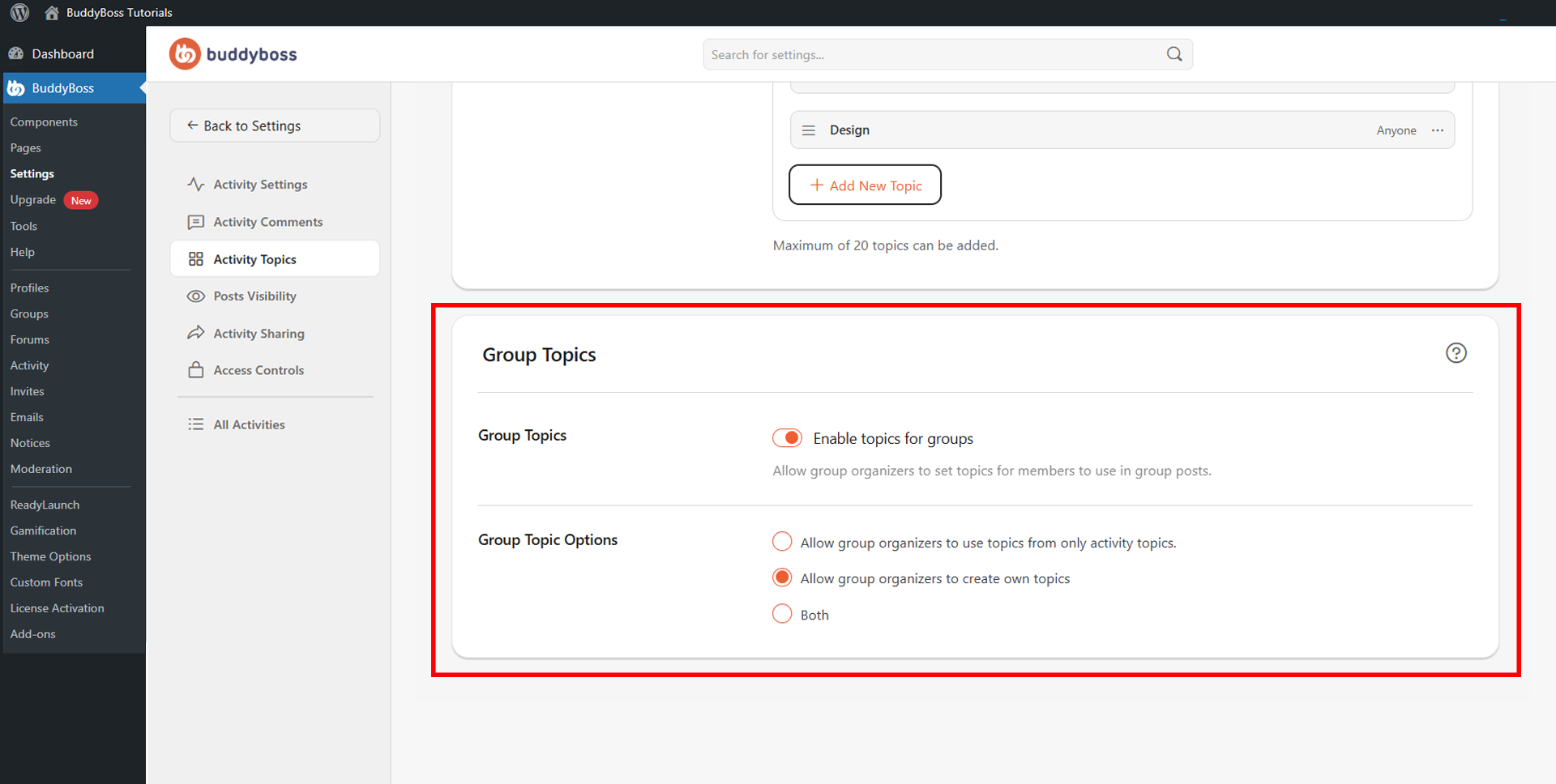
Enable Group Topics
Toggle Enable topics for groups on to allow group organizers to assign topics to posts within their groups. Once enabled, the Group Topic Options setting becomes available to configure how topics are sourced within groups.
Group Topic Options
This setting controls how much flexibility group organizers have over the topics available in their groups. Select the option that best fits how you want topics to be managed across your community:
- Allow group organizers to use topics from only activity topics: Group organizers can only assign topics that were created in the main Activity Topics settings.
- Allow group organizers to create own topics: Group organizers can create custom topics specific to their individual groups.
- Allow both: Group organizers can use both the global Activity Topics and create their own group-specific topics.
© 2026 BuddyBoss LLC. All Rights Reserved. | buddyboss.com