
REQUIRES: PRO PLAN OR HIGHER • Last updated: Mar 12, 2026 • ~3 min read
The Login Redirects settings control where members are sent after logging in or logging out of your site. Configuring these redirects helps guide user flow, improve onboarding, and ensure members land on the most relevant page after each action. This manual walks you through both settings.
Tutorial Video
Accessing Login Redirect Settings
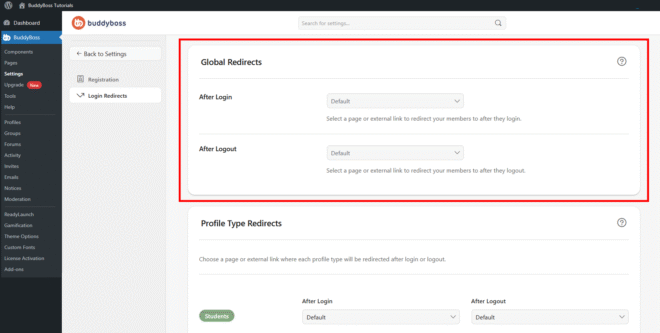
To access these settings, navigate to your WordPress Dashboard, go to BuddyBoss > Settings > Login & Registration, then click Login Redirects from the left menu.
After Login
The After Login dropdown determines where members are sent immediately after logging in. Select from the following options, then click Save Changes to apply:
- Default: Uses the platform’s default redirect behavior after login.
- Custom Page: Select a specific page on your site to redirect members to after logging in.
- Customer URL: Enter a custom external link to redirect members to after logging in.
After Logout
The After Logout dropdown determines where members are sent after logging out. Select from the following options, then click Save Changes to apply:
- Default: Uses the platform’s default redirect behavior after logout.
- Custom Page: Select a specific page on your site to redirect members to after logging out.
- Customer URL: Enter a custom external link to redirect members to after logging out.
© 2026 BuddyBoss LLC. All Rights Reserved. | buddyboss.com