
REQUIRES: PRO PLAN OR HIGHER • Last updated: Mar 12, 2026 • ~3 min read
The Profile Navigation settings control how profile tabs are displayed and organized on member profiles. You can choose between horizontal and vertical layouts, set a default tab, reorder navigation items, and enable or disable individual tabs. This manual walks you through each option.
Tutorial Video
Accessing Profile Navigation Settings
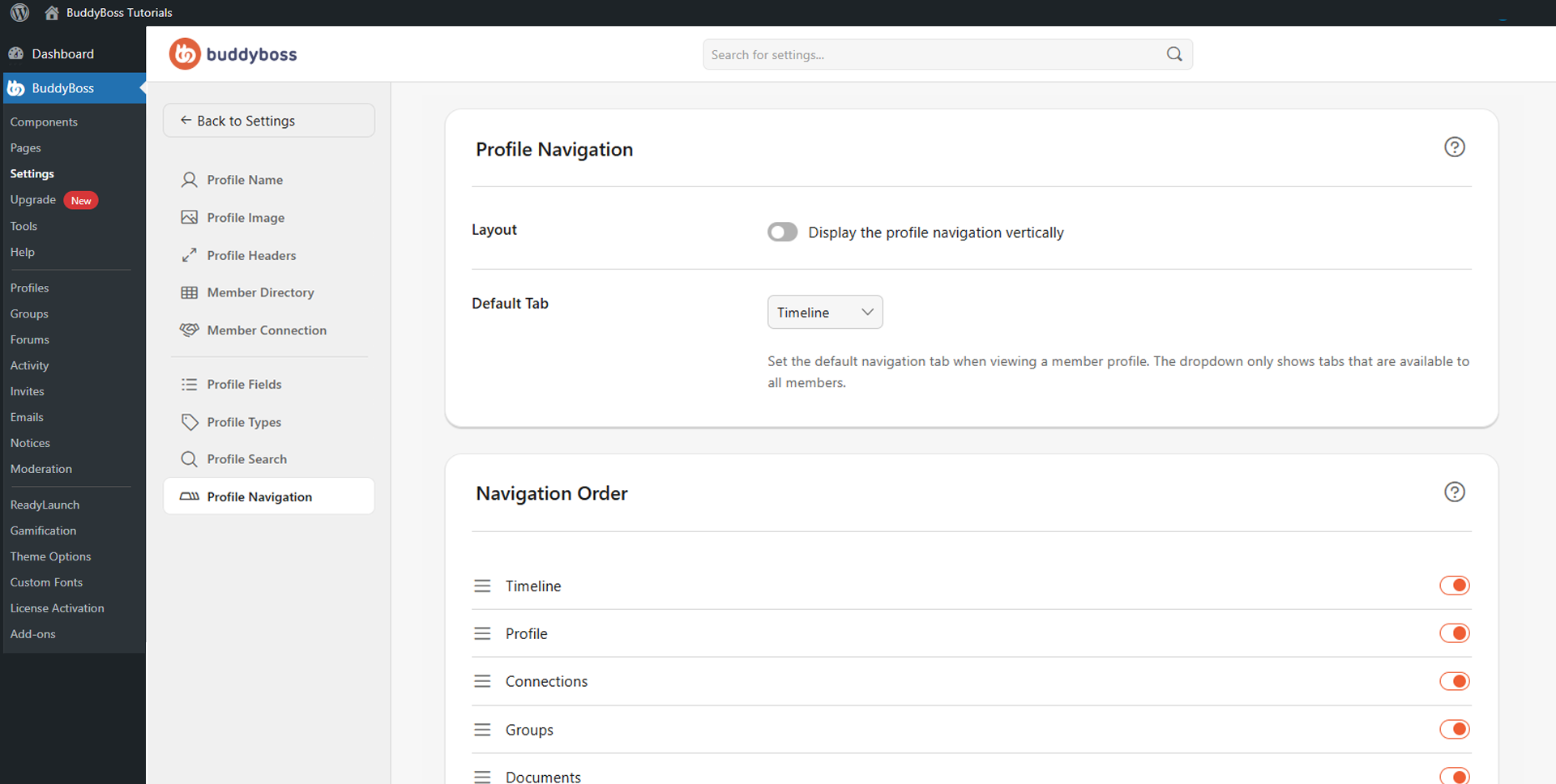
To access these settings, navigate to your WordPress Dashboard, go to BuddyBoss > Settings > Member Profiles, then click Profile Navigation from the left menu.
Navigation Layout
The Display the profile navigation vertically toggle controls how profile tabs are positioned. When enabled, navigation tabs appear in a vertical sidebar layout on the profile page. When disabled, tabs display horizontally across the top of the profile.
Default Tab
The Default Tab dropdown lets you select which tab is shown first when a member’s profile is viewed. Only tabs that correspond to enabled components will appear in the dropdown.
Navigation Order and Visibility
The Navigation Order section lists all available profile tabs. Drag and reorder them to control the sequence in which they appear on member profiles. Use the toggle next to each tab to enable or disable it.
© 2026 BuddyBoss LLC. All Rights Reserved. | buddyboss.com