
REQUIRES: PRO PLAN OR HIGHER • Last updated: Mar 12, 2026 • ~2 min read
The Toolbar Settings control who can see the WordPress admin toolbar across your site. You can toggle visibility independently for logged-in admins, logged-in members, and logged-out visitors to create the right experience for each audience.
Tutorial Video
Toolbar Settings
Navigate to your WordPress Dashboard, go to BuddyBoss > Settings > Advanced > General, then scroll to the Toolbar Settings section.
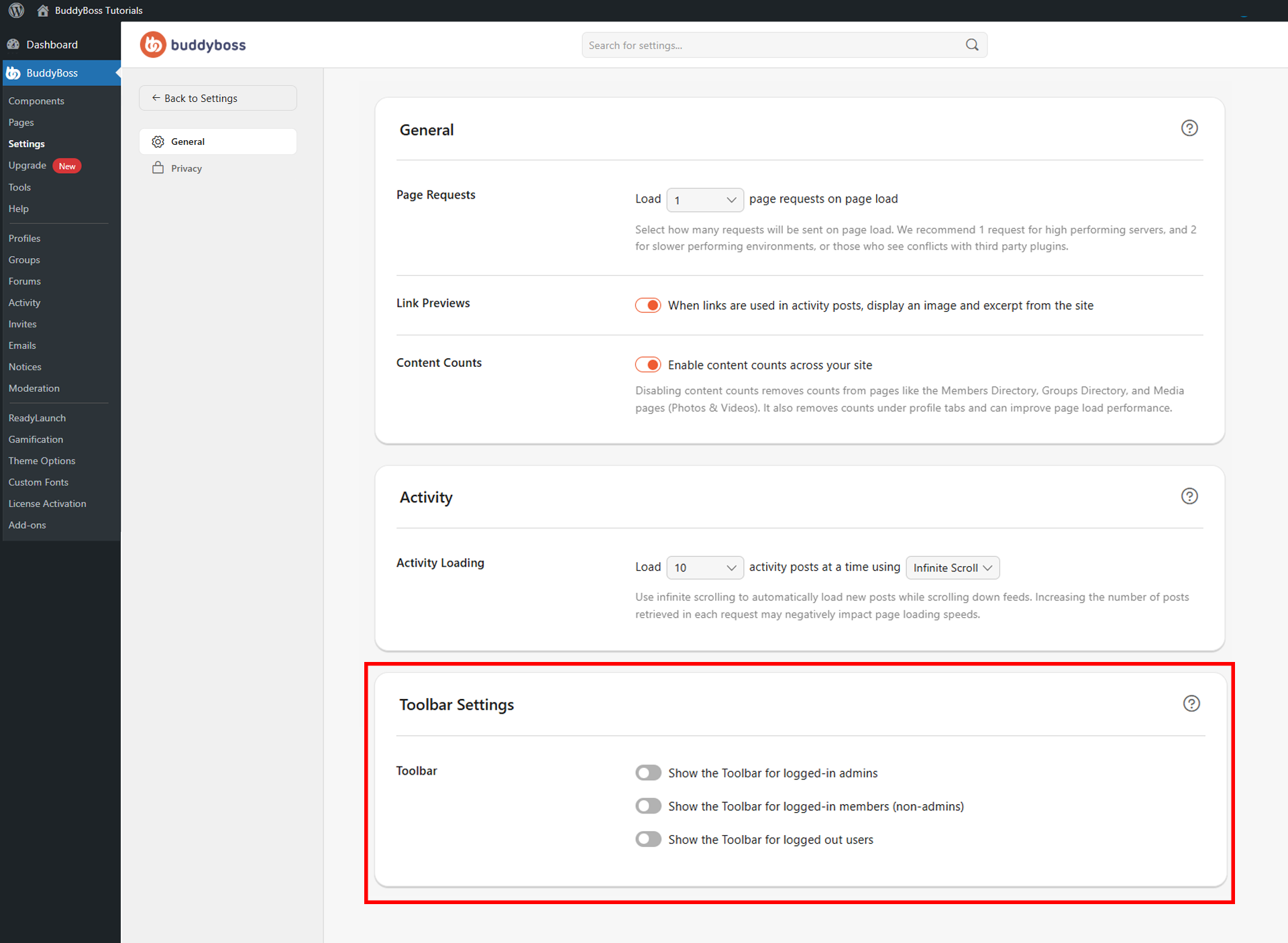
Toggle each option on or off.
- Show the Toolbar for logged-in admins: Keeps the WordPress admin toolbar visible for administrators. Commonly enabled for site owners and moderators who need quick access to the Dashboard.
- Show the Toolbar for logged-in members (non-admins): Shows the toolbar to regular logged-in members. Many communities disable this to create a cleaner front-end experience.
- Show the Toolbar for logged-out users: Displays the toolbar to visitors who are not logged in. Most community sites keep this disabled.
© 2026 BuddyBoss LLC. All Rights Reserved. | buddyboss.com