
Last updated: Mar 12, 2026 • ~3 min read
The Zoom Settings section allows you to enable Zoom meetings inside social groups and control how recordings are displayed to members. This manual walks you through each setting.
Zoom Settings
Navigate to your WordPress WordPress Dashboard > BuddyBoss > Settings > Integrations > Zoom > Settings > Scroll down to Zoom Settings.
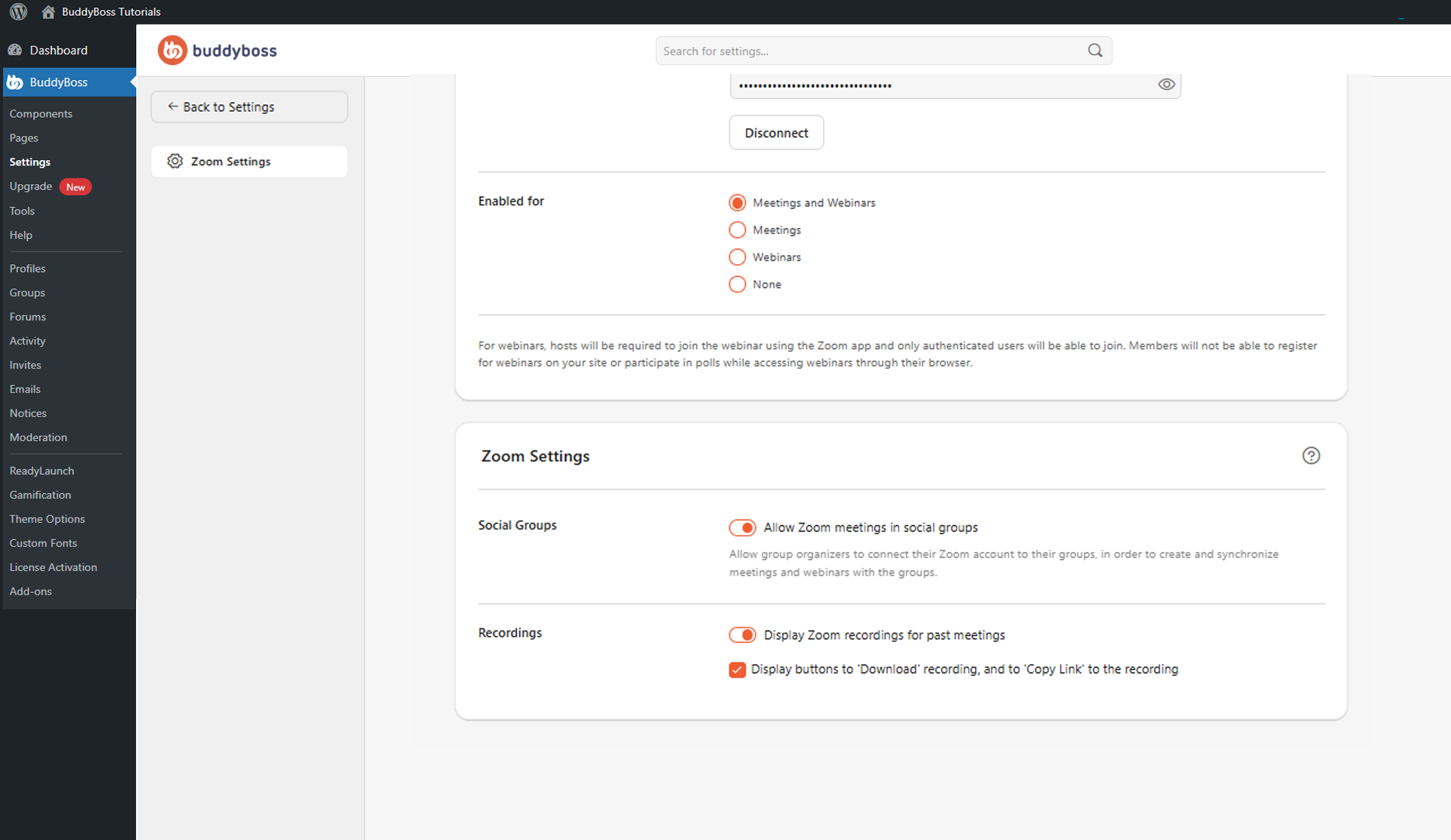
The following settings are available.
- Allow Zoom meetings in social groups: Enables group organizers to connect their Zoom accounts to BuddyBoss Social Groups and create, schedule, and synchronize Zoom meetings and webinars within their groups.
- Display Zoom recordings for past meetings: Allows members to access recordings from completed Zoom meetings directly from the associated group or Zoom activity.
- Display buttons to ‘Download’ recording and ‘Copy Link’: When enabled, members can download meeting recordings or copy direct recording URLs for sharing.
© 2026 BuddyBoss LLC. All Rights Reserved. | buddyboss.com