














Introduction
If you’re offering subscriptions in your iOS and Android apps, you can also set up free trials or introductory offers directly through App Store Connect and Google Play Console.
You will only need to configure offers in the App Store Connect and Google Play Console. No changes are needed in the BuddyBoss App plugin > In-App Purchase section.
Setting Up Free Trials or Introductory Offers in App Store Connect (iOS)
- Log in to App Store Connect and select your app.
- Click Subscriptions from the left-hand menu.
- Choose the subscription you want to modify.
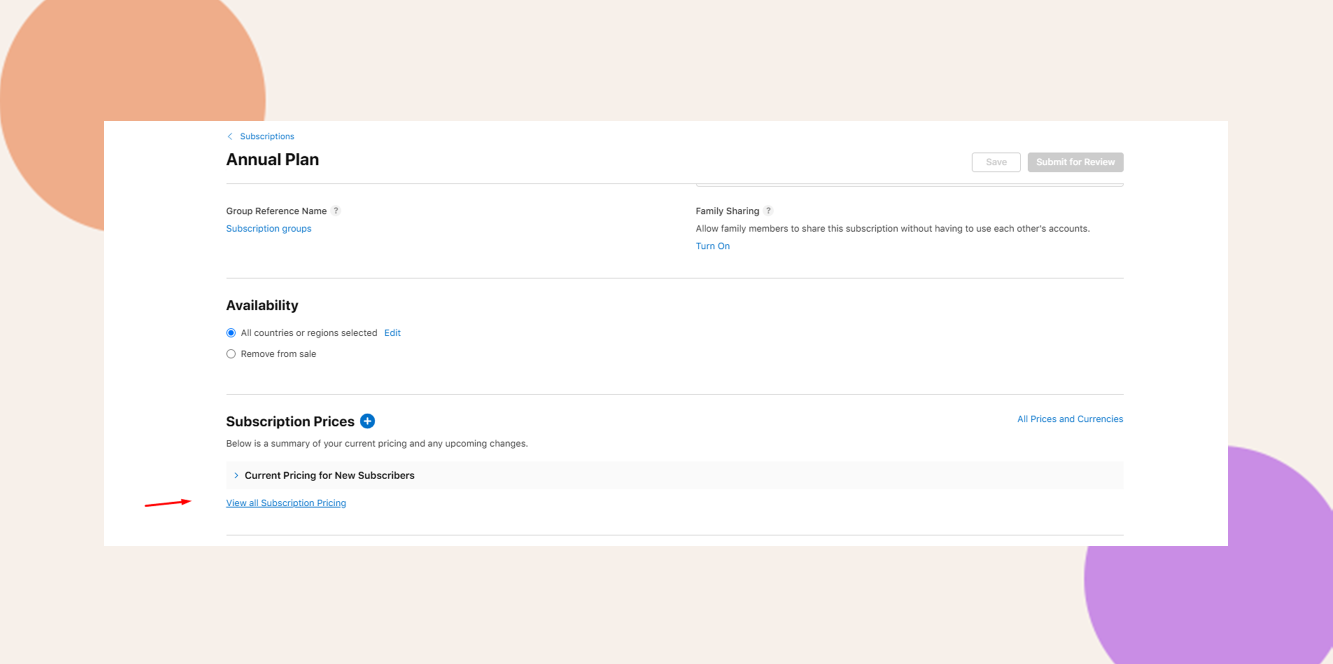
- Click Subscription Prices > View All Subscription Pricing.
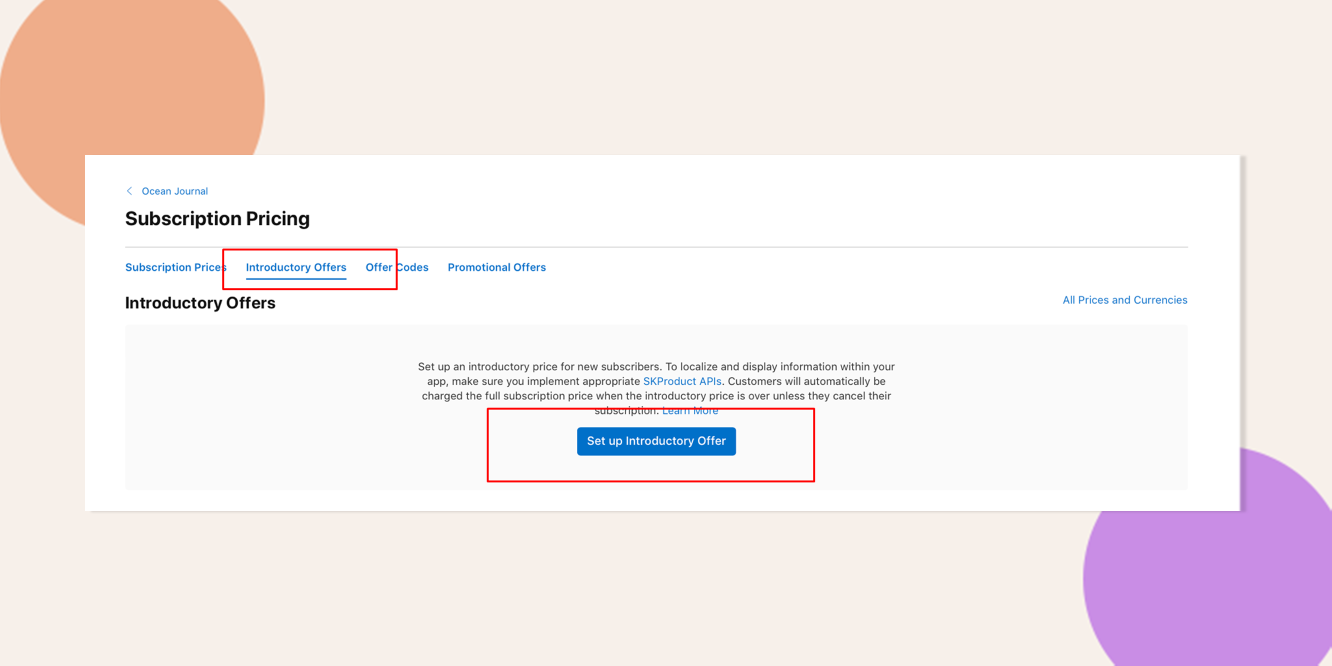
- Set up your Introductory Offer:
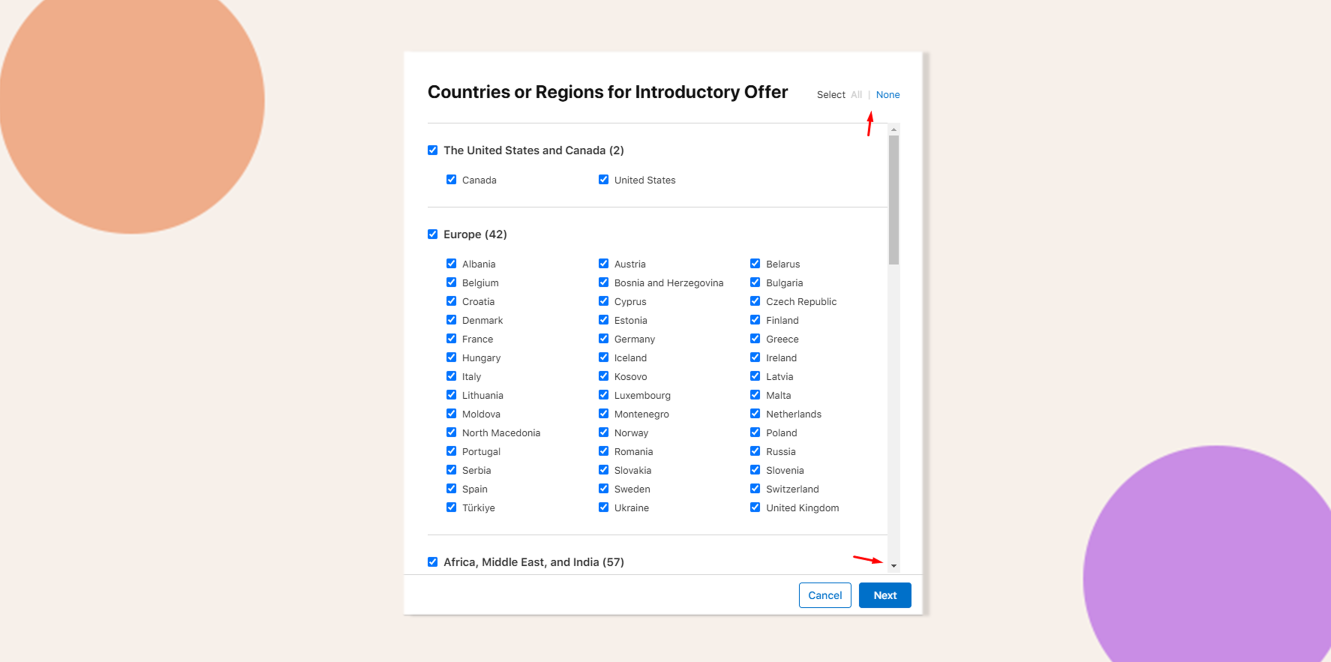
- Select the countries where the offer will be available.
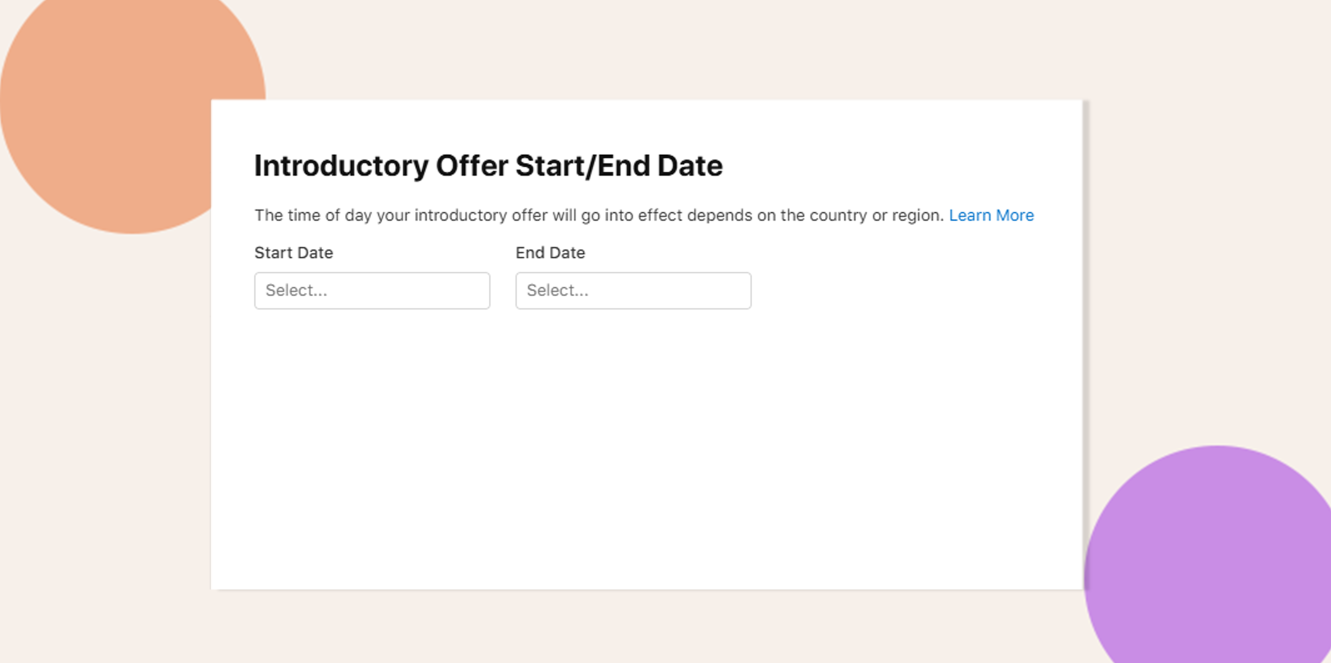
- Set the start date and end date.
You may also refer to Apple’s official documentation: Set Up Introductory Offers for Auto-Renewable Subscriptions
Setting Up Free Trials in Google Play Console (Android)
- Log in to Google Play Console.
- Select your app.
- Go to Monetize with Play > Subscriptions.
- Select the subscription product you want to edit.
- Under your existing Base Plan, click Add Offer.
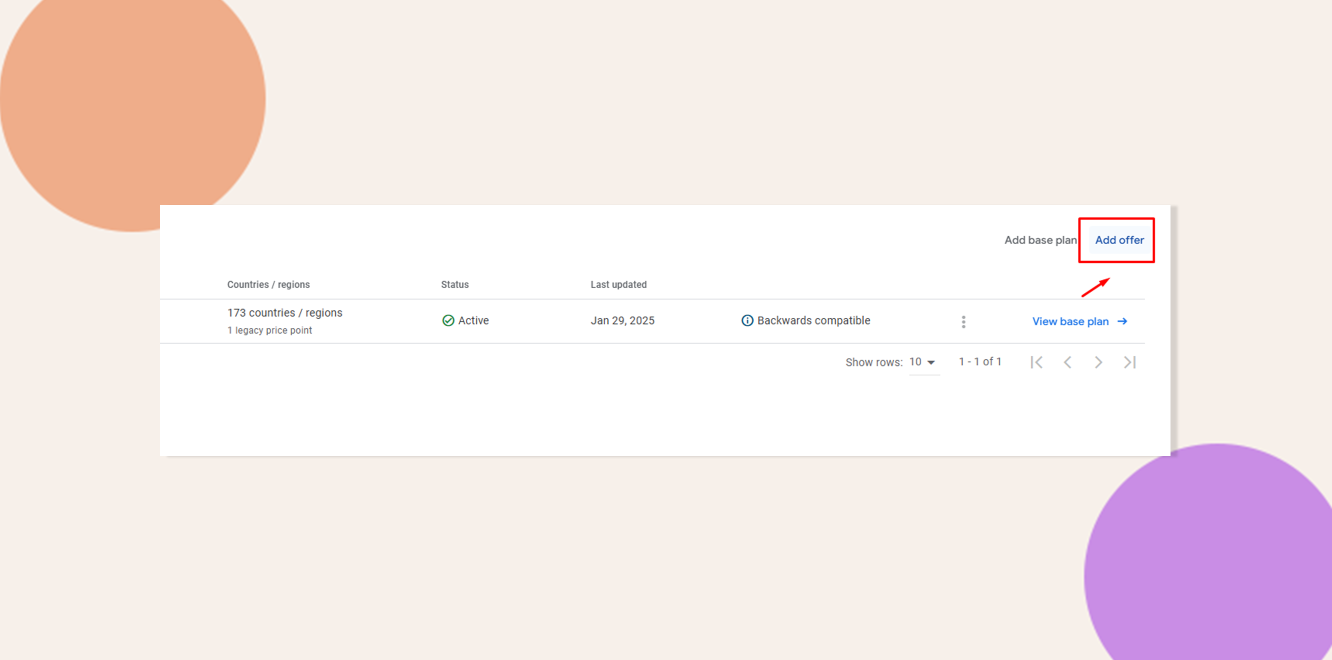
- Fill in the required details.
- Under Phases, click Add Phase and select Free Trial.
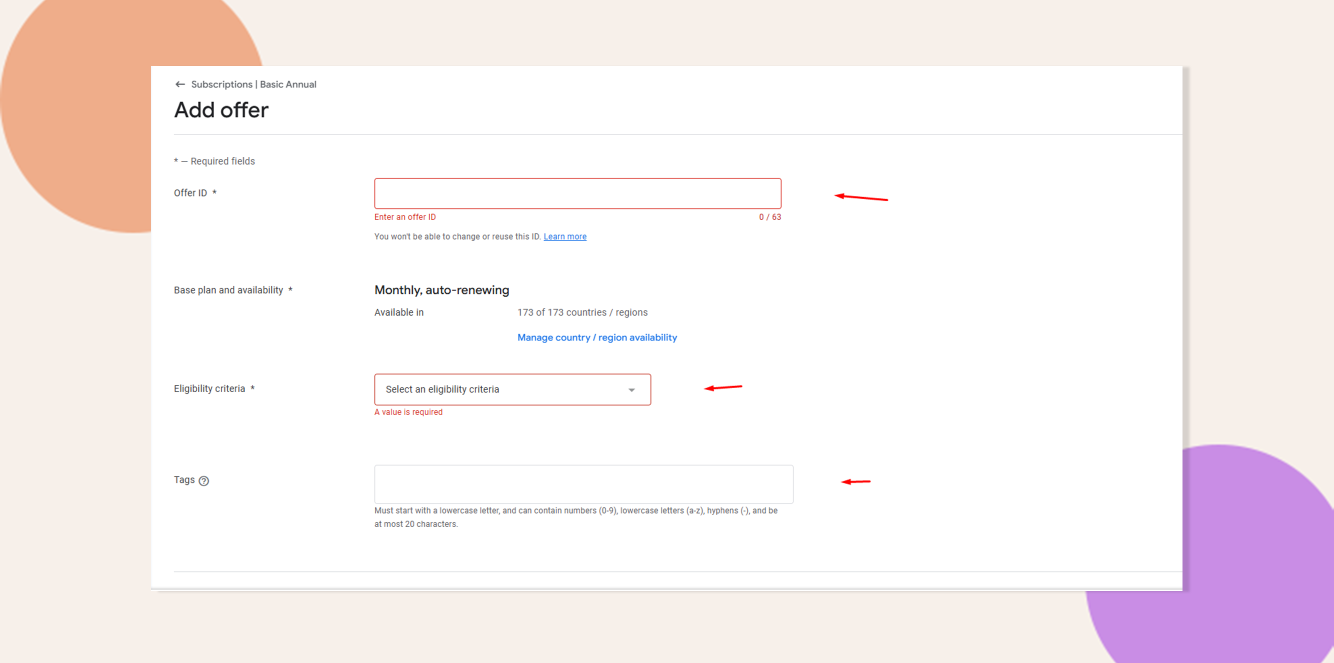
You can also refer to Google’s video tutorials on configuring subscription offers within the console.
Troubleshooting & FAQs
Q: Why isn’t my free trial showing up in the purchase dialog on iOS?
A: Ensure the introductory offer is correctly configured in App Store Connect. It may take up to an hour for changes to propagate..
Q: Why is my free trial not appearing in the Google Play subscription options?
A: Verify that the offer is active and associated with the correct base plan. It may take some time for changes to reflect.