














Introduction
When using the Members widget in Elementor to display user profiles, you may notice avatars appearing stretched or pixelated.
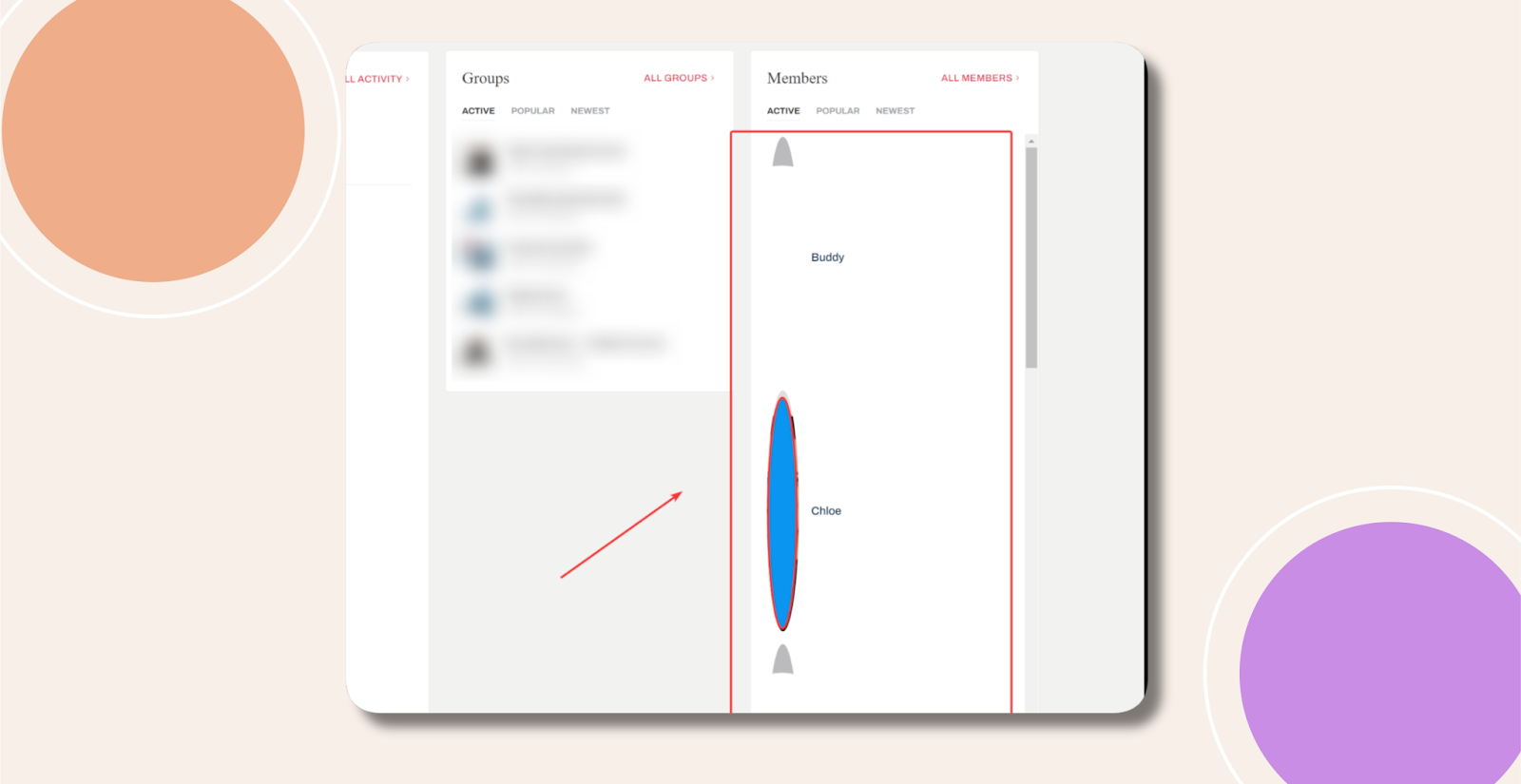
This distortion is often caused by Jetpack’s image optimization feature “Speed up image load times.” Disabling this option restores avatars to their correct aspect ratio.
Disable Jetpack Image Optimization
- In your WordPress admin, go to Jetpack > Settings.
- Click the Performance tab.
- Locate Speed up image load times and toggle it off.
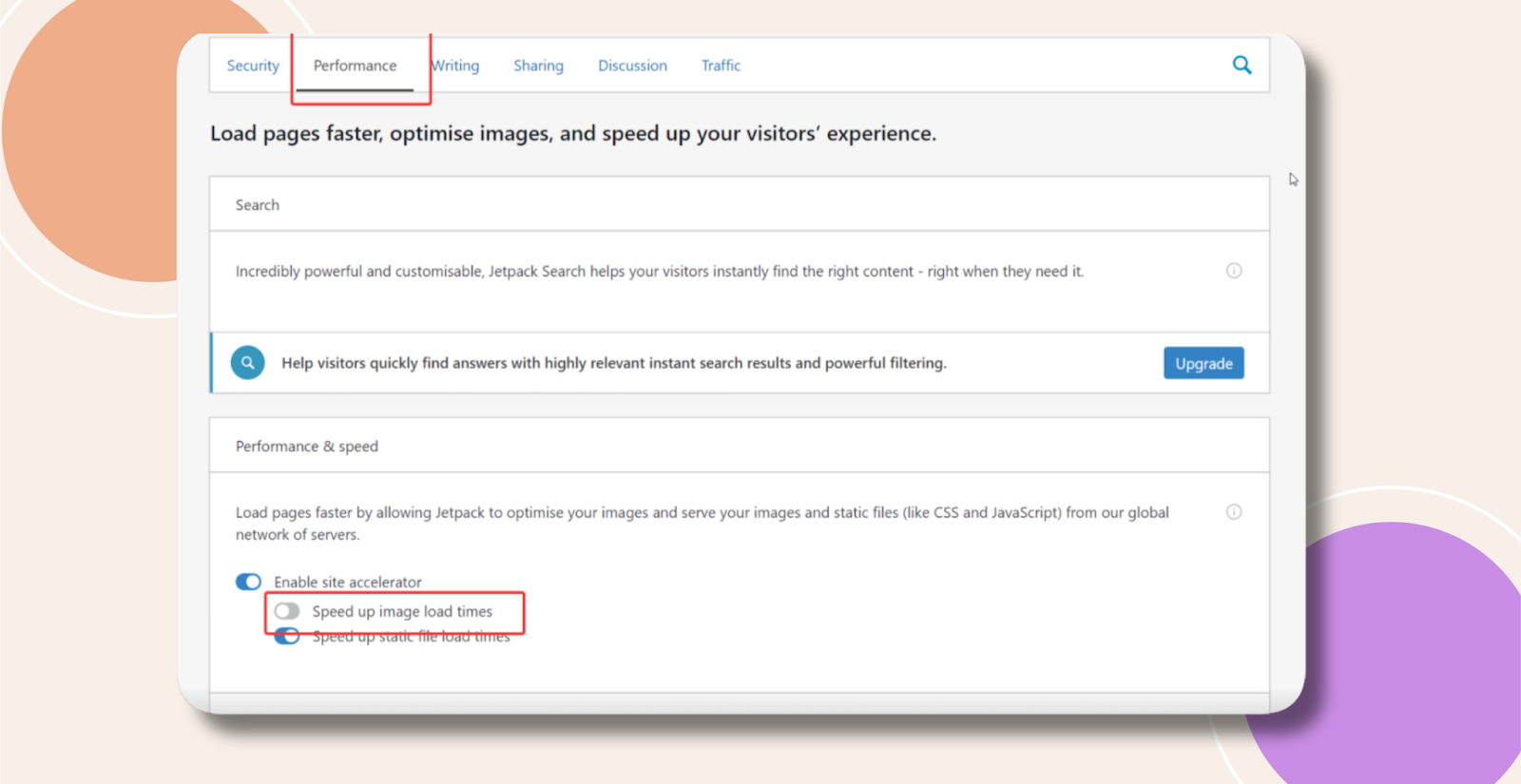
- Click Save settings.
- Clear any site or plugin caches and reload your Elementor page to confirm avatars display correctly.
Troubleshooting and FAQs
Q: I don’t use Jetpack—why are avatars still distorted?
A: Another optimization plugin or CDN may be resizing images. Temporarily disable other image optimization tools to identify the culprit.
Q: My changes didn’t take effect—what should I do?
A: Clear your browser cache and any server-level or CDN caches, then refresh the page.
Q: Can I keep Jetpack optimization and still fix avatars?
A: Not currently. Jetpack’s sitewide image CDN enforces uniform dimensions. You’d need to write custom CSS to override avatar dimensions or use a different optimization solution that respects avatar aspect ratios.