














Introduction
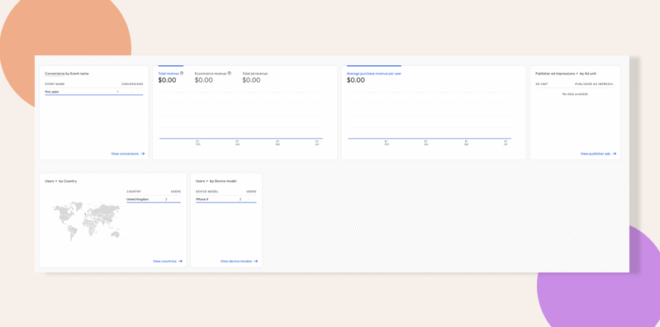
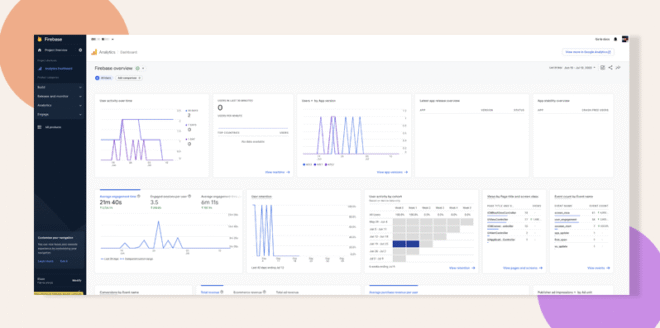
Google Analytics is seamlessly integrated into Firebase for the BuddyBoss App, allowing you to review basic event data from Google Analytics. This setup currently supports only standard tracking events and does not include custom events.
Note: If you require more advanced triggers or manual adjustments, additional development access and a React Native developer are needed. You can also suggest this enhancement for our Roadmap so our Dev team can evaluate it further.
Access Your Analytics Data
- Log in to analytics.google.com.
- Review the basic event data collected via Firebase, which reflects the current integration within your BuddyBoss App.
Understand the Current Event Tracking
- The current integration collects only basic tracking events.
- Recognize that custom events or additional triggers are not supported under this configuration.
- Refer to the attached sample screenshots for visual context.
Request Custom Event Tracking Features
- If you wish to implement more triggers or manual event tracking, secure Development Access.
- Engage a React Native developer to configure and deploy the custom events as needed.
- Submit your feature suggestion to our Roadmap, so our Dev team can review and consider expanding event tracking capabilities.
Troubleshooting and FAQs
Q: Why am I only seeing basic events in Google Analytics?
A: The current setup integrates basic event tracking from Firebase. Custom events are not enabled by default.
Q: How can I add more triggers or custom events?
A: To implement custom events, you will need Development Access and the assistance of a React Native developer. Additionally, consider adding your feature request to our Roadmap for further review by our Dev team.
Q: Where can I review my Google Analytics data?
A: You can view your event data by logging in to analytics.google.com, where Firebase feeds the basic tracking events from your BuddyBoss App.