














The Google Play Target API Level Update for BuddyBoss App helps Android apps meet Google’s requirements for compatibility, security, and availability on supported devices. BuddyBoss App version 2.6.1, released on August 21, 2025, introduced support for Android 15 (API level 35) to address Google’s 2025 target API level requirement.
Important: The August 31, 2025 deadline and November 1, 2025 extension deadline have already passed. This article documents the 2025 requirement. For current compliance requirements, review the latest notices in your Google Play Console.
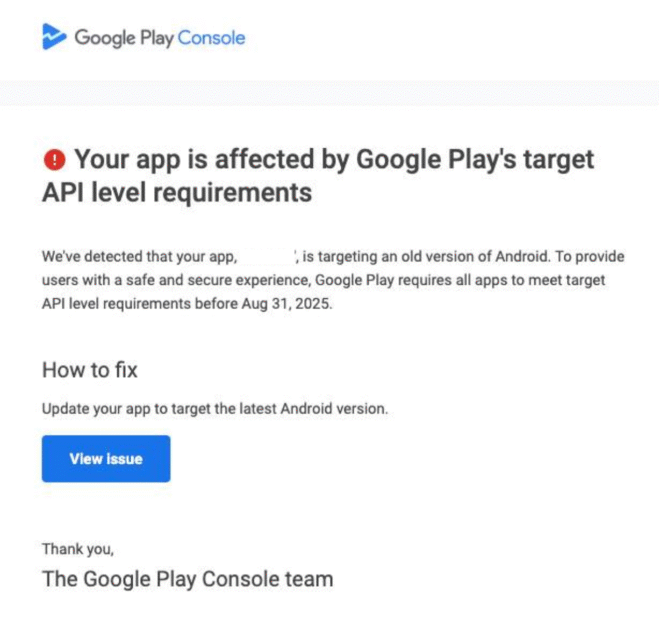
Understanding the Google Play Target API Level Requirement
Google Play requires Android apps to target a sufficiently recent Android API level to support platform security, compatibility, and performance improvements.
For the 2025 requirement, Google required applicable Android apps to target Android 15 (API level 35) or higher.
To support this requirement, BuddyBoss released BuddyBoss App version 2.6.1 on August 21, 2025.
This update was released as a hotfix to help customers generate and publish compliant Android builds before the August 31, 2025 deadline.
Update Your BuddyBoss App
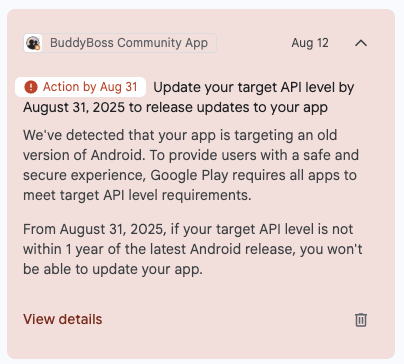
If your Google Play Console indicates that your Android app does not meet the required target API level, you should update your BuddyBoss App and publish a compliant Android Release build.
- Log in to your WordPress Dashboard.
- Update the BuddyBoss App plugin to a version that supports the target API level required by Google Play.
- Navigate to BuddyBoss App > Build.
- Generate a new Android Release App build.
- Download the updated AAB file.
- Log in to Google Play Console.
- Select your app and navigate to Test and release > Production.
- Create a new release and upload the updated AAB file.
- Complete the release details and submit the update for review.
Note: Updating the BuddyBoss App plugin alone does not update the version already published on Google Play. You must generate and publish a new Android build containing the required changes.
What Happens If Your App Does Not Meet the Requirement?
If your Android app does not meet Google’s target API level requirements, Google Play may restrict its availability to users on newer Android versions.
The specific impact depends on the applicable Google Play policy, your app’s target API level, and the compliance status displayed in your developer account.
To review your app’s compliance status:
- Log in to Google Play Console.
- Select your Android app.
- Navigate to Monitor and improve > Policy and programs > Policy status.
- Review any target API level warnings or required actions.
Follow the instructions provided in Google Play Console to address any outstanding compliance requirements.
Request an Extension for the 2025 Deadline
For the August 31, 2025 deadline, Google provided an option to request additional time until November 1, 2025.
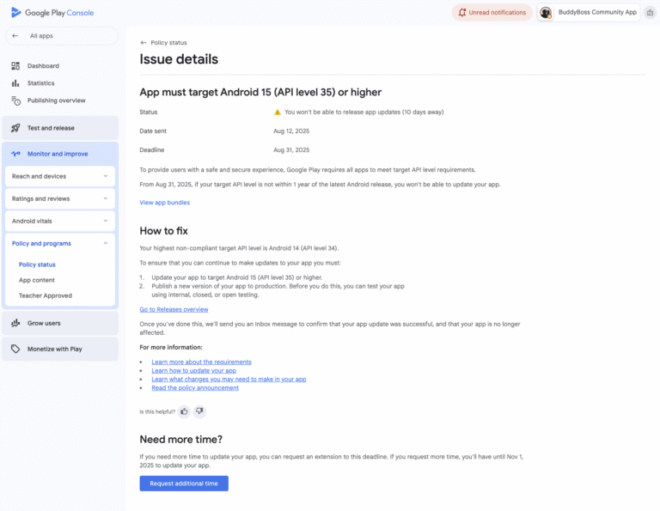
The original extension process was as follows:
- Log in to Google Play Console.
- Select your app.
- Navigate to Monitor and improve > Policy and programs > Policy status.
- Locate the issue titled App must target Android 15 (API level 35) or higher.
- Scroll to Need more time?
- Click Request additional time.
- Select the applicable reasons for requesting an extension:
- It requires me to make extensive changes to my app.
- I am waiting on a new SDK version from an SDK provider.
- Click Request to submit the extension request.
Important: This extension process applied to Google’s 2025 target API level requirement. The extension deadline has passed, and the option may no longer be available. Only select extension reasons that accurately describe your situation.
Verify Your App’s Compliance Status
After publishing an updated Android build:
- Log in to Google Play Console.
- Select your app.
- Open Policy status.
- Review the target API level requirement.
- Confirm that Google Play no longer identifies the published app as noncompliant with the applicable requirement.
If your app continues to display a target API level warning after publishing an updated build, review the affected release and the details provided by Google.
For assistance with generating or publishing your updated BuddyBoss App, contact BuddyBoss Support.