














Introduction
You can prevent non-admin members from seeing or changing specific profile fields—ideal for hiding sensitive data (e.g., personal addresses). This guide explains how to configure a field so that only administrators can view it and users cannot override its privacy setting.
Configure Field Visibility
Access Profile Fields
- In your WordPress admin, go to BuddyBoss Dashboard > Profiles.
Edit the Target Field
- Click Edit next to the profile field you want to hide (for example, “Address”).

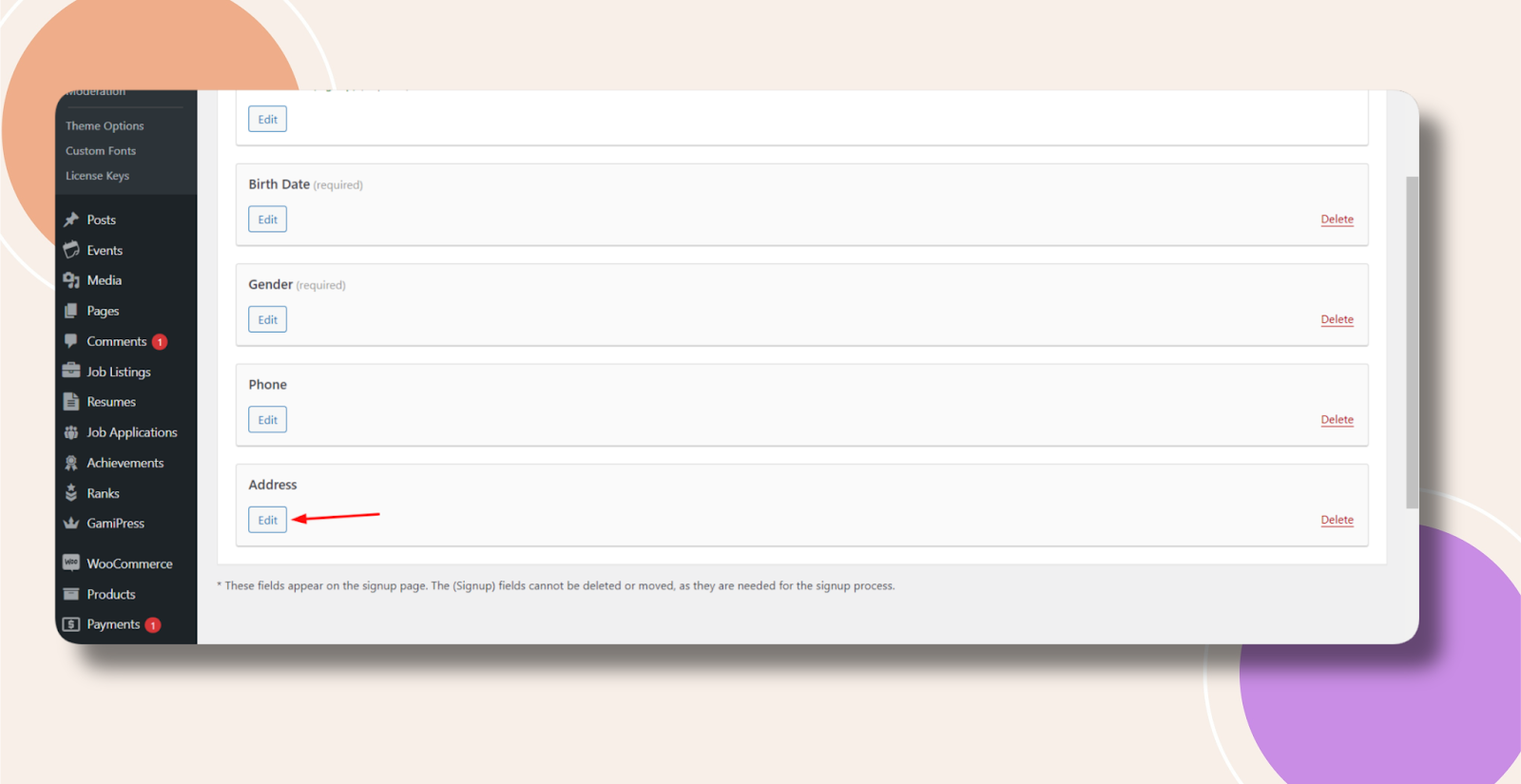
Restrict Visibility
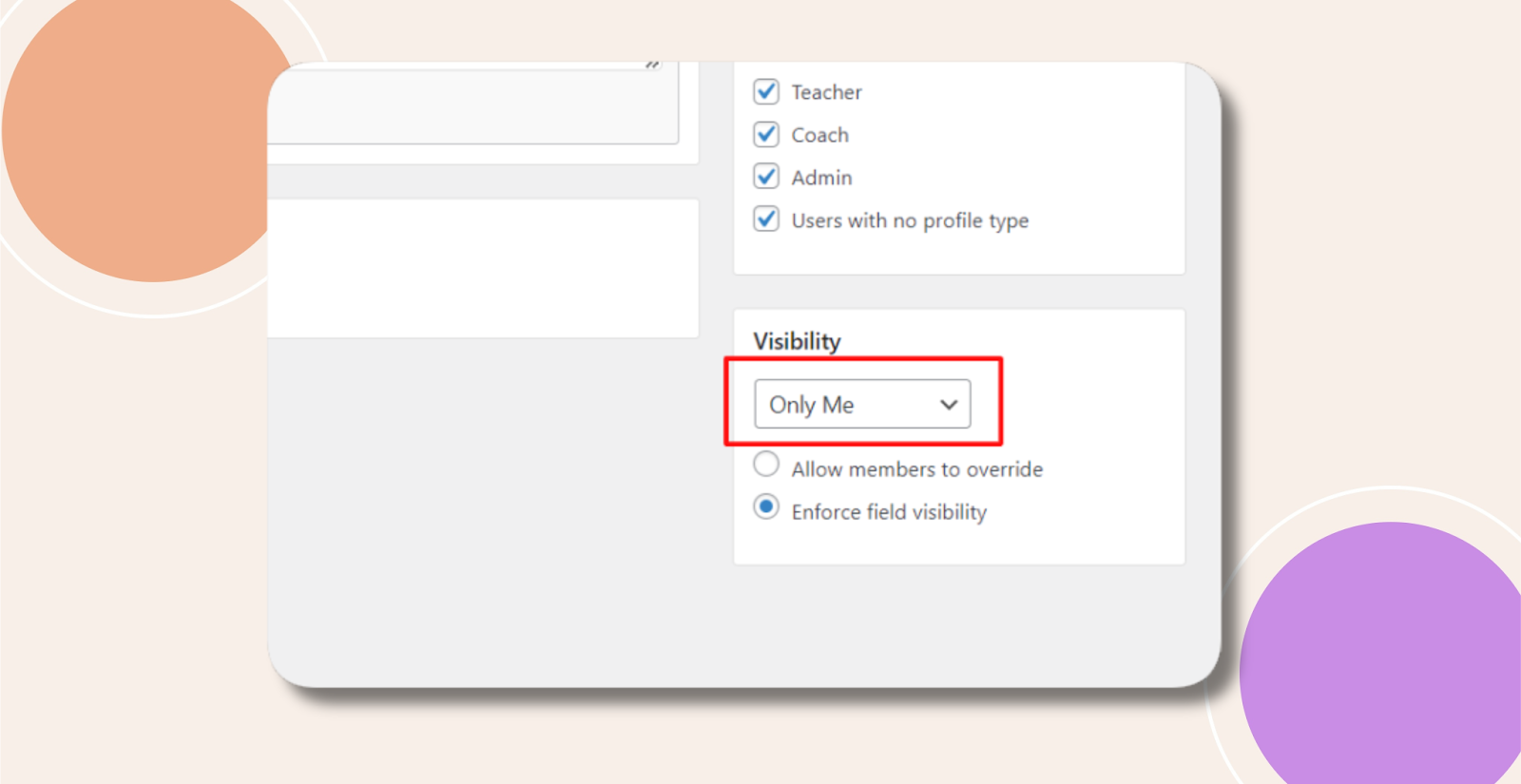
- Under Visibility, select Only Me.
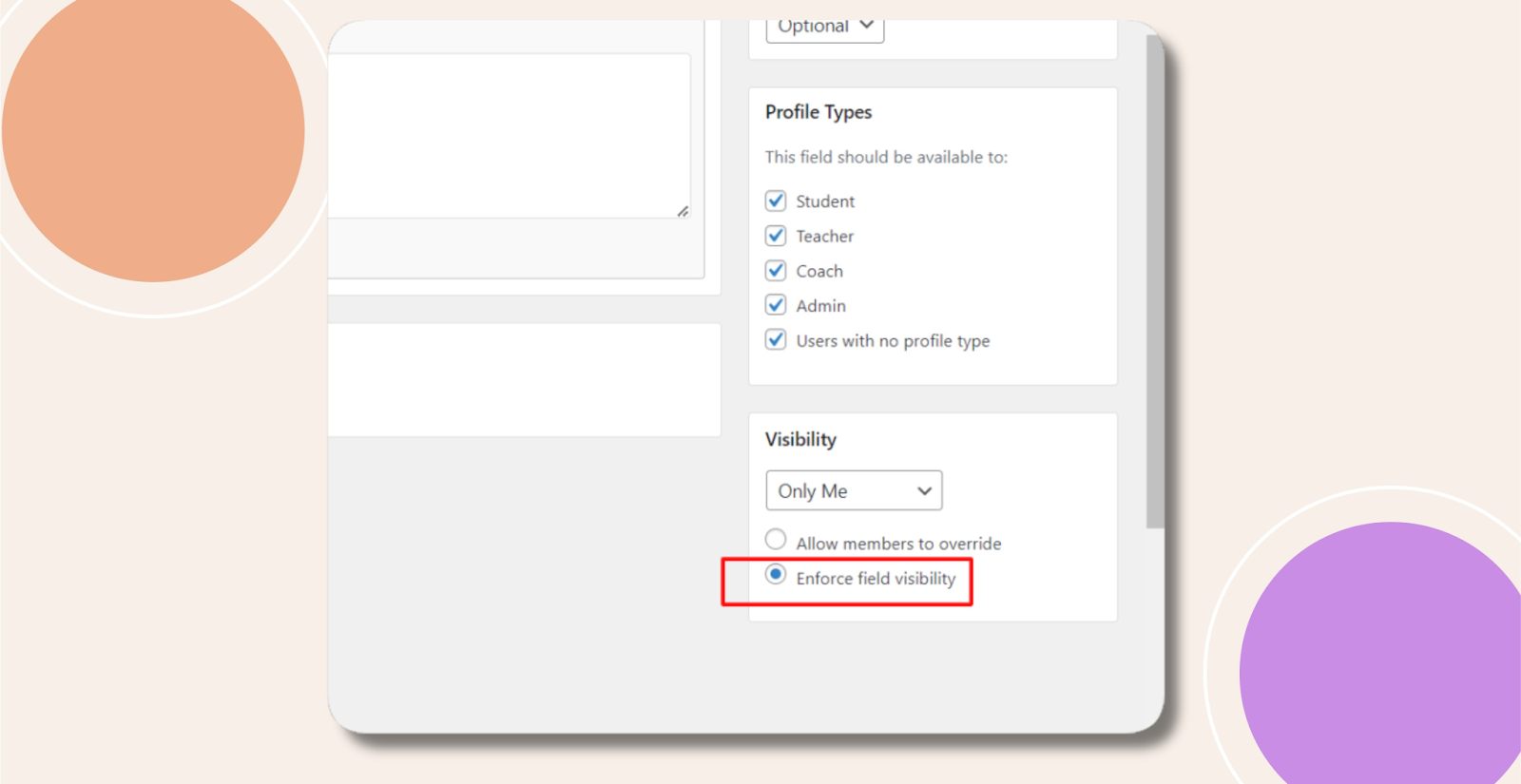
- Check Enforce field visibility to lock the field’s privacy so users cannot change it on their profile pages.
Save Your Changes
- Click Update to apply the settings.
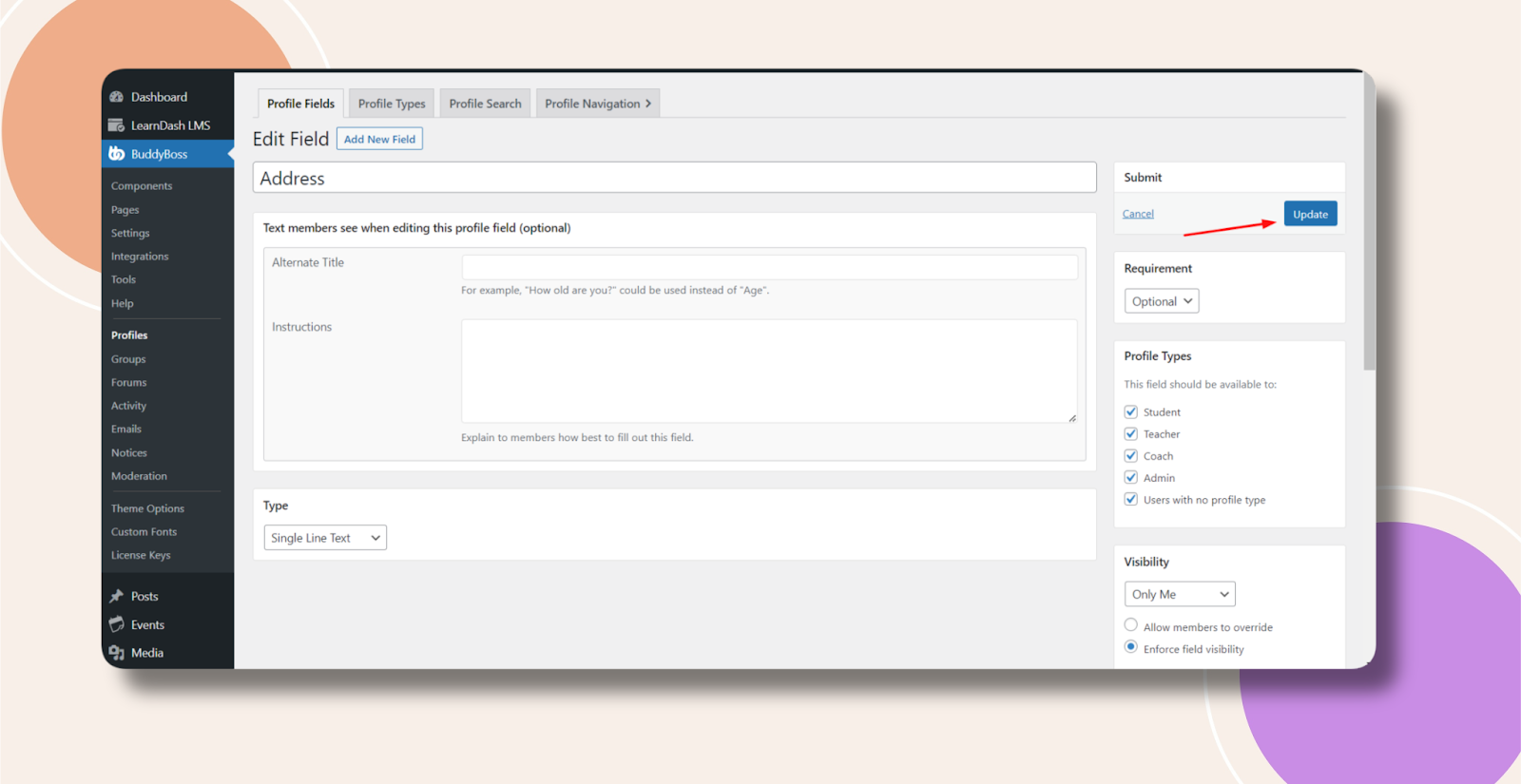
Only administrators will now see—and only administrators can modify—the selected profile field.
Troubleshooting and FAQs
Q: The field still appears for non-admins—what did I miss?
A:
- Ensure you clicked Update after changing visibility.
- Clear any object- or page-caching plugins so the new privacy settings take effect.
Q: Users can still change the field visibility—why?
A: Verify that Enforce field visibility is checked. Without it, users retain the ability to adjust their own field settings.
Q: Can I hide multiple fields at once?
A: Each field’s visibility must be configured individually under Profiles > Edit. Bulk edits aren’t available by default.