Introduction
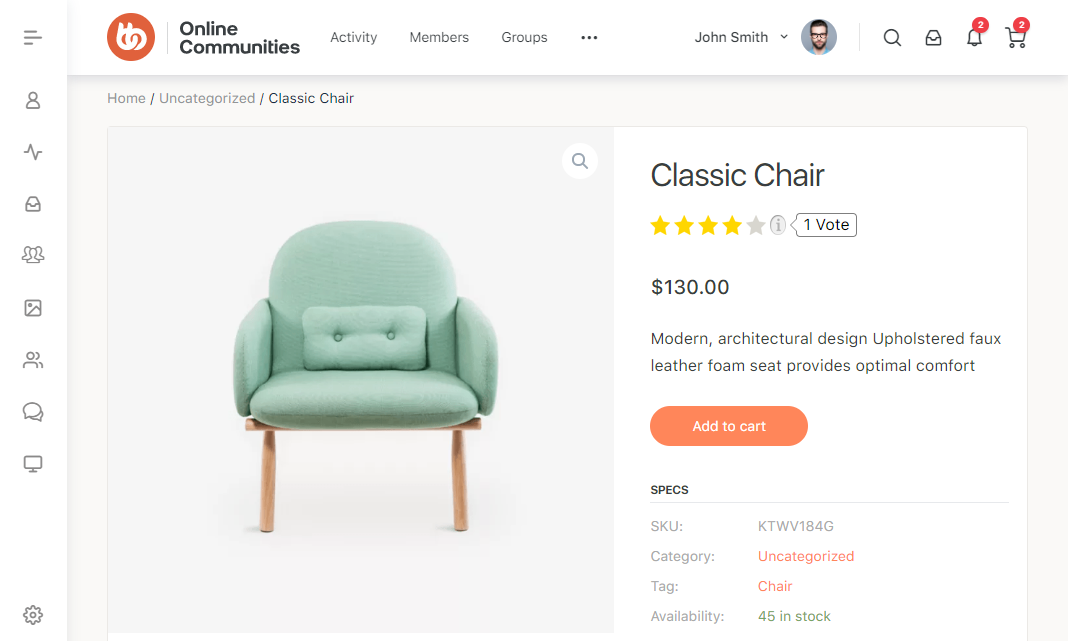
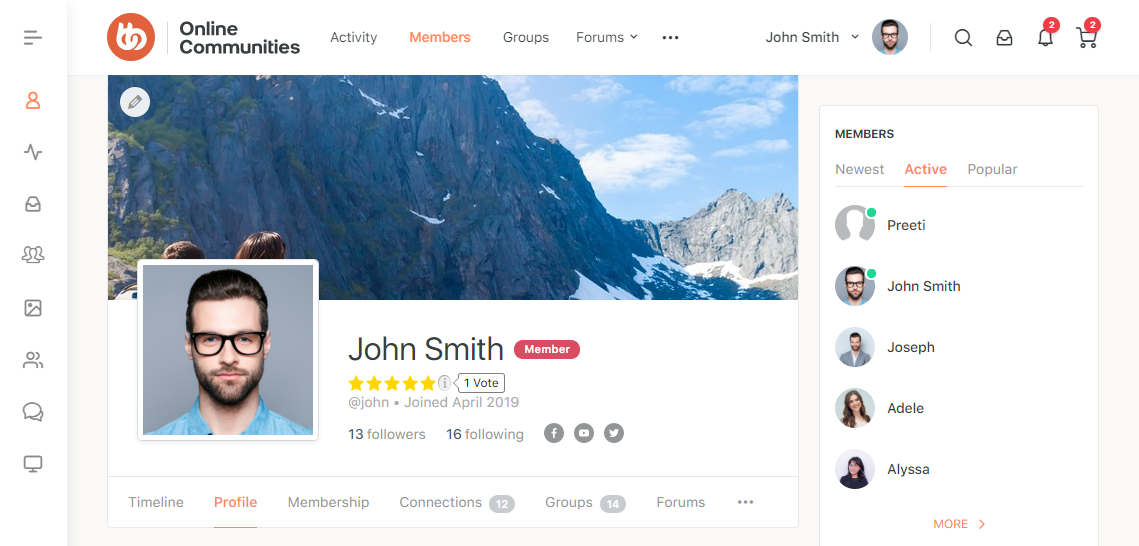
The RatingWidget: Star Review System allows you to add star and thumb ratings to your WordPress website, making it easy for visitors to rate blog posts, pages, comments, WooCommerce products, BuddyBoss activities, and more. The plugin also provides customizable rating styles, layouts, and languages, while storing rating data securely through the RatingWidget service.
Installing the plugin
The integration works with the BuddyBoss theme and blends the Points, Achievements and Ranks view seamlessly.
- Download the Rating-Widget: Star Review System plugin from the link below
https://wordpress.org/plugins/rating-widget/ - Extract the downloaded rating-widget.zip file to the WordPress plugins folder yourhostname/wordpress/wp-content/plugins
OR
Go to your WordPress Dashboard > Plugins > Add New. Click the Upload Plugin button. Browse to the download file location, select the rating-widget.zip & install the plugin. - Click the Activate Plugin button to activate the Rating-Widget: Star Review System plugin on your website. OR
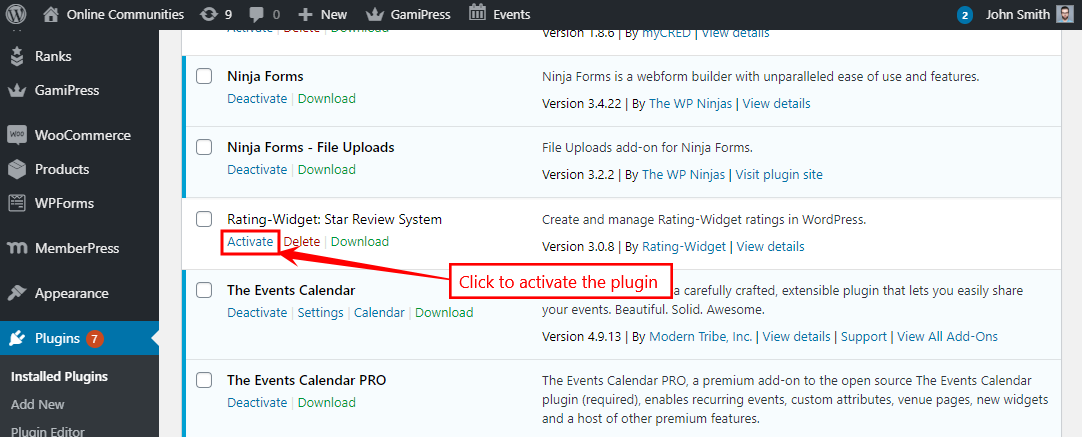
To activate the plugin on your website site go to WordPress Dashboard > Plugins and then click the Activate button for Rating-Widget: Star Review System.
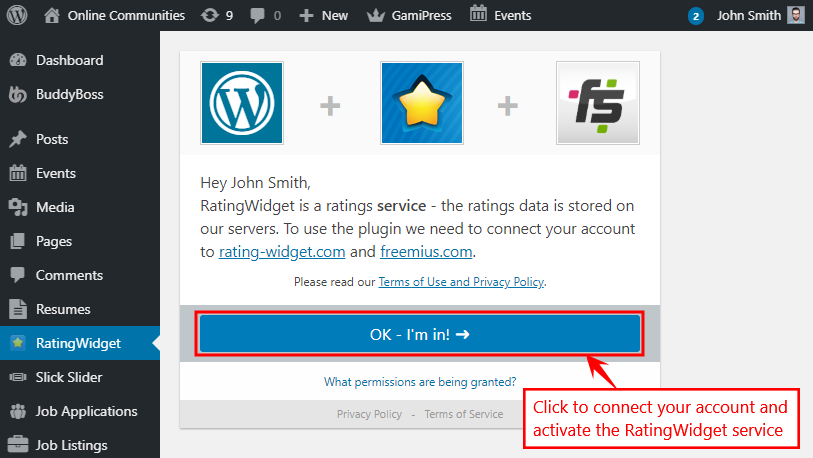
- Go to WordPress Dashboard > RatingWidget. First-time users must connect their account with rating-widget.com and freemium.com by clicking the OK – I’m in! button. This will allow you to store your rating data on the RatingWidget’s official server.
- After activating and the full installation of the plugin, go to WordPress Dashboard > RatingWidget > Settings.
- In the Blog Posts tab, select the location of the ratings (top, bottom, left, right). Choose your desired language, select the rating’s design, and size and then click the Save changes button.
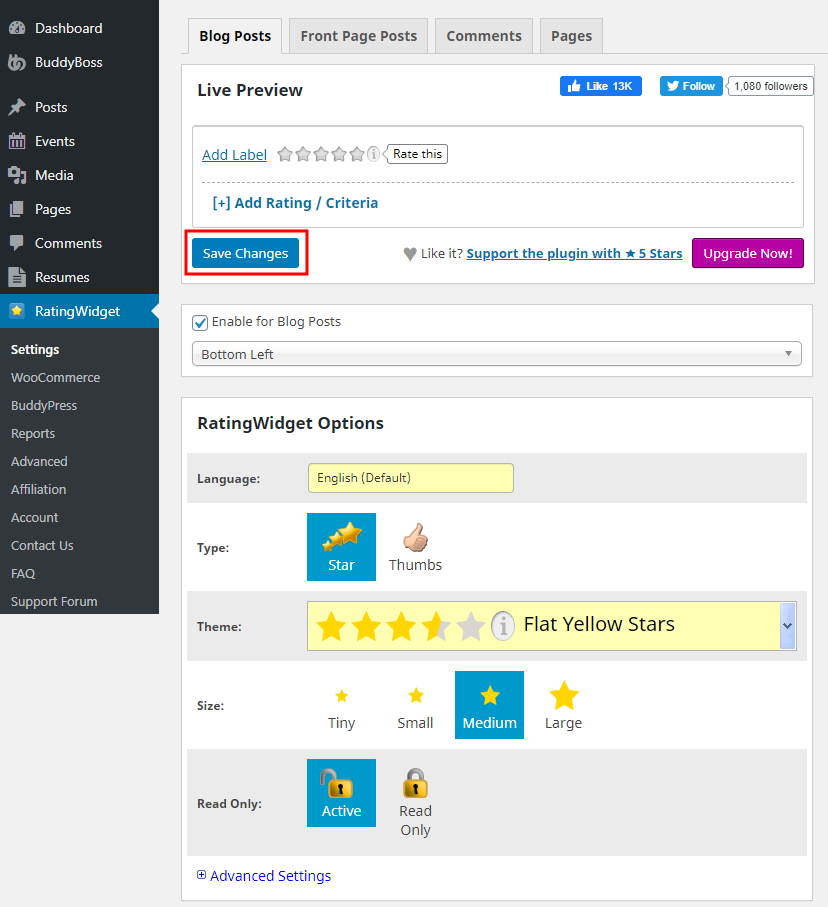
- You can choose to display the Ratings for Blog Posts, Front Page Posts, Comments, and Pages.
- Similarly, you can choose to display the ratings on the WooCommerce products, BuddyPress Activities.