














Introduction
When using the Upload Build feature in the BuddyBoss App plugin, you may encounter an error preventing your iOS build from reaching App Store Connect. This usually happens because the Bundle ID configured in your BuddyBoss settings doesn’t match the Release Bundle ID expected by App Store Connect.
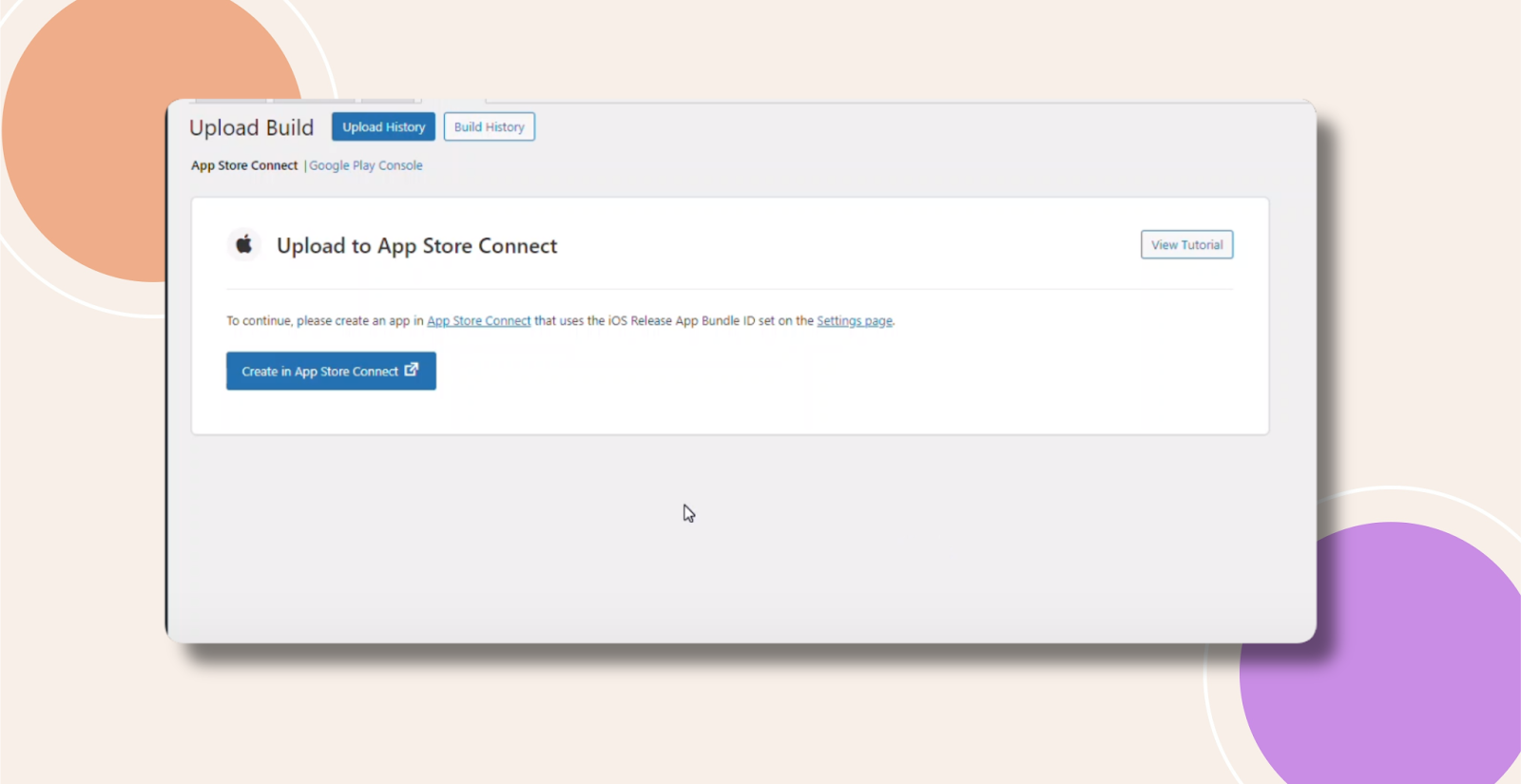
Verify BuddyBoss Release Bundle ID
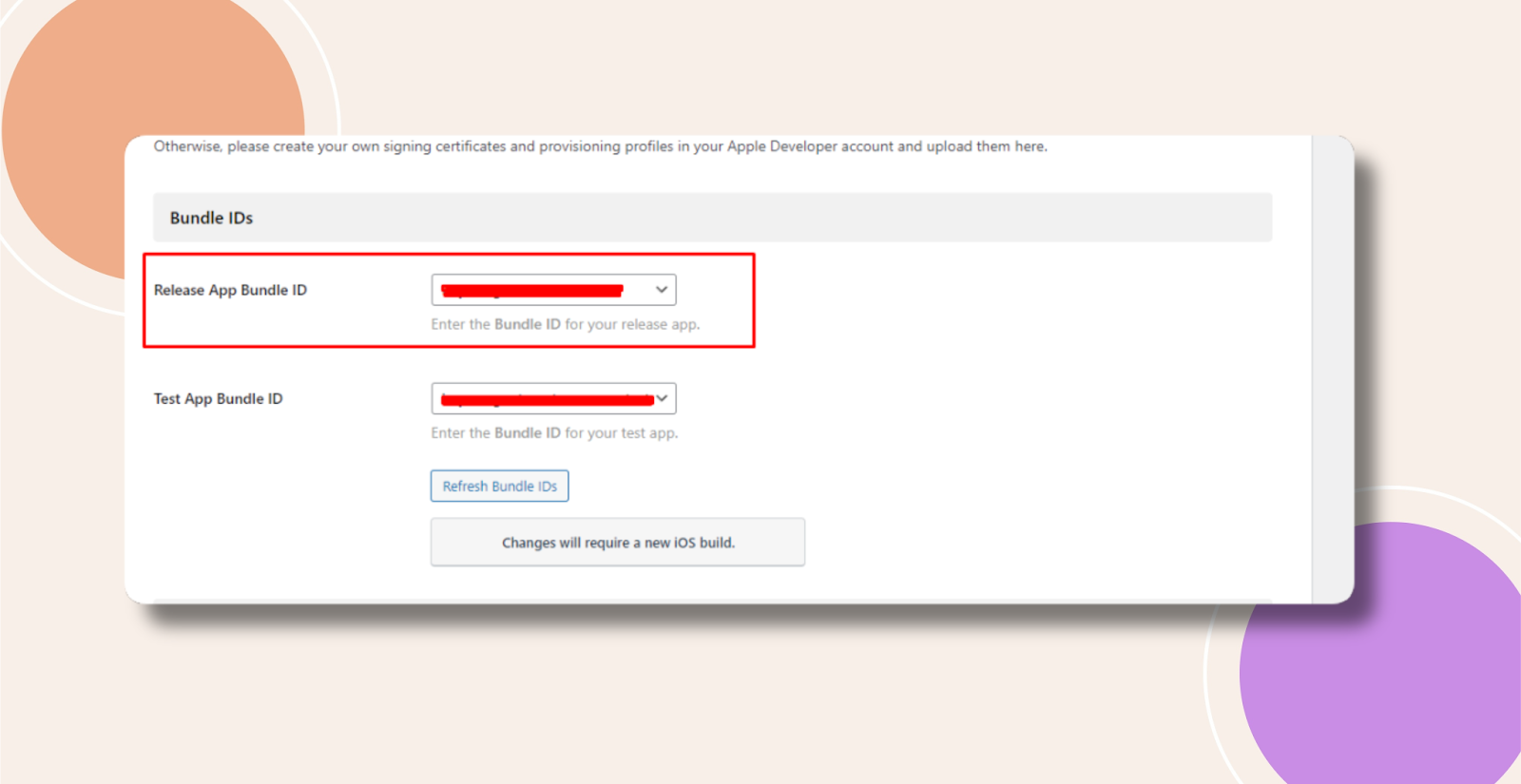
- In WordPress, go to BuddyBoss App → Configure → iOS Settings.
- Under Release App Bundle ID, ensure you’ve selected your production (release) Bundle ID—not the test or development ID.
Check App Store Connect Bundle ID
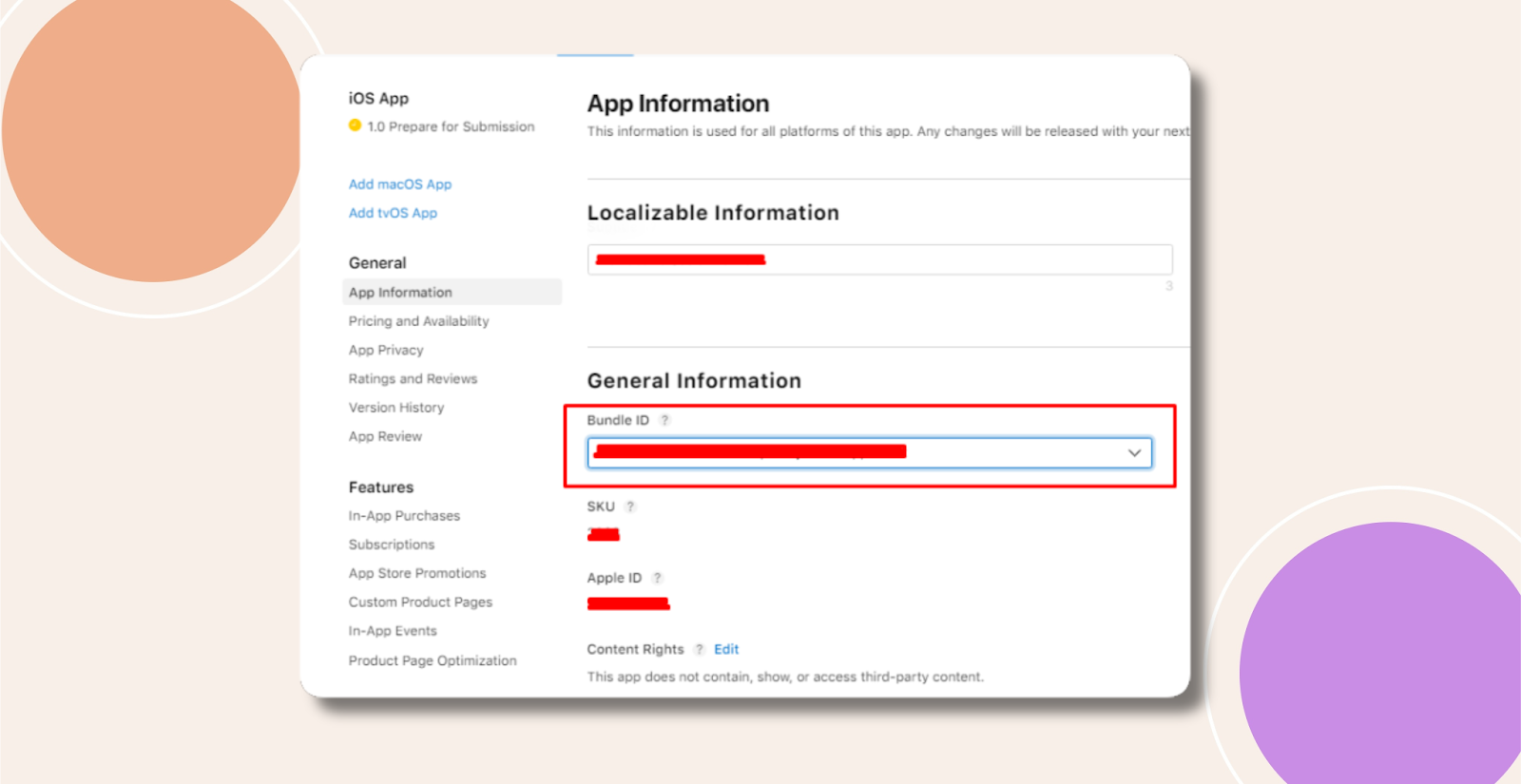
- Log in to App Store Connect and select your app.
- In General → App Information, confirm the Bundle ID matches the release Bundle ID you set in BuddyBoss.
Reattempt Upload
- Return to the BuddyBoss Upload Build workflow and retry. The Bundle ID mismatch error should be resolved.
Troubleshooting and FAQs
Q: I’ve confirmed both IDs match—but the error persists. What now?
A:
- Clear any plugin caches and retry.
- Ensure your App Store Connect API key credentials in BuddyBoss are valid and have Admin access.
- If you still see the error, collect your BuddyBoss and server logs and raise a support ticket for further assistance.
Q: Where can I find my Bundle ID in Xcode?
A: Open your Xcode project, select your app target, go to General → Identity, and view the Bundle Identifier field.
Q: Can I fix this without generating a new build?
A: Yes. Bundle ID corrections and metadata updates do not require a new IPA. Simply re-upload the existing build after updating the settings.