














As your online audience grows, so does the need for a space where they can connect and not just with you, but with each other.
Brands that understand this are building thriving communities that increase retention, deepen trust, and create predictable revenue.
But the community platform you choose matters more than most people realize.
The wrong one limits your branding, locks your data behind paywalls, or becomes expensive the moment you grow. So instead of relying on assumptions, we compared 14 platforms, from quick starter tools to full-scale community ecosystems, on real, verified 2026 pricing.
The result? A clear guide to which platforms actually support growth and which ones don’t.
How All 14 Platforms Stack Up at a Glance
Before diving into detailed breakdowns, here’s a snapshot of all 14 platforms compared. Use this to shortlist options based on your priorities, then read the full reviews below.
| Platform | Best For | Starting Price | Free Trial/Plan | Self-hosted or SaaS | Mobile App |
| BuddyBoss | Course creators and brands wanting full ownership | $99/year | Free plugin available | Self-hosted | Yes (from $499/year) |
| Circle | Creators and coaches building paid communities | $89/month | 14-day trial | SaaS | Yes |
| Mighty Networks | Multi-layered networks with courses + community | $79/month | 14-day trial | SaaS | Yes (custom app on Mighty Pro) |
| Skool | Simplicity and gamification-first communities | $9/month | 14-day trial | SaaS | Yes |
| Podia | Beginners selling courses and memberships | $49/month | Free trial | SaaS | No |
| Thinkific | Course-first creators adding community | $40/month | Free plan available | SaaS | Yes |
| Bettermode | Brands and enterprises needing customization | ~$49/month | No public trial | SaaS | No |
| Hivebrite | Alumni networks and large organizations | ~$799/month | Demo only | SaaS | Yes |
| Discourse | Open-source forums and developer communities | Free (self-hosted) or $20/month (hosted) | Free tier | Both | No (mobile-responsive) |
| Uscreen | Video-based memberships and streaming | $49/month | 14-day trial | SaaS | Yes (branded app) |
| Swarm | Video-first coaches and small groups | $19/month | 14-day trial | SaaS | Yes |
| Discord | Gaming, niche communities, casual groups | Free | Free | SaaS | Yes |
| PeepSo | WordPress site owners adding social features | Free bundle available | Free bundle | Self-hosted | Separate purchase |
| Facebook Groups | Casual communities with zero budget | Free | Free | SaaS | Yes |
Note: Pricing reflects each platform’s lowest publicly listed tier as of this comparison. Actual costs vary based on features, member count, and transaction fees.
How We Evaluated These Platforms
Instead of ranking by spec sheet, we started with a different question: what does a community platform actually need to do, and which of those things matter for the kind of community you’re building?
That question shaped the entire evaluation.
Ownership and control came first. Can you export your members if you leave? What happens to your content if the platform shuts down or triples its pricing? Some platforms answer this clearly. Others bury it, which tells you something on its own.
Feature alignment over feature count. A platform with 50 features means nothing if you only need five and they’re not the right five. We looked at whether forums, chat, course integration, and events actually work well, not just whether they exist on a features page.
Branding and customization matters more than most people expect. Several platforms lock every community into the same template, so one community looks like every other community on that platform. For brands building something distinctive, that’s a real constraint.
Pricing at scale, not just the starting price. A platform charging per-member fees or a transaction cut looks very different at 1,000 members than at 50. We calculated real costs at multiple growth stages, not just the headline number.
Not every platform failed on the same criteria. Some nail the experience but lack ownership. Others offer full control but need more technical setup than most creators want. The right choice depends on what you’re building and which trade-offs you’re willing to accept.
1. BuddyBoss
Best for: Course creators, membership site owners, and brands that want full ownership
Key features:
- Discussion forums with threaded replies
- Private and public groups
- Member profiles and directories
- Activity feeds
- Gamification (points, badges, leaderboards) on the Scale plan
- Native memberships and courses, built directly into the platform
- White-label mobile app
- Full branding control
Pricing: $99/year (Start), $199/year (Launch), $349/year (Scale). 0% transaction fees on Launch and Scale; Start carries 2.9%, but only on sales through the native Memberships and Courses add-on specifically.
BuddyBoss is a WordPress-based community platform built for creators and brands who’ve done the math. When you run the numbers at 500, 1,000, or 5,000 members, the gap between owning your platform and renting it becomes very hard to ignore.
What makes it different: Most community platforms on this list are hosted solutions. You sign up, pay monthly, and build on their infrastructure. That’s convenient, but it comes with compounding trade-offs: limited customization, transaction fees, pricing that scales with your members, and zero leverage if the platform changes direction or shuts down.
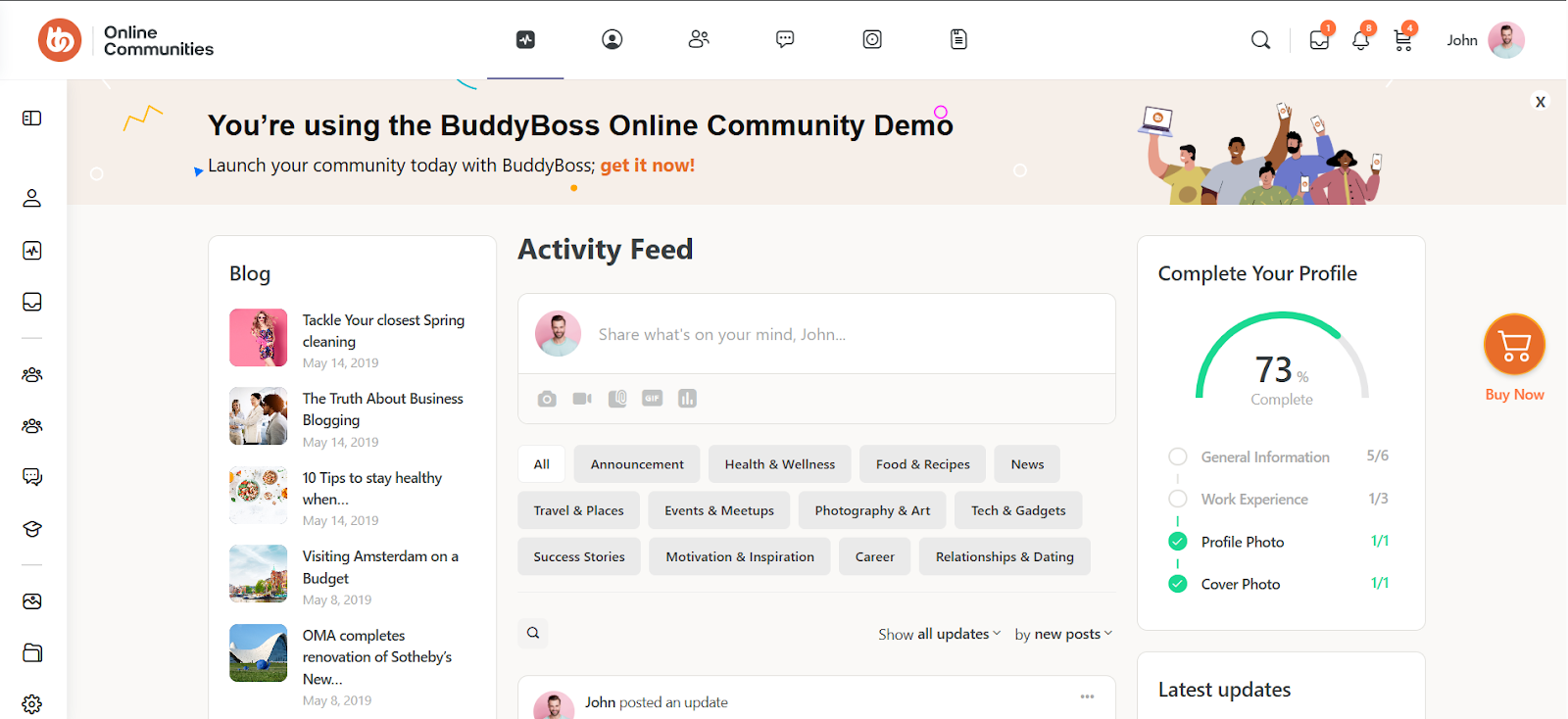
BuddyBoss takes the opposite approach. Your community lives on your domain, your hosting, your terms. No one can pull the plug on you. No one takes a cut of your revenue. And when your membership grows from 100 to 10,000, your costs don’t explode.
As of August 2026, memberships and courses are built directly into the platform, so there’s no separate LMS or membership plugin required just to get started. If you already run LearnDash or MemberPress, both continue to work exactly as before.
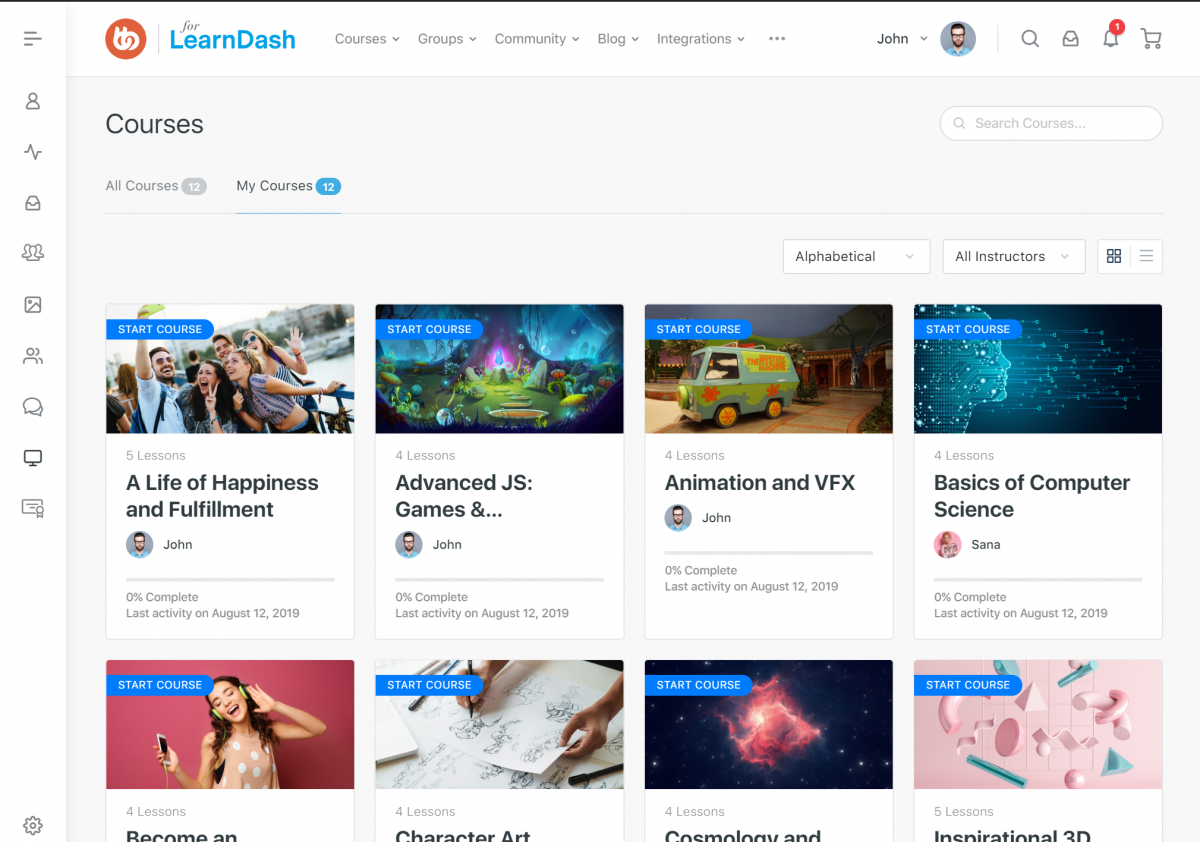
The feature set goes deep: discussion forums with threaded replies, private and public groups, member profiles and directories, activity feeds, and gamification with points, badges, and leaderboards.
For course creators, the native course builder, or a continued LearnDash integration if you prefer to keep it, means your community and curriculum work together seamlessly. Members discuss lessons, track progress, and support each other in one place.
The white-label mobile app is something most competitors either don’t offer or charge significantly more for. With BuddyBoss your community gets a branded native app that looks like yours, not like the platform behind it, starting at $499/year rather than a custom enterprise quote.
Moreover, BuddyBoss requires WordPress. If you’ve never used WordPress, there’s a learning curve. You’re responsible for hosting, updates, and maintenance, it’s more hands-on than signing up for a hosted platform and launching in 15 minutes. For creators who want zero technical involvement, that’s a real consideration.
But for those who value ownership over convenience, or who already run their business on WordPress, this isn’t a drawback. That’s the whole point.
Bottom line: BuddyBoss is the right choice if you’re building something you plan to own and not rent. The setup requires more effort upfront than a hosted platform, and that’s a real thing worth acknowledging. But for creators who’ve outgrown the economics of SaaS platforms, or who never want to be subject to someone else’s pricing decisions, BuddyBoss is the only platform on this list that gives you a permanent answer to that problem.
Want to see how BuddyBoss’s cost compares to your current platform? See current plans and pricing and run your own numbers.
2. Circle
Best for: Creators and coaches who want a polished experience without technical setup
Pricing: Starts at $89/month (Professional plan, 2% transaction fee). Business at $199/month (1% fee). Custom-priced Plus tier reaches 0.5%. A branded mobile app requires Circle Plus specifically.
Key features:
- Spaces for organizing discussions by topic
- Live streams and events
- Member directory and profiles
- Basic course hosting with modules
- Theme customization with light/dark modes
- Desktop and mobile apps
- Integrations with Zapier and webhooks
Circle is one of the most established hosted community platforms, and its reputation reflects that: the interface is clean, modern, and onboarding is genuinely manageable.
New accounts start with a setup checklist that breaks the process into clear tasks: complete your profile, design your community, set up access, launch. It’s organized rather than overwhelming.
The platform uses “Spaces” to organize content, separate areas for discussions, courses, resources, or whatever structure fits your community.
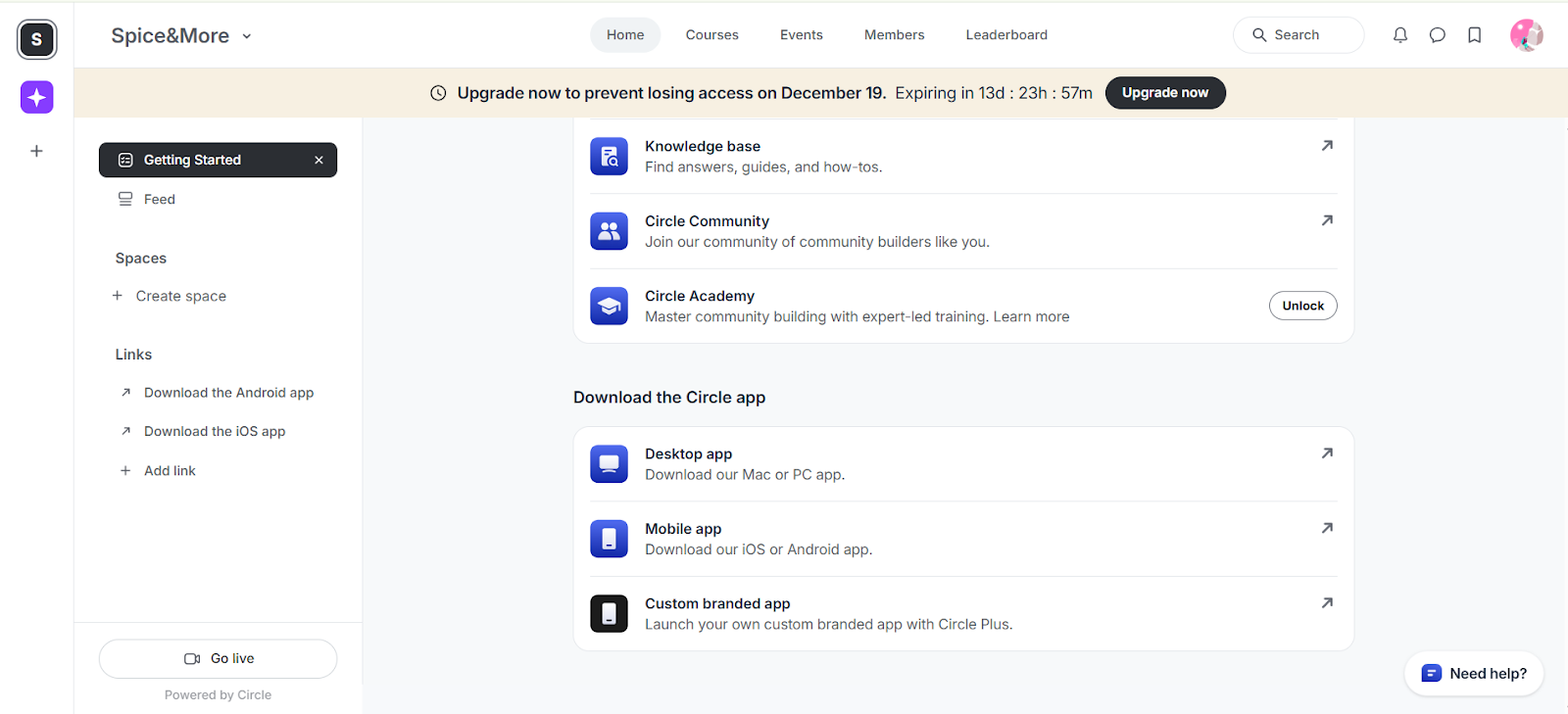
A basic community structure can be ready within an hour, no code, no hosting decisions, just point-and-click setup.
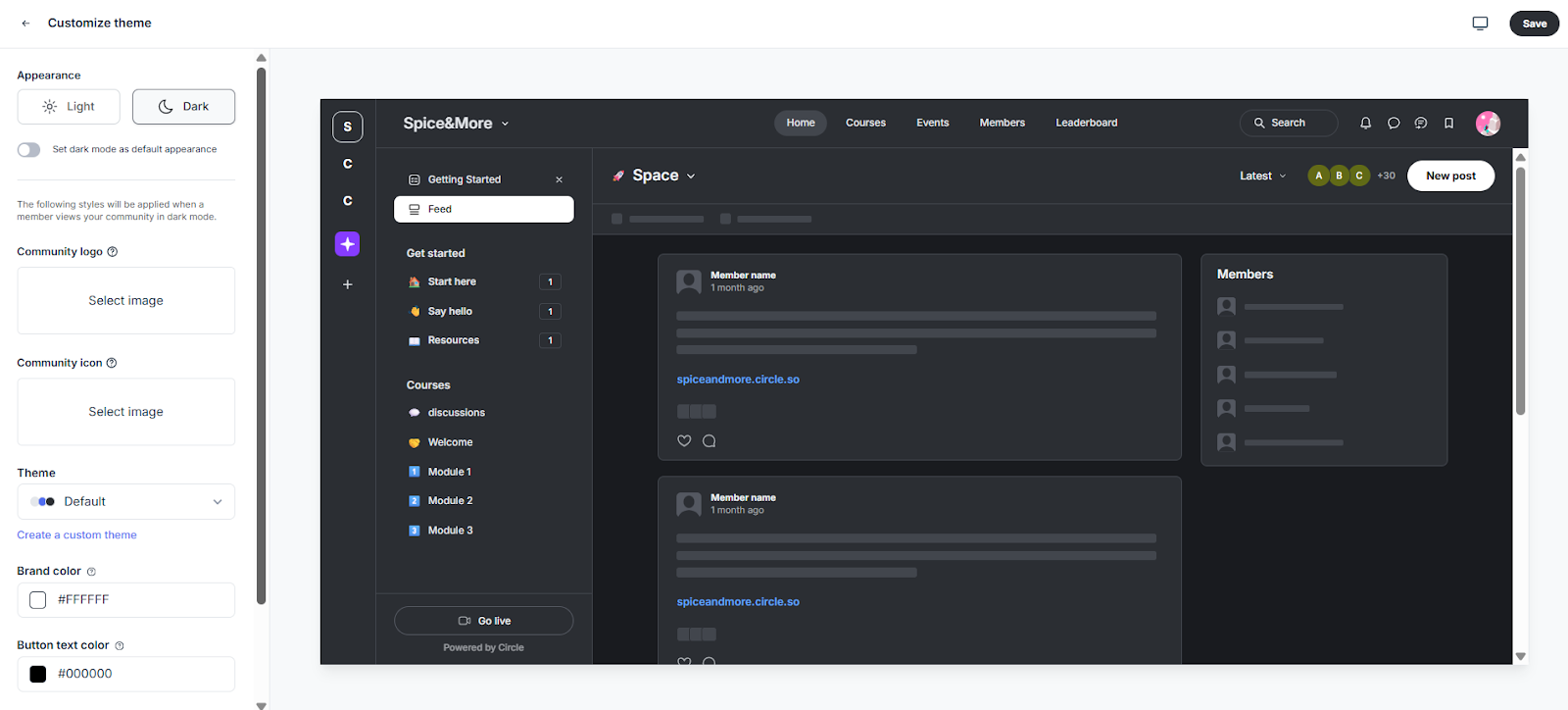
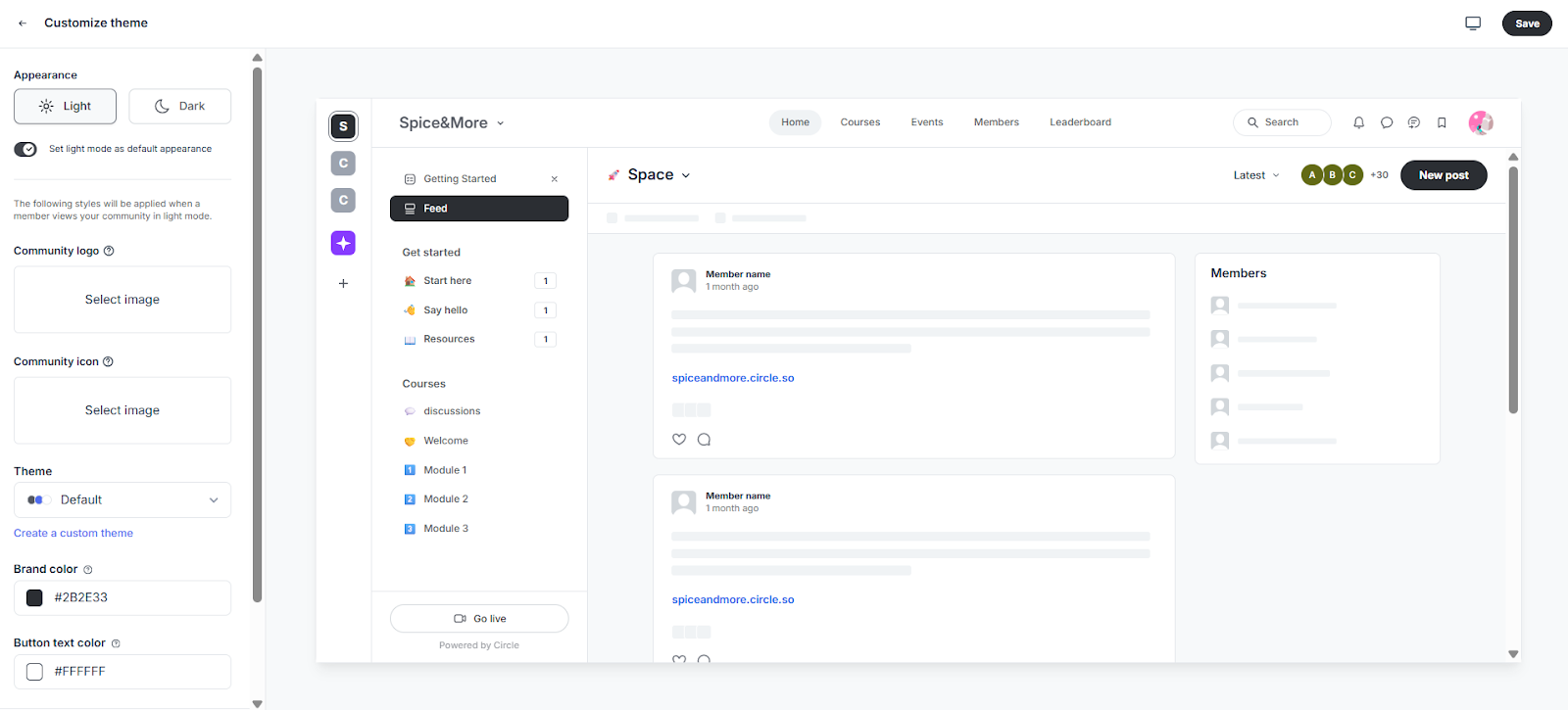
The theme customizer supports toggling between light and dark modes, brand colors, and logo uploads, with real-time preview before saving. For creators who care about aesthetics, Circle delivers a polished look without design skills.
Circle also provides solid resources for new users: a knowledge base, their own community for builders, and Circle Academy for training.
Where it falls short: A few things are worth noting. The “Powered by Circle” branding sits at the bottom of every community. The custom branded mobile app requires Circle Plus, their highest tier; on standard plans, members use Circle’s generic app.
And the ownership question remains. Circle is a hosted platform. Your community lives on their infrastructure. If Circle changes pricing or direction, your options are limited.
Bottom line: Circle is a solid choice if you want a polished, easy-to-launch community and don’t mind recurring costs. The onboarding is smooth and the interface is clean. But if full ownership, white-label branding, or long-term cost control matter to you, weigh the limitations carefully.
3. Mighty Networks
Best for: Creators who want community, courses, and memberships in one place
Pricing: $79/month (Launch, 2% fee), $179/month (Scale, 1% fee), $354/month (Growth, 0.5% fee), custom (Mighty Pro, 0.5% fee). No tier ever reaches 0%.
Key features:
- Activity feed and discussions
- Spaces for organizing content
- Native course builder with drip content
- Events and live streaming
- Paid membership support
- Mobile app (fully branded apps require Mighty Pro)
- Gamification with badges and milestones
Mighty Networks positions itself as an all-in-one platform, combining community, courses, events, and memberships under one roof.
Mighty Networks tries to do everything: community feeds, discussion spaces, a native course builder, live events, paid memberships, even custom mobile apps on the top tier. For creators who don’t want to juggle multiple tools, that’s the appeal.
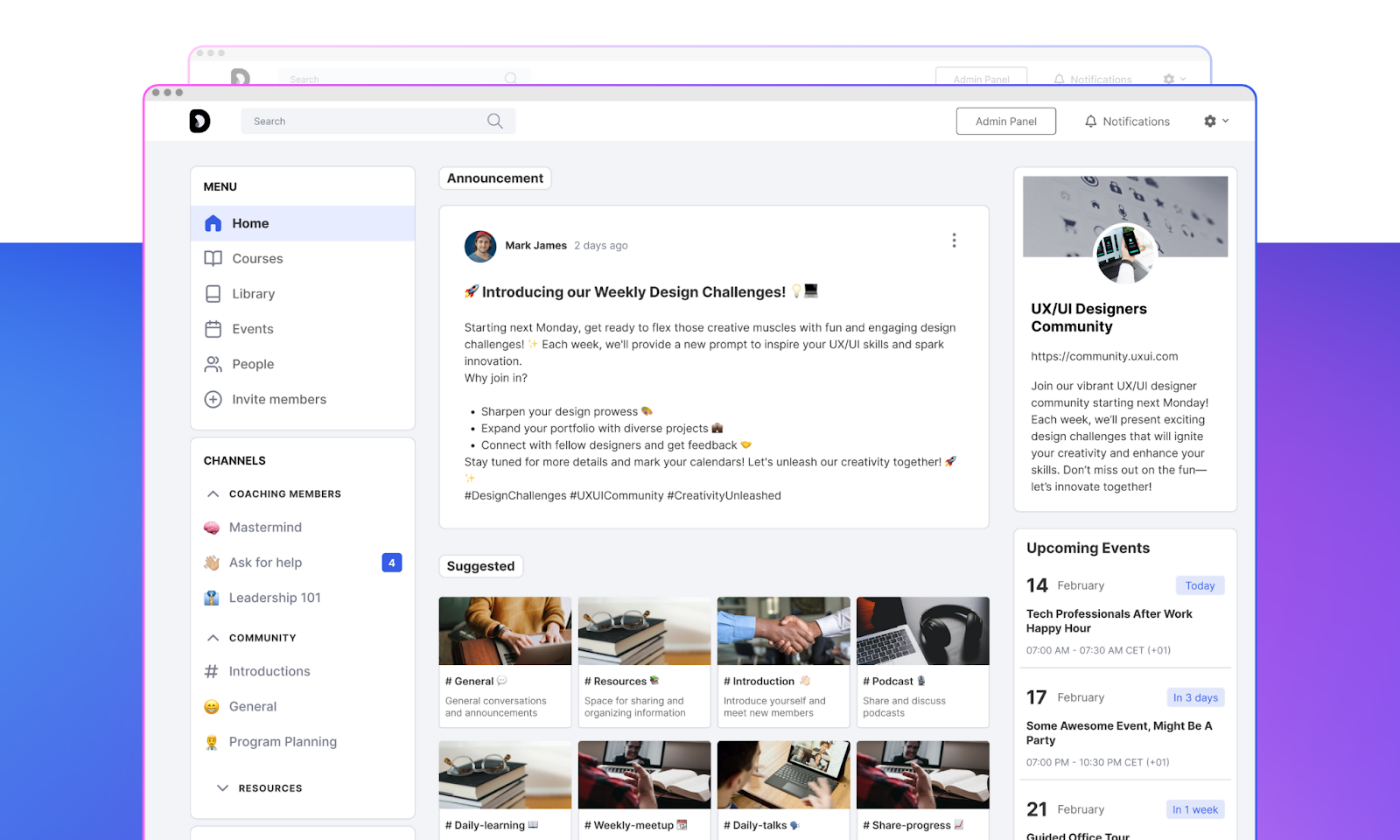
The platform organizes content into Spaces, similar to Circle. Each Space can include its own mix of discussions, courses, events, and content. You can create free and paid tiers, gate specific Spaces behind paywalls, and bundle offerings together.
The course builder is more robust than Circle’s basic course features. You can structure full curriculums, drip content, and combine courses with community discussion in the same Space. For course creators who want social learning built in, this integration makes sense.
Where it gets complicated: Mighty Networks tries to do everything, which means it doesn’t excel at any one thing.
The interface can feel cluttered and overwhelming compared to Circle’s cleaner design. When you pack this many features into one platform, simplicity suffers.
Pricing climbs quickly. Launch, the entry tier at $79/month, doesn’t include courses, those require Scale or above. A fully branded app requires the custom-priced Mighty Pro tier. Transaction fees also apply at every named tier, eating into revenue on top of the monthly subscription.
And like Circle, you don’t own the platform. If they change direction or raise prices, migration becomes your problem.
Bottom line: Mighty Networks works for creators who want community, courses, and memberships in one place. But the jack-of-all-trades approach means compromises in user experience. If courses are central to your business, dedicated LMS platforms may serve you better. If simplicity matters, Circle feels more refined. If ownership matters most, neither solves that problem.
4. Skool
Best for: Coaches and creators who want simplicity and fast setup
Pricing: $9/month (Hobby, 10% transaction fee), $99/month (Pro, 2.9% fee, rising to 3.9% on individual payments above roughly $900). No per-member pricing on either plan.
Key features:
- Community feed with discussions
- Built-in course hosting
- Gamification with leaderboards and levels
- Calendar for events
- Member directory
- Simple, distraction-free interface
- Mobile app
Skool has gained serious traction over the past couple of years. The pitch is simple: community plus courses, minimal complexity, a flat feature set regardless of plan.
Skool strips features down to a community feed, a classroom for courses, a calendar, and a leaderboard. For creators overwhelmed by platforms with 50 features they’ll never use, that minimalism is the actual selling point.
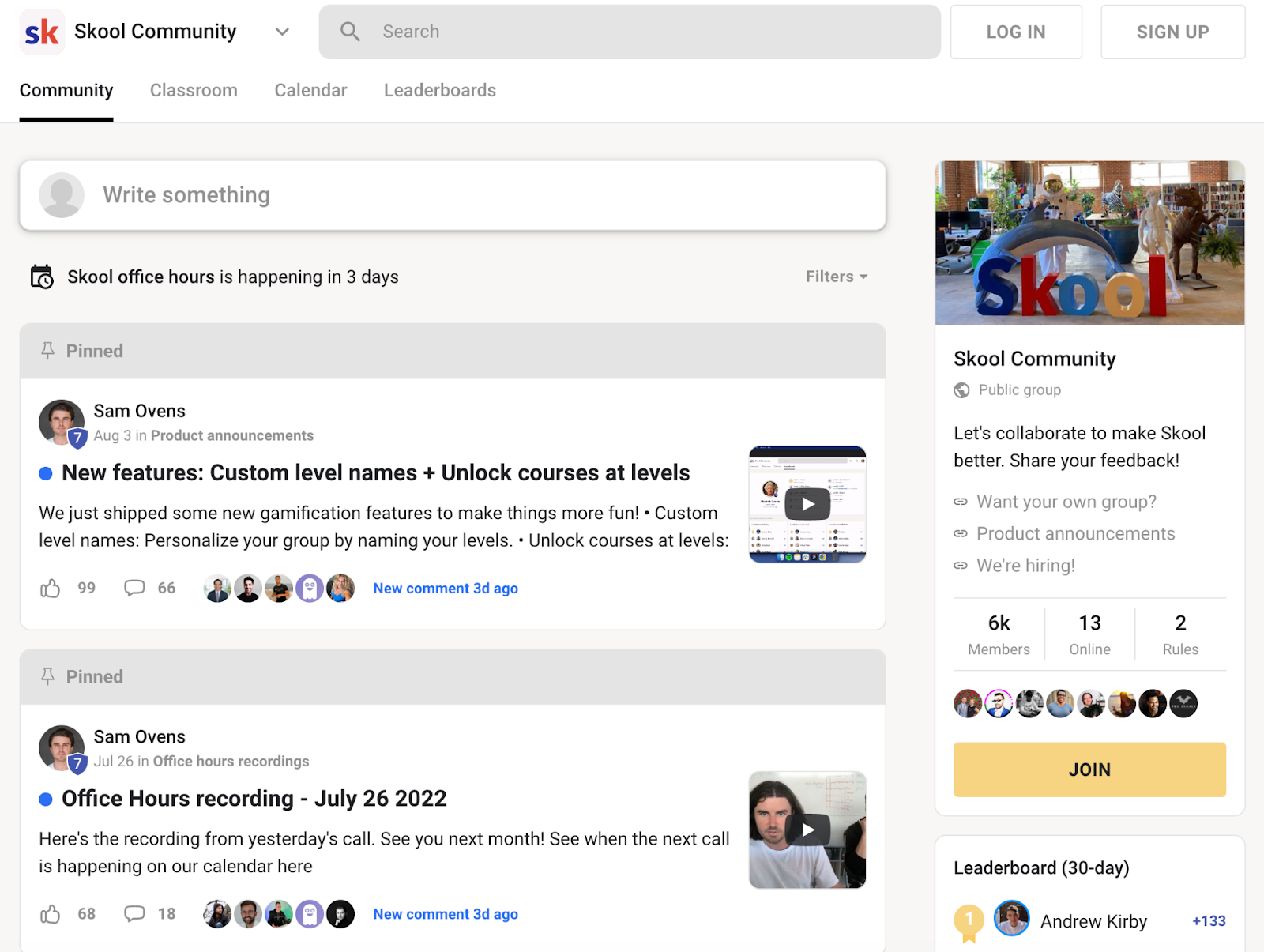
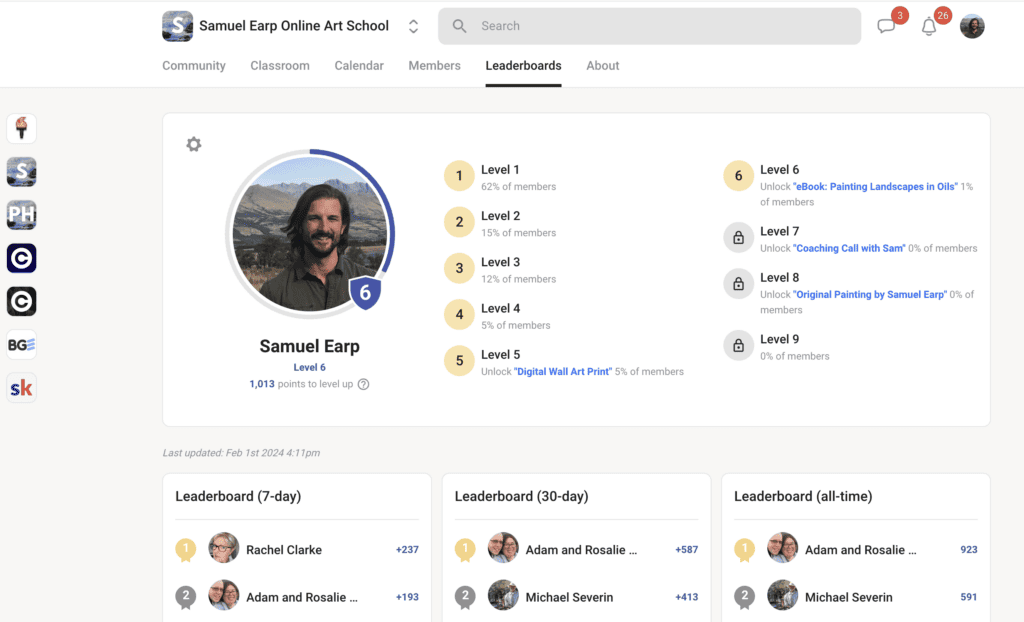
The gamification stands out most. Members earn points for engagement, posting, commenting, liking, and climb a public leaderboard. Course content can be unlocked based on membership levels, rewarding active participants with access to more material. For communities built around accountability or challenges, this drives real engagement.
Setup takes minutes, not hours. Pick a name, configure a few settings, and you’re live. No design decisions, no complex configurations.
Where it falls short: Simplicity comes with limitations. Customization is almost nonexistent. Every Skool community looks like a Skool community. No custom colors, no branded themes, no white-labeling. If brand identity matters, this is a problem.
Course features are basic. No quizzes, no certificates, no advanced progress tracking. No native livestreaming either, so you’ll need Zoom or similar tools for live events.
The Hobby plan’s 10% fee is also worth noting, it’s the highest transaction fee on this entire list at the entry tier. And you don’t own your community. You can’t export your structure, discussions, or course content in any meaningful way. If Skool changes direction or you outgrow the platform, you’re starting over.
Bottom line: Skool is perfect for creators who value speed and simplicity over customization and ownership. If you want to launch a paid community this week without technical headaches, Skool removes the friction. But if you’re building a brand, need advanced course features, or care about owning your platform long-term, the limitations will catch up with you.
5. Podia
Best for: Beginners selling courses and digital products who want community as an add-on
Pricing: $49/month (Mover, 5% transaction fee), $99/month (Shaker, 0% fee), $179/month (Earthquaker, 0% fee).
Key features:
- Course and digital product hosting
- Community spaces attached to products
- Email marketing built in
- Payment processing with multiple tiers
- Simple storefront builder
- Membership support
Podia markets itself as the simple way to sell online courses, digital downloads, and memberships. Community features exist, but they’re clearly not the main focus.
Podia’s strength is a beginner-friendly approach to selling digital products. A storefront, courses, downloads, and payments, all set up without touching code, and a 30-day free trial long enough to actually build and test something before paying.
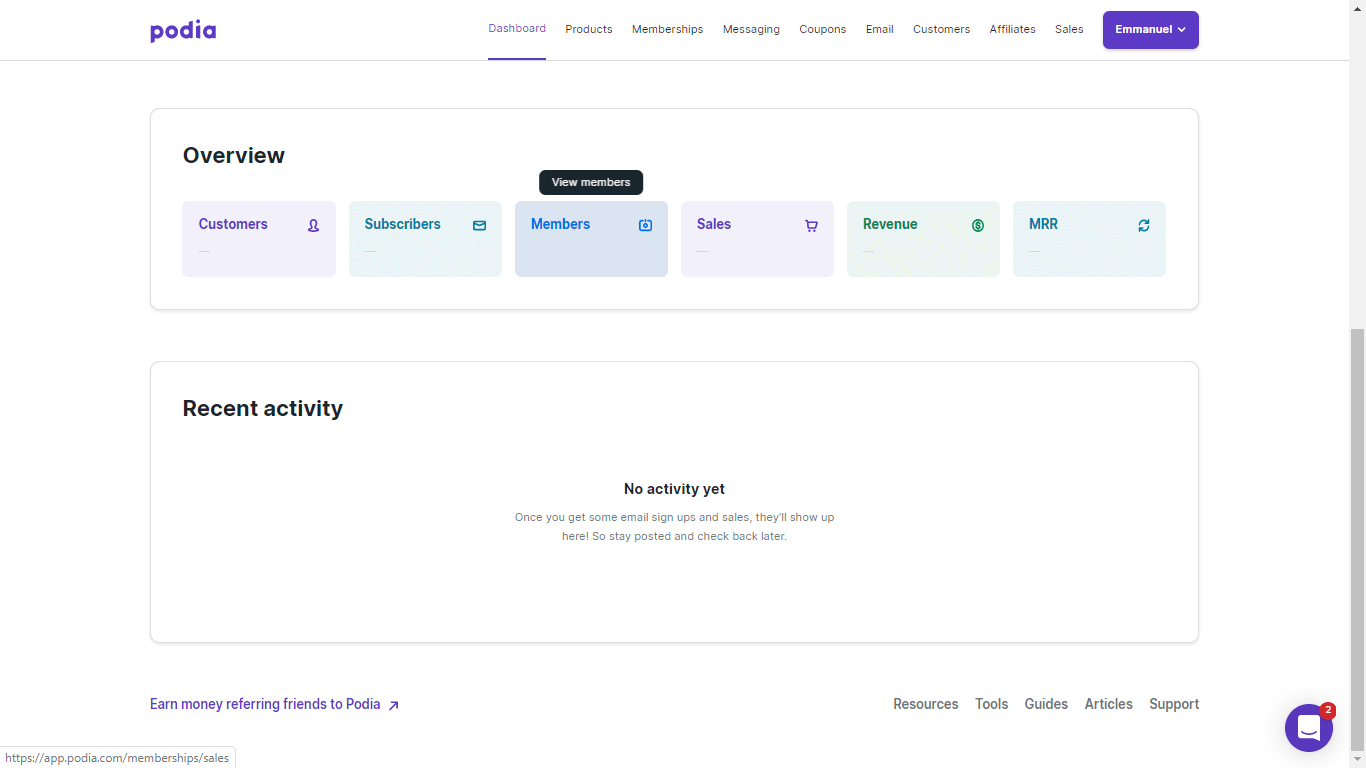
Community features plug into existing products. A community space can be added to a course or membership, giving students a place to interact. It’s a logical add-on rather than a standalone offering.
Where it falls short: Community is an afterthought here, not the main event. No gamification, no advanced engagement tools, no native mobile app. The Mover plan’s 5% fee also adds up fast, once you’re past a few thousand dollars a month, that fee costs more than the price gap to Shaker’s flat 0%.
Bottom line: Podia works for beginners selling digital products who want basic community features without managing multiple platforms. If community is central to your business model, Podia won’t satisfy you.
6. Thinkific
Best for: Course creators who want basic community features without switching platforms
Pricing: $40/month (Basic, no membership access), $82/month (Start, membership included), $164/month (Grow), following a roughly 10% price increase that took effect 13 August 2026.
Key features:
- Robust course builder with multimedia support
- Community spaces connected to courses
- Quizzes, certificates, and progress tracking
- Drip content scheduling
- Student discussions within courses
- Mobile app for students
- Payment processing built in
Thinkific built its reputation as a course platform. Community features came later, added to help course creators keep students engaged without juggling separate tools.
The course builder is genuinely strong: multimedia lessons, quizzes, certificates, drip content, and real student progress tracking. Thinkific Communities connects directly to courses, letting students discuss lessons and ask questions without leaving the platform.
Where it falls short: Community is clearly the side dish here, not the main course.
The community features feel limited compared to dedicated platforms. Basic discussions, posts, and comments, but no gamification, leaderboards, or advanced engagement tools. Customization options are minimal, you’re working within Thinkific’s structure, not building something uniquely yours.
Paid membership billing specifically isn’t available until the Start plan, the entry Basic tier is course-sales-only. For creators focused primarily on community rather than courses, dedicated platforms offer more for similar prices.
And your courses and community live on Thinkific’s infrastructure. Migration means rebuilding from scratch.
Bottom line: Thinkific is a course platform first, community platform second. If courses drive your business and you want a simple discussion space for students, it handles both without extra integrations. But if community engagement is your priority, dedicated platforms will serve you better.
7. Bettermode
Best for: Brands and businesses that need deep customization and want to embed community into their product
Pricing: Bettermode discontinued its free tier in March 2026 and restructured into Starter, Growth, and Premium plans. Reported starting prices vary by source, from roughly $49/month to $399/month, worth confirming directly before you commit.
Key features:
- Deep customization with Blocks builder
- 30+ community templates
- API access and webhooks
- Integrations with major business tools
- Moderation tools with AI spam detection
- Gamification with leaderboards and badges
- SSO and embed options for products
- Multi-language support
Bettermode is a highly customizable community platform built for SaaS companies and digital brands that want to embed community directly into their product experience.
Unlike most platforms on this list, Bettermode is designed to be extended, through its Blocks builder, API access, and deep integrations with tools like HubSpot, Salesforce, and Intercom.
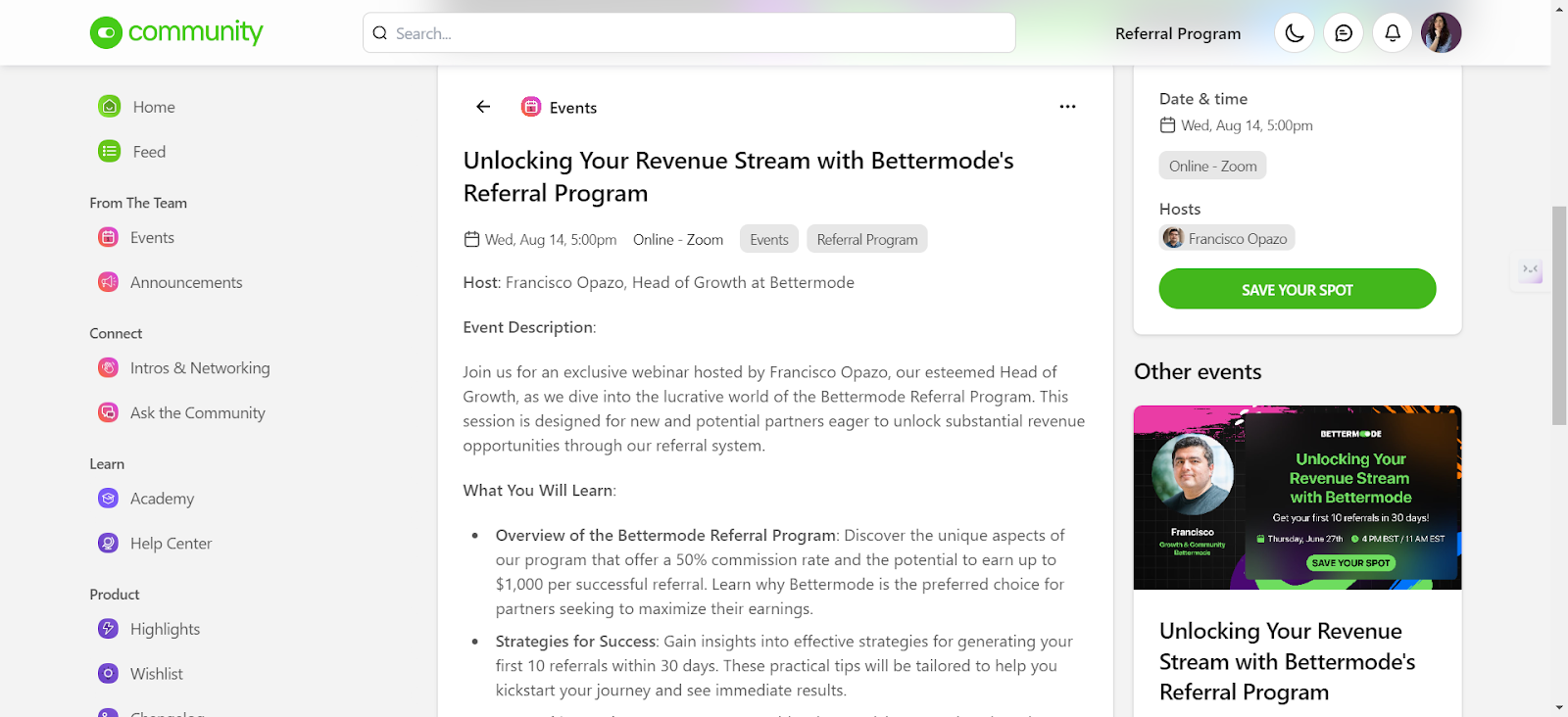
For a white-labeled community hub that feels native to an existing product, Bettermode offers genuine depth.
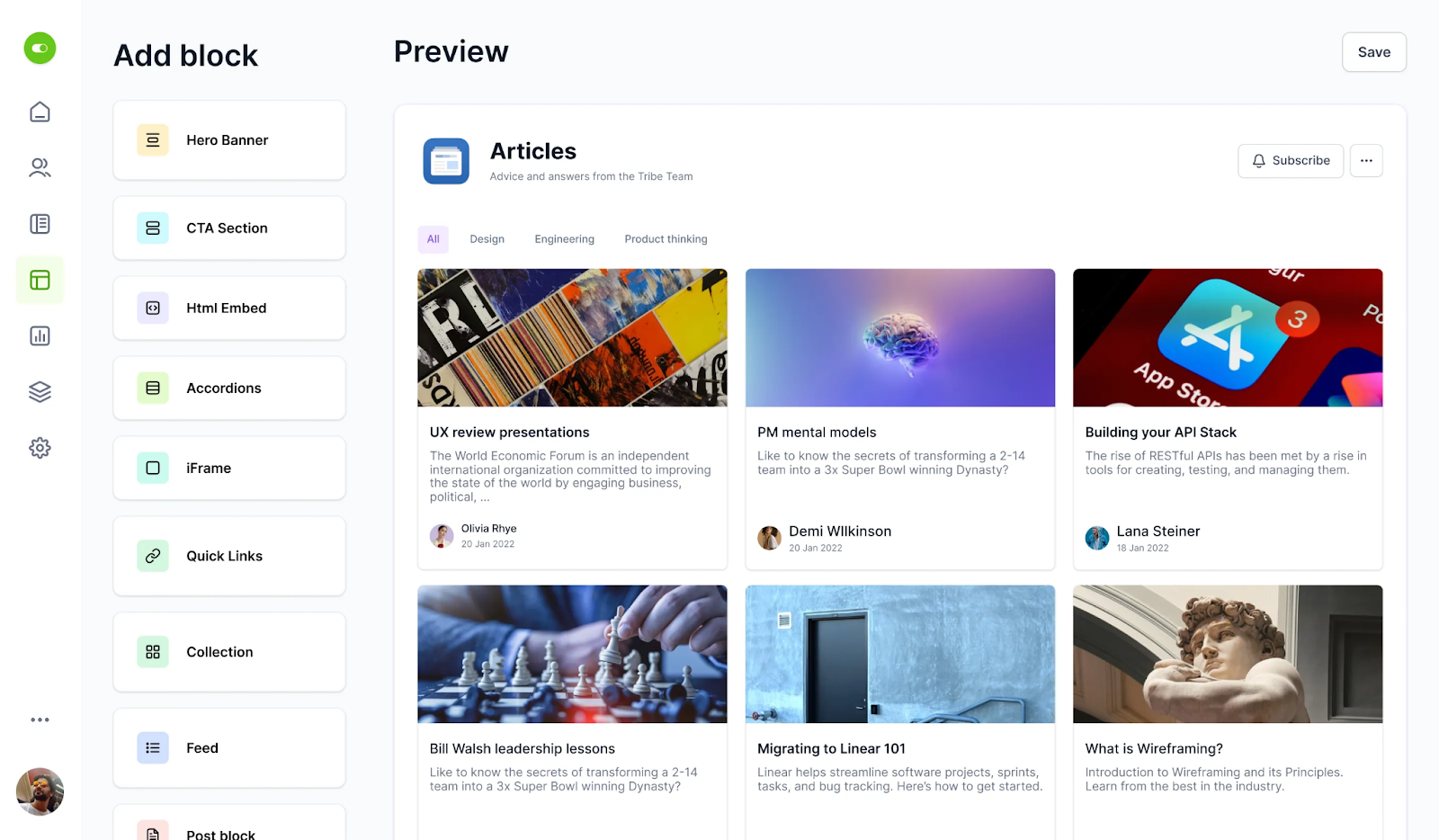
The Blocks builder constructs custom layouts without code. SSO integration means members log in once and move seamlessly between product and community.
White-labeling is comprehensive. Large organizations can present the community under their own brand with custom domains and full visual control. The admin and moderation tools are built for scale, with permissions, roles, and oversight that large organizations require.
Where it falls short: Bettermode’s strength is also its complexity. For creators and coaches who just want to launch a community and start engaging members, the configuration overhead is significant, expect real setup time to get spaces, widgets, and permissions configured properly. No native course integration either.
Bottom line: Bettermode is the right fit for product teams and digital brands building community as a feature within a broader platform. For individual creators, coaches, or membership site owners, it’s more than you need, and worth confirming current pricing directly given how recently it restructured.
8. Hivebrite
Best for: Alumni networks, associations, and large organizations with complex community needs
Pricing: Custom pricing only, Hivebrite doesn’t publish official rates. The entry Connect plan is consistently reported around $799/month (roughly $9,588/year) across multiple sources, with Scale and Enterprise tiers priced individually above that.
Key features:
- Advanced member directories with filtering
- Job boards and career tools
- Mentoring program matching
- Event management with ticketing
- Fundraising and donation tools
- White-label branding
- Advanced admin and moderation
- Analytics and reporting
Hivebrite isn’t built for creators or coaches. It’s enterprise community software designed for universities, nonprofits, and professional associations managing thousands of members.
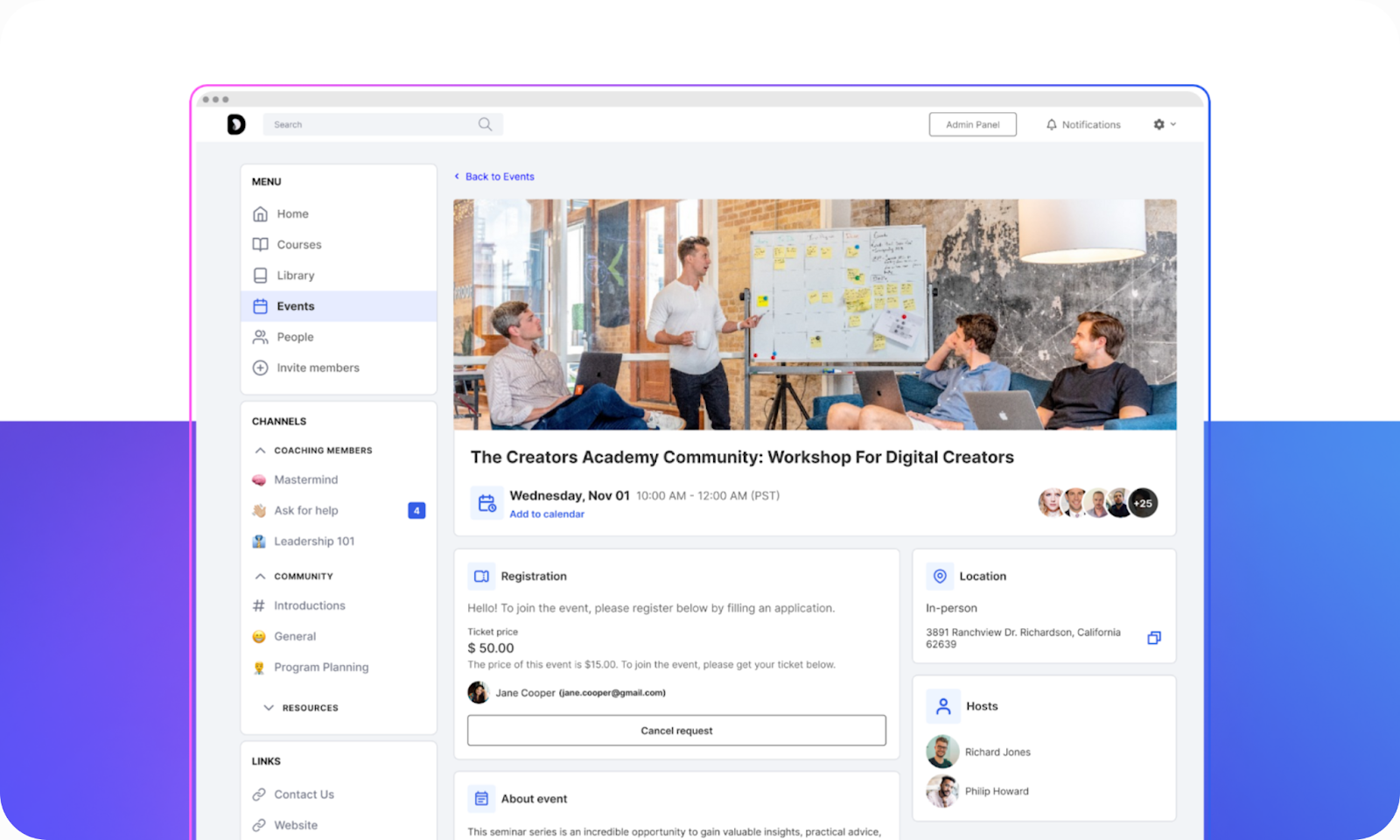
Hivebrite targets a completely different use case. Think of alumni networks that need member directories, job boards, mentoring programs, event management, and fundraising tools in one place.
White-labeling is comprehensive, and the admin tools are built for scale. Managing a 50,000-member alumni network requires different infrastructure than a 500-member creator community.
Where it falls short: For most readers, Hivebrite is overkill and overpriced. Pricing isn’t published so you have to book a demo just to learn what it costs. The interface prioritizes functionality over simplicity, creating a steep learning curve, and there’s no native course integration.
Bottom line: Hivebrite serves universities, alumni networks, and professional associations with complex needs. For everyone else, this platform isn’t designed for you.
9. Discourse
Best for: Developer communities, knowledge bases, and forums where search and SEO matter
Pricing: Free if self-hosted. Managed hosting starts at $20/month (Starter plan). Pro at $100/month. Business at $500/month. A free hosted tier is also available with limited features.
Key features:
- Threaded discussions with deep organization
- Powerful search functionality
- SEO-friendly (indexed by Google)
- Open-source with self-hosting option
- Trust levels for self-moderation
- Categories and tags for organization
- Managed hosting available
- Extensive plugin ecosystem
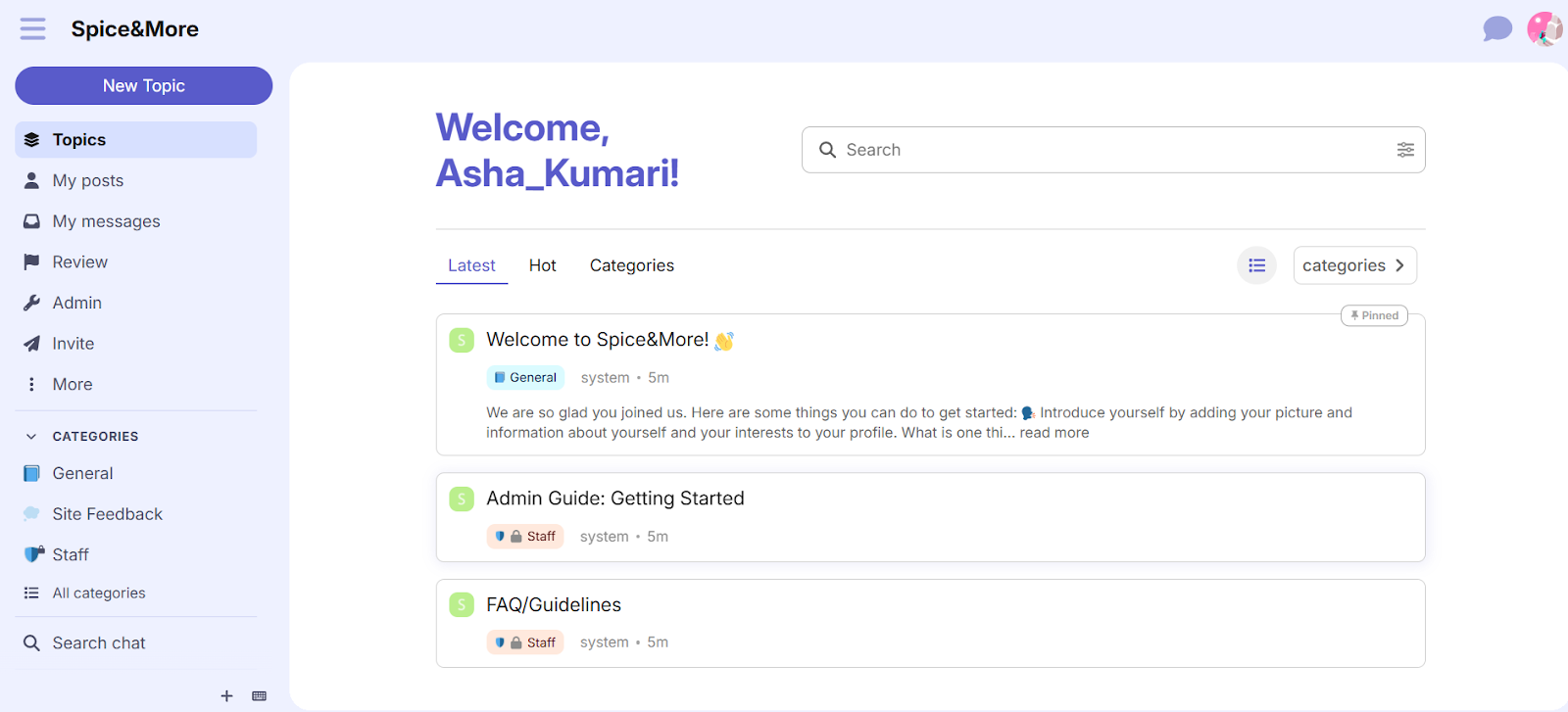
Discourse is open-source forum software built by the co-founder of Stack Overflow. If you’ve used developer communities or product discussion boards, you’ve probably used Discourse without realizing it.
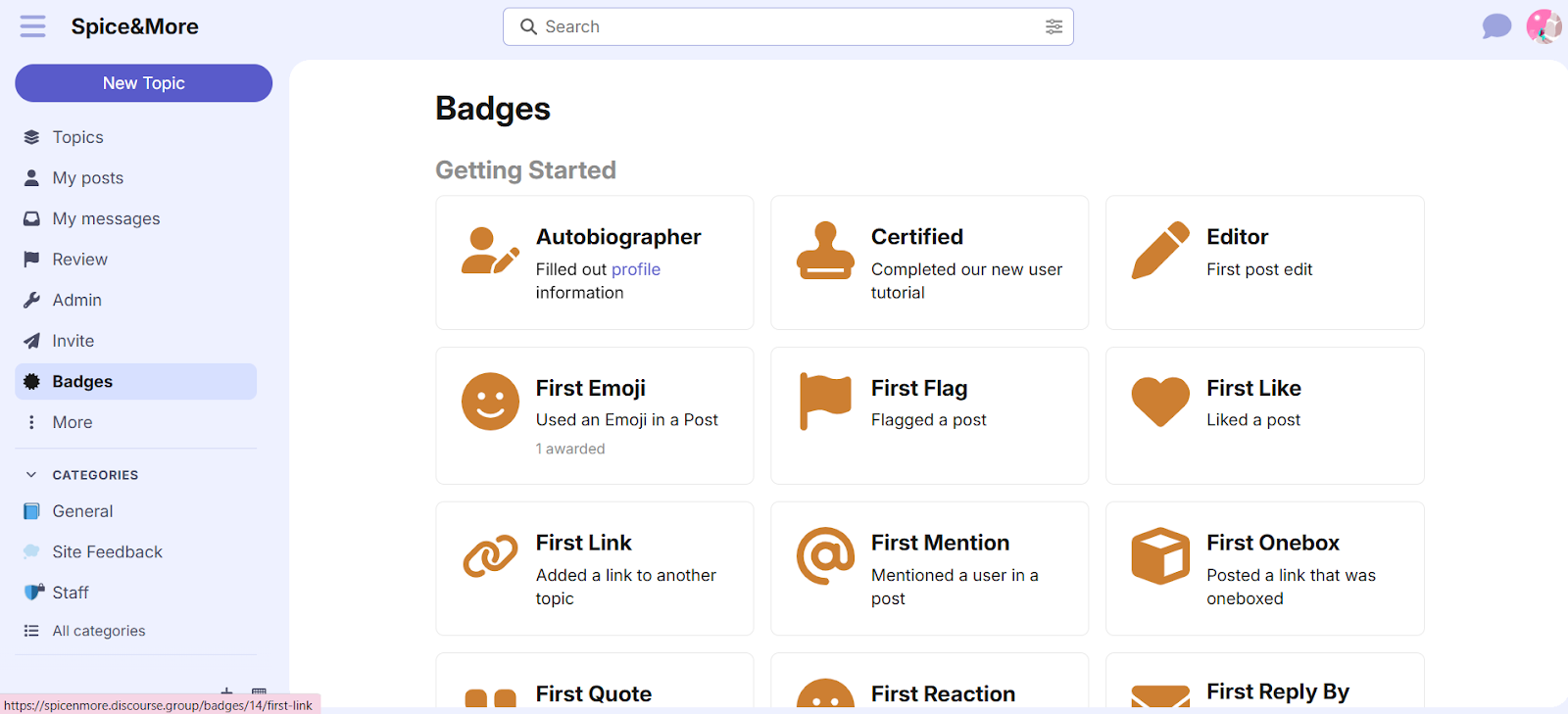
Discourse is forum-first: threaded discussions, categories, tags, and powerful search. Unlike chat-based platforms where messages scroll into oblivion, every discussion stays searchable and organized.
SEO is a major advantage. Discourse forums get indexed by Google, driving organic traffic. The open-source option gives you full ownership: self-host on your own server and never pay platform fees.
Where it falls short: Discourse is a forum, not a modern community platform. The interface feels dated compared to social-media-style feeds.
No native course integration. No mobile app, just a mobile-responsive browser experience. Self-hosting requires comfort with Docker and server management. Communities that thrive on quick, real-time chat may find the pace too slow.
Bottom line: Discourse is the best pure forum software available, and the open-source option offers true ownership no SaaS platform can match. But if you need courses, social feeds, or a polished mobile experience, Discourse isn’t trying to compete there.
10. Uscreen
Best for: Video-based creators and membership businesses built around streaming content
Pricing: Starter at $49/month (up to 100 subscribers, 10% fee on one-time sales). Growth at $149/month + $1.99/subscriber (5% fee on one-time sales). App Essentials at $449/month + $0.99/subscriber, the first tier to include branded iOS and Android apps. Custom Enterprise plan available for TV apps.
Key features:
- Video hosting with on-demand library
- Native apps for iOS, Android, Roku, Apple TV, Fire TV
- Live streaming built in
- Subscription and one-time payment options
- Community features for member interaction
- Branded mobile and TV apps
- Video analytics and performance tracking
- Marketing tools for reducing churn
Uscreen isn’t a community platform that adds video. It’s a video platform that adds community. If your business revolves around fitness classes, tutorials, or live streams, Uscreen is built for that model.
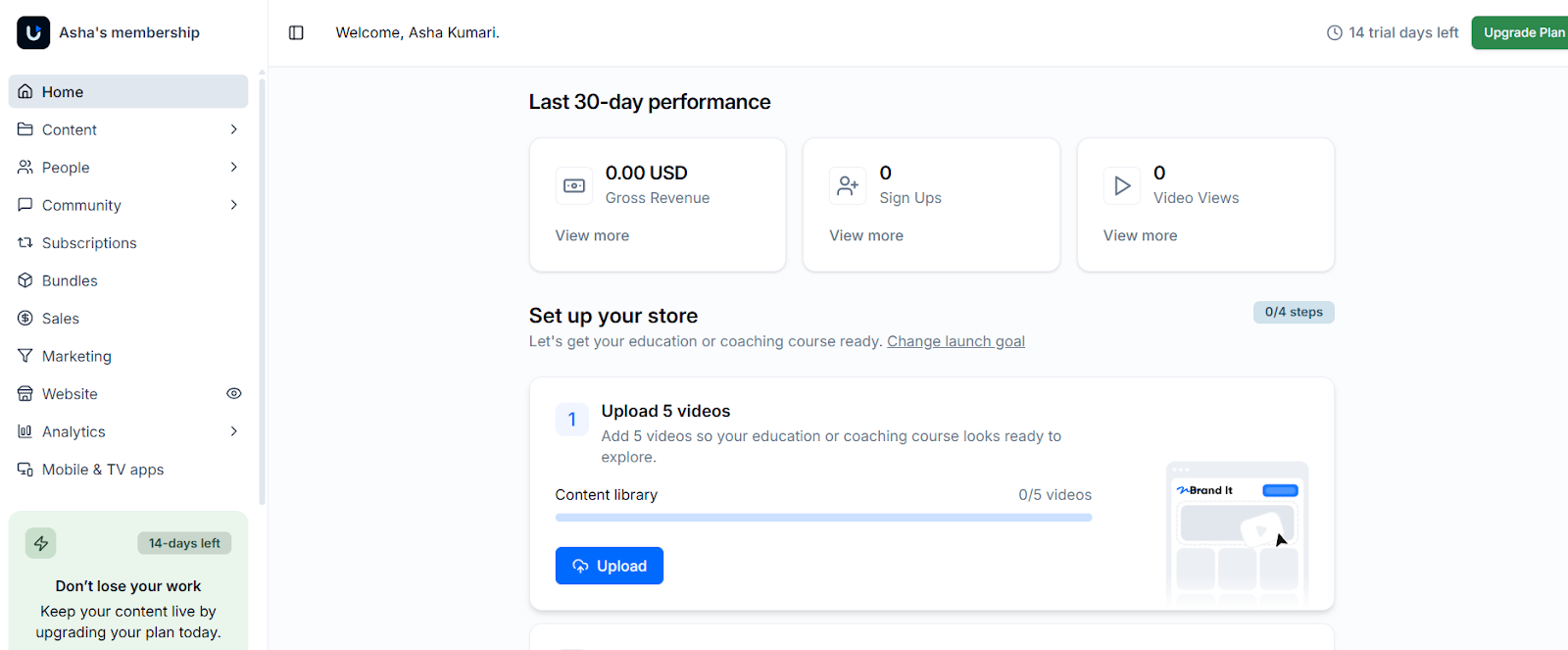
A Netflix-style library of on-demand content, live streaming sessions, and subscriptions or one-time payments, all built into one platform.
The infrastructure includes apps for Roku, Apple TV, Fire TV, iOS, and Android. Uscreen builds branded native apps for your membership, putting your brand in the App Store without massive development costs.
Analytics go deep on video performance: what members watch, where they drop off, which content drives retention. For creators optimizing a video library, this data matters.
Where it falls short: If video isn’t your core product, Uscreen doesn’t make sense.
Pricing punishes growth through its per-subscriber fee on top of the base subscription. On the Growth plan, 200 subscribers works out to $149 + (200 × $1.99), or $547/month, not $149. Community features are also basic compared to dedicated platforms. No gamification, no advanced engagement tools, no course structures beyond video modules.
Bottom line: Uscreen delivers what general community platforms can’t for video-first businesses. But if video isn’t central to your model, you’re paying a premium for infrastructure you won’t use.
11. Swarm
Best for: Coaches and creators who want video-first community engagement
Pricing: Launch at $19/month (1 space, 1,000 members, 10% fees). Growth at $79/month (5 spaces, 5,000 members, 2% fees). Scale at $149/month (unlimited, branded app, 0.5% fees).
Key features:
- Native video recording within platform
- Asynchronous video conversations
- Text and audio messaging
- Spaces and Hubs for organization
- Built-in course hosting
- Membership tiers and Stripe payments
- Live streaming (time limits vary by plan)
- AI transcription and video summaries
- Branded mobile app (Scale plan)
Swarm puts video at the center of every interaction. Members record and share short videos directly within the platform, responding to a video with another video. The entire experience is built around face-to-face asynchronous communication.
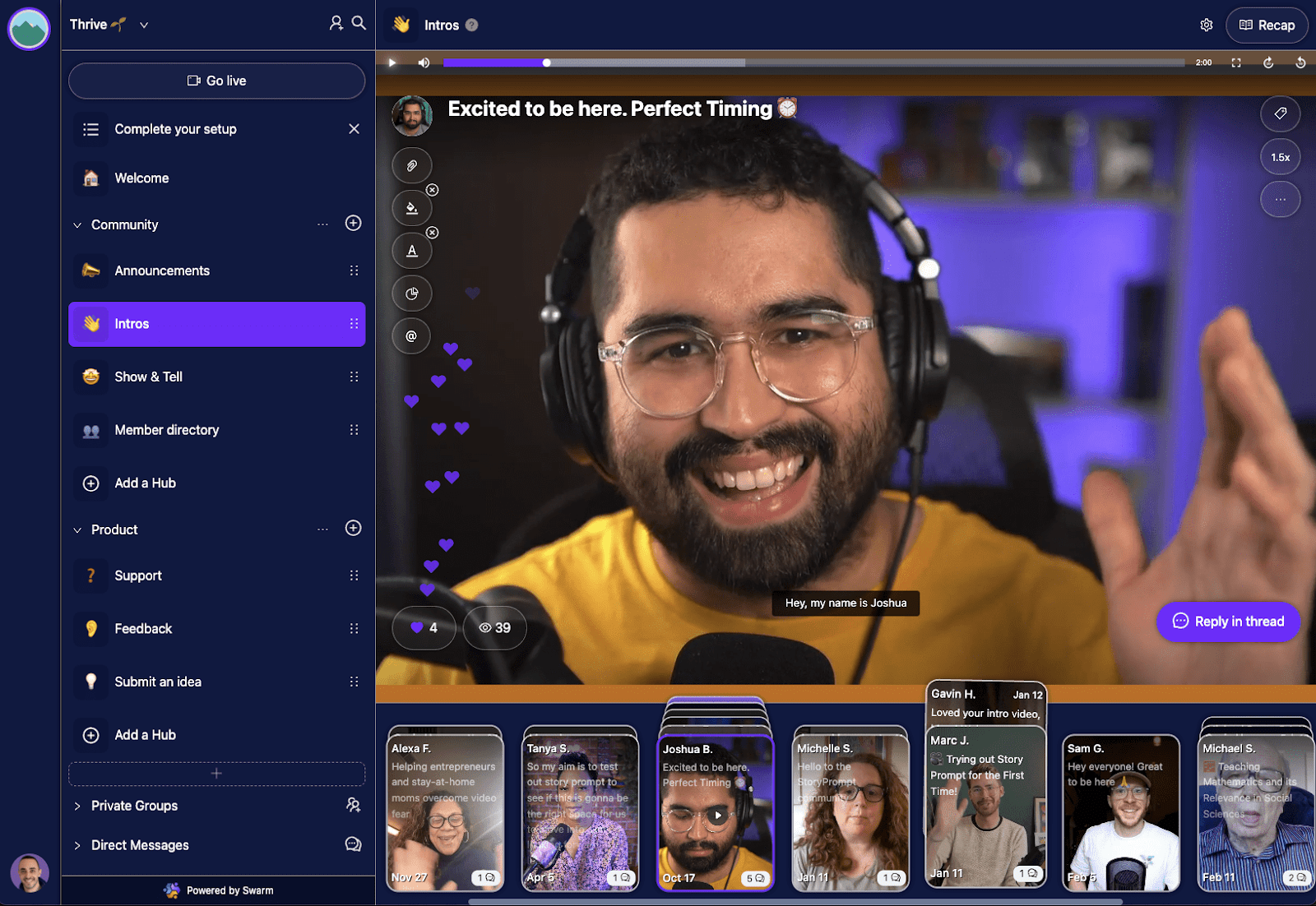
For coaches, this changes the dynamic. A quick video instead of a long typed response. Your community sees you, not just your words. For relationship-driven businesses, that personal connection matters.
Course hosting and payments are built in through Stripe. AI features handle transcriptions and video summaries. The Scale plan includes a branded mobile app, a feature usually locked behind expensive enterprise tiers elsewhere.
Where it falls short: Video-first isn’t for everyone. Some communities thrive on text, quick questions, searchable discussions, members who prefer reading over watching. Real functionality requires the Growth plan at $79/month or Scale at $149/month. And as a newer platform, the ecosystem is smaller than established options.
Bottom line: Swarm works for coaches and creators who believe video builds stronger connections than text. If your members prefer quick exchanges or searchable discussions, look elsewhere.
12. Discord
Best for: Gaming communities, casual fan groups, and creators with younger audiences who want real-time chat
Pricing: Discord offers two paid Nitro tiers: Nitro Basic at $2.99/month (custom emojis, 50MB uploads) and full Nitro at $9.99/month (HD streaming, 500MB uploads, Server Boosts, and full customization). Core community functionality remains free.
Key features:
- Text and voice channels
- Free for unlimited members
- Roles and permissions system
- Massive bot ecosystem
- Screen sharing and video calls
- Mobile and desktop apps
Discord started as a platform for gamers to voice chat while playing together. It’s since expanded into a general community tool, but its DNA remains: real-time communication, voice channels, and a casual vibe.
Discord is genuinely free. A server, unlimited members, text and voice channels, all without paying anything. The real-time interaction creates energy that forum-style platforms can’t match. Text channels flow like group chats. Voice channels let members drop in and talk whenever they want.
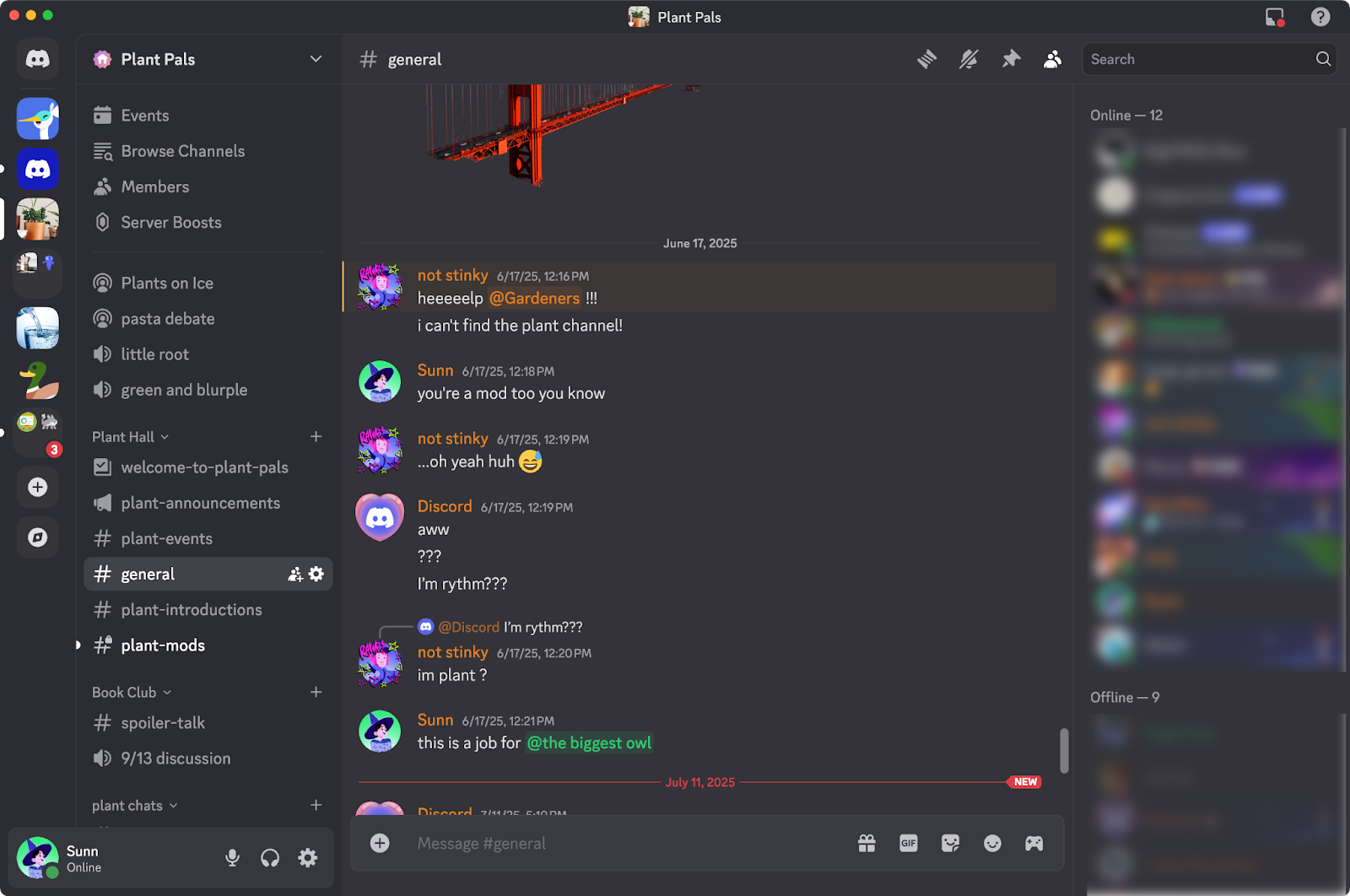
The bot ecosystem enables automated moderation, games, and extended functionality in ways that would cost serious money on other platforms. Many potential members already have Discord accounts, so signup friction is minimal.
Where it falls short: Messages disappear into endless scroll. No SEO benefit. No native monetization. No course integration. And you don’t own anything, your member list isn’t exportable in any meaningful way.
Bottom line: Discord is unbeatable for casual, real-time communities where your audience already lives. For anything professional, paid, or built around lasting knowledge, it works as a supplement, not a foundation.
13. PeepSo
Best for: WordPress site owners who want to add social networking features to an existing site
Pricing: Free bundle available. Community Bundle from $199/year. Ultimate Bundle from $399/year (includes LMS and WooCommerce integrations). Paid plans also carry a 2–4% transaction fee on member payments, on top of the license cost. Lifetime licenses available.
Key features:
- Activity streams and user profiles
- Groups (open, closed, secret)
- Live chat and private messaging
- Photo, video, audio and file sharing
- Pages (fan/business pages)
- LearnDash, TutorLMS and WooCommerce integrations (Ultimate Bundle)
- Mobile app (separate subscription, priced individually)
- Gecko theme included
- Free bundle available with core features
PeepSo is a WordPress community plugin that takes a lighter-touch approach to community building. Where some WordPress plugins go deep on course integration and membership infrastructure, PeepSo focuses on the social layer, giving site owners a way to add community features without a significant platform overhaul.
The free bundle is genuinely functional, activity streams, profiles, groups, and chat are all available without paying.
For WordPress site owners who want to test community features before committing, that’s a low-risk starting point. The paid bundles unlock LMS integrations (LearnDash, TutorLMS, MasterStudy) and WooCommerce support, making PeepSo viable for creators who sell courses or digital products alongside their community.
The interface has a familiar Facebook-style feel with activity feeds, group pages, friend connections, which lowers the learning curve for members. Setup is relatively straightforward if you’re already comfortable with WordPress.
Where it falls short: The white-label mobile app is priced as a separate subscription, not published alongside the main bundles, which may surprise creators expecting it to be bundled in. Paid tiers also carry a 2-4% transaction fee on top of the license cost, worth factoring in for communities selling paid memberships.
The free bundle also shows “Powered by PeepSo” branding on the front end, which you’d need to pay to remove. And as a self-hosted WordPress plugin, you’ll need to manage your own hosting and maintenance, which isn’t for everyone.
Bottom line: PeepSo is a reasonable fit for WordPress site owners who want to add social community features without a full platform commitment. If your needs are closer to a social network than a structured learning community, it’s worth evaluating. The free bundle makes it easy to test before spending anything.
14. Facebook Groups
Best for: Casual free communities where reaching people matters more than owning the platform
Pricing: Free. You pay with data, attention, and lack of control.
Key features:
- Free for unlimited members
- Posts, comments, polls, events
- Live video streaming
- Member screening questions
- Basic moderation tools
- Mobile app (within Facebook)
- Massive built-in user base
Facebook Groups is the default choice for first-time community builders. It’s free, everyone already has an account, and setup takes five minutes. But there’s a reason so many creators eventually migrate away.
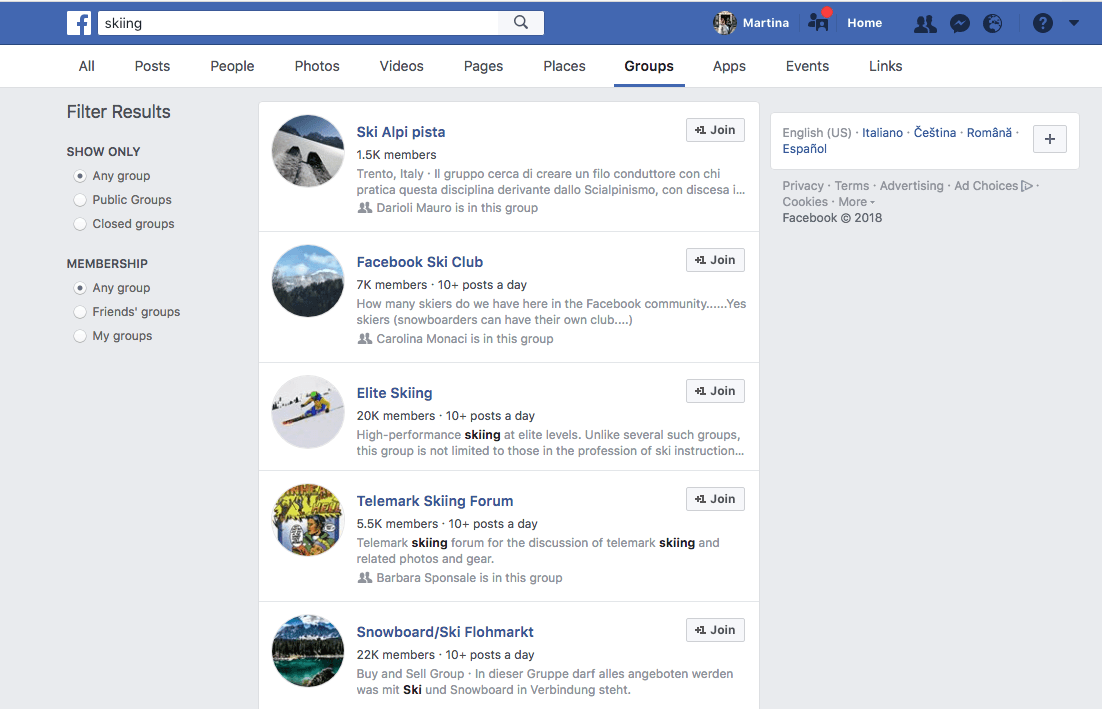
The barrier to entry is essentially zero. Create a group, invite people, start posting. Nearly 3 billion people use Facebook, so your potential members likely already have accounts. For testing a community concept before investing in dedicated software, Facebook Groups removes all friction.
Basic features cover the essentials: posts, comments, polls, events, live video, and member screening questions. When engagement is high, the algorithm amplifies your reach. For simple community needs, it works.
Where it falls short: The problems are fundamental, not fixable. You don’t own anything. Facebook controls the algorithm, the rules, and your access. No monetization built in. No course integration. No custom branding beyond a cover photo. Ads interrupt the experience constantly. If you decide to leave, you’re leaving your discussions and member relationships behind.
Bottom line: Facebook Groups works for validating an idea or running casual communities where cost is the only consideration. For anyone building a real community business, it’s the platform you leave, not the one you grow on.
Platforms That Didn’t Make the Cut
LinkedIn Groups: The concept makes sense: professional networking meets community. The execution focuses elsewhere. LinkedIn has prioritized the main feed and professional networking over Groups functionality. Notifications are inconsistent, and engagement levels typically remain low. Professional audience, but limited community infrastructure.
WhatsApp / Telegram: Excellent for small private groups or broadcast announcements. These messaging apps excel at real-time communication with groups under 20 members. However, they lack threading, searchable history, and community-specific features that matter at scale. Best used as supplements to community platforms rather than primary infrastructure.
Patreon: Built specifically for recurring payments and content delivery, and it excels at both. Community features exist but remain basic with comments and limited interaction. Patreon solves the monetization challenge extremely well but wasn’t designed as a community platform. Many creators successfully pair Patreon with dedicated community tools for the best of both worlds.
Reddit: Offers a massive built-in audience and excellent SEO benefits. Public subreddits can drive significant traffic and visibility. However, the platform is designed for open, anonymous discussion rather than owned community assets. Reddit works well for public discovery and broad discussions, but doesn’t provide the infrastructure for building a monetized, branded community you control.
How to Choose the Right Platform for Your Community
The best platform depends on what you’re building and what compromises you’re willing to accept.
If ownership matters most: BuddyBoss gives you full control over your data, branding, and costs. Your community lives on your domain, runs on your hosting, and operates on your terms. No one can change the pricing on you overnight, take a cut of your revenue, or shut you down because they decided to pivot their business model.
For creators thinking long-term, that difference compounds. You’re building on your own land instead of renting space that could get more expensive every year.
Frequently Asked Questions
What’s the best community platform overall?
It depends what you’re optimizing for. BuddyBoss is the strongest pick if ownership, cost control, and combining community with courses and memberships matter most. Circle is the strongest fully managed option if you’d rather not deal with hosting at all.
Which community platforms are genuinely free?
Discord, Facebook Groups, and self-hosted Discourse all offer real, full-featured community infrastructure at no cost. BuddyBoss and PeepSo both have free core plugins, with paid tiers unlocking additional features.
Is a self-hosted platform better than a hosted one?
They solve different problems. Self-hosted options like BuddyBoss or Discourse cost more setup time upfront for full ownership and no ongoing revenue share. Hosted platforms cost less time to launch in exchange for a recurring subscription and, often, a percentage of what you make.
Do community platforms take a cut of my revenue?
Most do, ranging from 10% on Skool’s and Swarm’s entry tiers down to 0% on BuddyBoss’s Launch and Scale plans. Platforms with no transaction fee at all typically charge a higher flat monthly price instead.
Ready to compare BuddyBoss directly? See current plans and pricing.
