














AnsPress is a developer-friendly, question and answer plugin for WordPress. AnsPress adds a full question and answer system to your existing WordPress site. It can be used to create a q&a network similar to StackOverflow and Quora, or be a single page in an existing site. The plugin supports multi-languages, shortcodes, reCAPTCHA, email and push notification and more.
The plugin features include:
- Submit / Filter / Order / Edit / Delete Question
- Answer / Comment
- Vote and Select Best Answer
- Notification Emails and Web Push Notifications
- 10+ languages supported
- Captcha supported
- Shortcodes available
- Private/Public for Question and Answer
- Ability to Follow Questions / Answers
- Featured (Sticky) Question
- Closed questions
- Flag/report questions and answers to moderator
- Basic user profile
- BuddyPress integration
- Free Add-ons:
- Reputations
- Tags
- Categories
- Bad words filter
- Email notifications
- reCaptcha
- Dynamic text avatar
Installing the plugin
To install the plugin:
- Download the AnsPress plugin from the link below
https://wordpress.org/plugins/anspress-question-answer/ - Extract the downloaded anspress-question-answer.zip file to the WordPress plugins folder yourhostname/wordpress/wp-content/plugins OR
Go to your WordPress Dashboard > Plugins > Add New. Click the Upload Plugin button. Browse to the download file location, select the anspress-question-answer.zip & install the plugin. - Click the Activate Plugin button to activate the AnsPress Question Answer plugin on your website. OR
To activate the plugin on your website site go to WordPress Dashboard > Plugins and then click the Activate button for AnsPress Question Answer.
Setting up the plugin
To set up the plugin:
- Go to WordPress Dashboard > AnsPress > Options.
- Make the preferred changes in each tab.
- Click the Submit button.
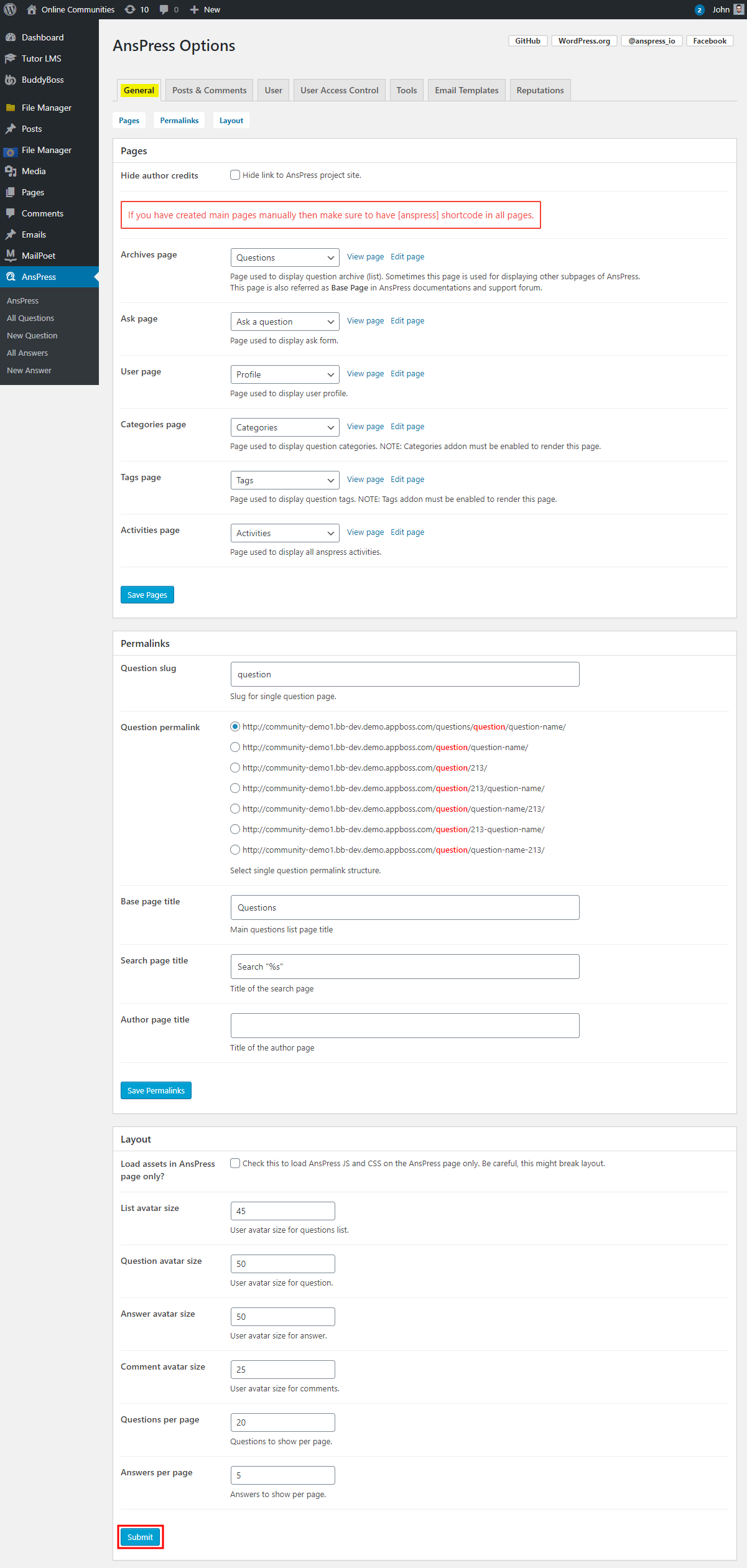
Adding a new question
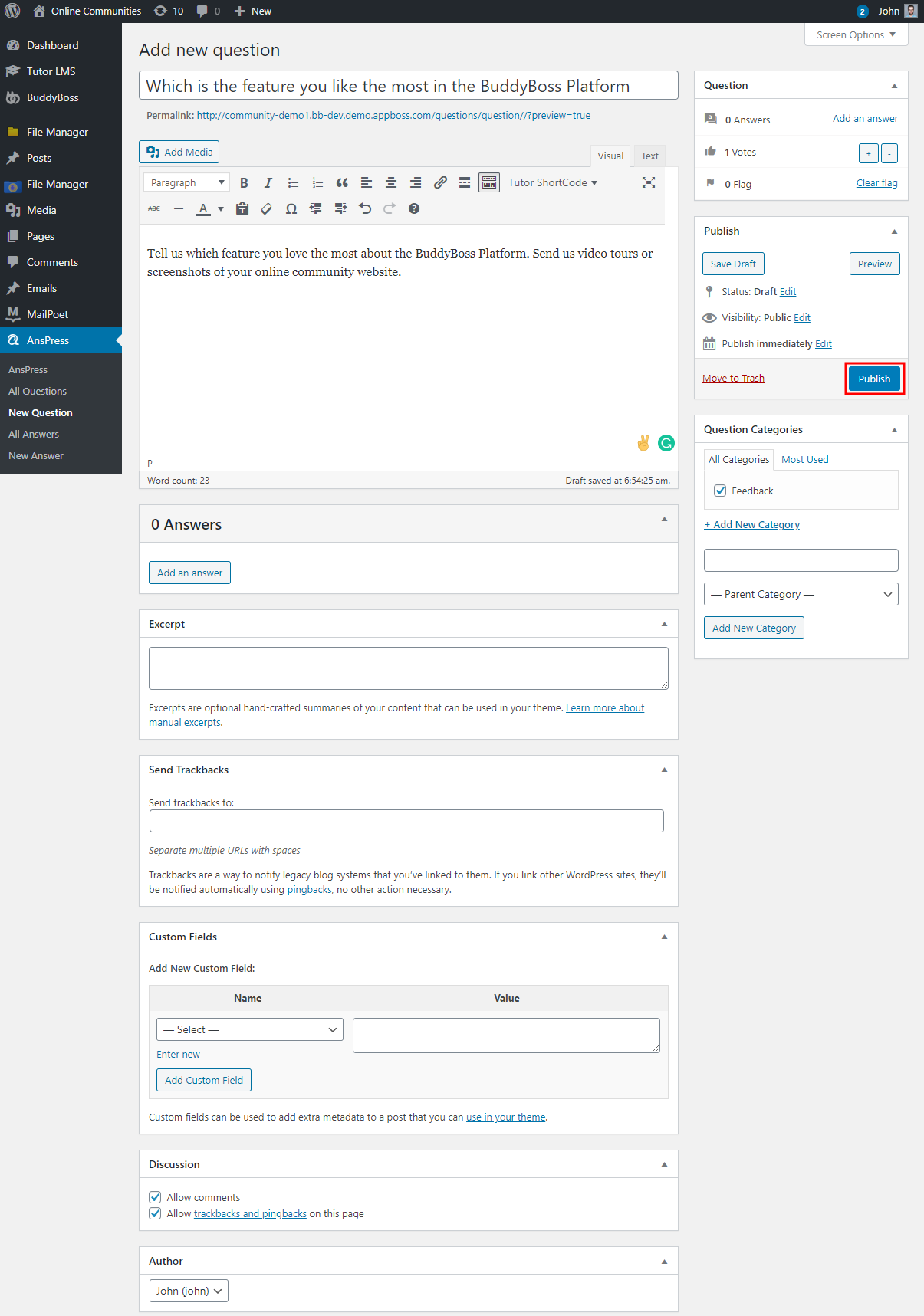
To add a new question:
- Go to WordPress Dashboard > AnsPress > All Questions and then click the New Question button.
- Enter a title for the question and optional content within it.
- You can choose to add answers to the question or just create a new question.
- Select the category, votes for the question.
- Click the Publish button.
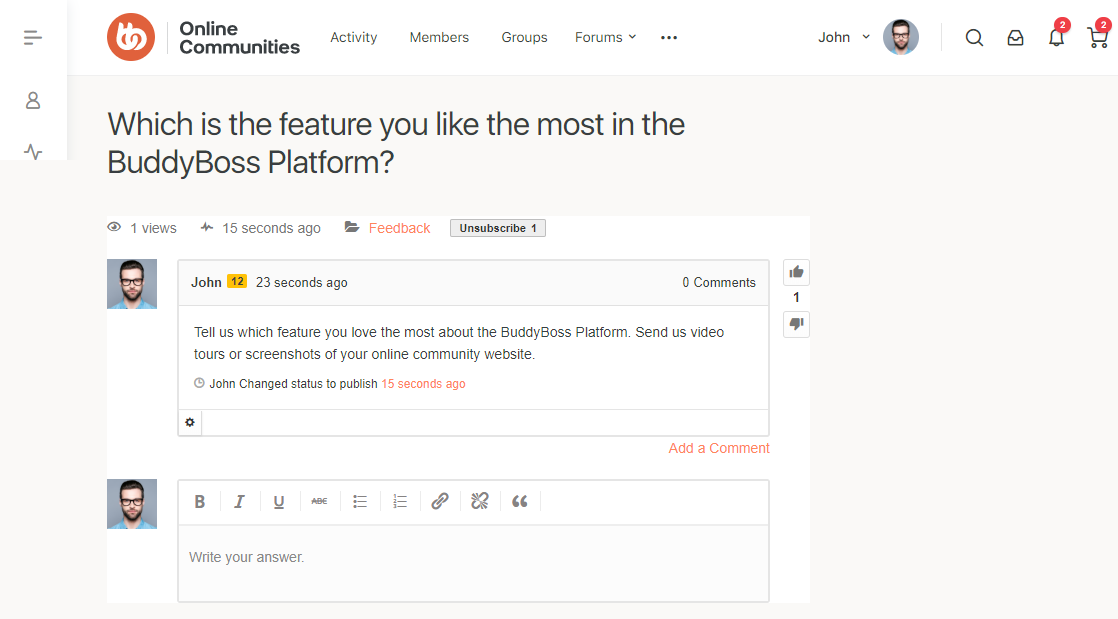
For further setup and usage tutorials, refer to the official documentation of AnsPress.