














Introduction
When submitting a new app listing to Google Play, you may see the error:
Remove conflicts from the manifest before uploading
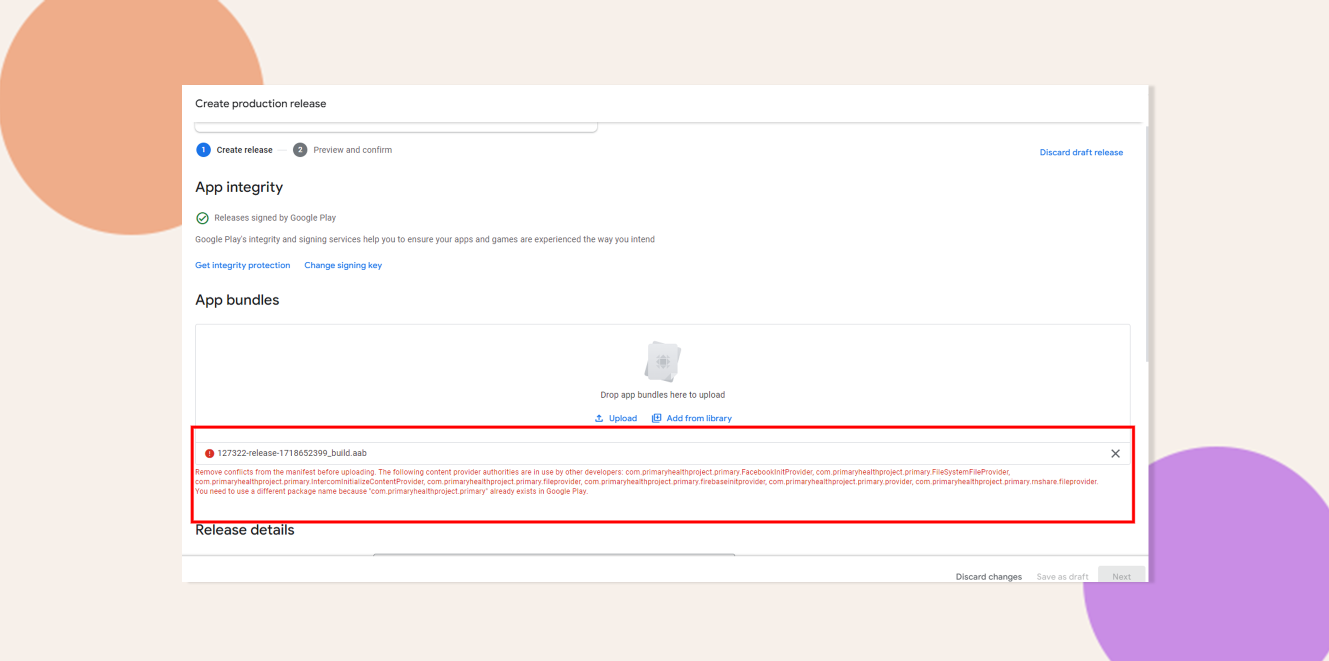
This indicates that your Android application’s package name (application ID) conflicts with an existing app or a previous listing. Use the steps below to resolve package name conflicts and successfully upload your build to your new Google Play developer account.
Resolve Package Name Conflicts
- Use a Unique Application ID
Ensure your app’s applicationId in Gradle or AndroidManifest.xml is completely unique and not associated with any previous apps on your old developer account. - Rebuild with the Updated Package Name
After updating the applicationId, run a clean build (e.g., ./gradlew clean assembleRelease) to include the new ID in your APK/AAB. Verify the built artifact’s manifest reflects the change. - Update Firebase and Backend Configurations
In the Firebase console, register a new Android app using the updated package name. Download its google-services.json and replace the old file in your project. Also confirm any server-side services or API keys reference the new ID.
Troubleshooting and FAQs
Q: I still see the manifest conflict after updating the ID.
A: Clear all build caches with ./gradlew clean, uninstall any previous app versions from your device, then rebuild and reupload.