
REQUIRES: PRO PLAN OR HIGHER • Last updated: Mar 12, 2026 • ~2 min read
The Discussions and Replies Per Page settings control how many forums, discussions, and replies are displayed on each page of your forum directory. Smaller values improve performance on large communities while larger values reduce the need for pagination. This manual walks you through each field.
Tutorial Video
Accessing the Settings
To access these settings, navigate to your WordPress Dashboard, go to BuddyBoss > Settings > Forum Discussions, click Forum Settings from the left menu, then scroll down to the Discussions and Replies Per Page section.
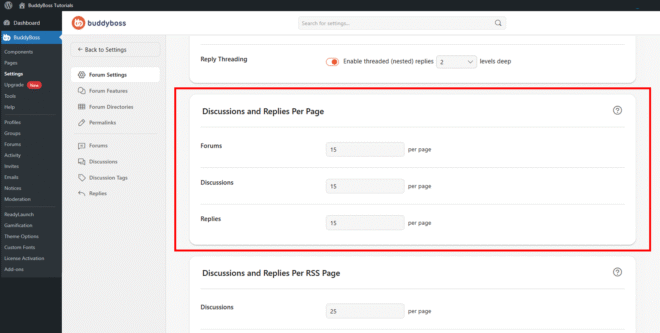
Per-Page Display Settings
Enter a numeric value in each field to set how many items appear per page before pagination kicks in. Click Save Settings when done to apply the changes across your community.
- Forums: Sets how many forum categories are listed per page in the main forum directory.
- Discussions: Sets how many discussion topics are displayed per page within a forum.
- Replies: Sets how many replies are shown per page inside a discussion before pagination begins, improving readability and performance for long threads.
© 2026 BuddyBoss LLC. All Rights Reserved. | buddyboss.com