
REQUIRES: PRO PLAN OR HIGHER • Last updated: Mar 12, 2026 • ~3 min read
The Profile Links settings control how member profile URLs are generated and formatted across your BuddyBoss community. Choosing the right format affects readability, SEO, and how members share their profiles. This manual walks you through the available options.
Tutorial Video
Accessing Profile Link Settings
To access these settings, navigate to your WordPress Dashboard, go to BuddyBoss > Settings > Member Profiles, click Profiles Name, then navigate to the Profile Links from the left panel.
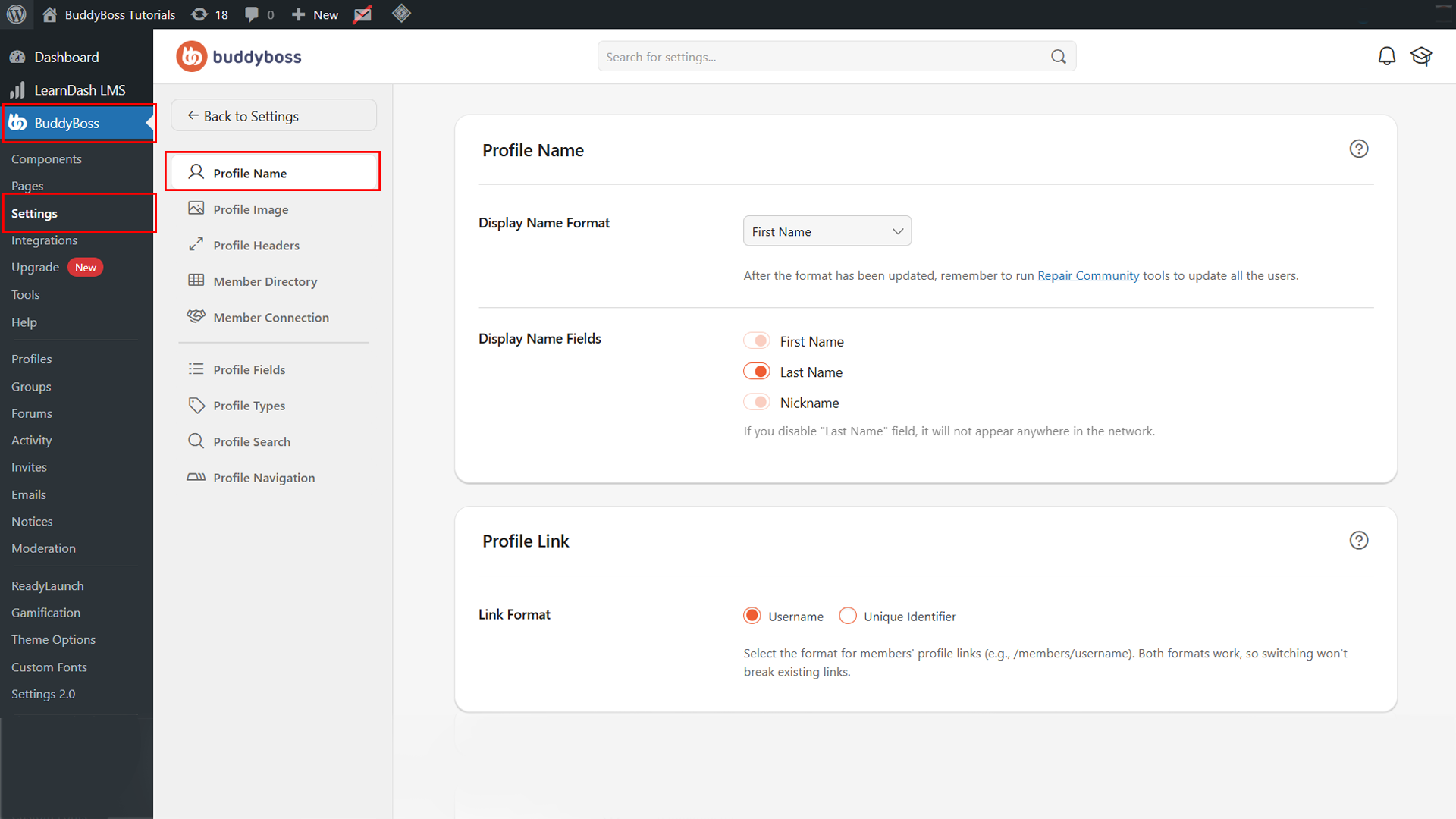
Profile Link Format
The Link Format setting determines the structure of each member’s profile URL. Select your preferred option. The two available formats are:
Unique Identifier: Uses a system-generated ID for the profile URL (e.g., /members/12345).
Username: Generates a human-readable URL using the member’s username (e.g., /members/johnsmith). Recommended for better readability and SEO.
© 2026 BuddyBoss LLC. All Rights Reserved. | buddyboss.com