














Introduction
When submitting an Android publishing request via the BuddyBoss plugin, you may encounter the error:
Missing Release Name (During Android Publishing Request Submission)
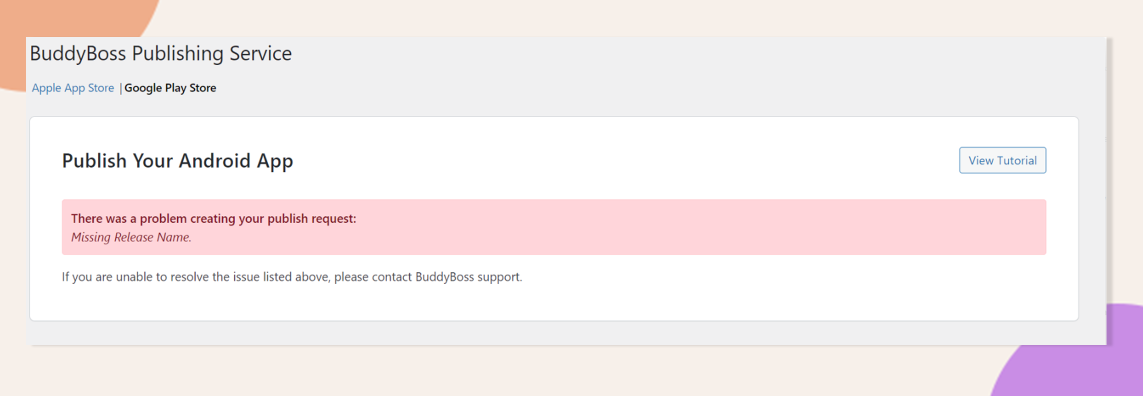
This happens when Google Play Console cannot detect a release name in your Production track, either because your draft is untitled or because the Production track is closed. Follow the scenarios below to resolve the issue and successfully submit your request.
Scenario 1: Untitled Release Draft in Production Track
- Go to your Google Play Console and select your app.
- Navigate to Production > Edit Release > Release Details > Release Name.
- Enter a meaningful release name (e.g., “v1.0.0” or “Initial Launch”).
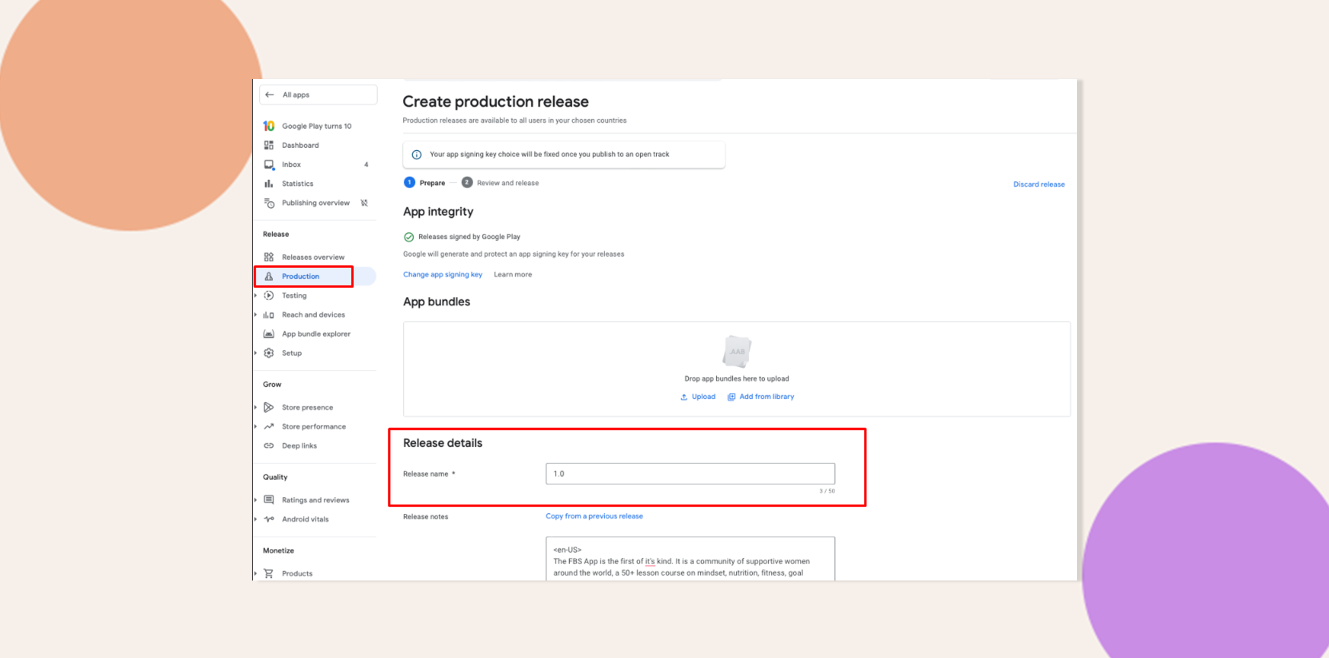
- Click Save.
- Return to your WordPress dashboard and resubmit the publishing request.
Scenario 2: Production Track Closed and Testing Requirements
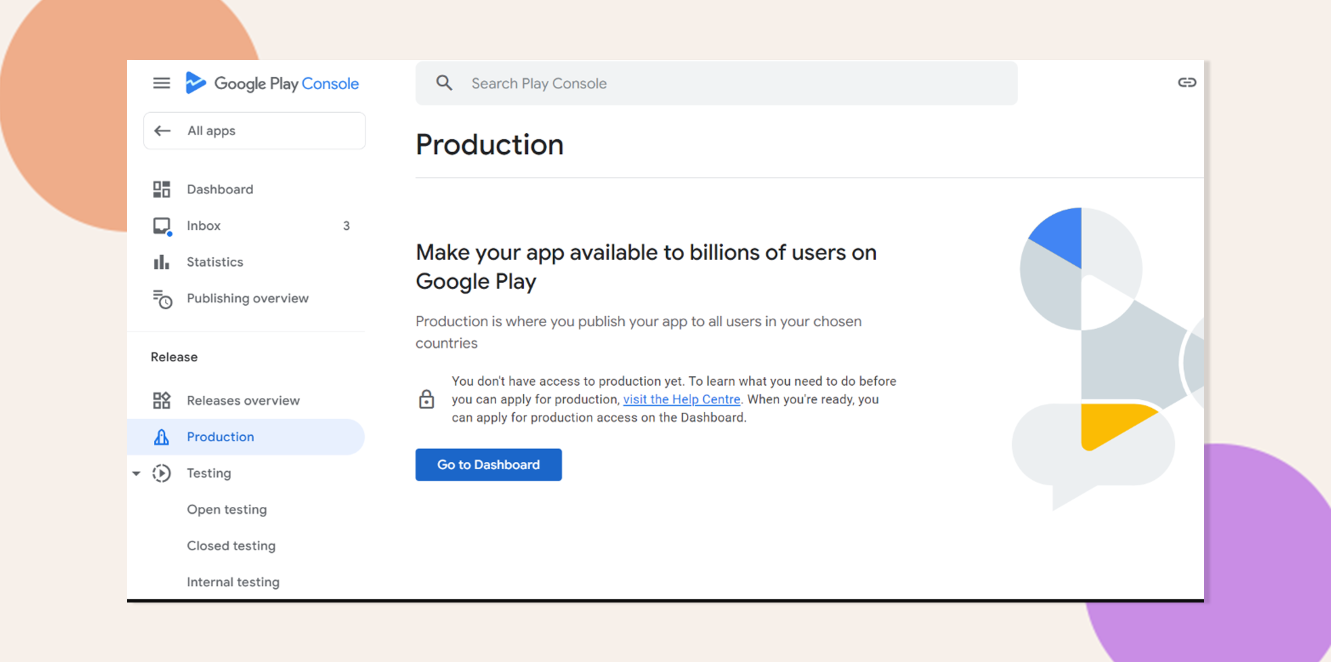
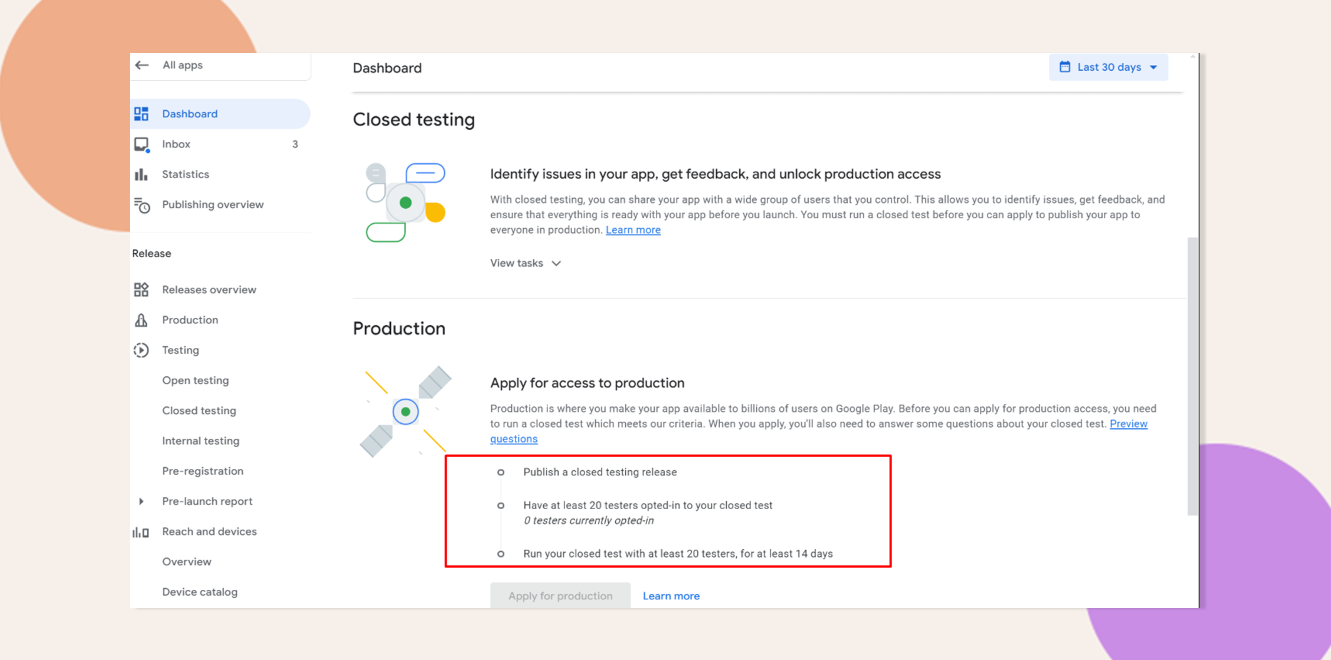
- In Google Play Console, confirm that the Production track is closed or unavailable.
- Complete Google’s testing requirement by publishing at least one release to any testing track (Internal, Closed, or Open).
- Once a testing release exists, the Production track will open, allowing you to create a release draft with a release name.
- Alternatively, register an Organization account under your Google Play Developer profile. Organization accounts bypass the testing requirement and grant immediate access to the Production track.
Troubleshooting and FAQs
Q: Why does Google require a release name?
A: A release name identifies your build for reviewers and helps track version history in the Play Console.
Q: I’ve entered a release name but still get the error. Why?
A: Permission changes or track status updates can take a few minutes to propagate—wait 10–15 minutes, then retry.