














The BuddyBoss App Share App Link feature allows members to easily share your mobile app with others directly from the BuddyBoss App. You can customize the shared link preview, enable sharing for iOS and Android, and configure a fallback link for recipients who cannot be directed to an app store.
Once enabled, members can access Share this App from their app settings and send the app link using the sharing options available on their device.
Configuring the Share App Link Feature
Enable App Sharing
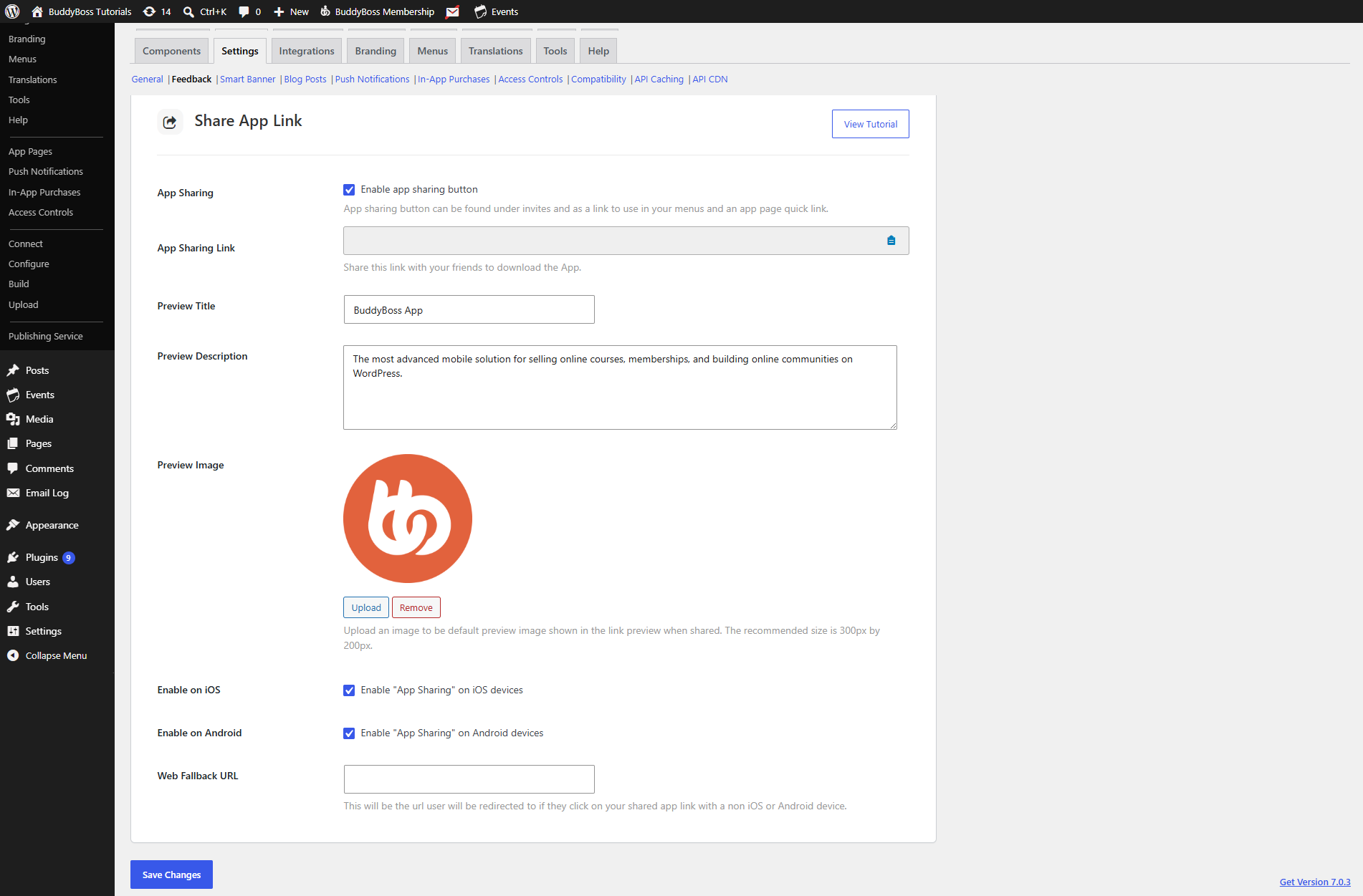
- In your WordPress Dashboard, navigate to BuddyBoss App > Settings > Feedback.
- Scroll to the Share App Link section.
- Tick App Sharing to enable the sharing feature.
Customize the Share Preview
The preview settings control the information displayed when your app link is shared.
- In Preview Title, enter the title you want to appear in the shared link preview.
- In Preview Description, add a short description of your app or community.
- Click Upload next to Preview Image and select the image you want to display with the shared link.
Enable Sharing for iOS and Android
Choose which platforms members can share your app for.
- Tick Enable on iOS to enable the app sharing link for your iOS app.
- Tick Enable on Android to enable the app sharing link for your Android app.
- Enter a URL in the Fallback Link field. This link is used when the recipient cannot be directed to the applicable app store.
- Click Save Changes.
Note: If your app has not yet been published on iOS or Android, you can leave the corresponding option disabled and enable it after your app is available on that platform.
Retrieve Your App Sharing Link
The App Sharing Link can also be used outside the BuddyBoss App, allowing you to direct users to the appropriate app download destination from your website or other content.
- Locate the App Sharing Link in the Share App Link settings.
- Copy the URL.
- Add the link to your website where needed, such as buttons, Quick Links, or menu items.
Sharing Your App Link from the Mobile App
After App Sharing is enabled, members can share your app directly from their BuddyBoss App.
- Open the BuddyBoss App on your mobile device.
- Tap More > Settings.
- Scroll to Share this App and tap it.
- Select one of the available sharing options on your device, such as Contacts, Facebook, or LinkedIn.
- Select the recipient or destination and complete the sharing process.
The recipient can then open the shared link to access the appropriate app destination based on the sharing configuration you have set.