














The BuddyBoss App Report a Bug feature allows members to report issues directly from the BuddyBoss App. Members can provide a description of the problem and attach images or videos, while useful app and device information is automatically included in the report.
You can configure where bug reports are sent and customize the email subject from your WordPress Dashboard. This makes it easier to collect relevant information from members and review reported app issues from a designated email inbox.
Configure the Report a Bug Feature
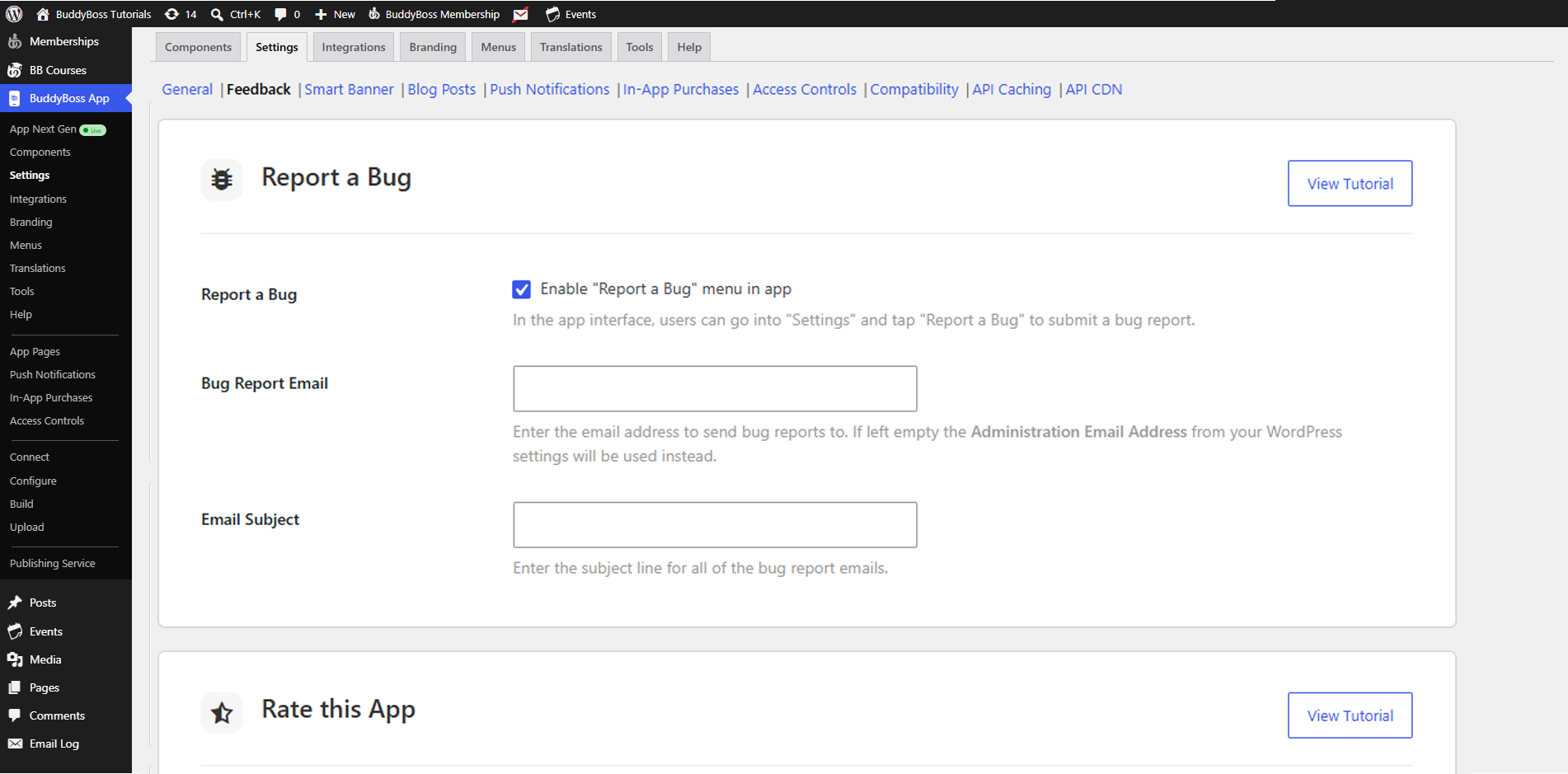
Enable Bug Reporting
- In your Dashboard, go to BuddyBoss App > Settings > General.
- Tick the Report a Bug checkbox to activate the feature in the app interface.
Set the Feedback Email
- In the Bug Report Email field, enter the email address where reports should be sent.
- (Optional) If you leave this blank, the system uses your Administration Email Address from WordPress.
- In the Email Subject field, enter a default subject line for incoming bug reports.
Submit a Bug Report from the App
- On your mobile device, open the BuddyBoss App and tap Settings.
- Tap Report a Bug to open the report form.
- Enter your description of the issue.
- (Optional) Tap Upload Image or Video to attach screenshots or videos.
- Tap Send to submit your report.
Now check the email that you have entered in the Report a Bug setting. It will show you the following information-
- Message
- Apple ID
- Platform
- App Version
- iOS Version
- Device Model
- Email Address of the user