













This guide shows you how to connect your BuddyBoss App to your WordPress site. By following these steps, you can easily connect BuddyBoss App with your website, giving your members seamless access to courses, community features, and in-app content. BuddyBoss walks you through the process step by step to ensure a smooth setup and fully functional mobile experience.
Prerequisites
Before installing the BuddyBoss App, confirm that you have:
- A properly configured WordPress environment
- Ensure your hosting is set up and meets the recommended requirements.
- Verify that WordPress is installed and running.
- A full site backup
- It’s best practice to have daily backups in place.
- Perform a manual backup before proceeding to ensure you can revert if needed.
Once these steps are completed, you’re ready to install the required plugins.
Downloading the Required Plugins
To properly configure your BuddyBoss App, you will need the following plugins:
- BuddyBoss Platform (Core functionality for your app)
- BuddyBoss Platform Pro (Adds advanced features)
- BuddyBoss App (Required for mobile app integration)
How to Download:
- Log in to your BuddyBoss Account.
- Navigate to Dashboard > Downloads.
- Download the Current Build of the required plugins.
Installing the Plugins
Once downloaded, follow these steps to install the plugins:
- Log in to your WordPress Dashboard.
- Go to Plugins > Add New.
- Click Upload Plugin.
- Select the BuddyBoss Platform plugin .zip file.
- Click Install Now, then Activate.
- Repeat these steps for BuddyBoss Platform Pro and BuddyBoss App (if applicable).
Connecting Your BuddyBoss App
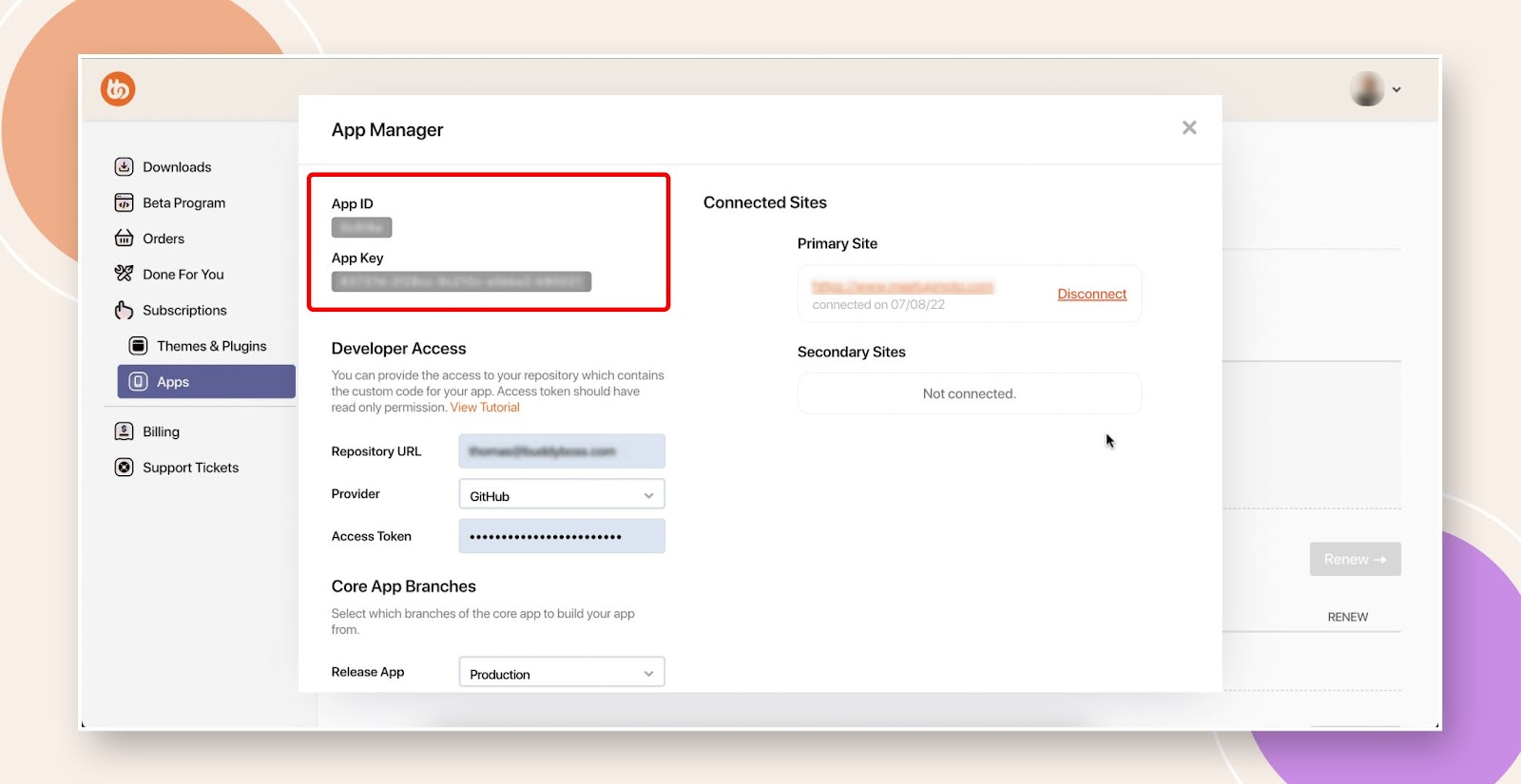
To link your BuddyBoss App to your WordPress site, you will need your App ID and App Key.
How to Obtain Your App Credentials:
- Log in to your BuddyBoss Account.
- Click on My Account (top-right corner) to access your dashboard.
- Navigate to Apps under Subscriptions.
- Select Manage on the license you wish to use.
- Copy the App ID and App Key.

Enter Credentials in WordPress:
- In your WordPress Dashboard, go to BuddyBoss App > Connect.
- Paste your App ID and App Key.
- Click Connect.
Your BuddyBoss App is now linked to your WordPress site!