














The BuddyBoss App Send Us Feedback feature allows members to submit feedback directly from the mobile app. Members can send comments or questions, attach images or videos, and provide useful device and app information to help your team review their feedback.
You can enable the feature from your BuddyBoss App settings, choose the email address that receives submissions, and set a default email subject for incoming feedback.
Configuring the Feedback Settings
- In WordPress, go to BuddyBoss App > Settings > Feedback.
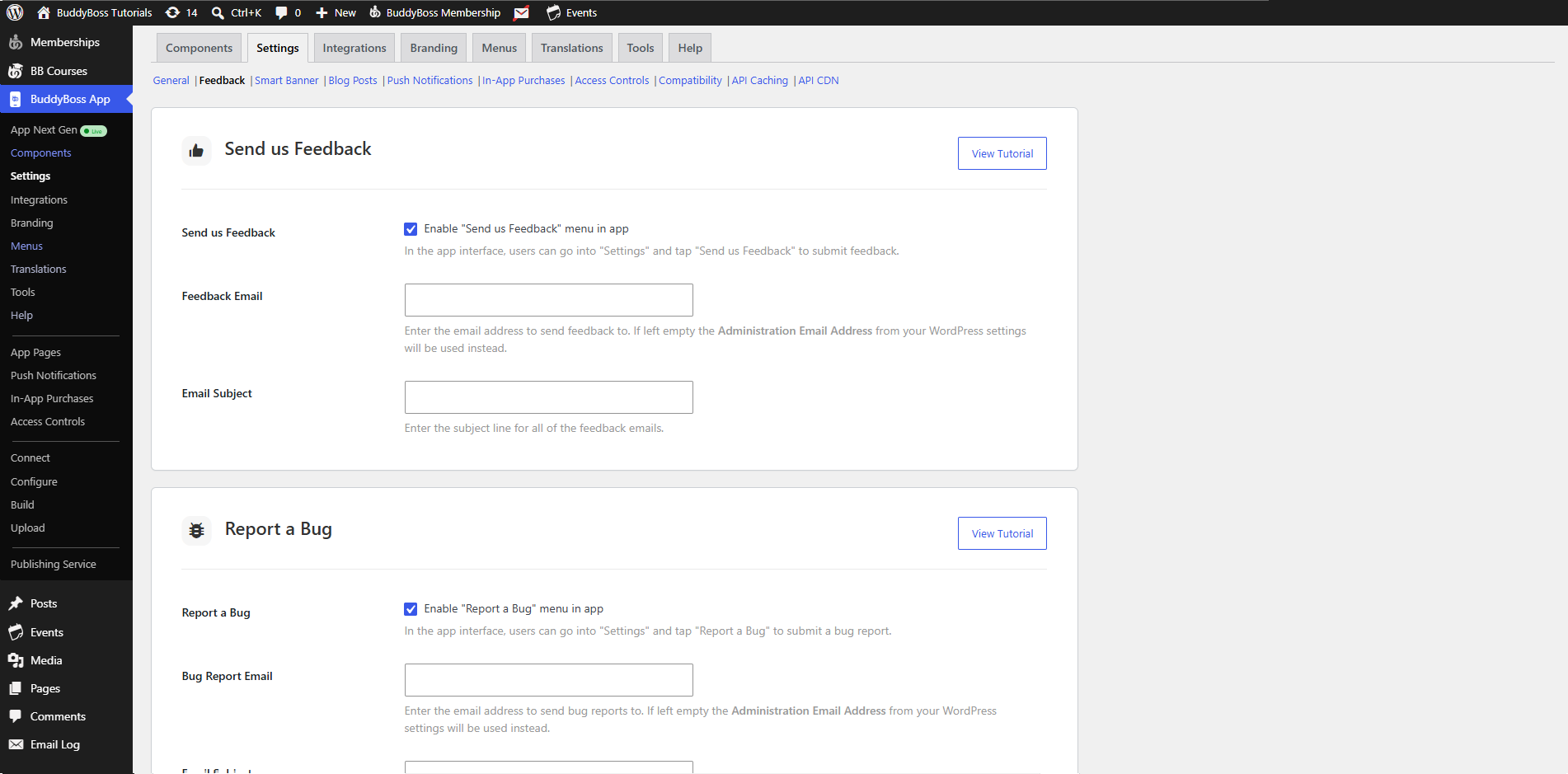
- Tick Send Us Feedback to enable the feature.
- In Feedback Email, enter the address where feedback should be sent.
- If left blank, the site’s Administration Email (under Settings > General) is used.
- If left blank, the site’s Administration Email (under Settings > General) is used.
- (Optional) In Email Subject, enter a default subject line for incoming feedback emails.
- Click Save Changes.
Submitting Feedback from the App
- Open the BuddyBoss App on your mobile device.
- Navigate to Settings (via the More menu).
- Tap Send Us Feedback.
- In the Feedback box, enter your comments or questions.
- (Optional) Tap Upload Image or Video to attach media files.
- Tap Send to submit.
Emails you receive will include:
- Feedback Message
- User’s Apple ID or Google Account
- Platform (iOS or Android)
- App Version
- OS Version
- Device Model
- User’s Email Address