














The BuddyBoss App Link Handling setting allow you to control how links to third-party websites open when members tap them in the app.
External links added to App Pages, blog posts, course content, app menus, and other app content can open using the In-App Browser, an External Browser, or according to each member’s preference.
Configure Link Handling
- In your WordPress Dashboard, navigate to BuddyBoss App > Settings > Compatibility.
- Locate the Link Handling section.
- Select how you want external links to open:
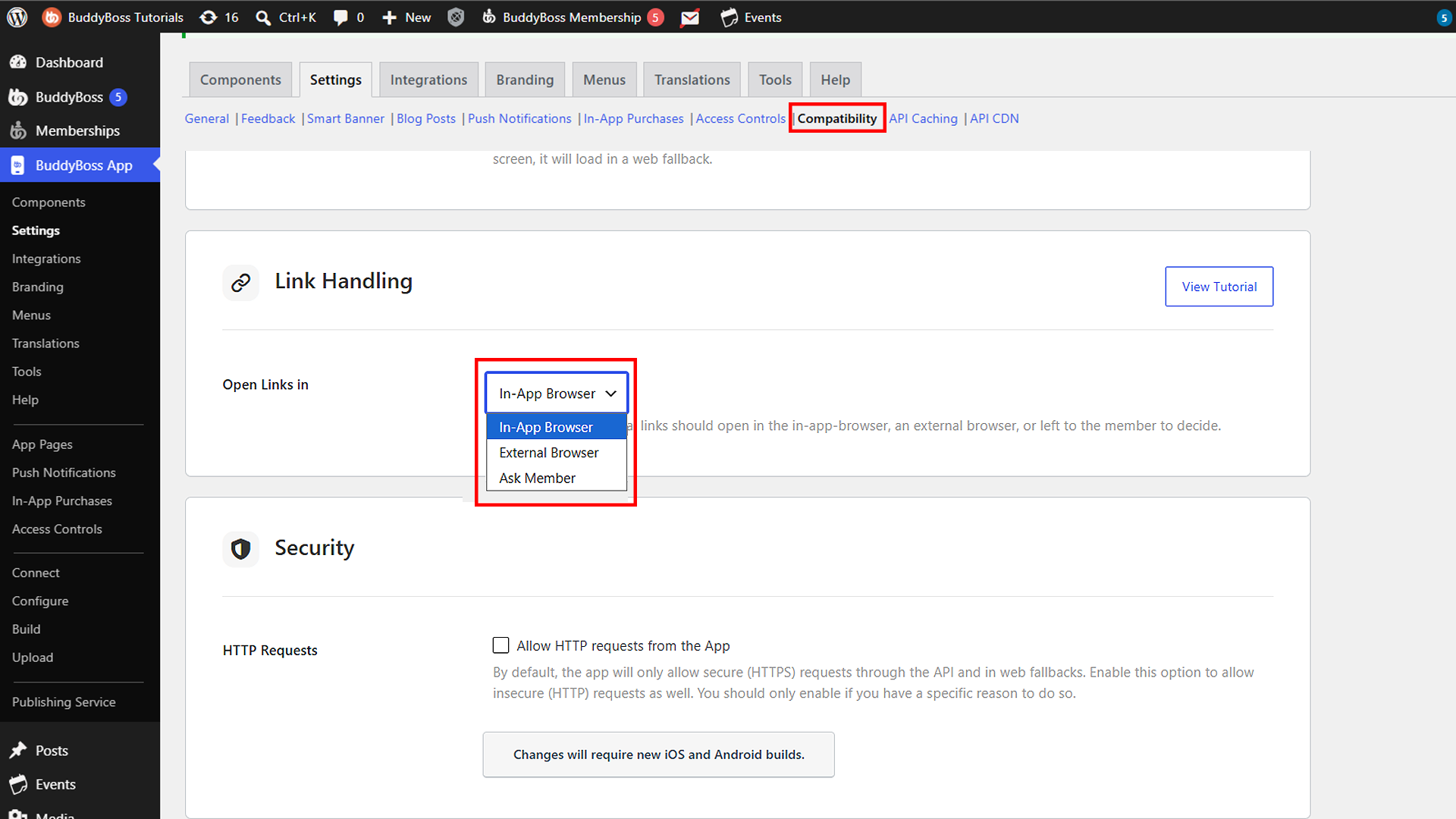
- In-App Browser – Opens links within the BuddyBoss App.
- External Browser – Opens links using the device’s default browser, such as Safari or Chrome.
- Ask Member – Allows each member to choose whether links open in the In-App Browser or an external browser.
- Click Save Changes.
- Hard quit and reopen the BuddyBoss App to ensure the updated setting is applied.
Using the In-App Browser
Select In-App Browser if you want third-party links to open without taking members away from the BuddyBoss App.
When a member taps an external link, the linked webpage automatically opens using the app’s built-in browser.
Using an External Browser
Select External Browser if you want third-party links to open outside the BuddyBoss App.
When a member taps a link, it opens using the default web browser configured on their device, such as Safari or Chrome.
Allow Members to Choose
Select Ask Member to allow members to choose how external links should open.
The first time a member taps an external link, the app asks whether they want to use the In-App Browser or an External Browser. The app remembers their selection for future links.
Members can change their preference at any time by opening the app’s Settings and selecting Web Browser.
Note: The Web Browser setting is available to members only when Ask Member is selected under the Link Handling settings in WordPress.
When a member chooses the In-App Browser, they can also use the browser icon in the upper-right corner to open the current webpage in their device’s external browser.