














A BuddyBoss Reader App allows members to access digital content they have already purchased outside the app, such as courses or memberships, without purchasing that content directly through the app.
This can be an option if you do not want to offer In-App Purchases (IAP) through your BuddyBoss App. However, Reader Apps are subject to App Store requirements, and each app is reviewed individually.
Consider In-App Purchases Before Using a Reader App
Before deciding to configure your app as a Reader App, review the requirements for In-App Purchases from Apple and Google.
Digital products can include:
- Memberships and subscriptions
- Access to course content
- Digital badges or credits
- Other digital features or content purchased for use within the app
App Store commissions and requirements can vary depending on factors such as revenue, subscription duration, subscription status, and participation in applicable commission programs.
If you plan to sell subscriptions or other digital products through your app, review the applicable Apple and Google policies before deciding whether a Reader App is appropriate for your business.
How a Reader App Works
With Reader App compatibility enabled, members can access eligible content they have already purchased through your website.
For example, if a member purchases access to a course on your website, they can log in to the BuddyBoss App and access that course.
When using the Reader App approach, you cannot use the app to direct members to your website to purchase additional digital content. This includes promoting, upselling, or providing links that direct members to alternative purchasing methods.
Enable Reader App Compatibility
- Log in to your WordPress Dashboard.
- Navigate to BuddyBoss App > Integrations > LearnDash.
- Locate Reader App Compatibility.
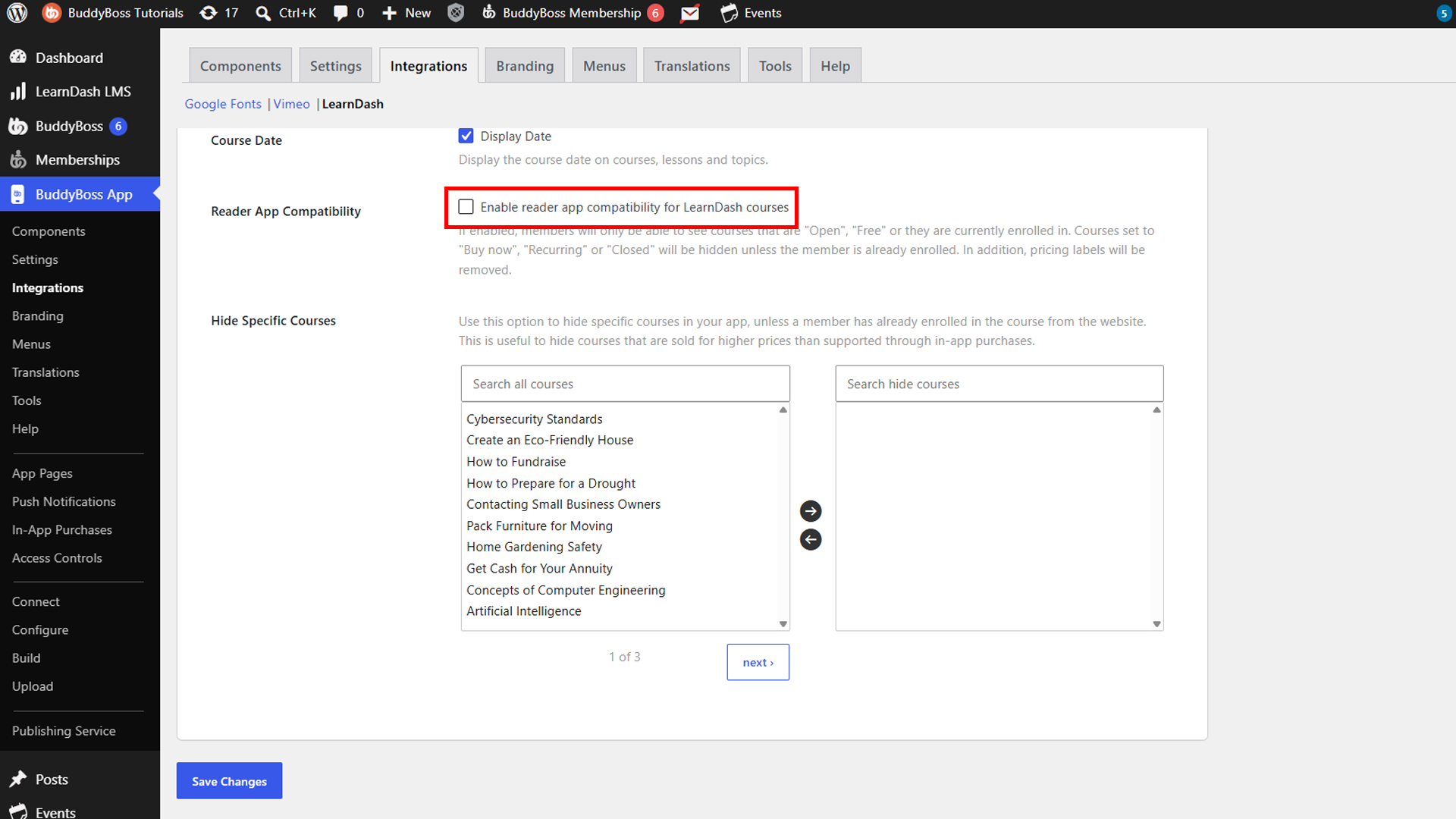
- Enable Reader App Compatibility.
- Save your changes.
Once enabled, members can access the courses they have already purchased on your website. Courses cannot be purchased directly through the app, and members will not be prompted within the app to purchase courses they do not have access to.
Reader App Approval
BuddyBoss provides Reader App Compatibility to help configure your app for this type of experience. However, enabling this setting does not guarantee that an app will be approved as a Reader App.
App Store submissions are reviewed on a case-by-case basis, and the final decision is made by the applicable app store.
Having community or social features in your app does not by itself establish whether the app will or will not qualify. The app’s overall functionality and implementation are considered during the review process.
Note: App Store policies and requirements can change over time. Review the latest Apple and Google requirements before submitting your app.