














Introduction
Each MediaPress add-on serves a different purpose and you may choose to install them based on the requirement of your site.
To install MediaPress Add-ons:
- Download the preferred add-on for MediaPress from your BuddyDev account page. For example, download the MediaPress Media Rating add-on.
- Extract the downloaded mpp-media-rating.zip file to the WordPress plugins folder yourhostname/wordpress/wp-content/plugins OR
Go to your WordPress Dashboard > Plugins > Add New. Click the Upload Plugin button. Browse to the download file location, select the mpp-media-rating.zip & install the plugin. - Click the Activate Plugin button to activate the MediaPress Media Rating plugin on your website. OR
To activate the plugin on your website site go to WordPress Dashboard > Plugins and then click the Activate button for MediaPress Media Rating.
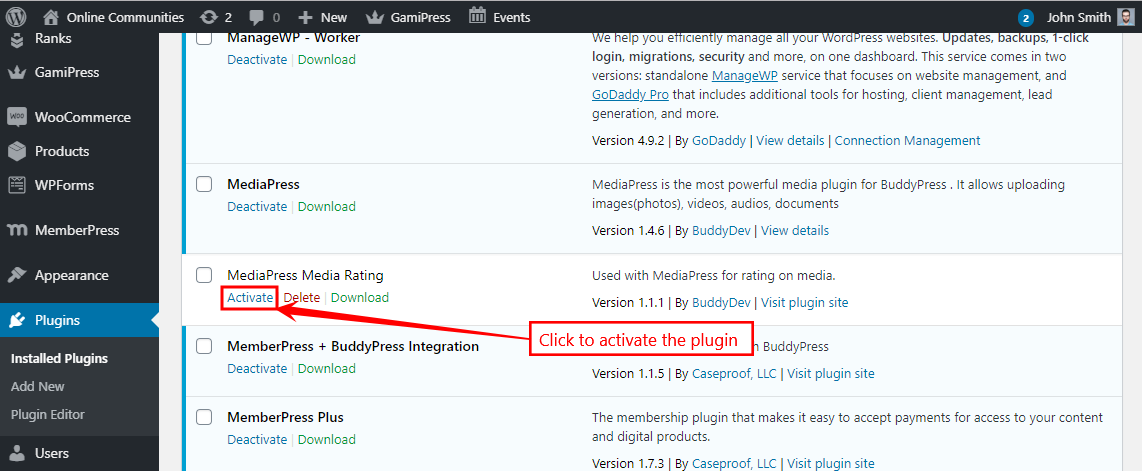
- Similarly, you may install and activate the preferred add-on on your website for MediaPress.
Setting up the Media Rating Add-on
After activating the plugin, you can adjust the Media Rating settings for your website.
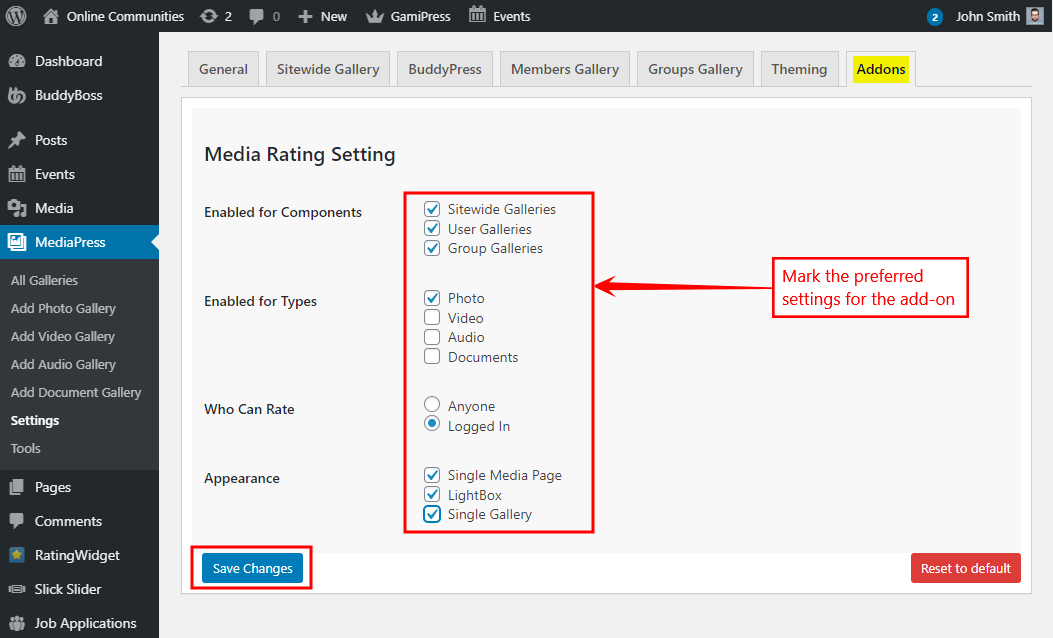
- Go to WordPress Dashboard > MediaPress > Settings > Addons.
- In the Media Rating Setting section, mark the preferred components, types for the ratings to be displayed. Select the users who can rate the media.
- Click the Save Changes button to apply the settings.

For further setup options, refer to the official documentation of the MediaPress Media Rating plugin.