
Introduction
Each myCRED add-on offers a variety of add-ons that extend the functionality of your points and rewards system. Each add-on is designed for a specific purpose, allowing you to enable only the features your community needs.
For example, you can add badges, notifications, leaderboards, and other gamification features to enhance member engagement.
Installing a myCRED Add-on
- Go to WordPress Dashboard > Points > Add-Ons.
- Click the Activate button for the myCRED add-on you want to install. For example, click the Activate button for Badges Add-on on your website.
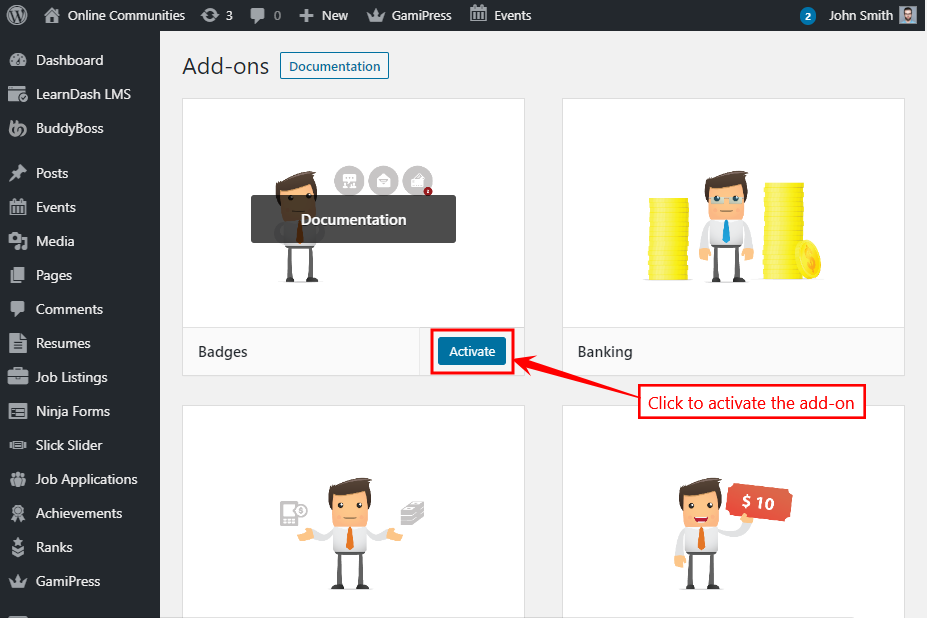
- The Badges Add-on allows you to create badges – a visual token of achievement.
- Go to WordPress Dashboard > Points > Badges.
For further setup, refer to the official documentation of the Badges Add-on.
Similarly, you may install and activate the preferred add-on on your website for myCRED and the BuddyBoss Theme will automatically style the content without breaking your site.