














The Restrict Content plugin lets you restrict access based on user role so that your posts or pages become viewable by logged-in members only. With the plugin you can:
- Protect sensitive content
- Control user access
- Collect emails
- Allow new users to self register
- Clearly separate public content from private content
- Restrict access to entire pages or specific sections
- Let users register and login from the frontend of your site
The FREE version features include:
- Limit access to content with a shortcode. Example: [restrict]This content is limited to logged in users.[/restrict]
- Limit access to content based on user role. Example: [restrict userlevel=”editor”]Only editors and higher can see this content.[/restrict]
- Limit access to full content via a simple interface on the post, page, and custom post type editing screens.
- Display a registration form for new accounts on any page of your website with [register_form].
- Display a login form for existing users on any page of your website with [login_form].
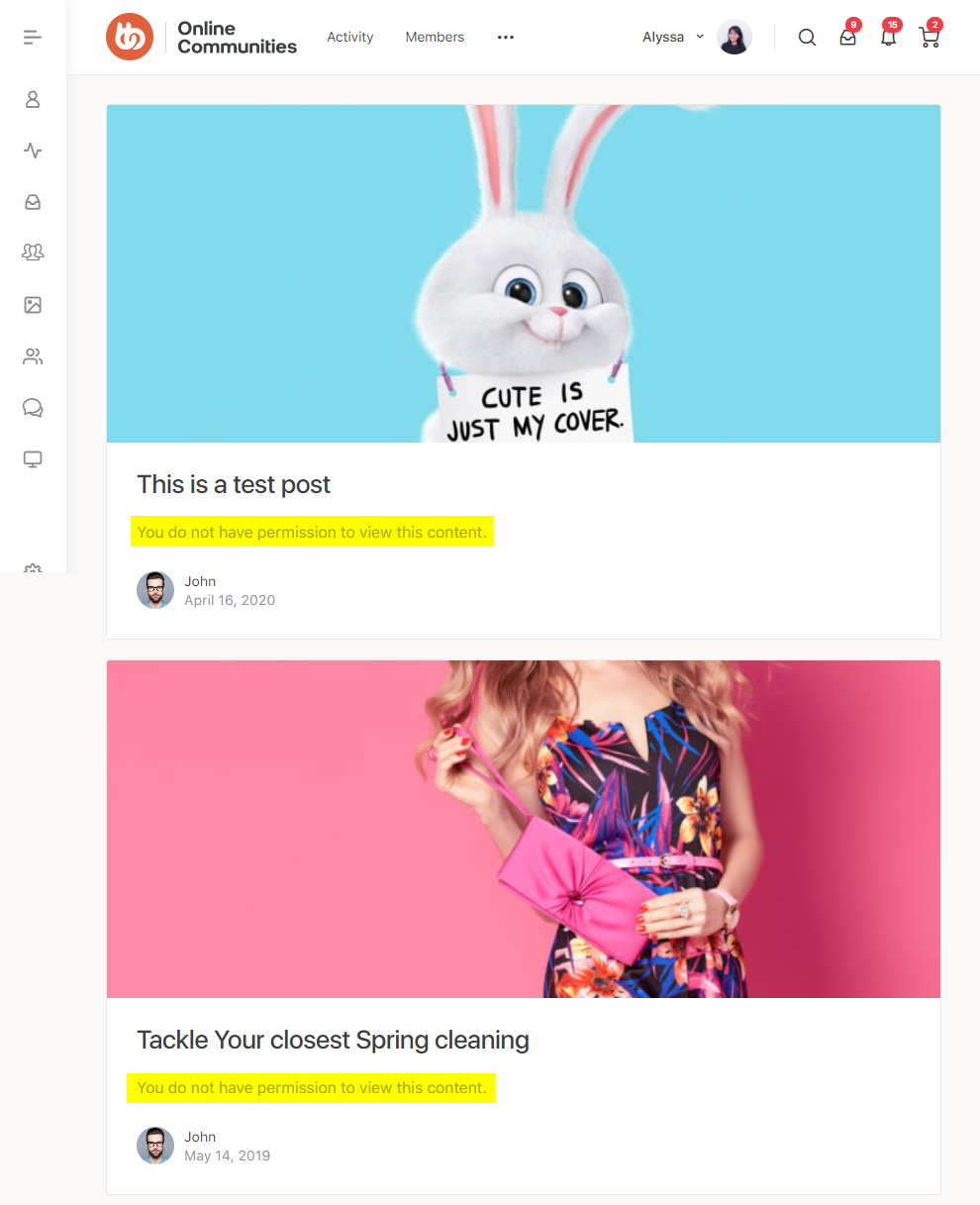
- Specify the message shown to users who don’t meet the role requirement.
- Optionally hide content in RSS feeds.
The Pro version features include:
- Self-service account management
- Unlimited membership levels
- Payment processing support for Stripe, PayPal, Authorize.net, and other payment gateways
- Email marketing support for Mailchimp, AWeber, ConvertKit, and other providers
- AffiliateWP integration
- Restrict access to WooCommerce products
- Discount code support
- Complete member management
- Email members membership updates
- CSV data export capabilities
- Detailed reporting
- Developer-friendly for building custom integrations
- Large ecosystem of official and third-party add-ons
The BuddyBoss Theme and Platform adapts to the settings and options seamlessly.
Installing the plugin
To install the plugin:
- Download the Restrict Content plugin from the link below
https://wordpress.org/plugins/restrict-content/ OR
Buy and download the PRO version from the link below
https://restrictcontentpro.com/pricing/ - Extract the downloaded restrict-content-pro.zip file to the WordPress plugins folder yourhostname/wordpress/wp-content/plugins OR
Go to your WordPress Dashboard > Plugins > Add New. Click the Upload Plugin button. Browse to the download file location, select the restrict-content-pro.zip & install the plugin. - Click the Activate Plugin button to activate the Restrict Content Pro plugin on your website. OR
To activate the plugin on your website site go to WordPress Dashboard > Plugins and then click the Activate button for Restrict Content Pro.
Setting up the plugin
To setup the plugin:
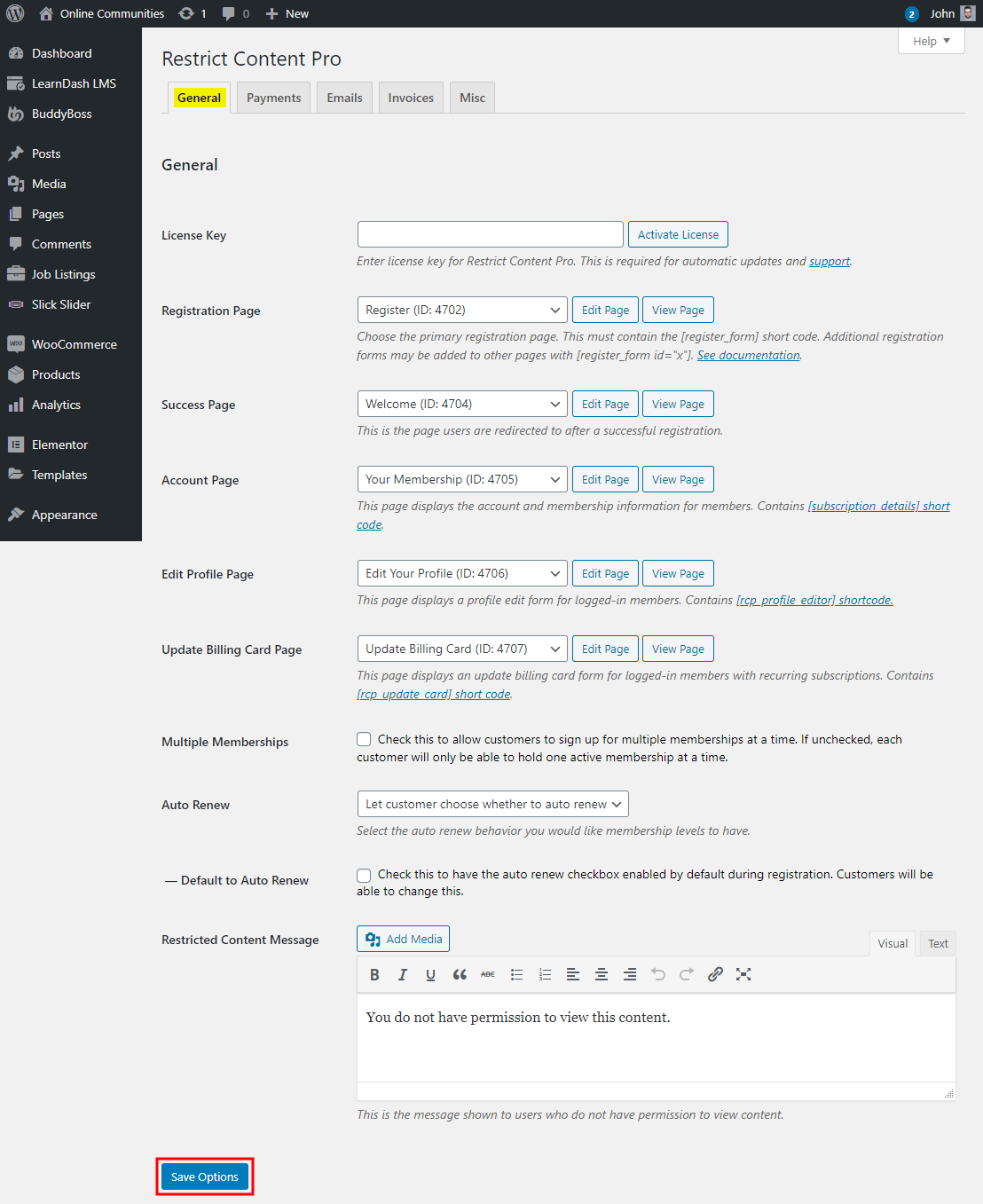
- Go to WordPress Dashboard > Restrict > Settings.
- In the General tab, make the preferred changes to the settings.
- In the Payments tab, set up the payment options for memberships.
- Click the Save Options button.
Creating a membership level
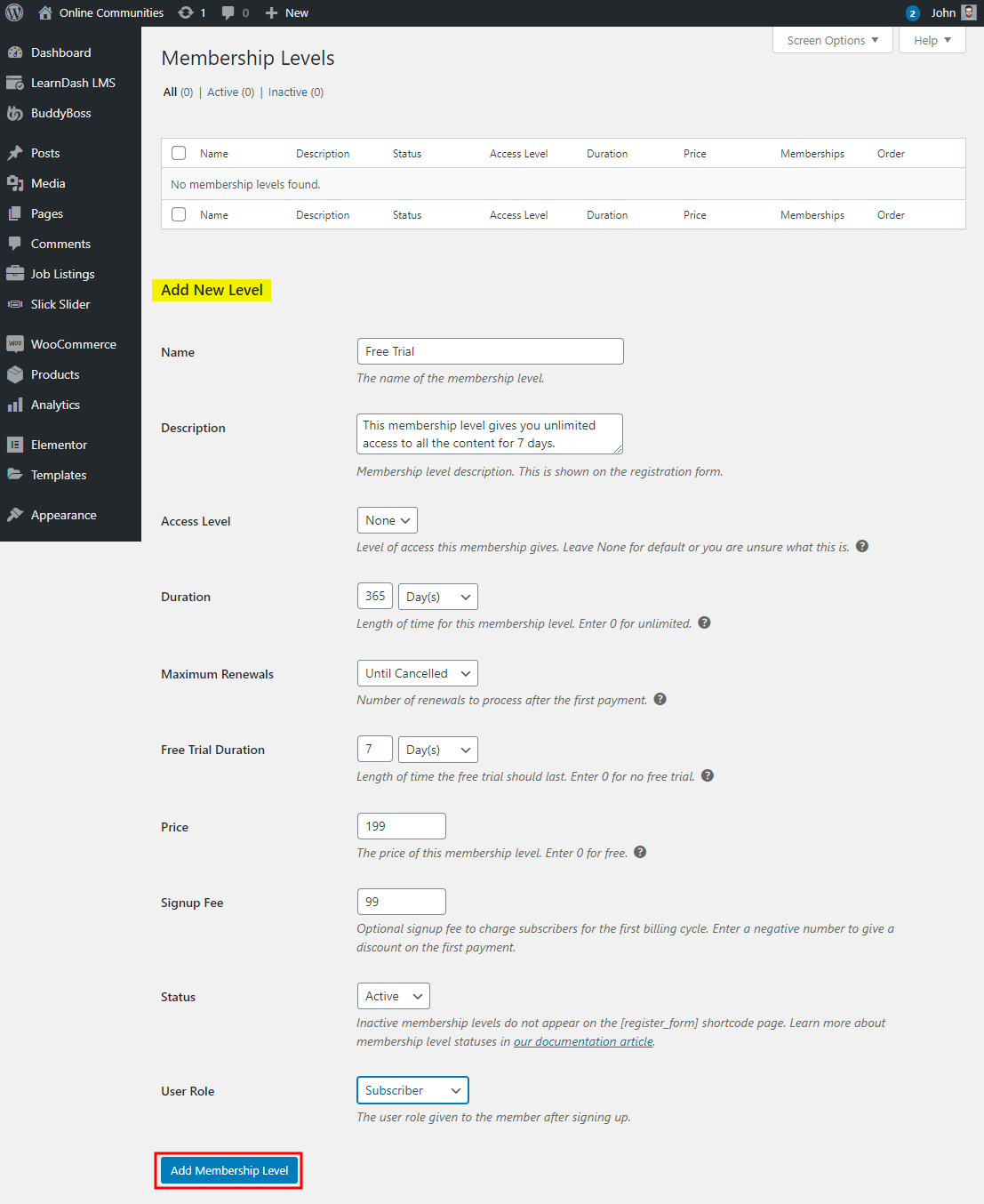
To create a new membership level with a trial period of 7 days:
- Go to WordPress Dashboard > Restrict > Membership Levels.
- Add the details for the membership levels such as price and trial period.
- Click the Add Membership Level button.
Restricting content
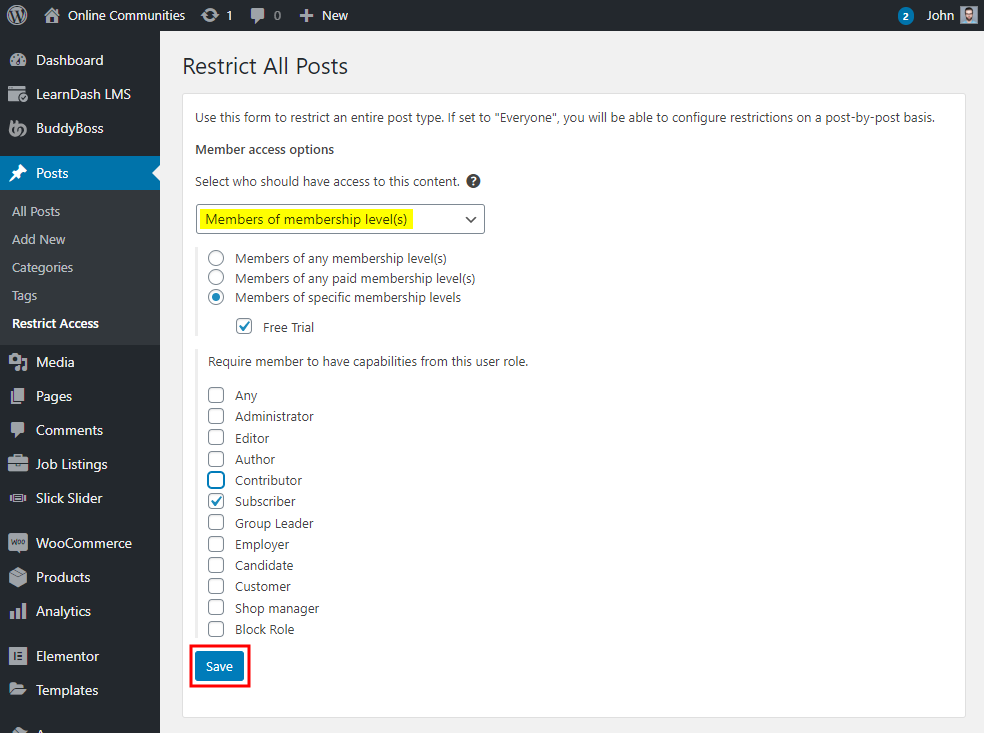
On every post, page, and custom post type is a meta box called Restrict this Content. You can combine some restrictions to create a more granular access control system if needed. To restrict content based on membership levels and user role for posts:
- Go to WordPress Dashboard > Posts > Restrict Access.
- In the Member access options, select Members of membership level(s) and mark the membership levels who should have access to the content.
- Select the user role for the content access.
- Click the Save button.
For further setup and usage tutorials, refer to the official documentation of Restrict Content Pro.