Introduction
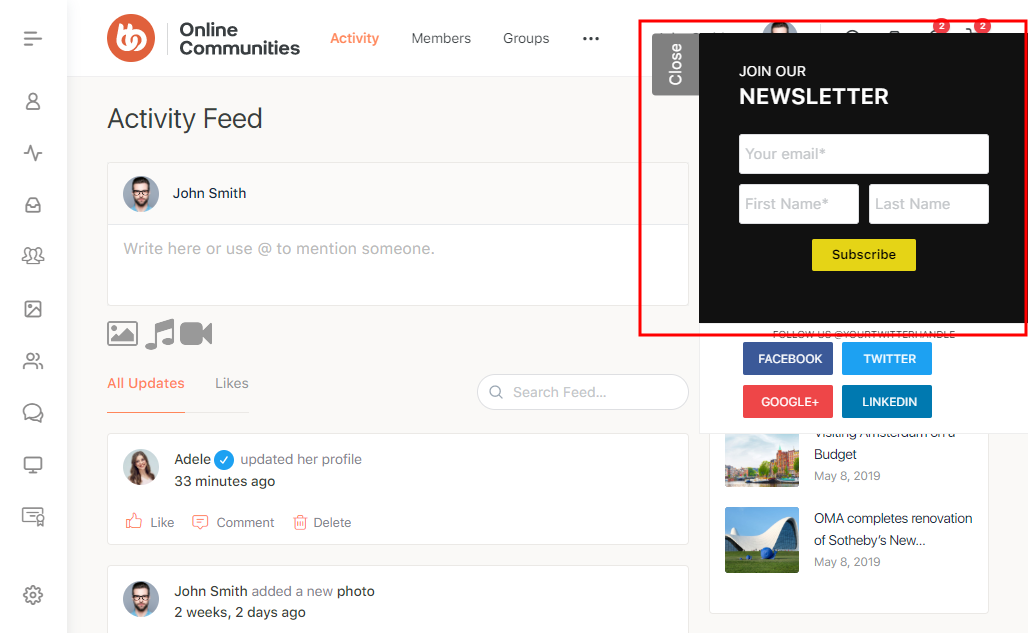
Social Subscribe Box lets your users subscribe to your MailChimp newsletter on your WordPress site. Also, supports linking to your social media profiles(Facebook, Twitter, Google+ & LinkedIn).
Installing the plugin
To install the plugin:
- Download the Social Subscribe Box plugin from the link below
https://buddydev.com/plugins/social-subscribe-box/ - Extract the downloaded social-subscribe-box.zip file to the WordPress plugins folder yourhostname/wordpress/wp-content/plugins OR
Go to your WordPress Dashboard > Plugins > Add New. Click the Upload Plugin button. Browse to the download file location, select the social-subscribe-box.zip & install the plugin. - Click the Activate Plugin button to activate the Social Subscribe Box plugin on your website. OR
To activate the plugin on your website site go to WordPress Dashboard > Plugins and then click the Activate button for Social Subscribe Box.
Setting up the plugin
To set up the plugin:
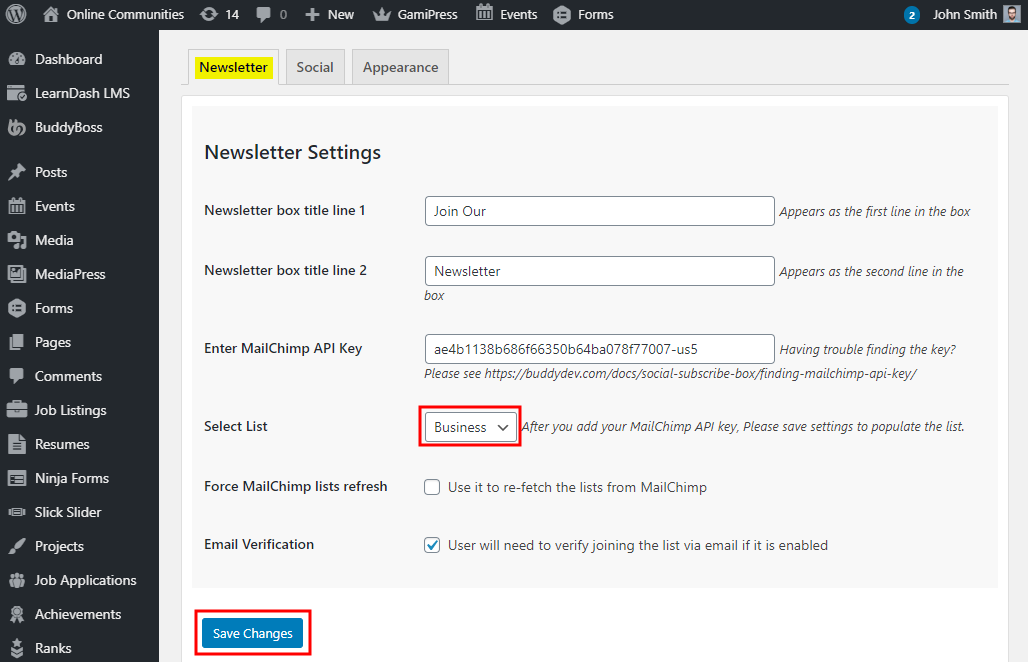
- Go to WordPress Dashboard > Settings > Social Subscribe Box.
- In the Newsletter tab, paste the MailChimp API key and select the mailing list you want to add the subscribers to.
- Click the Save Changes button to apply the modifications to the settings.
Also, configure the social profile buttons in the Social tab and the appearance and placement of the pop-up in the Appearance tab.