
REQUIRES: PRO PLAN OR HIGHER • Last updated: Mar 12, 2026 • ~2 min read
The Social Groups to LearnDash Groups setting allows LearnDash Groups to use BuddyBoss Social Group synchronization functionality, keeping group memberships automatically in sync and making course-based communities easier to manage.
Tutorial Video
Enable the Sync
Navigate to your WordPress Dashboard, go to BuddyBoss > Settings > Learndash > LearnDash Settings, and locate the Social Groups to LearnDash Groups section.
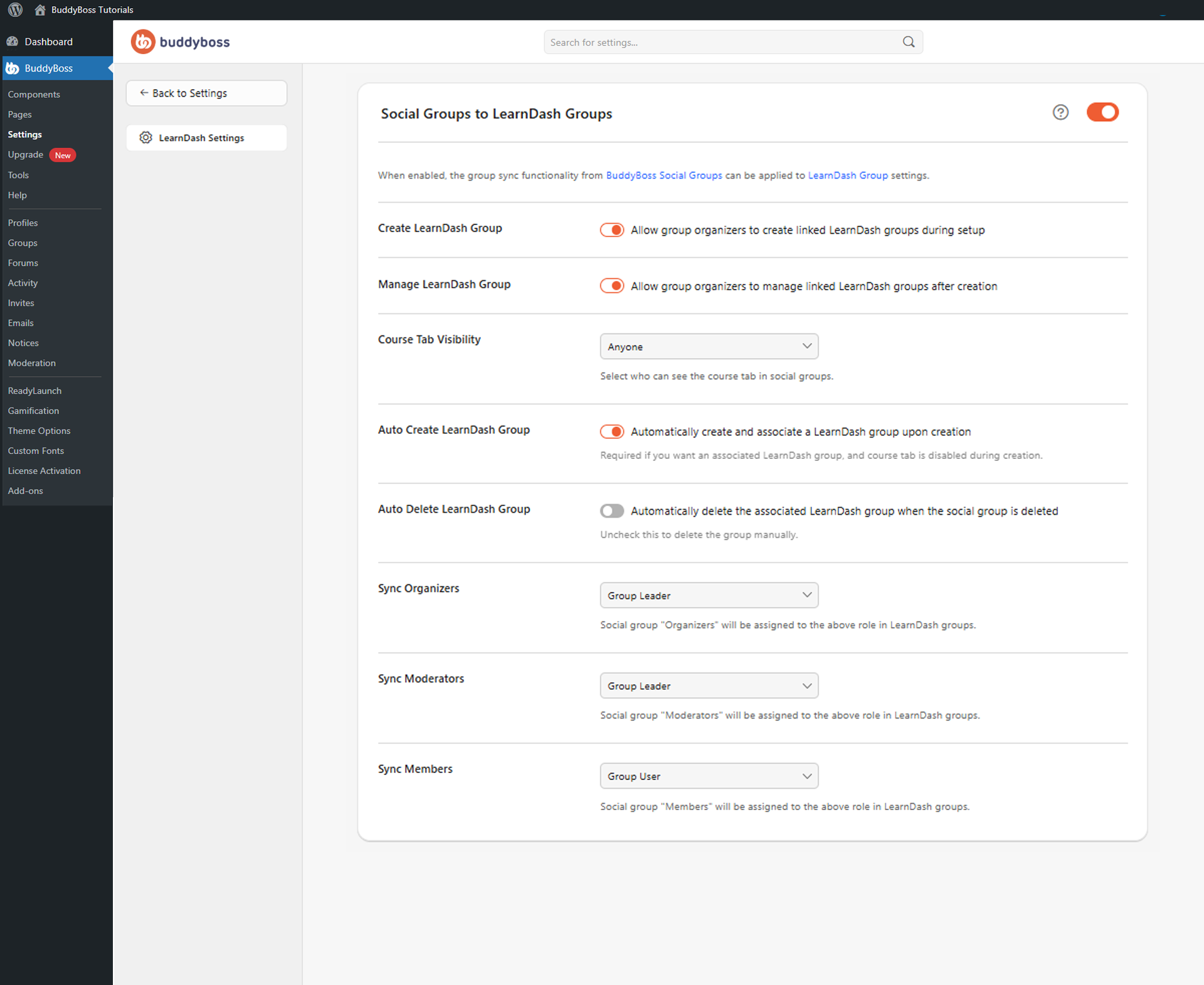
Enable the toggle to activate the sync. Once enabled, LearnDash Groups can sync with BuddyBoss Social Groups and group memberships are kept synchronized automatically.
© 2026 BuddyBoss LLC. All Rights Reserved. | buddyboss.com