














Introduction
The WP Rocket is a premium cache plugin for WordPress. The plugin improves SEO with page caching as it creates an ultra-fast load time. WP Rocket reduces the weight of your JavaScript, HTML, and CSS files through minification. You can choose to load images only as your visitor scrolls down the page, improving the load time of the page. The plugin is quick and easy to set up.
The plugin features include:
- Quick Setup
- Page Caching
- Cache Preloading
- Sitemap Preloading
- GZIP Compression
- Browser Caching
- Database Optimization
- Google Fonts Optimization
- Remove Query Strings from Static Resources
- Lazyload
- Minification / Concatenation
- Defer JS Loading
- CloudFlare Compatibility
- CDN
- DNS Prefetching
- Mobile Detection
- Multisite Compatibility
- eCommerce Friendly
- Multilingual Compatibility
- Connected Users
- Import/Export
- Developer Friendly
The BuddyBoss Theme adapts the settings seamlessly to optimize your website.
Installing the plugin
To install the plugin:
- Buy and download the WP Rocket plugin from the link below
https://wp-rocket.me/pricing/ - Extract the downloaded wp-rocket.zip file to the WordPress plugins folder yourhostname/wordpress/wp-content/plugins OR
Go to your WordPress Dashboard > Plugins > Add New. Click the Upload Plugin button. Browse to the download file location, select the wp-rocket.zip & install the plugin. - Click the Activate Plugin button to activate the WP Rocket plugin on your website. OR
To activate the plugin on your website site go to WordPress Dashboard > Plugins and then click the Activate button for WP Rocket.
Setting up the plugin
To setup the plugin:
- Go to WordPress Dashboard > Settings > WP Rocket.
- Make the preferred changes to the settings in each tab and click the Save Changes button.
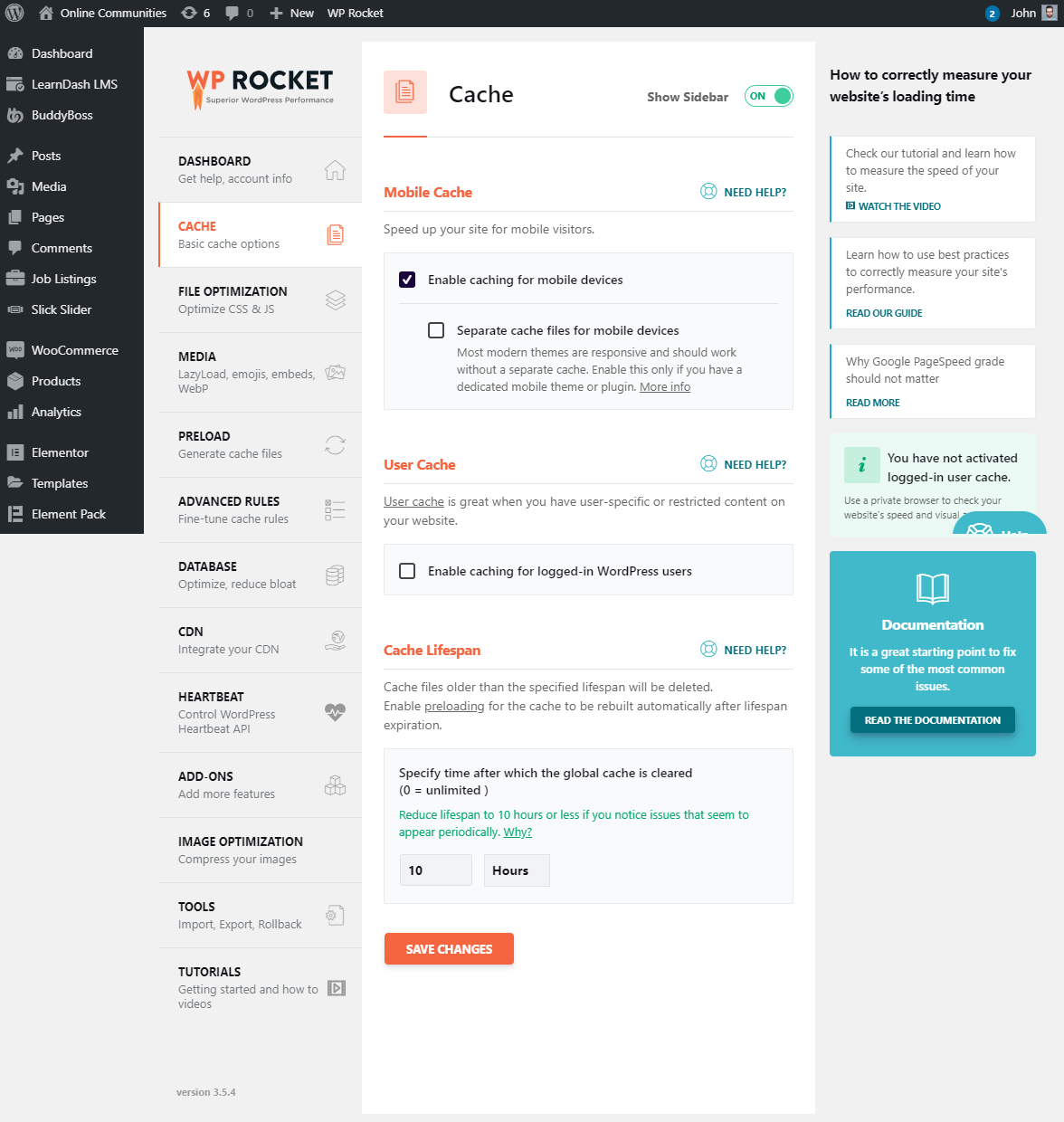
For further settings and usage tutorials, refer to the official documentation of WP Rocket.