Ever wondered why some companies seem to pull you in and get you to buy their product without you even noticing? That’s funnel marketing.
In a world where attention spans are shorter than a goldfish’s memory, understanding funnel marketing and why it is needed in every business is essential to grab your niche audience and its journey through your products and services.
Funnel marketing is not a new concept. It’s evolved from the classic AIDA model (that’s Awareness, Interest, Desire, and Action). Over time, as the digital world took over, our strategies got a makeover. Today, funnel marketing is less “hard sell” and more “let’s gently guide you to the right choice.”
Back in the day, in the era of print ads and TV commercials, marketers relied on broad-stroke methods to catch the public’s attention. Advertisements would cast a wide net through magazines, newspapers, and the limited TV channels available, all with the hope of converting a fraction of the audience. It worked, but it wasn’t as nuanced as what we see today.
HubSpot reports that companies using modern funnel marketing tactics generate up to 54% more leads compared to traditional methods.
Then came the digital revolution, which turned the marketing world on its head. As online platforms became the norm, data-driven strategies emerged, allowing marketers to track every click, scroll, and interaction.
This shift ushered in the modern era of funnel marketing, where the approach evolved from a blunt “hard sell” to a more refined, customer-centric journey. Instead of bombarding you with one-size-fits-all messages, today’s funnel marketing is all about gently guiding customers step by step toward the right choice.

Funnel marketing is the process of guiding potential customers from the moment they learn about your brand to the time they (hopefully) actually buy your products. To put it simply, some people prefer to understand funnel marketing in ToFU, MoFU, BoFU and otherwise it is called and used in four steps of customer journey, which is Awareness, Interest, Conversion, and Retention.
At the awareness stage, you introduce your brand to a broad audience. This is your opportunity to make a strong first impression by using channels such as social media, blog posts, press releases, or even innovative video content.
The next step is to cultivate their interest. This involves providing detailed and engaging information about your products or services. You might use informative blog articles, explanatory videos, or interactive webinars to highlight the unique features and benefits your brand offers.
This is the point at which potential customers move from mere interest to making a purchase. You can facilitate this transition by presenting persuasive content such as product demonstrations, customer testimonials, comprehensive case studies, or personalized offers.
At this stage, you implement strategies like ongoing after-sales support, loyalty programs, exclusive discounts, and regular follow-up communications. The objective is to reaffirm your commitment to your customers and encourage them to become long-term brand advocates.
Funnel marketing is important because it guides potential customers smoothly from first learning about your brand to ultimately making a purchase—and even beyond. It works like a reliable GPS, ensuring that every step of the customer journey feels clear and purposeful.
When prospects have a seamless path to follow, they are more likely to move from casual interest to a firm decision to buy, which naturally leads to higher conversion rates.
By carefully planning each stage of the funnel, you not only minimize the risk of losing prospects along the way but also create more “I’m definitely buying that!” moments.
In addition, funnel marketing provides actionable insights by tracking every interaction, enabling you to see what resonates with your audience and what might need a little tweaking. This data-driven approach means you can continually refine your strategy to better meet your customers’ needs, ensuring that your marketing dollars are spent more efficiently.
Instead of casting a wide net with undirected efforts, you’re able to target specific segments of your audience with personalized content that speaks directly to their interests and needs.
Not all funnels are built the same. Depending on your goals, you might choose from several types:

Funnel marketing and sales marketing might seem like two sides of the same coin, but they each play a distinct role in guiding and converting customers. While both ultimately aim to boost revenue, the difference lies in their approach, scope, and overall impact on the customer journey.
Funnel marketing is a holistic/complete strategy that oversees the entire customer journey—from the moment a potential customer first hears about your brand to long after a purchase has been made.
What it is about- It’s about creating a carefully planned pathway that nurtures prospects through multiple touchpoints. Funnel marketing works as building an experience designed to educate, engage, and lead your audience steadily through stages like awareness, interest, and decision. This process leverages a blend of content marketing, social media engagement, email nurturing, and data analytics to refine every step.
The Best Part- The real deal of funnel marketing lies in its commitment to long-term relationship building. Why? Because you don’t create a funnel to get a quick sale but to understand customer behaviour, segmenting your audience based on their journey and deliver personal interactions at each stage that ultimately leads to loyalty and advocacy.
| Aspects | Funnel Marketing | Sales Marketing |
| Focus | Entire customer journey (from awareness to retention) | Conversion and closing the deal |
| Objective | Build relationships and nurture leads for long-term loyalty | Drive immediate action and secure sales |
| Approach | Multi-channel, content-driven, and data-driven nurturing | Direct, personalized outreach (sales calls, demos, offers) |
| Key Activities | Social media, blog posts, email nurturing, and retargeting | Consultative selling, product demos, negotiations, follow-ups |
| Timeframe | Long-term; establishing trust over time | Short-term; focused on immediate conversion |
| Metrics | Engagement rates, lead quality, customer retention, brand loyaltyConversion rates, close rates, revenue per sale | Engagement rates, lead quality, customer retention, brand loyaltyConversion rates, close rates, revenue per sale |
| Tools Used | Marketing automation, CRM systems, content management platforms | Sales automation tools, CRM systems, direct communication channels |
| Customer Interaction | Indirect, educational, and value-driven | Direct, persuasive, and transactional |
On the flip side, sales marketing zeros in on the moment when a prospect is ready to commit. It’s the targeted set of tactics designed to convert the nurtured lead into a buyer. Sales marketing is more transactional and immediate by nature.
It focuses on the final push to close the deal. This approach often involves direct interactions, whether through consultative sales calls, tailored product demonstrations, or persuasive offers that are designed to address any last-minute hesitations.
In many cases, sales marketing also taps into negotiation strategies and real-time feedback to customize its pitch.
It’s like the difference between dating and proposing—the broader relationship is nurtured by funnel marketing, while sales marketing delivers the crucial, direct appeal to seal the deal.
Digging deeper, one could argue that funnel marketing is the strategic architect of your customer experience.
It’s about setting up the right structures, systems, and content that attract and guide prospects sustainably. It relies heavily on analytics and feedback loops to continuously optimize the journey based on changing customer behaviors and market trends.
Sales marketing, meanwhile, is more operational and performance-driven. It often comes into play when there is an urgent need to convert a warm lead or when market conditions demand a swift response to competitors. Sales marketing is agile, adjusting its tactics based on direct interactions and immediate customer responses.
Build a Membership Hub Your Audience Will Love Coming Back To
The Intersection of Content Marketing and Funnel Marketing is where creative storytelling meets strategic conversion. Content marketing creates compelling blog posts, videos, infographics, and social media updates that attract and educate your audience.
It lays the foundation by sparking interest and building trust—transforming casual browsers into engaged prospects.
Funnel marketing then takes over, strategically guiding these prospects through a structured journey. In the early stages (TOFU), content raises awareness with broad, shareable pieces.
As prospects move to the consideration phase (MOFU), more detailed materials like case studies and webinars build credibility. Finally, at the decision stage (BOFU), persuasive content like product demos and testimonials seals the deal.
Together, this dynamic combination not only drives conversions by delivering the right message at the right time but also nurtures long-term relationships, turning first-time buyers into loyal advocates.
The Strategies of Funnel Marketing In Detail
Let’s talk about strategy. Yes, planning might not sound as fun as witty banter, but a killer strategy can make all the difference. Here are some essential strategies to consider:
Get inside the heads of your target market. Use surveys, social media, or even that Magic 8-Ball from your desk (okay, maybe not the last one) to figure out what makes your potential customers tick.
One-size-fits-all is so last season. Tailor your messaging to different customer segments for an experience that feels like it was made just for them.
Create content that’s not only informative but also engaging and a bit cheeky. Think blog posts, how-to videos, webinars, and interactive tools that answer questions before your prospects even ask.
Don’t set it and forget it. Continuously review your funnel metrics (conversion rates, drop-off points, etc.) and adjust your strategy accordingly. Think of it like refining your favorite recipe—tweak the spices until it’s just right.
Use a harmonious blend of email, social media, SEO, and even offline events if needed. A well-rounded approach ensures you’re everywhere your audience hangs out.
Automation tools are your best friends here. From automated emails to chatbots that help guide prospects, use tech to keep your funnel humming smoothly without requiring 24/7 manual input.
These strategies work together to ensure your funnel marketing efforts aren’t just a shot in the dark but a calculated, fun, and effective plan for success.
A streamlined funnel marketing plan breaks down into clear, simple stages. Let’s map out the journey—complete with our friendly acronyms TOFU, MOFU, and BOFU:
TOFU (Top Of Funnel):
This is where the party starts. At this stage, your goal is to create awareness. Think of TOFU as hosting a big bash where everyone gets invited—you’re using engaging ads, entertaining social media posts, and attention-grabbing content to introduce your brand. It’s casual, fun, and all about sparking curiosity.
MOFU (Middle Of Funnel):
Here, things get a bit more serious. MOFU is like the cocktail hour where you start getting to know your guests better. Now, you nurture those initial relationships with more detailed blog posts, informative webinars, or catchy lead magnets (like free eBooks or quizzes). The aim is to build trust and showcase your expertise while keeping it light and personable.
BOFU (Bottom Of Funnel):
This is where you seal the deal. BOFU is the intimate conversation after the party when the interested guests decide they want to take the relationship further. Offer product demos, compelling case studies, or customer testimonials here. It’s your final pitch—done with a mix of persuasive yet friendly charm—to convert curiosity into commitment.
The AIDA model outlines the stages a consumer goes through before making a purchase:
Designed to capture potential customers' contact information by offering valuable resources in exchange:
Utilizes webinars to educate and engage potential customers:
Focuses on capturing a visitor's email address through a dedicated landing page:

Provides valuable content upfront without requiring immediate contact information:
Still not convinced about the wonders of funnel marketing? Let’s wrap it up with a few undeniable perks for those who are looking to build a membership or community site and maybe course platforms:
Dollar Shave Club is a prime example of funnel marketing done right: a single quirky, viral video grabbed massive attention and introduced their affordable shaving solution (TOFU), then an engaging landing page captured leads and educated prospects about the subscription model (MOFU), and finally, a streamlined sign-up process combined with persuasive incentives converted viewers into loyal customers (BOFU).
This well-orchestrated funnel not only spurred rapid subscriber growth, disrupting a market once dominated by established players, but also built lasting customer relationships that paved the way for its impressive $1 billion acquisition by Unilever.
Funnel marketing is not as hard as it looks and it is not as easy as it seems. But, it doesn’t mean you can just ignore it! In this cut through time when everyone is trying to give 200% in their business and uses every new/old strategy to grow and succeed, Funnel marketing has not been ignored by anyone.
So, why wait? Embrace funnel marketing—your future self (and your ROI) will thank you for it. And if nothing else, you’ll have some pretty entertaining stories to share about your journey from “just browsing” to “sold!”
In an era where everyone wants to be part of the “in-crowd,” membership sites have exploded in popularity, offering a sustainable way to create recurring revenue and build a vibrant community.
Also, membership sites now account for a staggering portion of recurring revenue for many creators and businesses? It’s almost as if people prefer paying for VIP access rather than free cat videos online. This is the reason why a huge number of membership sites are being created to provide its members exclusive content and earn from its membership every year.
You might now want to create a membership site or maybe never have heard of it. Don’t worry this article will guide you through the basics and above about everything in detail.
If put it simply, Membership sites are online platforms where access to exclusive content, resources, or community features is limited to members; typically those who pay a recurring fee or sign up for a specific subscription.
Instead of offering all your content for free, when you create a membership site, you get full control over what you share and with whom, creating a private space where loyal followers, enthusiasts, or professionals can access premium resources, learn specialized skills, or even just enjoy the perks of being part of an exclusive community.
Create a Membership site If you are under any of these:-
Entrepreneurs and Content Creators
If you’re a blogger, podcaster, or online influencer, your audience already believes in your expertise. A membership site offers a way to monetize trust and enthusiasm by delivering premium, exclusive content that digs deeper than your free offerings. Think of it as turning casual followers into dedicated fans who pay for the inside scoop.
Coaches, Mentors, and Consultants
For professionals offering personalized guidance, memberships allow you to package your expertise into a structured system. Whether you’re offering webinars, one-on-one sessions, or exclusive resources, your members gain consistent value while you enjoy a predictable, recurring income.
As Jim Rohn (American entrepreneur and author) famously noted,
“If you really want to do something, you'll find a way. If not, you'll find excuses.”
A membership site is one way to ensure you’re finding the way instead of settling for excuses.
Educators and Online Course Creators
Membership websites are a natural extension of online education. They provide a space for ongoing learning beyond a single course, allowing educators to update content, foster discussion, and continuously support their students. It’s like having a digital classroom that never closes.
Brands and Organizations
Established brands can use membership sites as a loyalty and retention tool. By offering exclusive deals, early product access, or behind-the-scenes content, you turn your loyal customers into an engaged community. This not only strengthens brand affinity but also creates a steady revenue stream that isn’t as volatile as one-off sales.
Hobbyists and Community Builders
Even if you’re not a “big brand,” if you’re passionate about a subject—be it gardening, gaming, or gourmet cooking—you can build a membership site that attracts like-minded individuals. These niches often thrive on the intimate connections and specialized knowledge shared within a tight-knit community.
There are multiple types of membership sites and below we have discussed all 8 of them. These types will help you identify and understand the purpose of each so you can choose which is best for you to create a membership site around.

1. Subscription-Based Membership Sites
The classic model where members pay a recurring fee (monthly, quarterly, or annually) for continual access to your premium content. This approach works great if you plan to regularly update the site—think of it as the Netflix of your niche. It’s ideal for creators who love generating predictable, recurring revenue.
2. Freemium Membership Sites
Here, you offer essential features or content for free, while reserving the juiciest, premium content for paying members. It’s like letting someone sample your dish before they decide to order the full meal. This model helps attract a broader audience, converting free users into paying subscribers over time.
3. Tiered Membership Sites
Not all members are created equal (or at least they don’t have the same needs)! Tiered models give users multiple levels of access at different price points. For instance, a basic tier might offer standard content, while a premium tier provides exclusive webinars, one-on-one coaching, or other high-value perks. It’s a win-win: more value for your top fans and flexibility for new subscribers.
4. One-Time Purchase or Lifetime Membership Sites
For those who hate the idea of monthly fees as much as you hate untimely auto-renewals, lifetime memberships or one-time payment structures provide access to content for as long as the site exists—or at least for a very long time. If you create a membership site on this model can generate a substantial upfront revenue boost, though you’ll need to keep delivering value to avoid buyer’s remorse.
5. Content-Centric Membership Sites
These sites focus primarily on an ever-growing library of content, such as articles, videos, podcasts, or downloadable resources. Perfect for educators, writers, or industry experts, this approach turns your vast reservoir of expertise into a curated, members-only resource hub.
6. Community-Driven Membership Sites
At their core, these sites thrive on building relationships. Beyond content, they offer dedicated forums, discussion groups, or live Q&A sessions where members connect and share ideas. Think of it as the digital version of a private club—where the network is the net worth.
7. Course or E-Learning Membership Sites
Designed for educators and trainers, these platforms combine the benefits of online courses with the recurring revenue of a membership. They often include structured learning paths, certifications, and interactive sessions, transforming a one-off course into an ongoing educational journey.
8. Hybrid Membership Sites
Can’t decide which model fits best? Hybrid sites mix and match elements from the above types. For example, you might offer a freemium model with tiered options, or combine subscription-based content with one-time purchases for exclusive workshops. Flexibility is key—after all, the best membership sites evolve based on audience feedback and emerging trends.
And let’s not forget—membership websites are not the same as subscription sites or online courses, even though we often treat them interchangeably. As Simon Sinek wisely noted,
“People don’t buy what you do; they buy why you do it.”
(This rings true for memberships: your passion and unique value proposition will convert browsers into loyal subscribers.)
Why jump on the membership bandwagon? Here are a few reasons:

For those who cringe at the idea of coding, tools like MemberPress let you build a no-code membership site faster than you can say “subscription signup.” As any discerning online entrepreneur knows, sometimes less code means more fun—and fewer headaches.
Ready to build your digital clubhouse? Follow these simple (yet comprehensive) steps:

Before you create a membership site, take a moment to identify exactly who you're speaking to. This isn’t just a casual, “Oh, I like this topic” decision—it’s a strategic move that shapes every aspect of your site.
Narrowing down your niche is like setting the GPS coordinates for your digital journey. You need to know your destination before you hit the road.
Start by asking yourself, “What is my passion and expertise, and who is most likely to benefit from it?” Dig into market research: explore forums, social media groups, and industry publications to understand the needs and habits of potential members.
Craft a detailed profile of your ideal audience. For instance, if your heart beats for vegan cuisine, then your ideal members are likely those searching for plant-based recipes and healthy living tips—not die-hard steak lovers (unless you're ready to handle a kitchen rebellion).
Now that you’ve pinpointed your niche and audience, it’s time to decide on your membership model to create a membership site—the blueprint for how you deliver value and generate recurring revenue. Imagine your membership offering as if you were designing an engaging online course.
You need to determine the structure, the modules, and the pathway through which your students (or members) will progress. Consider these options:
Picking the right membership software is like selecting the perfect vehicle for your educational journey—you need something that’s reliable, fits your driving style (or technical comfort level), and meets your destination needs.
Even if you prefer the familiarity of a robust WordPress plugin or a sleek, all-in-one solution, the key is to pick a tool that aligns with your expertise and long-term goals.
For instance, if you're already comfortable with WordPress, MemberPress stands out as a powerful and customizable option.
It integrates seamlessly with your existing site, offers granular control over content access, and supports various payment gateways, making it a favorite for DIY enthusiasts who enjoy tweaking and optimizing their systems.
Its strong community support and extensive documentation ensure that even if you hit a snag, help is just a forum post away.
On the other hand, if you’re looking for an all-in-one platform that bundles website hosting, email marketing, automation, and membership management into a single package, Kajabi might be your go-to choice.
Kajabi is designed to streamline the entire process from course creation to subscriber management, letting you focus more on content and less on backend hassles. Its user-friendly interface is perfect for those who want to get started quickly without worrying too much about technical minutiae.
Don't forget, there are several other contenders in the membership software arena, such as Teachable, Thinkific, and Podia, each with its own unique features and pricing plans. As you weigh your options, consider factors like scalability, ease-of-use, integration capabilities, and customer support. After all, the best software is the one that grows with you and minimizes your tech headaches, letting you devote more time to creating the awesome content your members will love.
MemberPress Customers Pass the $1 Billion Benchmark—and Yours Could Be Next
Before you start developing your content and upload it to your membership site take a look around and see if you have previously made blogs, Youtube videos, any article or recorded lectures or webinars. If yes then collect them all and revise it and polish it to upload on your site.

Later plan a thought and structure content and include all these below content type or at least some of them:-
Video Tutorials & Courses:
Pre-Recorded Videos
Live Webinars & Workshops
Interactive Video Content
Written Content:
Articles & Blog Posts
Ebooks & Guides
Case Studies & White Papers
Audio Content:
Podcasts
Audio Courses
Interactive & Engaging Materials:
Quizzes and Assessments
Assignments and Projects
Gamification Elements
Community-Driven Content:
Discussion Forums & Message Boards
Member-Generated Content
With a blend of these content types, you create a rich, multifaceted learning environment that caters to different preferences and learning styles. This diversity not only enhances the user experience but also increases the perceived value of your membership site.
When welcoming new members, imagine you're rolling out the red carpet for VIPs.
Start by crafting a simple, fun welcome guide that acts like a treasure map—showing them where to find all the exclusive goodies on your site.
Follow this up with a personalized email series that greets them with a friendly, “Congratulations, you’re now part of the cool club!” tone.
A short, interactive walkthrough or video tutorial works wonders to demystify your platform, almost like teaching them the secret handshake to your exclusive community.
And don’t forget to nudge them into joining your forums or social media groups, where they can quickly feel at home among fellow insiders.
On the marketing front,
Ditch the boring promotions and opt for an engaging, personality-packed approach.
Create content that’s not only informative but also sprinkled with wit—think blog posts, videos, and social media updates that resonate and entertain.
Instead of broadcasting generic ads, use targeted social media campaigns that feel like personal invitations. A fun referral program can also be a game-changer by rewarding your current members for inviting new ones; it turns every member into an enthusiastic promoter.
With emails that come off as friendly catch-ups rather than hard-sell spam and occasional memes to keep things light, your marketing strategy will build excitement and draw in curious, eager new members.
The Best Email Marketing Sequences for Membership Sites And Online Communities
Keep your membership site safe, sound, and legally solid with a few straightforward steps:
Security:
Maintenance:
Legal Basics:
Simple measures like these make sure your site stays secure and trustworthy, keeping your members happy and your membership site protected.
Keep an eye on your membership site's performance by using analytics tools to track user behavior, churn rates, and overall engagement.
Regularly review this data to understand which content or features resonate with your audience, and which areas might need a little extra polish. When you notice trends—like a spike in certain activity or a gradual drop in retention—take it as a cue to adjust your strategy accordingly.
Don't be afraid to experiment: Modify your content delivery, refresh your engagement tactics, and even run A/B tests to see what works best.
Remember, every piece of feedback is a goldmine of insights.
As Mark Cuban famously said, “Sweat equity is the most valuable equity there is.” In other words, investing your time in analyzing performance and iterating based on real user feedback will pay off in the long run.
Keep monitoring, keep learning, and keep refining your approach to ensure your membership community stays vibrant and engaged.
MemberPress
MemberPress is a comprehensive WordPress membership plugin that offers robust features for creating and managing membership sites. It allows you to create unlimited membership levels with customizable pricing plans, including one-time payments, recurring subscriptions, and trial periods. The plugin provides powerful access rules to restrict content based on membership levels and supports content dripping to release content over time. Additionally, MemberPress integrates seamlessly with various payment gateways and third-party services, enhancing its functionality.
Restrict Content Pro
Restrict Content Pro is a user-friendly membership plugin known for its simplicity and flexibility. It enables the creation of unlimited membership levels, including free, trial, and premium subscriptions. The plugin offers robust content restriction options, allowing you to control access to posts, pages, and custom post types. It also includes features like discount codes, detailed reporting, and integrates with multiple payment gateways such as Stripe, PayPal, and Authorize.net. Restrict Content Pro provides a streamlined interface, making it accessible for users without technical expertise.
Paid Memberships Pro
Paid Memberships Pro is a versatile membership management plugin that offers a wide range of features and add-ons. It supports multiple membership levels with flexible pricing and access control. The plugin allows for content restriction by posts, pages, and custom post types, and includes customizable checkout processes. Paid Memberships Pro integrates with various payment gateways and provides a dedicated theme for those starting from scratch. Its extensive add-ons enable advanced functionalities like recurring payments and email marketing integration.
To all those thinking that it is a hard core job to create a membership site, requiring a huge budget then I hope this guide has made you understand that it's not as hard as it looks. You define your niche, choose the right tools, create awesome content and nurture your community.
Still have doubts about where to start? Here take a look at MemberPress. The #1 trusted and reliable Platform for Creating Membership Sites.
Building an online community is not just for Silicon Valley startups or those “influencers” with thousands of followers; it’s for anyone who’s ever thought, “Hey, I have opinions and a quirky sense of humor, and maybe others do too! With BuddyBoss you get a powerful platform to create beautiful and thriving communities for both personal and professional purposes.
With seamless customization options, mobile responsiveness, and a suite of features like gamification and live interactions, BuddyBoss makes it easier to build an engaging, vibrant community that reflects your unique style and vision.
In this guide, I am going to take you through a full and fledged process of how to build an online community and run it successfully with BuddyBoss without emptying your pockets.

BuddyBoss is an open source free platform that comes with Theme together known as BuddyBoss Theme and Platform Pro. The price for 1 site is $299 (one time payment) which means you spend less than $25 a month for a year and secure yourself with BuddyBoss 1 year customer support anytime, anywhere
Moreover, BuddyBoss is packed with features like social networking, gamification, and mobile responsiveness—basically, everything you need to make your community the coolest kid on the digital block.
Businesses that invest in community platforms see up to a 30% increase in customer retention.
Now that you know about the platform here’s a detailed view on how to build an online community with buddyboss.
First things first: Who exactly are you trying to reach? Because creating an online community isn’t a “one-size-fits-all” scenario—it's about identifying your ideal audience. Are you a cat-lover with a penchant for puns or a fitness guru who despises cardio, nail down your niche and clearly define your community’s purpose.
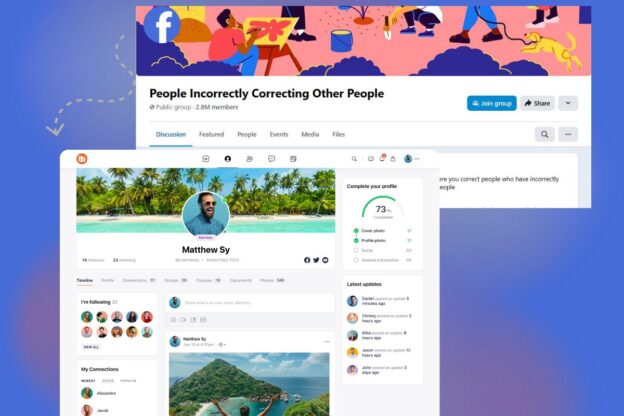
Take a moment to consider: What unique value do you offer? For example this community below is made with BuddyBoss with a purpose to empower individuals through martial arts and flexibility. To serve this purpose they offer a comprehensive library of over 300+ videos, daily training and workshops to their members.
So the question remains exactly the same. What specific interests or challenges does your target audience have that your community can address? This initial clarity not only guides your content and engagement strategies but also helps in crafting a message that resonates deeply with your prospective members.
Additionally, setting clear goals is crucial. Ask yourself: Are you building a space for networking, support, education, or perhaps a combination of these? Define measurable objectives—
Download Our Free Community Planning Worksheet—because guesswork is so 2005.
Plan out the content that will keep your members coming back for more—you should plan your content like a wedding buffet that caters to every taste! It could be engaging blog posts that spark conversation, live webinars that feel like real time brainstorming sessions or quirky polls that inject a little fun into your community, Variety is the spice of life.
Mix It Up! Don’t just stick to one format. Create a blend of:
Informative Blog Posts: Share industry insights, success stories, or helpful tips that establish your authority.
Live Webinars & Q&A Sessions: Host interactive sessions where members can ask questions, share ideas, and feel connected in real time.
Quirky Polls & Surveys: These not only add a fun element but also help you gauge the pulse of your community.
Video Content & Tutorials: Short videos or recorded lessons can help explain complex topics in an easy-to-digest manner.
Content Calendar is Your Best Friend
Map out your member journey from “Hello, world!” to “I’m basically family now” by creating a content calendar. Plan weekly themes, schedule posts, and set reminders for live events. This ensures consistency and helps maintain a rhythm that your members will look forward to.
Engagement Tactics: Sprinkle in member spotlights, discussion prompts, and even behind-the-scenes content. These elements not only keep the content fresh but also make your community feel personal and interactive.
Decide how you’ll measure success. Whether it's tracking active users, monitoring engagement rates, or even counting how many people actually laugh at your puns. Clear, quantifiable metrics not only chart your community’s growth but also illuminate the path to improvement. Consider these key performance indicators (KPIs):
Active Users: Monitor daily or monthly active users to gauge how many members are truly participating.
Engagement Rate: Track likes, comments, shares, and post interactions to understand the vibrancy of your discussions.
Retention Rate: Measure how many members stick around over time; a steady retention rate is a hallmark of a thriving community.
Event Attendance: If you host live sessions or webinars, record attendance figures to see how compelling your events are.
Content Interaction: Evaluate how often your posts are viewed and shared, and even note when your quirky jokes hit the mark!

BuddyBoss works seamlessly with WordPress, making it incredibly simple to launch your community. The platform offers a user-friendly installation process with step-by-step guides, complete with screenshots and video tutorials.
Start by downloading the BuddyBoss plugin and theme, then activate them through your WordPress dashboard. Configure essential settings such as community pages, member profiles, notification preferences, and social sharing options—all made to foster engagement from day one.
BuddyBoss’s robust documentation and support forums ensure that if you encounter any hurdles along the way, help is just a click away. This streamlined process allows you to focus more on building your community and less on technical setup.
Learn how to enable and configure the BuddyBoss Platform- Click Here to Read
Learn how to setup and customize our premium BuddyBoss Theme- Click Here to Read
Learn how BuddyBoss integrates with your favorite plugins and services- Click here to Read
Articles for experienced developers and site administrators to optimize and extend their BuddyBoss sites- Click here to Read
Check out our BuddyBoss Setup Guide and get your community off the ground faster than you can say “I need coffee.”
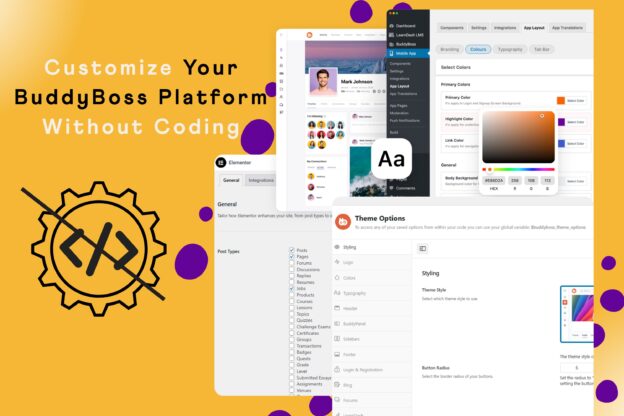
Once BuddyBoss is installed, it’s time to make the platform truly yours. BuddyBoss offers an impressive range of customization options that let you adjust everything from layouts to color schemes, typography, and widget placements.
Whether you’re aiming for a sleek, modern look or a bold, playful vibe, you can tweak the design elements to perfectly match your brand’s personality.
Enhance your community’s visual identity by customizing header images, logos, and navigation menus to ensure a cohesive, instantly recognizable brand experience.
Plus, explore additional BuddyBoss add-ons that boost functionality—such as gamification features, real-time notifications, and seamless social sharing—to elevate the overall user experience.
Leverage BuddyBoss's live demos and theme customization preview or watch the tutorial below to experiment with different designs before settling on your final look.

Before you go all-in, consider starting with a soft launch. This strategy involves rolling out your community to a select group of early adopters—your VIP beta testers—who can provide valuable feedback in a controlled environment. A soft launch helps you identify any technical issues, content gaps, or engagement challenges before unveiling your community to the broader audience.
A soft launch gives you a chance to fine-tune before the big reveal,” says Online Community Expert at BuddyBoss. By inviting a small, representative group, you can test the waters and adjust your strategy based on real user behavior and insights.
Keep a close eye on key performance metrics such as:
Based on the insights you gather, make iterative improvements to your community:
Your content should be so compelling that your community members can’t help but dive into discussions, share insights, and even throw virtual high-fives. The secret is to deliver value consistently—think of your content as the fuel that keeps your community’s engine running at full throttle.
Did You Know? Communities that post regularly see up to a 50% increase in engagement.
Engagement is more than just posting content—it’s about sparking genuine conversations and interactions. Here are some creative ways to keep your community buzzing:
No community can flourish without a solid structure to keep interactions respectful and meaningful. Effective moderation is the backbone of a thriving online community.
To build and sustain a thriving online community, it’s important to monitor performance, analyze your progress, and adapt your strategy based on real-world insights. Use your preferred tools like Google Analytics or community-specific dashboards—to keep a pulse on essential KPIs. Here’s how to take your performance tracking to the next level:
Do you know that communities that review analytics monthly can see a 25% boost in retention.

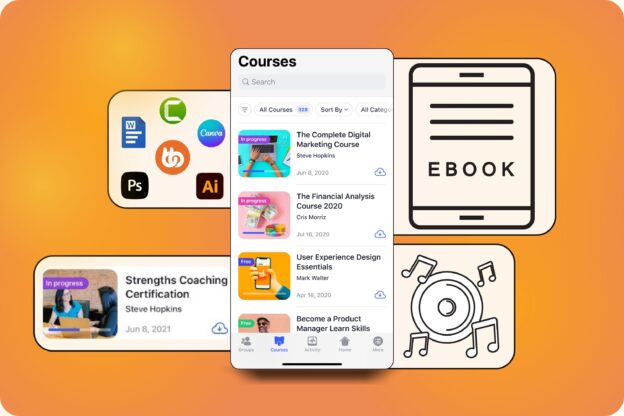
The App is designed to bring your online community to life wherever your members are. Available for both iOS and Android, it ensures that your community remains vibrant and accessible whether members are at home, on the go, or away from their desktop.
With a fully responsive mobile experience and real-time notifications for new posts, comments, likes, and private messages, the app keeps users consistently engaged and in the loop.
Beyond simply keeping everyone connected, the app mirrors the robust functionality of the desktop platform. It offers comprehensive user profiles, advanced social networking features, and seamless messaging capabilities that allow members to customize their profiles, build friend lists, and participate in dynamic group discussions.
Additionally, the BuddyBoss App facilitates event management by enabling users to RSVP and join live webinars, Q&A sessions, and virtual meetups with ease.
This ensures that your community not only shares valuable content like blog posts, video tutorials, and resource libraries but also benefits from interactive and engaging experiences that fuel ongoing participation.
In today's mobile-first world, this level of accessibility is essential for nurturing a thriving, interactive, and deeply connected community. Ready to take your community mobile?
Learn more about the BuddyBoss App, explore its innovative features, and discover how it can transform your members’ experience
Building a thriving online community with BuddyBoss is not just a process of technical setup. When you are building a community you are creating a space where your audience feels seen, heard, and occasionally amused by your witty banter. By defining a clear niche, setting measurable goals, launching with a soft rollout, and continuously engaging and optimizing, you’ll transform your digital space into a vibrant hub of activity.
Ready to join the community-building revolution? Sign up for our BuddyBoss Starter Kit
If you’re managing a BuddyBoss community, you already know that running a social platform is like hosting a party where everyone wants to chat, share, and sometimes even argue about the best pizza topping! However, have you ever put a second thought into automating all the repetitive tasks, leaving you more time to focus on what really matters; Building a thriving and beautiful community?
In this ultimate guide, I’ll show you how to use integrations and workflows to turn your buddyboss platform into a lean, mean, automation machine.
If you’re fed up with manually sending welcome emails or updating member roles every time someone joins your community (we know, it’s as fun as watching paint dry), this guide is your ticket to a smarter, more efficient platform.
Today, you’re going to learn how to integrate third-party tools and set up automated workflows that not only save you time but also keep your community buzzing with engagement. Ready to automate like a boss? Let’s dive in!
Discover the BuddyBoss Platform and see what the hype is all about

Automation is the process of using technology to perform repetitive tasks without human intervention. It basically means setting up systems that automatically handle routine operations—you could be sending welcome emails, updating member roles, or syncing data between platforms—so you can focus on the more creative and strategic aspects of your work.
At its core, automation relies on simple if-this-then-that logic.
For example, when a new user signs up on your BuddyBoss community, an automated workflow might trigger a series of actions: sending a personalized welcome message, adding the user to a specific group, and even posting a welcome announcement on the activity feed. All these actions occur seamlessly, without you needing to lift a finger.
With these simple building blocks, you can create complex automations that practically run themselves.
Managing a growing community manually is as outdated as dial-up internet. Automation is the secret sauce that:
Automating routine tasks has been a game-changer for our community. It lets us focus on engagement and strategy, not admin work,” says a seasoned community manager using BuddyBoss
Integrations are the bridge between BuddyBoss and your favorite tools. It could be syncing with your email marketing service or connecting with a CRM, integrations make everything work seamlessly. Popular choices include:
| Integration | Logo | What It Does | Use Case |
| LearnDash | ![]() | A powerful LMS plugin for course creation, enrollment, and progress tracking. | Integrate BuddyBoss with LearnDash to deliver a seamless eLearning experience, automatically enrolling users into courses and tracking their progress. |
| MemberPress | ![]() | A comprehensive membership plugin for content restriction and subscription management. | Automatically manage member access, grant premium content, and update user roles based on membership levels within your BuddyBoss community. |
| AutomatorWP | Connects multiple WordPress plugins to create automated workflows effortlessly | Automatically add new members to specific groups, send custom emails, or trigger actions based on user activity. | |
| Uncanny Automator | ![]() | Specializes in setting up multi-step workflows for more complex automation needs. | Send personalized emails, update user profiles, and manage membership roles based on various triggers. |
| Zoho Flow | ![]() | A no-code integration with platform that connects BuddyBoss with over 1000 apps | Create sophisticated workflows that sync your BuddyBoss community with external services like CRMs and project management. |
| Zapier | ![]() | Connects your BuddyBoss platform with hundreds of SaaS applications to automate tasks across different systems. | Automatically update mailing lists, post on social media, or create support tickets when a new user registers. |
| WP Fusion | ![]() | Syncs user data between BuddyBoss and various CRMs or email marketing platforms, ensuring consistent user records. | Automatically segment users into different mailing lists or marketing campaigns based on their activity or membership level. |
Learn About 100s of BuddyBoss Integrations…
Workflows: The Blueprint of Automation
A workflow is essentially your automation playbook. It’s the “if this happens, then do that” plan that keeps your community humming along smoothly. You define triggers, set conditions, and then map out the actions that need to occur.
| Step | Description | Details |
| Trigger | New User Registration | Event: A new user registers on your BuddyBoss community.Tools: AutomatorWP, Uncanny Automator, or Zoho Flow. |
| Action 1 | Send a Welcome Email | Details: Automatically send a personalized email welcoming the new member using your email marketing service (e.g., MailChimp or WP Fusion). |
| Action 2 | Assign a Member Role | Details: Automatically assign a predefined role (e.g., “Member”) to ensure the new user receives the correct permissions from the start |
| Action 3 | Add to a starter Group | Details: Automatically add the new user to a designated group such as “New Members” or “Community Starters” to promote immediate interaction. |
| Action 4 | Post a Welcome Message on the Activity Feed | Details: Automatically create a fun, engaging post in the activity feed to introduce the new member to the community. |
| Action 5 (Optional) | Sync with CRM | Details: Use WP Fusion or Zapier to add the new user’s details to your CRM, facilitating ongoing engagement and segmentation. |
| Optional Conditions | Set Conditional Logic | Example: Only send the welcome email if the user hasn’t already received one, or assign a specific role if they selected a particular membership tier during registration. |
| Testing & Deployment | Test and Activate Workflow | Testing: Run the workflow in a staging environment to catch any issues.Deployment: Once verified, activate the workflow to ensure every new user is onboarded seamlessly. |
Learn How You Can Automate Your BuddyBoss Onboarding Process Seamlessly
Knowing and properly setting up integrations on your BuddyBoss platform with ease your work. Here's how you can do it.
Learn more about setting up BuddyBoss integrations on our detailed documentation page
Integrating your CRM, email marketing tools (like MailChimp or WP Fusion), and messaging apps (like Slack) can transform your BuddyBoss experience. For example, set up a workflow so that whenever a user registers, they’re automatically added to your mailing list.
Automation isn’t just about setting up triggers and actions—it’s about visualizing your process like building a digital assembly line. Let’s break it down with some graphics and charts to make it crystal clear.

Identify the Triggers
Start by figuring out what events should set your workflow in motion. Here are some common triggers:
showing where automation can be triggered in your community:
A[User Registration] –> B[Trigger Workflow]
C[Profile Update] –> B
D[Group Join] –> B
Map Out the Actions & Conditions
Once you have your triggers, decide what actions should follow:
| Trigger Event | Actions | Conditions |
| User Registration | Send welcome email, assign member role, add to “New Members” group, post welcome message | Only if the welcome email hasn’t been sent previously |
| Profile Update | Notify team members, update profile details | Trigger only on major updates |
| Group Join | Enroll user into designated group, send notification | Only for selected groups based on user choice |
Create a Workflow in Action
Imagine a new user signs up. With automation in place, your workflow would execute the following steps:
An example representing the new member onboarding workflow:
A[New User Registration] –> B[Send Welcome Email]
A –> C[Assign Member Role]
A –> D[Add to “New Members” Group]
D –> E[Post Welcome Message on Activity Feed]
B –> F{Welcome Email Sent?}
F — Yes –> G[Skip Email]
F — No –> B
Find Out How to Craft Email Sequences That Convert – Explore the Guide!
User Onboarding Automation
Make every new member feel like a VIP. Automatically send them a welcome email, add them to introductory groups, and even assign them a starter badge. Automation takes the grunt work out of onboarding so you can focus on creating engaging content.
Membership & Role Management
Automatically assign roles or membership levels based on user actions. For example, if someone purchases a premium membership, they get upgraded without manual intervention.
Boosting Engagement
Celebrate user interactions by awarding points, badges, or sending congratulatory notifications when members hit milestones like posting for the first time or receiving a set number of likes.
Integrating LMS for eLearning
Connect your BuddyBoss community with learning management systems like LearnDash or LifterLMS. Automatically enroll new users into courses, track their progress, and update their status—all in one smooth, automated flow.
CRM & Email Automation
Keep your user database clean and engaged. Use automation to add users to your CRM or email lists, segment them based on behavior, and send targeted campaigns.
Learn more about setting up BuddyBoss integrations on our detailed documentation page
Even the best automations can sometimes throw a tantrum. Here are some quick fixes:
User Review: “I had a minor hiccup with a workflow conflict, but BuddyBoss support was quick to guide me through the fix.” – ★★★★★
In summary, automating your BuddyBoss platform is like hiring an army of digital minions—minus the evil mastermind vibe. By integrating tools like AutomatorWP, Uncanny Automator, and Zoho Flow, you can streamline your processes, enhance user engagement, and focus on the creative and strategic parts of community management.
Ready to level up your automation game? Start by exploring the BuddyBoss integrations and see which tools fit your needs best. Your community (and your sanity) will thank you!
If you’re tired of your website feeling as lonely as a desert island despite great content, it’s probably missing one crucial ingredient—a lively social community. In today’s time, social networking is becoming a huge game changer with its features to transform interaction and engagement.

In this blog, I'll tell you about the key features you should look for in a social networking plugin for WordPress, explore detailed comparisons of the top plugins available, and even get a step-by-step guide on installation and configuration.
Social media is no longer just a place to share cat memes and your vacation photos (though we do love those, too). Today, it’s a powerhouse that drives billions of visits and keeps users engaged. Integrating social media with your WordPress site can be a vast change. Here’s why:
Traffic & Engagement Booster
Billions of people are active on social platforms every day. When you integrate social features into your site, you tap into a massive pool of potential visitors. Real-time updates, activity feeds, and interactive features keep your audience coming back for more.
SEO Magic
Believe it or not, social signals matter for SEO. Search engines like Google take note when your site is buzzing with activity. More shares, comments, and user interactions can lead to more backlinks and higher rankings. In short, a lively community can give your SEO a serious high-five.
Brand Visibility & Reputation
A vibrant online community not only enhances engagement but also elevates your brand’s image. When users can easily interact and share content, your brand becomes more visible and memorable. It’s like turning your site into a 24/7 advertisement—only, it’s genuine and driven by real conversations.
Did you know that social media platforms drive billions of visits globally? Sites that actively integrate social networking features often see dramatic increases in both traffic and engagement.
Create a Thriving Online Community with BuddyBoss!
Before you dive headfirst into installing every plugin under the sun, let’s talk about the must-have features you should be looking for. After all, you wouldn’t buy a car without knowing if it has wheels, right?
1. User Profiles & Membership
Customizable user profiles are the cornerstone of any social networking plugins for WordPress. Your users need to see a version of themselves on your site—a place where they can update their information, share photos, and connect with others. Membership management features also help you control access and create exclusive communities.
2. Activity Feeds & Social Walls
Imagine a live ticker that shows every cool thing your community is doing. Activity feeds and social walls provide real-time updates that keep your site dynamic and encourage visitors to participate. It’s like having your very own digital newspaper with all the latest happenings.
3. Messaging & Notifications
Private messaging is a must for any social network. When your users can chat with one another privately and receive notifications about new messages or interactions, it makes the community feel personal and engaging. It’s the digital equivalent of whispering secrets at a party.
4. Customization & Integration
Your plugin should seamlessly integrate with your WordPress theme and other essential plugins. Look for options that allow you to tweak colors, layouts, and features so that everything looks cohesive. Remember, you want your community features to enhance your site’s design, not clash with it.
5. Mobile Responsiveness
With more people browsing on their smartphones than ever, it’s critical that your social networking plugins for WordPress work flawlessly on mobile devices. A responsive design ensures that your community is accessible and engaging no matter what screen it’s viewed on.
| Plugin | Best Feature | Price | Visit |
| BuddyBoss | Highly customizable with a modern and responsive design | Free core platform; $299/year | Explore/Buy |
| MemberPress | Robust membership management and exclusive members only areas | $179.50/year | Explore/Buy |
| WP Symposium Pro | Advanced user profiles and forums | $49 one time fee | Explore/Buy |
| UserPro | Gorgeous front-end user profiles with social login integration | $39 one time fee | Explore/Buy |
| WP User Manager | simple user registration | Free core; $39/year | Explore/Buy |
| ProfileGrid | Versatile group management | Free core; Premium version at $49/year | Explore/Buy |
| Youzer | Customizable user dashboards | $39 one-time fee | Explore/Buy |
| Super Socializer | Versatile all-in-one solution for social sharing, login, and commenting | Free core; Premium extensions available | Explore/Buy |
| Social Login by OneAll | Supports integration with over 40 social networks for streamlined login | Free core; Premium plans start at $29/month | Explore/Buy |
| Front End PM | Simple and effective front-end private messaging | Free version; Premium version $19 one-time fee | Explore/Buy |
| bbPress | easy-to-use forum system | Free | Explore/Buy |
| Ultimate Member | Customizable front-end registration and user profiles | Free core; Premium Extensions Bundle at $249/year | Explore/Buy |
Here’s our carefully curated list of 19 social networking plugins for WordPress that have been rigorously tested and reviewed. We’ve included everything from full-fledged community builders to essential add-ons like social login features.
Overview & Unique Selling Points: BuddyBoss community plugin is designed exclusively for WordPress that transforms your website into a dynamic, fully interactive social network. Whether you’re planning to launch a niche forum, an online membership site, or a sprawling social network, BuddyBoss offers an all-in-one solution that covers every aspect of community interaction.
Prominent Features
Pros
Cons
Pricing & Support: BuddyBoss Platform is available starting at $228 per year for the combined BuddyBoss Platform and Theme bundle. This investment unlocks an impressive array of features and a modern design tailored for premium community building.
Enjoy dedicated premium support, regular updates, and comprehensive documentation. The active BuddyBoss community and developer forums further enhance the support experience, ensuring you always have help when needed.
Overview & Unique Selling Points: While primarily known as a powerful membership plugin, MemberPress also offers robust community features by allowing you to create exclusive members‑only areas. It’s designed for site owners who want to monetize their content and build secure, private communities.
With advanced access controls and content dripping capabilities, MemberPress is an excellent choice for businesses that aim to deliver premium, members-only content while maintaining a high level of security and user management.
Features of MemberPress:
Pros:
Cons:
Pricing & Support: Starts at $179 per year for the basic plan, with higher-tier plans available for additional features such as advanced integrations and more payment gateways.Enjoy extensive documentation, live chat, and premium support options to help you set up and optimize your membership site.
Overview & Unique Selling Points: WP Symposium Pro is a comprehensive solution designed specifically for building interactive and engaging online communities on WordPress. It goes beyond simple user registration by providing a robust platform for creating dedicated discussion forums, detailed user profiles, and a private messaging system. Built with a focus on fostering community interaction, WP Symposium Pro is ideal for larger networks where you need a full-featured social environment to keep members connected and active.
Best Features:
Pricing & Support: WP Symposium Pro is available for a one-time fee of , making it an affordable option for those looking to build a serious community without recurring costs. The plugin comes with developer-provided support along with detailed documentation, ensuring that you have the resources needed to troubleshoot any issues and make the most of its features.
Overview & Unique Selling Points: UserPro is all about creating gorgeous front-end user profiles that not only look fantastic but also provide a smooth and intuitive user experience. Perfect for those who prioritize aesthetics and ease of use, UserPro offers a comprehensive suite of features to build engaging member profiles, directories, and social login integrations.
Whether you’re launching a membership site, community portal, or simply want to elevate the user experience on your WordPress site, UserPro delivers a polished, professional look with minimal coding required.
Features:
Pros:
Cons:
Pricing & Support: $39 one-time fee (available on CodeCanyon). This fee grants you access to the core plugin along with lifetime updates and a license for a single site. Additional licenses for multiple sites are available at higher prices.
UserPro offers regular updates and support through the developer’s forum and extensive documentation. Premium support options may be available through the marketplace if you need more personalized assistance.
Overview & Unique Selling Points: ProfileGrid is an incredibly versatile and one of the best social networking plugins for WordPress designed for those who want to build niche communities with ease. It allows you to create user groups, directories, and membership sites with a high degree of customization.
Whether you're running an alumni network, a hobbyist forum, or a specialized professional community, ProfileGrid’s flexibility makes it an ideal choice for tailoring your site's social and membership features exactly to your audience's needs.
Features:
Pros:
Cons:
Pricing & Support: Free core; Premium version available at $49 per year. Enjoy community support through active forums and detailed documentation. Premium extensions also come with additional support channels to help you resolve issues promptly.
User Insight: Many community managers appreciate ProfileGrid for its depth of features and flexibility. Users report that once they get past the initial setup, the plugin becomes a powerful tool for building tailored, dynamic communities that drive engagement and member retention.
Overview & Unique Selling Points: WP User Manager is the lightweight champion of user registration and profile management on WordPress. If simplicity, ease of use, and a clean interface are what you’re after, this plugin is perfect for you. It focuses on delivering essential user management features without the bloat, allowing your site to grow at its own pace while keeping things simple and efficient.
Features of WP User Manager:
Pros:
Cons:
Pricing & Support: Free core; Premium extensions starting at $39 per year. Benefit from active community support as well as developer-provided premium help for those who opt for the paid extensions. Detailed documentation and user guides make it easier to troubleshoot and customize your setup.
Overview & Unique Selling Points: Youzer takes BuddyPress to the next level with advanced user profile features and a polished, modern design.
If you crave a visually stunning community that impresses your visitors at first glance, Youzer is a must-have. It’s designed to enhance your BuddyPress-powered site by offering elegant, fully customizable user dashboards and seamless social media integration.
Features:
Pros:
Cons:
Pricing & Support: $39 one-time fee (available on CodeCanyon). Premium support is available via the developer’s support forum, with extensive documentation and community resources to help you get the most out of your purchase.
Overview & Unique Selling Points: Super Socializer isn’t just about adding share buttons—it’s a versatile, all-in-one engagement tool that covers social sharing, social login, and social commenting. It’s ideal for website owners looking to boost interaction on their site without juggling multiple plugins.
It doesn't matter if you want users to easily share your content, log in with their favorite social network, or engage in dynamic commenting, Super Socializer has got you covered in every possible way.
Best Features:
Pros:
Cons:
Pricing & Support: Free core version (with optional premium extensions available, depending on the additional features you need. Offers robust community support as well as direct developer support. Detailed documentation and active forums help resolve any issues that arise.
Overview & Unique Selling Points: Social Login by OneAll is a powerful and user-friendly plugin that makes logging into your WordPress site a breeze by enabling users to sign in using their favorite social networks.
By integrating support for over 40 social platforms—including giants like Facebook, Google, and Twitter—this plugin not only streamlines the registration process but also significantly boosts user engagement and conversion rates. With its robust security features and seamless integration, Social Login by OneAll is a must-have for any site looking to reduce friction during sign-up and improve overall user experience.
Features:
Pros:
Cons:
Pricing & Support: The plugin is available for free with basic functionality. However, premium plans that remove usage limitations and offer enhanced features start at $29 per month (pricing may vary based on your traffic needs and specific package selected).
Premium plans come with dedicated support, including priority email and live chat support, along with detailed documentation and regular updates to ensure compatibility with the latest social media API changes.
Overview & Unique Selling Points: Front End PM is a practical, streamlined solution designed to enhance your community’s communication by offering a robust private messaging system directly on the front end of your WordPress site.
It enables seamless, user-friendly messaging without forcing users to navigate the back end, making it an ideal choice for websites that rely on active member-to-member interaction. Its simplicity and ease of integration make it a favorite for community managers who want to improve user communication without overwhelming their site with unnecessary features.
Features:
Pros:
Cons:
Pricing & Support: Free version available for basic messaging needs; the premium version is available for a one-time fee of $19.Developer support is provided through dedicated forums, along with regular updates to ensure compatibility with the latest WordPress releases and improvements based on user feedback.
Overview & Unique Selling Points: Developed by the WordPress team, bbPress is a lightweight forum plugin that integrates seamlessly with BuddyPress to create a complete community experience. Known for its simplicity and efficiency, bbPress enables you to set up discussion boards without adding unnecessary bloat to your site.
It’s an excellent choice for those who want a straightforward, reliable forum solution that blends perfectly with their WordPress theme and other community plugins.
BBPress Features:
Pros:
Cons:
Pricing & Support: Free platform. Rely on robust community forums, extensive documentation, and a wealth of online tutorials for troubleshooting and customization.
Overview & Unique Selling Points: Ultimate Member is a powerhouse membership and user profile plugin with a social networking twist. Ideal for building online communities around membership sites, it enables you to create an inviting, user-friendly environment where members can easily register, manage their profiles, and engage with one another.
Ultimate Member is really popular among bloggers, businesses, and community-driven websites. Users often rave about how it simplifies front-end registration and offers extensive customization—so much so that you might even find yourself wishing every website had a bit of its charm.
Features:
Pros:
Cons:
Pricing & Support: Free core; Premium Extensions Bundle is available at $249 per year. Community support is robust, with extensive documentation and a dedicated help forum. Premium help is also available with paid extensions, ensuring that even if you hit a snag, expert advice is just a click away.
Now that you have a menu of 14 fantastic plugins to choose from, let’s get down to business. Before you press “Install,” follow these steps to ensure everything goes smoothly:
Need A Hand? Explore our Resources and learn how to plugin install plugin and get your site networking like a pro!
Even the best plugins can sometimes throw a wrench in your plans. Here are a few common issues and how to fix them:
Performance Issues
Display & Integration Problems
Regular Maintenance
Having a vibrant online community is no longer optional—it's essential. It doesn’t matter if you want a full social network or just a touch of community magic on your WordPress site, the plugins we've covered here have been tried, tested, and proven to work. From BuddyPress and bbPress delivering robust community features, to MemberPress and NetEngine offering exclusive members-only areas and powerful engagement tools, there's something for every website.
So, what are you waiting for? Let your site's social butterfly spread its wings—boost engagement and build a community that keeps visitors coming back for more.
Email marketing remains one of the most effective ways to nurture relationships, drive engagement, and convert prospects into loyal members.
You could be managing a membership site, creating an online course platform or building an online community, creating the right email sequence can really change your business growth.
In this post, I’ll break down everything you need to know about email marketing sequences; from understanding what they are, to exploring different types, and finally sharing step-by-step guidance for creating, optimizing, and scaling them. By following expert advice and proven best practices, you'll be well on your way to designing campaigns that build trust and authority while delivering real value.
An email sequence is a series of automated emails sent in a predetermined order to guide your audience through a specific journey. It answers the basic question: What is an email sequence? At its core, it’s a roadmap that nurtures your subscribers—educating them about your offerings, building trust, and gradually leading them towards a conversion.
For example, when you sign up for a free trial, you might receive a welcome email followed by a series of messages that explain how to get started, highlight key features, and share customer success stories.
This is a typical onboarding email sequence. Similarly, a sales sequence might begin with an introduction to the product, then move on to share case studies and special offers, eventually guiding you toward making a purchase.
Email sequences are important because they provide a structured, automated way to nurture your audience over time. They help build trust and credibility by consistently delivering valuable, tailored content that guides subscribers through every stage of their journey—from initial awareness to becoming engaged community members or customers.
Research shows that automated email campaigns can generate click-through rates that are up to 119% higher than non-sequenced emails, and companies using these strategies often see conversion rates three to four times greater.
Moreover, email marketing delivers an impressive return on investment—with data from the Data & Marketing Association (DMA) indicating that for every dollar spent, businesses can expect an average ROI of $42.

This approach ensures that communication is not only timely and relevant but also highly targeted. By leveraging data-driven segmentation, email sequences deliver personalized content that meets subscribers’ needs at the precise moment they’re most receptive.
For instance, personalized onboarding emails have been shown to boost user engagement by over 50%, because they speak directly to the recipient’s interests and challenges.
Consistent delivery of valuable, tailored content builds trust and credibility, with studies revealing that 80% of consumers are more inclined to purchase from brands that offer personalized experiences.
Despite their automated nature, well-crafted email sequences maintain a personal touch that fosters long-lasting relationships, ultimately driving customer retention and sustainable growth.
There are several types of email sequences that work exceptionally well for online communities and membership sites. These sequences are designed to guide your audience through their journey with your brand, ensuring they feel welcomed, engaged, and valued at every step. Here’s a more detailed look:
What They Are:
Onboarding sequences are the first series of emails sent to new subscribers. Their primary goal is to welcome and orient new members, helping them quickly understand the value of your community or membership site.
Key Components:
Best Onboarding Sequence Examples:
Take a look at Mailchimp’s Welcome email:-
This is what Slack’s initial onboarding email:-

Duolingo’s email gives a light and clean look because of the generous spacing and the green owl keeps the fun in place:-

Create a membership site with forums, courses, and engagement tools—without the tech overwhelm.
Purpose:
These emails are designed to keep your audience active over time or re-engage members who have become inactive. They can include updates about new community features, interactive content, or personalized incentives to reignite interest.
Example:
A community forum might send periodic emails highlighting the most popular discussions, upcoming events, or exclusive content that encourages members to log back in. Check below how Duolingo does the best engagement email sequence to keep you hooked and coming back for more:-

This We Miss You email presents the personalization of an email, when you send an email with the subject popping up as if it’s your friend's text.
Purpose:
Sales sequences are aimed at converting prospects into paying members. They provide persuasive messaging that addresses common objections, offers social proof, and includes compelling calls-to-action.
Example:

Explanation:- A webinar sign-up sequence might start with an invitation to a free event, followed by educational content that underscores the benefits of the membership, and conclude with an exclusive offer to join.
Purpose:
These sequences target potential new members by initiating contact with personalized, value-driven emails that showcase the benefits of your community. They are often the first touchpoint with someone who hasn’t yet experienced your brand.
Example:
A free trial campaign could include a series of emails that gradually introduce the platform’s features and invite the prospect to explore premium content.
Purpose:
These emails are designed to nurture your audience by providing ongoing value through educational content. They help position your brand as an authority in your niche.
Example:

Explanation:- A weekly newsletter that shares industry insights, how-to guides, and case studies can keep your members informed and engaged, encouraging continuous learning and participation.
Purpose:
For membership sites, retention is key. Renewal sequences remind members of upcoming subscription renewals, highlight new features or benefits, and offer incentives to continue their membership.
Example:

Explanation:- A series of reminder emails sent a few weeks before the membership renewal date, possibly combined with a special discount or an exclusive sneak peek at new content, can help boost retention rates.
Creating effective email sequences requires a blend of strategy, creativity, and technical know-how. Here’s a step-by-step guide:
Map out the customer journey from the first sign-up to conversion. Identify key touchpoints and segment your audience based on their behavior or interests.
[Sign-Up / Awareness]
▼
[Welcome & Onboarding]
▼
[Engagement]
▼
[Conversion]
▼
[Retention & Advocacy]
If you are planning to build an online community then this table can help you Plan your Email Marketing Sequences pretty effectively just make sure you know who you are targeting:-
| Stage | Motto | Touchpoints | Action & Goals | Audience Segments |
| 1st | Sign up/Awareness | Registration form via social media, blog, or referrals | Capture basic details (name, emails, interest)- Introduce your community subtly | New Subscribers: Those who just signed up |
| 2nd | Welcome & Onboarding | – Welcome email- Introductory video or quick-start guide | – Provide a warm welcome – Introduce key features and community areas- Set expectations | – New Subscribers- Interest-based groups: based on captured interests |
| 3rd | Engagement | – Follow up emails – Invitations to webinars or forums | – Deliver personalized content recommendations – Highlight active discussions and community highlights | – Active Participants: Engaged users- Dormant user: Who need re-engagement |
| 4th | Conversion | – Targeted emails with special offers – Testimonials | – Present clear CTAs – Offer incentives for premium membership or paid events | – High-value prospects: Highly engaged users – Conversion ready users: Interested but not yet converted |
| 5th | Retention & Advocacy | -Post-conversion follow-ups- Loyalty rewards and surveys | – Maintain ongoing engagement- Provide exclusive content- Encourage referrals and collect feedback | Loyal Members: Regular, active users- At-Risk Members: Users showing signs of disengagement |
2. Content Creation
Subject Lines: Your subject line is the first impression your email makes—it’s the hook that convinces subscribers to open your message. To craft attention-grabbing subject lines, consider these strategies:
Aim for 5–7 words that quickly communicate the core message. Avoid ambiguity; your readers should know what to expect when they click. Here are some examples to help you understand this-
‘Join Our Community Today’ Simple and direct—invites the reader to become part of the community immediately.
‘Unlock Your Exclusive Perks Now’ Creates urgency and promises specific benefits without extra words.
‘Welcome! Let’s Get Started’ Warm and inviting, setting the stage for a great beginning.
‘Discover Your Next Big Win’ Engaging and inspirational, suggesting the reader will achieve something valuable.
‘New Guide: Boost Your Engagement’ Clear about what’s inside—perfect for a quick, actionable read.
Incorporate the recipient’s name or reference their interests. Personalized subject lines can significantly boost open rates by making the email feel tailor-made. Take a look at the examples below-
– John, Your Special Perks Are Here!
– Anna, Unlock Your Exclusive Offer Now
– Hi Sarah, Discover Fresh Travel Ideas
– Hey Alex, Check Out Your Fitness Update
Use language that sparks curiosity or implies urgency. Phrases like “Last chance,” “Exclusive offer inside,” or “Unlock your secret…” prompt immediate action.
Tap into the reader’s emotions. Whether it’s excitement, anticipation, or even a hint of mystery, engaging emotions can drive higher open rates.
Regularly perform A/B tests with different subject lines to see which versions resonate best with your audience. Analyze open rates and tweak your approach based on the data. For example you send Subject A (“Unlock Your Exclusive Perks Now”) to half your audience and Subject B (“Discover Your Special Offer Today”) to the other half. After analyzing the open rates, you find that Subject B achieved a 22% higher open rate. This insight helps you understand your audience’s preferences and informs future subject line choices.
Crafting a Personalized Email Body: The email body is where you deliver on the promise of your subject line. It should be engaging, valuable, and deeply personalized. Open with a friendly salutation that uses the recipient’s name. A personal touch can create an immediate connection.

Weave storytelling into your content. Share relatable anecdotes or case studies that highlight how your community or product has made a positive impact. A well-told story not only captivates but also helps your reader see the practical benefits of what you offer.
Clearly articulate the benefits of your offering. Instead of merely listing features, explain how your service or community can solve a problem or improve the reader’s life. Use bullet points or numbered lists to make key benefits stand out.
Leverage data and insights about your subscribers to tailor the message. Segment your audience and address their specific needs or pain points. This could involve dynamic content blocks that adjust based on the recipient’s interests.
Incorporate headings, subheadings, images, or infographics to break up text and make the content more digestible. A visually appealing layout can keep the reader engaged from start to finish.
Write as if you’re speaking directly to a friend. A conversational tone fosters trust and makes the email more relatable.
Designing Clear and Effective Calls-to-Action (CTAs): Every email should guide your reader toward the next step. Be Direct and Action-Oriented: Use strong, actionable language like “Join Now,” “Discover More,” or “Get Started Today.” Your CTA should leave no doubt about what the reader is expected to do next.
Position your CTA prominently within the email. Use contrasting colors, bold text, or buttons to make it stand out. Consider placing the CTA both in the middle and at the end of the email to capture attention at different reading points.
Keep your CTA simple. It should be a single, clear instruction that tells the reader exactly what to do. Avoid multiple CTAs that might overwhelm or confuse the recipient.
Tie your CTA back to the benefits discussed in the email. For example, if you’re offering an exclusive webinar, your CTA could be “Reserve Your Seat for Exclusive Insights.”
As with subject lines, experiment with different CTA styles, placements, and wording to see which version drives the best conversion rates.
3. Design & Automation:
When it comes to email marketing Sequences, both design and automation play pivotal roles in ensuring your messages not only look great but also perform effectively. Let’s break down the best practices for email design, layout, and mobile responsiveness, followed by an overview of popular automation tools to manage your email sequences.
Use a clean, uncluttered layout that guides the reader's eye naturally through your content. A simple design reduces distractions and helps emphasize your key messages and CTAs.
Ensure that your emails reflect your brand’s visual identity. Use your brand’s colors, fonts, and logo consistently to create a cohesive experience. This consistency builds trust and reinforces your brand recognition.
Over half of emails are now opened on mobile devices, so it’s essential that your emails automatically adjust to different screen sizes. Use responsive design techniques—such as fluid grids and flexible images—to ensure your content looks great on both desktop and mobile.
Keep your font sizes legible and your buttons large enough for mobile users. For instance, using at least 14px for body text and ensuring your CTAs are easily tappable can improve click-through rates significantly.

Use headings, subheadings, bullet points, and images to break up long blocks of text. This helps readers quickly scan the content and understand your message.
Position your CTAs prominently within your email layout. Use contrasting colors and ample whitespace around them to make them stand out and guide the reader toward the desired action.
Lastly, always test your emails on different devices and email clients (such as Gmail, Outlook, and Apple Mail) to ensure that your design and layout are rendered correctly across the board.
Regularly experiment with different design elements—like subject lines, CTA placements, and image choices—to see what resonates best with your audience. This continuous improvement approach can boost both open and click-through rates.
A well-crafted sales sequence guides your subscribers from initial interest to taking decisive action. Here are the key elements:
Segment Your Audience: Identify which subscribers are most likely to convert. For example, research by Mailchimp shows that segmented email campaigns can result in a 14.32% higher open rate and a 100% increase in click-through rates compared to non-segmented ones.
Tailored Messaging: Customize your emails to address the specific pain points and interests of different segments. Personalized messages have been known to increase conversion rates significantly – some studies indicate improvements of up to 20% when messages are tailored to individual needs.
Compelling Offers: Use limited-time offers, exclusive discounts, or special content to prompt action. Urgency can be a strong motivator; for instance, limited-time promotions have been shown to boost sales conversion rates by up to 30% in some campaigns.
Comparison of Sales Strategies: It’s important to distinguish between a “selling sequence” and broader “sales sequencing” tactics. While both require clear communication and strong value propositions, they serve slightly different purposes:
| Aspect | Selling Sequence | Sales Sequencing Tactics |
| Focus | Direct conversion (making a sale) | Nurturing leads over multiple touchpoints |
| Message Tone | Persuasive and direct | Educational, value-driven, and nurturing |
| Frequency | Fewer, high impact emails | A series of emails over a longer period |
| Key Elements | Compelling offer with strong CTA | Building trust through continuous engagement |
| Example Outcome | Immediate purchase or sign-up | Increasing readiness for future conversion |
Prospecting sequences focus on making a positive first impression and nurturing leads before a sales pitch is introduced:
Personalized Introductions: Craft personalized content that builds rapport from the very first email. Use dynamic data to include the subscriber’s name or reference their interests. This strategy has been shown to improve engagement rates; for example, personalized emails can result in a 26% higher open rate.
Value-Added Follow-Ups: Rather than delivering a hard sell, provide useful insights, educational content, or industry tips. Regular follow-ups that add value help in building trust over time. According to various studies, emails that focus on providing value can improve conversion rates by up to 15%.
Gradual Relationship Building: Begin with a soft introduction and gradually introduce more in-depth content. This approach allows prospects to understand your brand and the benefits you offer without feeling overwhelmed. For example, a well-designed prospecting email sequence might start with a welcome email, follow up with a case study or testimonial, and then introduce a limited-time offer after establishing trust.
To ensure your email sequences perform at their best, optimization is key:
A/B Testing: Regularly experiment with different elements of your emails—subject lines, content formats, imagery, and CTAs. For example, test two subject lines to see if a personalized greeting outperforms a generic one. Many companies report a 15-20% improvement in open rates through systematic A/B testing.
Key Metrics: Track essential performance indicators such as open rates, click-through rates, and conversion rates. For instance, if your open rate is 25% and your click-through rate is 5%, focus on optimizing your subject lines and CTA placement. Using dashboards from tools like Mailchimp or ActiveCampaign can help you pinpoint areas needing improvement.
– image source – HubSpot
Feedback Loops: Regularly ask for direct feedback from your subscribers via surveys or simple rating systems in your emails. This feedback can uncover hidden friction points or topics of interest, enabling you to adjust your content to better serve your audience's needs.
Iterative Updates: Use the insights gained from your analytics and feedback to refine your email sequences continuously. For example, if data reveals that emails with video content perform 30% better, consider incorporating more multimedia elements. Stay informed about industry trends and adjust your design, messaging, and scheduling to keep your sequences fresh and relevant.
Leveraging the right tools can make managing your email sequences much easier. Here are some resources to consider:
| Category | Tool/Resource | Features | Best for |
| Email Marketing and Automation | Mailchimp | Customizable templates, automation workflows, comprehensive analytics | Small to medium sized businesses |
| Mailpoet | Seamless WordPress integration, drag-and-drop editor, real-time analytics, and automated email campaigns | WordPress users and small businesses | |
| ConverKit | Advanced tagging, segmentation, personalized messaging | Creators, bloggers, Content-driven businesses | |
| FunnelKit (AM brand) | Funnel creation tools integrated with ConvertKit, streamlined lead capture, and automated email sequences | Online businesses focused on sales funnels and conversions | |
| ActiveCampaign | CRM integration, advanced automation, behavioral tracking, detailed performance analytics | Businesses needing sophisticated automation | |
| HubSpot | Robust email automation, CRM integration, full suite of marketing tools | Larger businesses and enterprises | |
| Klaviyo & Drip | Data-driven segmentation, detailed automation workflows | E-commerce and membership sites | |
| Uncanny Automator (from AM) | Automation tool for WordPress that connects various plugins and apps, enabling automated workflows across your digital ecosystem | WordPress sites looking to streamline operations | |
| Design & Content Creation | Really Good Emails | Curated gallery of high-quality email designs for inspiration | Designers, marketers, and email strategists |
| Canva | Easy-to-use design tool for creating engaging email graphics, banners, and infographics | Marketers and content creators | |
| Litmus | Email testing, previewing, and analytics to ensure design consistency across devices | Ensuring emails look great on all devices | |
| Analytics & Optimization Tools | Google Analytics | Tracks email performance, user behavior, and conversions when integrated with your email platform | Data-driven optimization of campaigns |
| Mixpanel | Advanced tracking and segmentation to understand user interactions and behaviors | In-depth analytics and performance insights | |
| A/B Testing Tools(e.g., Optimizely) | Built-in A/B testing features in many platforms or standalone tools for experimenting with subject lines, CTAs, and content variations | Continuous testing and iterative improvements | |
| Educational Resources & Communities | Marketing Blogs & Webinars | Resources like HubSpot Blog, Campaign Monitor, and Mailchimp Resource Center provide best practices, case studies, and expert insights | Staying updated with industry trends |
| Online Courses (Udemy, Coursera, LinkedIn Learning) | Courses on email marketing strategy, design, and automation to build your skills | Learning and professional development | |
| Email Marketing Forums & Communities sharing ideas, asking questions, and networking | Platforms like Reddit, LinkedIn groups, and specialized forums for sharing ideas, asking questions, and networking | Collaborative learning and staying informed |
Email marketing sequences are powerful tools that build relationships, establish trust, and drive conversions. By understanding the different types of sequences, following a strategic step-by-step approach, and continually optimizing your campaigns, you can create email marketing efforts that resonate with your audience and support the growth of your membership site or online community.
If you’re ready to transform your email marketing strategy, start by implementing these best practices today. Remember, every successful campaign begins with a single, well-crafted email.
In a world where attention spans are shorter than your favorite TikTok clip, traditional teaching methods can feel as outdated as dial-up internet.
And then enters gamification for learning. A revolutionary approach that changes the mundane into the extraordinary. So, if you are an educator, corporate trainer or just someone who believes learning should be fun (and maybe a little competitive), this guide is for you.

In this guide, we’re diving into how you can boost engagement and learning outcomes by integrating game mechanics like points, badges, rewards and even a few extra tricks like leaderboarders and performance graphics.
At its core, Gamification for learning is the art of applying game-design elements in non-game contexts—in this case, education. Imagine if every time you aced a quiz, you earned points, unlocked a shiny badge, or moved up a leaderboard. Sounds fun, right?
That’s the essence of gamification: it converts everyday learning tasks into engaging challenges that reward progress.
So, when you ask, “what is gamification in education?” The answer is simple: it’s a way to inject fun, feedback, and even a bit of friendly competition into learning environments.
To make it more simple, you can think of it as a dash of video magic to your classroom or training session. However, It’s not about making everything a competition but Instead, it’s about creating an interactive system that motivates learners through various gamification types, such as:
Before we get lost in the excitement of points and badges, let’s address the “why” behind gamification in learning. Traditional education often struggles with low engagement, minimal participation, and a one-size-fits-all approach that leaves many learners behind. Here’s how gamification fixes that:
Remember the last time you played a game and couldn’t put it down? That’s because games are designed to hook you with instant feedback and clear rewards. Similarly, a gamified learning environment keeps students on their toes, eager to earn points, collect badges, and compete for top spots on leaderboards. Research has shown that gamification of learning is becoming a must have in modern education.
When learners receive immediate feedback—say, through points awarded for correct answers—they’re more likely to remember what they learned. It’s the difference between passively reading a textbook and actively “playing” with the content. In other words, when you ask what is gamification in business? You can see its impact not just in classrooms but also in corporate training programs.
incorporating elements like team challenges and leaderboards encourages social interaction, healthy competition, and even collaboration. Suddenly, learning becomes a shared journey, where students cheer each other on rather than merely compete in silence.
Every learner is unique, and a one-size-fits-all approach rarely works. Gamification allows educators to customize challenges and rewards based on individual progress. Whether it’s awarding extra points for creativity or unlocking advanced badges for mastery, learners receive a personalized path that keeps them motivated to improve.
Ever wonder why you keep checking your points, badges, or leaderboard notifications—even when you should be working? It’s all in your head (literally)! Studies have shown that our brains release dopamine, the “feel-good” chemical, when we get rewards.

For example, 80% of learners are more effective with gamified practices. Moreover, with a whopping 97% of kids playing computer games, teachers will continue to gamify their classroom practices.
On the retail side, organisations are benefitting from gamified training practices. Gamification has been shown to improve employee engagement by over 60%.
Source- growthengineering.co.uk
Essentially, gamification tricks your brain into celebrating every little win, turning even mundane tasks into mini victories. It’s like your brain is on a constant sugar rush, cheering every time you score a badge or climb the leaderboard. So yes, while it might feel a bit like a “dopamine hack,” it’s actually a science-backed way to make learning more engaging and fun.

At the heart of gamification are three classic elements: points, badges, and rewards. Let’s break these down.
Points are the backbone of any gamified system. They provide immediate, quantifiable feedback for every small victory or effort. You could be earning points for participating in class discussions, acing a quiz, or submitting assignments on time, points serve as a measurable way to track progress. They’re like the “experience points” in your favorite RPG, guiding you from a newbie to a seasoned expert. The instant feedback is why gamification for learning resonates so well, it’s all about showing that you’re actually moving forward.
Badges are those icons that you proudly display on your digital profile, proving that you’ve mastered a particular skill or completed a challenge. Those badges symbolize achievement, recognition, and sometimes even bragging rights.
Design badges that are visually appealing and meaningful. For example, a “Quiz Whiz” badge for scoring 90%+ on tests or a “Discussion Dynamo” badge for active participation can inspire learners to aim higher.
While points and badges are fun, rewards are the ultimate incentive. Rewards can be tangible (extra credit, certificates, discounts on future courses) or intangible (exclusive access to advanced content, public recognition, or even a simple congratulatory message). They help reinforce positive behaviors and encourage learners to continue engaging with the material.
While points, badges, and rewards form the core, there are several supplementary game elements that can take your learning environment to the next level.

Leaderboards rank learners based on their accumulated points or achievements. They can be a double-edged sword, however: while they motivate some students, they might discourage others if the gap between top performers and the rest is too wide. The trick is to create segmented leaderboards (by class, level, or even subject) to ensure everyone has a fair shot at the top.
Imagine having a graph that shows how your performance has improved over time. Performance graphs are like a Fitbit for your brain—they give learners a visual representation of their progress, making it easier to set goals and see improvements.
Humans are wired for stories. Integrating narrative elements into your learning environment can provide context and meaning to otherwise mundane tasks. Whether it’s framing a lesson as a heroic quest or weaving case studies into the curriculum, stories help learners connect emotionally with the content.
Avatars allow learners to create a digital representation of themselves. This not only adds a fun, personalized touch but also helps foster a sense of identity and belonging within the learning community. When learners can see a version of themselves evolving along with their achievements, it adds an extra layer of motivation.
Encourage team-based challenges where learners can form groups, compete together, or collaborate to overcome obstacles. This fosters a sense of community and makes learning a shared adventure rather than a solitary journey.
Now that you know the theory, let’s dive into some examples of gamification from popular learning platforms that show how gamification has revolutionized learning environments. Here are five standout platforms and why their gamified approaches work so well:
About:

Description:
Duolingo is one of the most well-known gamified language-learning apps. By using points (experience points or XP), daily streaks, badges, and leaderboards, it transforms everyday language practice into a fun, interactive game. This design motivates learners to return day after day because every lesson feels like a mini-challenge.
Why It Works:
About:

Description:
Kahoot! turns classroom quizzes into lively competitions. Teachers use it to create engaging quizzes, surveys, and discussions that energize learners and foster a collaborative atmosphere.
Why It Works:
About:

Description:
Classcraft transforms the classroom into an immersive role-playing game where students form teams, earn points for positive behavior, and overcome challenges through engaging narratives.
Why It Works:
About:

Description
Quizlet gamifies the study process with interactive flashcards and games like Quizlet Live. By turning repetitive study into a dynamic challenge, it makes memorization more engaging and less monotonous.
Why It Works:
About:

Description:
Codecademy integrates gamification into its coding courses with interactive lessons, points, badges, and progress tracking. This approach provides immediate rewards and clear visual indicators of progress, making the learning of complex coding skills more accessible and fun.
Why It Works:
Here’s a curated list of online course platforms that incorporate gamification features to boost learner engagement and effectiveness. These platforms either have gamification built right in or offer integrations that turn mundane lessons into interactive, rewarding experiences:
1. BuddyBoss
BuddyBoss is a community-centric learning platform that seamlessly integrates gamification. It enables educators to award badges, track points, and display leaderboards, thereby enhancing social interaction and boosting student motivation. It’s ideal for those who want a fully immersive online learning community.
2. Kahoot!
Originally designed as a quiz platform, Kahoot! turns classroom assessments into lively, game-based competitions. With its real-time quizzes and interactive challenges, it injects energy and friendly rivalry into the learning process, making it a hit in both classrooms and corporate training.
3. TalentLMS
TalentLMS is a versatile learning management system that comes with built-in gamification features such as points, badges, and levels. It allows course creators to design engaging training experiences that not only deliver content but also motivate learners through measurable progress and rewards—especially popular in corporate training environments.
4. Mambo Gamification Software
Mambo is a specialized tool that adds gamification layers to existing learning management systems. With customizable modules for points, challenges, and rewards, it helps educators transform traditional courses into engaging, game-like experiences that enhance participation and retention.
5. Centrical
Centrical merges gamification with performance management. Its platform provides interactive challenges, reward systems, and detailed analytics, making it a powerful tool for organizations looking to boost both learner engagement and overall performance in training programs.
6. Xperiencify
Xperiencify is designed to turn ordinary online courses into immersive, interactive experiences. It offers gamification elements such as progress bars, badges, and interactive quizzes, which not only motivate learners but also drive higher course completion rates.
7. Docebo
Docebo is an AI-powered learning platform that integrates gamification to deliver personalized, engaging learning experiences. Its features—like leaderboards, points, and badges—work together to boost motivation and performance across diverse learning environments.
8. Duolingo
A household name in language learning, Duolingo exemplifies gamification in action. With over 500 million registered users, it uses experience points (XP), daily streaks, and interactive challenges to make language practice fun and addictive. Its success proves that when learning feels like a game, motivation soars.
9. Easy LMS
Easy LMS is a straightforward platform that makes it easy for educators to add gamification to their courses. It allows for points, badges, and certificates to be integrated into lessons, providing immediate feedback and encouragement that keeps learners moving forward.
10. iSpring Learn LMS
iSpring Learn LMS offers a user-friendly approach to gamified learning. With features such as interactive quizzes, progress tracking, and reward systems, it helps increase learner participation and retention by turning educational content into an engaging, game-like experience.
Try BuddyBoss to create courses that keep learners coming back.
So, you’re sold on the idea of gamification, but how do you actually implement it in your eLearning platform—especially if you’re using WordPress and BuddyBoss? Let’s break it down into clear steps with some bullet points to keep things easy to follow.
Before you start awarding points or designing badges, you need to get crystal clear on what you want your learners to achieve. Ask yourself:
What are your goals?
How will you measure success?
Improved test scores, higher course completion rates, or increased participation?
Step 2: Map Out the Learning Journey
Plan the entire learning process from start to finish, identifying key milestones where gamification elements can be seamlessly integrated. For example:
Mapping out the journey transforms a linear curriculum into an interactive adventure, making every checkpoint a mini celebration.
There’s a plethora of gamification tools that work great with WordPress, especially if you’re using BuddyBoss as your foundation. Consider:
These tools are like cheat codes for your eLearning platform—they let you add points, badges, and leaderboards without needing to reinvent the wheel.
Now, start small by integrating the essential gamification elements. Focus on creating immediate feedback and tangible progress markers:
Points:
Award points for completing tasks, participating in discussions, or even for attendance.
Points act as the digital currency of learning, offering instant recognition of effort.
Badges:
Design visually appealing badges that reflect different achievement levels.
Think “Quiz Whiz” for high test scores or “Discussion Dynamo” for active participation.
Rewards:
Once your core elements are in place, enhance your strategy with extra features to keep learners motivated:
These extras not only make the experience more dynamic but also cater to different learning styles.
Before rolling out your gamification strategy to your entire learner base, run a pilot program to test the waters:
No matter how brilliant your gamification strategy is, it won’t work if it isn’t integrated seamlessly into your learning management system (LMS). Here’s how to get started using popular WordPress-based solutions, our trusted partners in the WP industry:
Step 1: Choose the Right LMS
Select an LMS built on WordPress that supports integration with gamification tools. Instead of traditional platforms like Moodle or Blackboard. LearnDash and LifterLMS are highly popular WordPress LMS options, and BuddyBoss is a popular community platform that enhances these LMS solutions. These systems are specifically designed for the WordPress ecosystem, offering flexibility, ease of customization, and native integration with gamification plugins. By choosing a WordPress LMS, you align with industry-leading solutions that our partners trust and recommend.
Step 2: Evaluate Gamification Plugins
There are several top-notch gamification plugins available in the WordPress ecosystem that cater specifically to education:
Step 3: Ensure Seamless Integration
Confirm that your chosen gamification tools integrate smoothly with your WordPress LMS. This means having a user-friendly dashboard, minimal technical complications, and a system that works out of the box without requiring extensive coding knowledge. The goal is to provide an engaging experience without disrupting your existing learning process.
Step 4: Training and Onboarding
Once the integration is complete, it’s crucial to offer training sessions for both educators and learners. Explain how the gamification system works, outline the rules, and demonstrate how to track progress. Effective onboarding minimizes confusion—ensuring that your gamification strategy delivers on its promise of making learning both fun and effective, without the dreaded “pointless points” complaints.
By leveraging popular WordPress LMS solutions and trusted gamification plugins, you can create a dynamic, interactive learning environment that stands up to modern educational demands and is fully aligned with industry best practices.

Let’s be real: not every learner is the same. Some are visual learners, others are auditory, and some are downright kinesthetic. A one-size-fits-all gamification strategy might leave a few learners scratching their heads, wondering if they accidentally logged into a video game instead of a classroom.
For those who learn best through images and visual aids:
For learners who prefer listening:
For those who learn by doing:
Beyond these learning styles, consider adaptive gamification systems that adjust challenges and rewards based on individual performance. This personalized approach not only meets diverse needs but also ensures that every learner feels like the gamified journey is tailor-made just for them.
The world of gamification is evolving faster than you can say “achievement unlocked.” Here are some trends that are shaping the future:
Imagine a system that not only rewards you but also adapts to your learning pace and style. AI can analyze performance data and adjust challenges and rewards accordingly. This means no more one-size-fits-all—each learner gets a personalized experience.
VR and AR are taking the gaming world by storm, and education is no exception. These technologies can immerse learners in simulated environments where gamification elements are integrated seamlessly into real-life scenarios. Picture a history lesson where you’re not just reading about ancient Rome but walking its streets in VR, earning points as you explore!
With mobile devices in nearly every pocket, gamified learning apps are becoming a powerful tool for on-the-go education. These apps can provide bite-sized challenges, interactive quizzes, and immediate rewards, making learning accessible anytime, anywhere.
Future gamification strategies will increasingly focus on social learning. Imagine group challenges where teams collaborate, compete, and share their progress on social media. This not only enhances engagement but also builds a sense of community among learners.
As more data becomes available, gamification systems will rely on analytics to continuously improve. Educators will be able to track KPIs such as engagement rates, points accumulation, and badge distribution, allowing for real-time adjustments to maximize learning outcomes.
By integrating points, badges, rewards, and additional elements like leaderboards, performance graphs, meaningful stories, avatars, and team challenges, you create an environment where learning becomes a dynamic adventure.
So, why stick with the old ways when you can turn learning into a game? Embrace gamification for learning, experiment with different elements, and continuously refine your strategy based on feedback and performance metrics. After all, in the game of education, the ultimate reward is knowledge—and maybe a few virtual high-fives along the way.
Online learning has exploded over the past decade. In 2021 alone, the e-learning market saw unprecedented growth as people from all over the globe turned to digital courses to upgrade their skills and learn new hobbies.
Today, creating and selling an online course is not only an excellent way to share your expertise but it’s also a proven method to generate passive income and build a personal brand.
Thus, if you're here looking for expert tips and tricks on how to create an online course that actually sells, you're in the right place. This post isn’t a basic step-by-step tutorial; it’s a deep dive into proven strategies and insider insights, covering everything from choosing the right topic and crafting engaging content to marketing, launching, and scaling your course for success. course.

Online courses have transformed from being a niche tool for corporate training in the early 2000s to a dynamic and essential mode of learning that’s shaping the future of education. While platforms like Udemy (launched in 2010) and Coursera (launched in 2012) are moving online learning into the mainstream, the evolution doesn't stop there.
Innovations such as artificial intelligence, mobile learning, microlearning, gamification, and virtual reality are revolutionizing how content is delivered and consumed—making learning more engaging, flexible, and accessible than ever before. Recent data underscores that these advancements are driving a good amount of growth in the e-learning market, opening up exciting opportunities for both educators and students.
Join 10,000+ educators already building their course empires with BuddyBoss.

Below we discuss the 10 essential steps to make online courses, launch and market it successfully, from choosing the perfect topic and producing high-quality content to leveraging effective marketing strategies and building a thriving learning community. Each step is designed to provide you with clear, actionable insights to turn your expertise into a course that truly sells.
Before you start creating content, ask yourself: What do you know well and what are you passionate about? Your course topic should come from a place where your expertise, passion, and market demand intersect. Many successful online course creators use an exercise called Ikigai to pinpoint the right topic by considering:
For example, if you’re a digital marketing expert, you might create an online course on how to leverage social media for business growth. Use tools like Google Trends, keyword planners, and forums (Reddit, Quora) to see what questions people are asking. This research not only validates your topic but helps you find a niche where competition is lower and demand is high.

Creating an online course takes time and effort. To ensure your idea is profitable, start small by gathering feedback from your potential students. Here’s how:
This validation process helps you refine your course and ensures that people are not just interested—they’re willing to pay for your expertise.

Knowing your audience is crucial to create an online course that truly resonates and sells. To build a course that meets your students’ needs, start by developing detailed buyer personas—semi-fictional profiles that capture the characteristics of your ideal learner. Here’s how to expand on this process:
What to Include:

What to Include:
What to Include:
What to Include:
Mapping the customer journey is about understanding the complete process your potential students go through before, during, and after enrolling in your course. This helps you tailor your course content and marketing messages at every stage:
Awareness:
Consideration:
Decision:
By developing detailed buyer personas and mapping out the customer journey, you create a solid foundation that informs every aspect of your course creation—from curriculum design to targeted marketing. This deep understanding ensures your course not only meets the specific needs of your audience but also speaks directly to them at each step of their learning journey, increasing both enrollment and satisfaction.

Creating a compelling curriculum is the backbone of your online course. It’s not just about delivering content but about guiding your students to a transformative end result. Here’s an expanded approach to designing your curriculum and setting clear learning outcomes:
Define the Transformation! Begin by asking yourself, “What will my students be able to do or understand by the end of this course?” It can be mastering a new skill, shifting their mindset, or solving a persistent problem, this ultimate goal becomes your north star.
Start with the Ultimate Learning Objective like writing down the final objective as if you’re already at the finish line. This might be something like, “Students will confidently design a sustainable indoor garden that meets specific environmental conditions.” This clarity sets the tone for everything that follows.
Use Proven Frameworks like the ABCD method. It can help you articulate what each lesson will achieve:
Here’s an example of it:- “By the end of this lesson, beginner gardeners (Audience) will be able to accurately determine the watering needs (Behavior) of common indoor plants using visual soil moisture cues (Condition) to achieve consistent plant health (Degree).”
Diversify Content Format to cater to different learning styles by blending various content types such as video lectures to create engaging videos that explain complex ideas through visuals and demonstrations, downloadable PDFs & Guides to offer supplementary materials that students can reference later.
Additionally, Interactive Quizzes to reinforce learning and allow students to test their understanding, Practical Exercises Including hands-on assignments or case studies that require students to apply what they've learned, Consider adding discussion prompts or live Q&A sessions to deepen the learning experience.
One of the major benefits is Easier Content Digestibility, by breaking content into bite-sized modules and lessons helps students absorb and retain information more effectively.
Moreover, a guided learning journey including a clear structure maps the student’s path from introductory concepts to advanced application, ensuring they have a roadmap to follow.
By focusing on the end result, breaking your content into digestible modules, setting clear objectives, and mixing media for engagement, you create a curriculum that not only informs but transforms your students. This approach ensures that your course stands out as both comprehensive and accessible, paving the way for higher completion rates and greater student success.
Creating engaging, professional content is key to the success of your online course. Here’s how to elevate your production quality without overwhelming you with lists.
Invest in a good HD camera or a modern smartphone that records in high resolution, and always use a tripod to ensure steady shots. Your audio quality is equally important—choose a reliable lapel or shotgun microphone to capture clear sound.
To get the best lighting, use natural light when possible or set up softbox lights or a ring light to avoid harsh shadows. If you decide to incorporate a green screen, make sure it’s evenly lit and free of wrinkles to ensure a smooth, professional background. Testing your setup with a few short recordings can save you from issues during the actual shoot.
Plan your content carefully by developing a clear script or outline for each lesson. This preparation not only keeps your delivery natural and engaging but also ensures you cover all essential points in a logical order.
Storyboarding your shots can help you visualize the final product and plan transitions between segments. When recording, aim to capture several takes so you have options during editing, and maintain a conversational tone to connect with your audience.
After recording, spend time editing to refine your content. Use software such as iMovie, Camtasia, Adobe Premiere, or Wevideo depending on your level of expertise. Trim out any mistakes or unnecessary pauses to keep your video concise, and add captions, graphics, or overlays to emphasize key points and improve viewer engagement.
Enhancing your video with smooth transitions and background music can elevate the production quality further while ensuring the focus remains on your teaching.
Finally, make your course accessible to all learners by including transcripts and subtitles for your videos. Provide alternative text for any images or graphics so that screen readers can describe the content, ensuring a broader audience can benefit from your course.
By focusing on these core elements—proper equipment setup, careful content planning, thoughtful editing, and accessibility—you can create high-quality course content that captivates your students without relying on an overwhelming number of bullet points.
The Four Essential Types Of Online Course Content
There are many online course platforms to host and sell your online course. Your choice depends on your technical skills, marketing needs, and budget. Consider the following:

Standalone solutions such as Teachable, Thinkific, and Kajabi are designed with ease of use in mind. They provide a turnkey solution that includes robust marketing tools, analytics, and course management systems—all with minimal technical setup. These platforms are ideal if you want to get started quickly and focus on content creation rather than technical details.

Platforms like Udemy and Skillshare offer excellent exposure since they already have a large audience of learners. However, they come with trade-offs: they often take a significant share of your revenue, and your branding may be limited by their marketplace design and rules. This option is well-suited if you prefer leveraging an existing audience over having full control of your sales funnel.

Self-hosted platforms give you complete control over every aspect of your online course—from design and functionality to marketing and customer data. If you already have a WordPress site or plan to build one, plugins like LearnDash, LifterLMS, and BuddyBoss provide powerful solutions for hosting and managing courses.
Do You Want To Launch Your Online Community With Confidence?
Your pricing strategy is crucial to your course’s success. It not only reflects the value you provide but also plays a major role in how your target audience perceives your course. A well-thought-out pricing model should consider your production costs, your audience’s willingness to pay, and how your course stands against competitors.

Even the best online course won’t sell if people don’t know about it. A solid marketing strategy is essential:
Pre-Launch: Build an email list and create anticipation with teasers and early-bird offers. Use free content like mini-courses or webinars to drive interest and collect testimonials.
Content Marketing: Write in-depth blog posts that address common challenges and provide actionable insights related to your course topic. Create YouTube videos that break down complex concepts, offer tutorials, or provide behind-the-scenes looks at your course development. Use social media platforms like LinkedIn, Instagram, and Twitter to share quick tips, success stories, and engaging updates that demonstrate your authority.
SEO Optimization: Ensure your content is easily discoverable by optimizing your blog posts, videos, and social media content with relevant keywords. Use clear, descriptive titles, meta descriptions, and alt-text for images. Regularly update your content and build quality backlinks to boost your search engine rankings, making it simpler for potential students to find your expertise online.
Social Proof: Build trust with your audience by showcasing real results. Use testimonials, case studies, and reviews from early adopters to show how your course has made a difference. Collaborate with industry influencers who can vouch for your expertise and promote your course. Consider setting up an affiliate program so that satisfied students and influencers can help spread the word.
Sales Funnels: Guide your potential students smoothly from discovering your course to signing up. Map out each step of their journey—from learning about your course to comparing options and finally making a decision. Use simple, automated drip email campaigns to share valuable content and answer common questions, ensuring that no lead is left behind.
Paid Advertising: If your budget allows, boost your reach with paid ads. Run targeted campaigns on search engines and social media to capture high-intent leads. Focus on clear messaging and strong calls-to-action, but remember to balance these efforts with organic strategies for sustainable growth.
Your course launch is your chance to make a powerful first impression and set the stage for long-term success. A well-planned launch strategy not only drives initial sales but also creates momentum for ongoing engagement and community building.
Start Hosting live webinars, Q&A sessions, or virtual launch parties to create excitement and offer a personal touch.
Use limited-time offers, such as early-bird discounts or bonus content for those who sign up within a specific window, to create urgency and encourage immediate action.
A successful launch not only boosts your initial sales but also establishes a strong foundation for building a loyal student community. By engaging directly with early adopters, collecting feedback, and continuously optimizing your approach, you set the tone for sustained growth and long-term success.
First thing first, launching your course is only the beginning. Once your course goes live, your focus shifts to keeping the content fresh and engaging while nurturing a loyal community of learners. A robust post-launch strategy turns one-time buyers into repeat customers and passionate advocates for your brand.
A strong post-launch strategy is about creating a dynamic learning environment. By investing in community building, actively collecting and acting on feedback, and regularly refreshing your course content, you ensure that your course remains valuable and engaging over time. This approach not only helps your students succeed but also builds a foundation for long-term loyalty and advocacy.
Creating and selling an online course is a journey—one that requires careful planning, passionate execution, and ongoing refinement. By choosing the right topic, validating your idea, producing high-quality content, and deploying a smart marketing strategy, you can create an online course that not only educates but also generates revenue and builds your brand.
Remember, the world of online learning is growing every day. Whether you’re looking to share your expertise, create an online course as a side hustle, or build a full-time business, now is the perfect time to dive in.
Ready to turn your knowledge into a profitable online course? Get started today, test your ideas, and join the ranks of successful course creators who are changing lives one lesson at a time.
The world of education has evolved dramatically. Digital classrooms, flexible study schedules, and thousands of courses at your fingertips make online learning essential for personal and professional growth.
In 2025, online education is becoming more than just a trend. People are not going after degrees but they are looking to find gateways to upgrade skills, explore new interests and also earn formal qualifications. Thus, in this blog we are going to give you a walk through of 15 of the best online learning platforms, reveal why they work, and guide you to choose the one that perfectly fits your interests and lifestyle.

Online learning platforms are web-based tools that enable you to access courses, watch video lectures, take interactive quizzes, and engage with a global community of learners—all from your computer or mobile device. They have revolutionized education by providing flexible, accessible, and personalized learning experiences. Here’s a closer look at the different types:
Massive Open Online Courses (MOOCs):
Platforms like Coursera and edX offer courses developed by top universities and institutions worldwide. MOOCs provide a structured academic experience, often including video lectures, readings, assignments, and even opportunities to earn certificates or degrees. They’re ideal for those seeking formal education and academic rigor without the traditional campus setting.
Learning Management Systems (LMS):
Systems such as Moodle are designed for schools, universities, and organizations to manage and deliver educational content. LMS plugins/platforms help educators organize course materials, track student progress, and streamline assignments and assessments. They create a virtual classroom environment that supports both synchronous (live) and asynchronous learning, making it easier for institutions to monitor and enhance student performance.
Course Marketplaces:
Platforms like Udemy and Skillshare empower individual experts to create and sell courses on a wide range of topics from technical skills and professional development to creative arts and personal enrichment. These marketplaces offer a vast selection of courses at various price points, giving learners the freedom to choose courses that match their interests, budgets, and learning styles.
Online learning platforms bring many advantages to the table for anyone looking to expand their knowledge. Here’s a deeper look into each benefit:
Flexibility:
Learn at your own pace and on your own schedule study when it suits you best, whether at home, on the go, or anywhere with an internet connection.
Diverse Course Offerings:
Choose from a vast array of subjects from math and science to creative arts and personal development tailored to your interests and career goals.
Cost-Effective:
Enjoy access to many free or low-cost courses that make high-quality education more affordable than traditional classroom settings.
Personalized Learning:
Benefit from adaptive tools, interactive quizzes, and progress tracking that adjust the learning experience to your needs.
Interactive & Engaging:
Experience dynamic lessons with video lectures, simulations, and gamified content that help simplify complex topics and keep you motivated.
Global Community:
Connect with learners and experts from around the world, exchange ideas, and collaborate through discussion forums and group projects.
Continuous Updates:
Stay current with courses that are regularly refreshed to reflect the latest trends, research, and technological advancements.
| Platform | Best For | Pricing Model | Certification Options |
| Coursera | Academic and career focused learning | Free audit; certificates ~$30+ per course | Accredited certificates (varies by institution) |
| Udemy | Diverse skill development | ~$360/user/year (team/enterprise plans) | Varies by course |
| edX | Advanced academic education | Free audit; certificates $50–$300 | Verified certificates |
| LinkedIn Learning | Professional development | ~$30/month or ~$240/year | Certificates added to profile |
| Skillshare | Creative and hobby learning | ~$14/month or ~$168/year | No formal certification |
| Pluralsight | IT and creative technology skills | ~$30–$45/month | Skill-based certificates (non-accredited) |
| Khan Academy | K-12 and foundational learning | Free | No formal certification |
| Udacity | Tech skills and vocational training | ~$300–$1000 per Nanodegree | Nanodegree certificates |
| BuddyBoss | Community driven learning and membership sites | Basic – $299 | Certificates available |
| FutureLearn | Social and discussion based learning | Free with paid upgrades (~£30–£150 for certificates) | Micro-credentials (for paid upgrades) |
| Codecademy | Tech and coding lovers | Free basic plan; Plus ($14.99/month or $29.99 monthly); Pro ($19.99/month or $39.99 monthly) | Certificates of completion (non-accredited) |
| Alison | Career skill development on a budget | Free courses; certificates typically $30–$50 | Paid certificates (recognition varies) |
| Brilliant | Interactive problem-solving in math, science & CS | Subscription-based (~$20/month or ~$150/year) | Focus on skill improvement (no formal certification) |
| MasterClass | Personal enrichment and creative skills | ~$10/month (annual subscription) | No formal certification |
| Domestika | Creative professionals & hobby learners | Per course purchase or subscription (varies, typically $10–$30 per course) | Certificates of completion (for portfolio purposes) |
We have dug deeper to gather the below information, that we have categorized by different factors and aspects. Don’t forget to compare each of them until you find your destiny:-

Coursera is a leading online learning platform that partners with top universities and organizations to deliver high-quality, accredited courses to learners worldwide. With over 80 million registered users and more than 5,000 courses available, it offers a diverse range of subjects from computer science and business to art and humanities.
It doesn’t matter if you want to audit a course for free or earn a professional certificate or degree, Coursera provides a flexible, rigorous learning experience designed to help you advance your career or broaden your knowledge.
Coursera’s recent updates include improved mobile functionality and enhanced interactive learning features, making it a flexible and robust platform for academic and career advancement.
Best Features:
Pros:
Cons:
Best For:

Udemy Business provides access to a vast library of over 200,000 courses and serves millions of students worldwide. Known for its affordable pricing and frequent discounts, the platform offers lifetime access to courses on a wide array of subjects including technology, marketing, and personal development.
Recent enhancements include advanced search features and AI-powered recommendations that help learners quickly find relevant content. Its extensive catalog and flexible, self-paced format make it ideal for both individual and corporate training.
Best Features:
Pros:
Cons:
Best For:

Founded by Harvard and MIT, edX offers more than 2,400 courses and has attracted over 35 million learners globally.
This nonprofit platform provides rigorous academic content, including MicroMasters programs and professional certificates, that cater to advanced learners and career changers. Recent updates have improved its mobile interface and interactive discussion forums, ensuring learners have access to high-quality, up-to-date educational resources from world-renowned institutions.
Best Features:
Pros:
Cons: While auditing is free, obtaining verified certificates and formal credentials requires an additional fee, which can add up if you're pursuing multiple courses.
Best For: Ideal for learners who are focused on academic credentials and professional upskilling, whether you're looking to advance your career or gain specialized knowledge in a particular area.

LinkedIn Learning boasts a library of over 16,000 courses and is deeply integrated with LinkedIn profiles, allowing professionals to display completed courses and earned badges directly on their profiles. With millions of users globally, the platform offers career-focused content that spans business, technology, and creative fields.
In recent times, LinkedIn has personalized course recommendations powered by AI and enhanced integration with LinkedIn’s networking features, making it a powerful tool for continuous professional development.
Best Features:
Pros:
Cons:
Best For: Professionals aiming to enhance their career skills, pivot into new roles, or stay competitive in rapidly changing industries.

Skillshare is a creative hub with over 12 million registered members and more than 34,000 courses focused on creative and practical skills. The platform emphasizes project-based learning and community collaboration, enabling users to engage in hands-on projects and receive real-time feedback from peers.
Best Features:
Pros:
Cons:
Best For: Designers, artists, photographers, and creative professionals looking for a flexible, engaging, and community-focused platform to enhance their creative skills.

Pluralsight is an online learning platform made for tech professionals and creative technologists. With over 7,000 courses in software development, cybersecurity, and data science, it offers interactive labs and personalized learning paths that help you gain practical, job-ready skills.
Trusted by more than 23,000 businesses, Pluralsight keeps its content up-to-date with the latest industry trends, making it a great choice for anyone looking to stay competitive and grow their career.
Best Features:
Pros:
Cons:
Best For:

Khan Academy is a nonprofit platform trusted by over 120 million users worldwide, offering more than 10,000 video lessons and interactive exercises in subjects like math, science, economics, and more.
Primarily aimed at K–12 learners, Khan Academy continually enhances its free learning dashboard, mobile app, and language translation features to make education accessible and engaging for students, parents, and lifelong learners. While the core platform is free, an optional AI tutor, Khanmigo, is available for a subscription fee for students and parents, though it is free for teachers in the U.S.
Best Features:
Pros:
Cons:
Best For:

Udacity focuses on tech education through its industry-partnered Nanodegree programs, which have helped thousands of learners build job-ready skills in fields such as data science, artificial intelligence, and cloud computing.
Udacity courses, especially its Nanodegree programs, are regularly updated to reflect current industry trends and emphasize learning through real-world case studies and hands-on projects, with a strong focus on employer alignment. Its rigorous curriculum and strong career support make it a top choice for professionals aiming to pivot or advance in the tech sector.
Best Features:
Pros:
Cons:
Best For:

BuddyBoss is a robust, WordPress-based platform that empowers educators and organizations to create custom online learning environments with integrated community features. While exact user numbers vary by site, BuddyBoss is known for its flexibility in integrating with popular LMS plugins like LearnDash and LifterLMS, allowing for a fully customizable, social learning experience.
Recent features include enhanced mobile app integration, streamlined course management tools, and advanced social networking capabilities, making it an excellent choice for those looking to build an engaging, community-driven online learning platform and app.
Each of these platforms brings its own unique strengths to the table, catering to different audiences and learning needs from free, foundational education to premium, career-focused programs, and even custom-built learning communities.
Best Features:
Pros:
Cons:
Best For:

FutureLearn is a UK-based online learning platform that offers a wide range of courses from leading global institutions. FutureLearn offers over 1,400 courses, designed for flexible study and featuring interactive learning elements like discussion boards and quizzes.
Learners can choose from short courses to full degree programs and earn microcredentials, making it an excellent choice for both personal and professional growth.
The platform’s community features and regularly updated content help ensure that you remain engaged and informed, whether you're exploring new subjects or advancing your career.
Best Features:
Pros:
Cons:
Best For:

Codecademy is an interactive online platform dedicated to teaching programming and coding skills. Serving over 50 million users, it offers hands-on lessons in popular programming languages like Python, JavaScript, and Java.
The platform features real-time feedback through its built-in code editor, making it easy for beginners to learn by doing. Codecademy's engaging approach to coding—through interactive exercises and practical projects—ensures that learners build a strong foundation in programming while gradually advancing to more complex concepts.
Best Features:
Pros:
Cons:
Best For:

Alison is a free online learning platform that provides thousands of courses across various disciplines, including business, technology, health, and personal development. The platform is designed to be accessible and budget-friendly, allowing learners to study at no cost while offering the option to purchase certificates upon course completion.
This model makes Alison an ideal choice for those seeking to gain recognized credentials without a significant financial commitment, and it caters to a wide audience from beginners to professionals.
Best Features:
Pros:
Cons:
Best For:

Brilliant is an engaging online platform focused on boosting your STEM skills through interactive problem-solving and critical thinking exercises. With its hands-on approach to learning math, science, and computer science, Brilliant uses puzzles, quizzes, and daily challenges to help you understand complex concepts in a fun and practical way.
Although it doesn’t offer formal certifications, its immersive, adaptive learning experience makes it a great choice for students and professionals eager to sharpen their analytical and logical reasoning abilities.
Best Features:
Pros:
Cons:
Best For:

MasterClass delivers a unique learning experience through high-quality, cinematic courses taught by world-renowned experts and celebrities.
With over 180 classes spanning creative fields like cooking, filmmaking, writing, and photography, MasterClass inspires learners with exclusive insights and personal stories from industry leaders such as Gordon Ramsay and Martin Scorsese.
While the platform focuses on personal enrichment rather than formal certifications, its beautifully produced lessons and engaging content make it a favorite for those looking to spark creativity and gain practical, real-world tips.
Best Features:
Pros:
Cons:
Best For:

Domestika is a creative learning platform known for its beautifully produced courses in fields such as illustration, animation, design, photography, and creative writing. With courses taught by award-winning professionals, Domestika provides inspiring, project-based lessons that help you build a strong creative portfolio.
While most courses on Domestika require a one-time payment or a subscription, and there are fewer free options, its generally high production quality makes it an excellent resource for creative professionals and hobbyists looking to enhance their skills.
Best Features:
Pros:
Cons:
Best For:
Best Platforms: Khan Academy, OpenCourseWare, BrainPop
Why:
Best Platforms: Coursera, edX, MIT OpenCourseWare
Why:
Best Platforms: LinkedIn Learning, Udacity, Pluralsight
Why:
Best Platforms: Skillshare, MasterClass
Why:
Best Platforms: Codecademy, Udacity
Why:
Best Platforms: Coursera, MasterClass, edX
Why:
Best Platform: BuddyBoss
Why:
There are multiple things you should consider when selecting an online learning platform for your studies or skill upgradation.
First, think about the quality and variety of content offered. You want a platform that features courses taught by experienced instructors who can explain topics clearly and in depth.
A diverse catalog means you’ll have access to a broad range of subjects, allowing you to explore new areas or delve deeper into your current interests.
Another important consideration is the user experience and interface. A well-designed platform that is both intuitive and mobile-friendly makes it easy to navigate and learn on the go. When a platform is easy to use, you spend less time figuring out how to access content and more time actually learning, which can greatly enhance your overall educational experience.
Cost is also a major factor in your decision. It’s worth evaluating if you prefer free content or are willing to invest in a subscription that offers additional benefits.
Many platforms provide free trials, which give you the opportunity to test the features and see if they meet your expectations before making a commitment. This way, you can determine the value the platform offers relative to its cost.
If formal recognition is important to you, look into whether the platform offers accredited certificates or even degree programs. Certification is prominent in advancing your career or furthering your education, so having recognized credentials may be essential. Finally, consider the level of community and support provided. A strong learner community, along with responsive customer support, can make a significant difference, as they offer opportunities to interact with peers, share insights, and get help when you encounter challenges.
Are you tired of juggling multiple tools to manage your online courses and community? With so many platforms out there, setting up a seamless digital learning experience can be overwhelming and time-consuming. BuddyBoss solves this problem by combining course management and community building in one easy-to-use platform.
Think about a space where you can host your courses, interact with students, and track their progress all without the hassle of integrating different systems. BuddyBoss lets you customize your website or app, create engaging member profiles, and set up discussion forums, so your learners feel connected and supported every step of the way.
It doesn’t matter if you're an educator launching a virtual classroom or an entrepreneur aiming to monetize your expertise, BuddyBoss gives you the tools to streamline your digital presence. Say goodbye to the stress of technical hurdles and hello to a dynamic, user-friendly solution that transforms your vision into reality.
Online learning platforms provide a world of opportunities. Whether you’re a K–12 student building foundational skills, a college student seeking rigorous academic content, a professional looking to upskill, or a creative explorer in search of inspiration, there’s a platform that’s right for you.
Take a moment to explore these 15 platforms. Try free trials, compare features, and find the one that fits your unique learning style. Education is evolving—embrace the flexibility, diversity, and accessibility of online learning to unlock your potential.
We’d love to hear your thoughts!
Don’t forget to subscribe for more in-depth reviews, expert tips, and the latest trends in online education.
Happy learning and see you online!
Stat Source- https://educationdata.org/cost-of-online-education-vs-traditional-education, https://entrepreneurshq.com/online-learning-statistics/

Creating an online community today is easier than ever, thanks to WordPress Social Community Themes. It doesn’t matter if you're building a social network, a membership site, or a discussion forum, the right theme can provide essential features like user profiles, activity feeds, messaging, and more.
Today, I’ll take you through the best WordPress social community themes, their key features, and how to choose the right one for your project.
But before that lets cover some basic things so you can truly find and get the best social community theme in 2025.
The social community platforms have changed how people interact. From social networking to niche communities, websites play an important role in connecting like-minded individuals.
Building a social community website allows you to:
When selecting a WordPress social community theme, consider the following features:
A good theme should allow you to create and customize their profiles, manage privacy settings, and interact easily with other members. Features like avatars, bios, and friend requests enhance engagement.
A real-time activity feed enables people to share updates, comment, and engage with the community. Push notifications and email alerts also keep members informed about new interactions.
Private messaging, group chats, and discussion forums help in better communication and engagement within the community. Integrated forums like bbPress provide a structured way for users to discuss topics.
Seamless integration with platforms like Facebook, Twitter, and Instagram allows users to share content and log in using social accounts. This increases accessibility and user engagement.
Themes with drag-and-drop builders, pre-built templates, and customizable layouts ensure your website matches your brand’s identity. Look for themes that support Elementor or WPBakery Page Builder for easy design changes.
A great WordPress social community theme should support monetization through membership subscriptions, advertisements, or selling digital products. Plugins like Paid Memberships Pro or MemberPress help in setting up paid access.
With an increasing focus on data privacy, a social community theme should include strong security measures, GDPR compliance, and options for users to control their personal information.
This table offers a concise comparison of the leading WordPress social community themes—BuddyBoss, PeepSo, KLEO, Gwangi, and Aardvark. It highlights their best use cases, key features, pricing, support, and integrations:-
| Theme | Best For | Key Features | Pricing | Support | Integrations |
![]() | E-learning, Networking, Membership, Social Sites | Customizable profiles, private messaging, monetization, gamification | $299/yr (1 site), $349/yr (5 sites), $449/yr (10 sites) | 9-5 Eastern support, detailed docs, active forum, 14-day money-back | BuddyPress, LearnDash, MemberPress WooCommerce |
![]() | E-learning, E-commerce, Digital Marketplaces, Membership Sites | Social wall, real-time chat, customizable feed, freemium core | Freemium; premium bundles range from $99 to $199/yr | Detailed docs, community forum, priority email (premium), 30-day guarantee | Standalone, BuddyPress, WooCommerce |
![]() | Networking, Forums, eLearning, BuddyPress Communities | Drag-and-drop builder, BuddyPress & bbPress integration, WooCommerce support | One-time purchase of $59 (lifetime updates; support extension available) | Dedicated forum support and bug fixes | BuddyPress, bbPress, WooCommerce, Sensei LMS |
![]() | Dating, Niche Social Networks, Membership, eLearning | Dating features, membership options, chat integration, mobile-friendly design | $59 for a regular license (support extension available) | Dedicated support forum, regular updates, comprehensive docs | LearnDash, dating-specific plugins |
![]() | Membership, Forums, eLearning, Social Networks | Built-in membership functionality, bbPress & BuddyPress integration, eLearning compatibility | $55 (includes lifetime updates, 6-month support; extension available) | Extensive documentation with ticket-based support | BuddyPress, bbPress, WooCommerce, Sensei/LearnDash |
Below we are listing best 5 WordPress social community themes with their best features, pricing and much more. Compare all of them and find the one you need:-

Founded In:- 2011
Latest Version:- 2.8.01
BuddyBoss is a top social community theme for professional networking, e-learning, and membership sites. It’s built on a fork of BuddyPress, so it automatically includes all their key features without needing separate installations. Its sleek design. Features includes:-
BuddyBoss stands out as one of the most recognized social community themes on the market. Although its pricing starts at $299 per year for a single site license; which might be higher compared to other themes—it comes with a free core platform and offers outstanding features like :- Fully Integrated Social Media Platform, Effortless Front-End Management, Robust Private Messaging System, User-Friendly Forum Design, Seamless LearnDash Integration & Enhancements and Comprehensive Email Notification System.
With 9-5 Eastern customer support, detailed documentation, an active community forum, and regular updates (plus a 14-day money-back guarantee), investing in BuddyBoss is a solid decision for those looking to build a thriving online community. The comprehensive benefits and robust functionality make it well worth the investment.
Create Your First Social Community Theme With BuddyBoss

Founded In:- 2015
Latest Version:- 7.0.3.0
If you want a lightweight yet powerful alternative to BuddyPress, PeepSo is a great choice. It comes with essential social networking features and is easy to set up. Features include:
PeepSo operates on a freemium model, offering a free core plugin with basic features. For advanced functionalities, premium bundles are available:
PeepSo provides comprehensive support through detailed documentation, community forums, and priority email support for premium users. PeepSo offers a 14-day money-back guarantee for new product purchases.

Founded In:- 2015
Latest Version:- 5.4.4
KLEO is a multi-purpose community theme that supports WooCommerce, making it ideal for online businesses looking to build a community around their brand. Features include:
Kleo is available for purchase on ThemeForest for $63 and includes updates as long as the theme is maintained, with support provided by the developer. An optional extension of support to 12 months is available for an additional $17.63. Support includes assistance with reported bugs and issues, third-party asset inquiries, and help with included third-party plugins.

Founded In:- 2018
Latest Version:- 2.4.5
Perfect for dating websites and matchmaking platforms, Gwangi offers features like matchmaking algorithms, membership subscriptions, and chat integration. Features include:
Gwangi is priced at $59 for a regular license, which includes future updates and six months of support from the theme developer. The Gwangi multi-purpose WordPress theme is available from various GPL resellers at a low one-time cost, with some resellers offering their own support services. The theme is well-documented, and the developers provide support through a dedicated support forum.

Founded In:- 2008
Latest Version:- 4.6
A fully customizable theme designed for social networking, Aardvark supports paid memberships and e-learning platforms. Features include:
The Aardvark WordPress theme is available for approximately $69 and typically includes lifetime updates and six months of developer support from the original source. This theme is available for a one-time purchase, often at a significantly reduced price, and typically includes lifetime updates. It comes with extensive documentation, and support is provided through a ticketing system.
I hope that the above information about the best WordPress Community themes is helpful for you. However, it might be hard for you to pick one. To make it easier for you consider the following details because selecting the perfect theme for your community website is key to building an engaging, user-friendly platform. Start by defining your goal, it doesn't matter if you’re creating a networking hub, a learning portal, or a discussion forum—so you can narrow down themes that match your vision.
Next, look for themes that offer the essential features your community needs. This could include customizable user profiles, dynamic activity feeds, and built-in messaging systems. It’s important to ensure that the theme is mobile-friendly and fast-loading since many users will access your site on their smartphones.
Consider themes that come with built-in support for popular community tools, eliminating the need to install extra plugins. This streamlined approach helps maintain simplicity and ensures that key functionalities are ready to use right out of the box.
Also, take into account the theme’s flexibility for customization and its compatibility with popular page builders like Elementor or WPBakery. Regular updates and reliable customer support are essential as they ensure your site remains secure and up-to-date.
Setting up a WordPress social community theme can be broken down into a few simple, effective steps. First, start by choosing a reliable hosting provider that offers strong performance and robust security. Hosting providers like Bluehost, SiteGround, or Kinsta are popular choices that ensure your community website runs smoothly right from the start.
Once your hosting is set up, install WordPress on your domain. Most hosting services offer one-click installations, which makes this step quick and straightforward. With WordPress installed, you can then select and install a theme that fits your community's needs. Look for a theme designed specifically for social communities, which typically comes with built-in features for user profiles, activity feeds, and messaging systems.
After the theme is installed, enhance your site by adding essential plugins. If your theme doesn’t already include built-in community tools, plugins like BuddyPress, bbPress, or PeepSo can add interactive features that allow members to connect, communicate, and share content. Next, customize your site using page builders like Elementor or WPBakery Page Builder, adjusting colors, layouts, and branding elements so your website reflects your unique style and purpose.
With your basic structure in place, set up user profiles, activity feeds, and other interactive components. This helps create a vibrant environment where members feel engaged and valued. If you plan to monetize your community—perhaps through premium memberships or exclusive content—integrate a monetization plugin such as Paid Memberships Pro.
Finally, test your site on different devices to ensure it’s mobile-friendly and loads quickly, then launch and promote your community. Use social media, email marketing, and SEO best practices to attract members and build a thriving online space. Following these steps will help you create an engaging, fully functional WordPress community that grows and evolves with your audience.
Building an online community is a powerful way to connect like-minded individuals, foster discussions, and grow engagement. With the right WordPress Social Community Theme, you can create a dynamic platform for your audience. It can be anything: a professional networking site, a niche forum, or a full-fledged social network, there’s a theme out there for you.
Start exploring different themes, choose the one that fits your goals, and build a thriving online community today!
Need help selecting a theme? Drop your questions in the comments below!