














The Block Separator setting allows you to visually separate BuddyBoss app page blocks by adding spacing and dividing lines between sections. This setting is available on BuddyBoss App Blocks and can help improve page organization, readability, and overall user experience. This guide explains how to use the the BuddyBoss App Pages Block Separator.
Access the Block Separator Setting
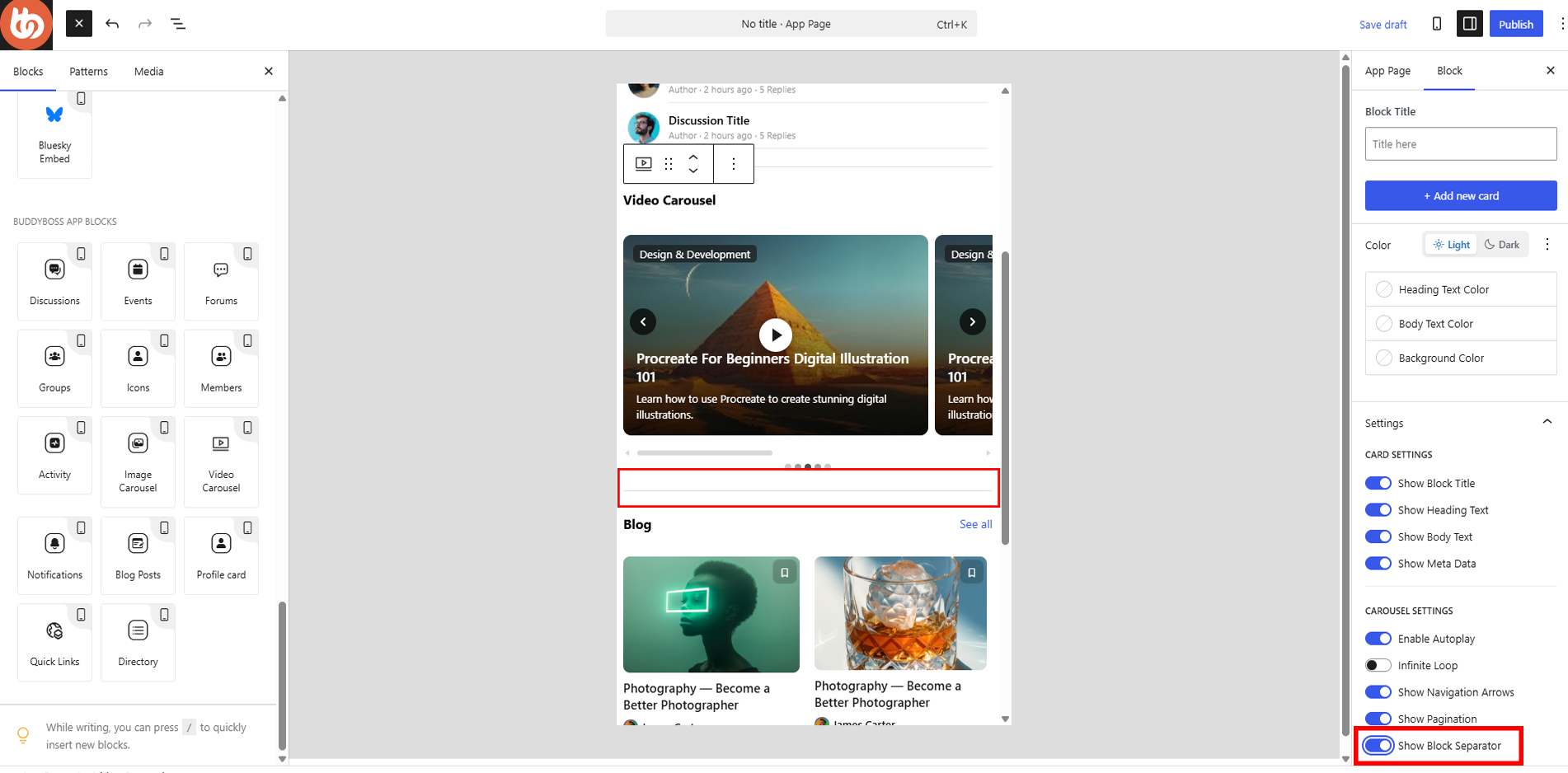
Add a BuddyBoss App Block to Your App Page
- Navigate to BuddyBoss App > App Pages.
- Create a new page or edit an existing page.
- Add any BuddyBoss App Block to the page.
Open the Block Settings
- Select the block you want to customize.
- Open the Block settings panel on the right side of the editor.
- Scroll down to the Settings section.
Enable or Disable the Block Separator
- Locate the Show Block Separator option.
- Toggle the setting on or off.
When enabled, a visual separator appears between this block and adjacent blocks on the page.