














The MailPoet plugin lets your visitors sign up as newsletter subscribers, building your mailing list.
The plugin features include:
- Create and add a newsletter subscription form to your website
- Manage your subscribers and subscriber lists in WordPress
- Build and send newsletters with WordPress
- Create automatic emails to send new post notifications
- Send automated welcome emails
- Increase your sales with our emails for WooCommerce
- Free WooCommerce email customizer
- Insightful stats on your audience engagement
- Responsive templates
- For each newsletter, see which subscribers opened it and which links got the most clicks
- Removes the small MailPoet logo in the footer of your emails
- Send to over 1,000 subscribers with your own sending method (host, SendGrid, Amazon SES)
- Translation ready
- MailPoet Sending Service (free for your first 1,000 subscribers)
The BuddyBoss Theme styles the MailPoet templates for a smooth responsive display.
Installing the plugin
To install the plugin:
- Download the MailPoet plugin from the link below
https://wordpress.org/plugins/mailpoet/ - Extract the downloaded mailpoet.zip file to the WordPress plugins folder yourhostname/wordpress/wp-content/plugins OR
Go to your WordPress Dashboard > Plugins > Add New. Click the Upload Plugin button. Browse to the download file location, select the mailpoet.zip & install the plugin. - Click the Activate Plugin button to activate the MailPoet plugin on your website. OR
To activate the plugin on your website site go to WordPress Dashboard > Plugins and then click the Activate button for MailPoet.
Setting up the plugin
To set up the plugin:
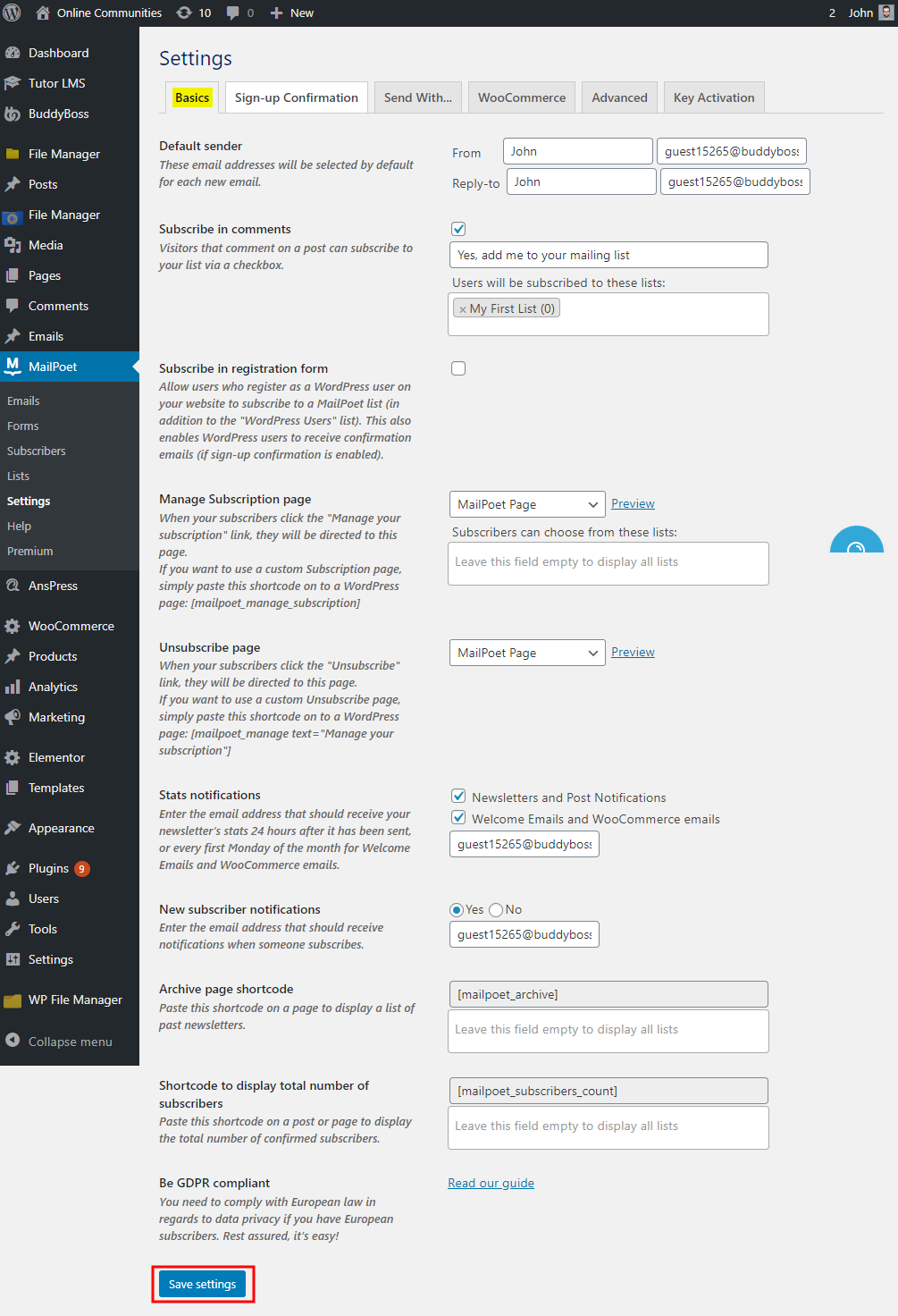
- Go to WordPress Dashboard > MailPoet > Settings.
- Make the preferred changes in each tab.
- Click the Save settings button.
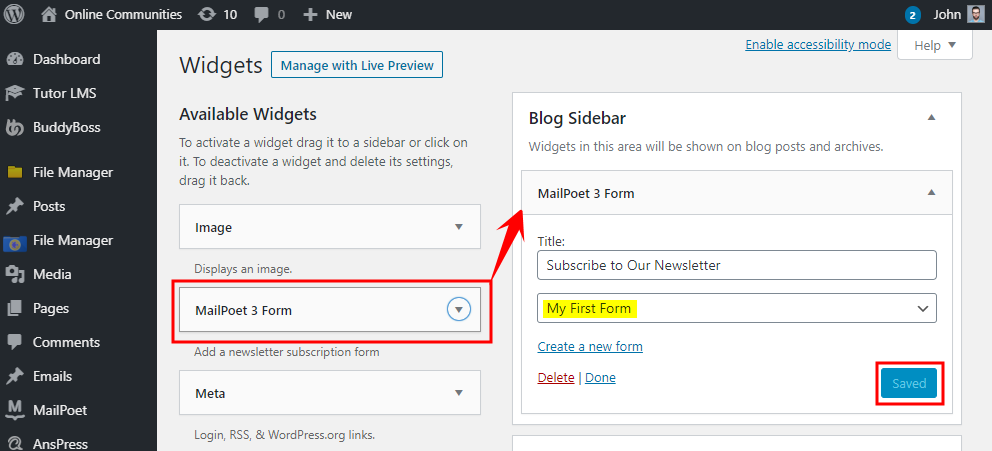
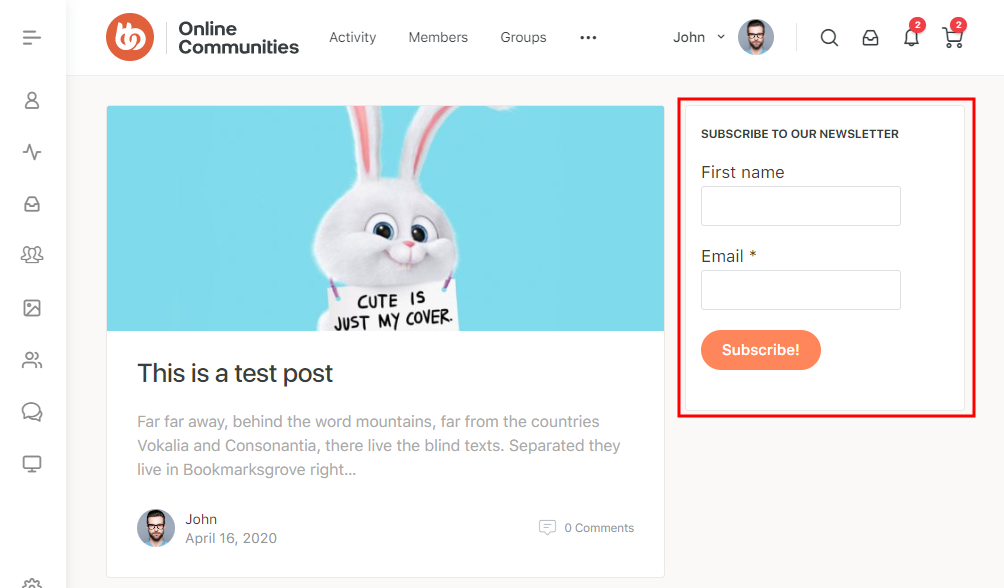
Use the MailPoet widget to add subscription forms to a page/post.
For further setup and usage tutorials, refer to the official documentation of MailPoet.